
The Army-Navy game is one of the great fixtures in American college football, a rivalry meeting between the two service academies that draws viewers far beyond the usual college audience, yet a famous game does not guarantee a straightforward way to watch it where you live. Broadcast rights for college football sit with a small set of licensed partners, and the partner that carries this game in the United States may not be the one that carries it abroad, so the real decision is which licensed route serves your country and whether you need a subscription to use it.
This guide is for supporters of Army and Navy, for graduates and families of the academies, and for neutral viewers who tune in for the tradition and the occasion. It explains how the rights for the game are arranged, where to check the official listing, how to prepare your device before kickoff, and what to do if you cannot watch live.
As an Amazon Associate we earn from qualifying purchases
Our Top Picks

Top 3 picks at a glance
How to Choose
Understand How the Rights Are Held
College football in the United States is shown by licensed broadcast partners, and the Army-Navy game is carried by the partner that holds the rights for that season, which means the route to a legal stream starts with finding out who that partner is rather than searching for the game by name. The academies and the competition publish broadcast information for the fixture, so begin with the official athletics pages and the game’s own channels, and look for the broadcaster named there. If the game is listed by a partner you already subscribe to, the stream will usually sit inside that partner’s own app or website. If it is listed by a partner you do not use, check what access that partner requires, and weigh that against the highlights and replay options described below.
Check the Listing for Your Country
A listing that is correct for a viewer in the United States may be wrong for a viewer elsewhere, because international rights for college football are sold separately and can land with a completely different service. Search the rights holder’s schedule by the fixture name, Army against Navy, rather than browsing featured games, since the fixture may sit quietly in a full schedule rather than on the front page. Confirm the channel, whether the showing is live or delayed, and whether the stream is included in a subscription you already hold. If you are travelling on the day, check the listing for the country you will be in, not the one you left, because a stream that works at home can be blocked abroad.
Test Your Setup Before Kickoff
A stream that fails in the opening minutes usually fails for a reason that a short test would have caught, such as a forgotten password, an expired subscription, an app that needs an update, or a connection that cannot hold a live picture. The evening before the game, open the partner’s app on the device you plan to use, sign in, confirm the subscription is active, and play a short clip to check picture and sound. If the picture stutters, move closer to the router or switch to a wired connection, since a weak signal rarely improves once the game begins and the network grows busier. Keep a second device charged and ready as a fallback, so a single fault does not end your viewing.
Decide Between Live, Replay and Highlights
Not every viewer can watch the Army-Navy game live, and the choice between a live stream, a full replay and a highlights package depends on your day and your tolerance for spoilers. Live coverage gives you the occasion as it happens, including the pre-game ceremony that many viewers value as much as the football itself. A full replay lets you watch at your own pace, provided you can avoid the score until you press play, while a highlights package suits viewers who want the touchdowns and the turning points without the full game. Decide which route you will take before the day, since a plan made in advance beats a search for a replay after the result is already known.
Which One Fits Your Situation
You Support Army
Army supporters should start with the academy’s own athletics channels, which link to the broadcast information for the fixture and often note the pre-game coverage as well. Look for the march-on and the team news in the build-up, and open the partner’s app early so a sign-in problem does not cost you the opening minutes. If the game is not carried live where you are, the highlights package is the licensed fallback, and it usually appears within a few hours of full time.
You Support Navy
Navy supporters face the same check, because a famous rivalry game is not automatically shown live in every territory. Search the rights holder’s schedule by team name rather than browsing featured fixtures, and confirm the channel and the start time from the official listing rather than a social media post. Open the app early, sign in and test the stream, and if the game is highlights only where you are, plan your evening around the package and avoid the score until you watch.
You Are Watching From Outside the United States
Viewers abroad need a different check from viewers at home, since the international partner may be a service you have never used. Look for the international broadcast information published for the fixture, find the partner named for your country, and confirm whether the game is live, delayed or highlights only before you make other plans. If you are travelling, check the listing for the country you will be in on the day, and test the app on the local connection before kickoff.
You Only Have Time for the Highlights
If your day allows only a short window, a full college football game will not fit, so plan around the highlights package instead. Check when the rights holder publishes it, usually within a few hours of full time, and avoid the score until you watch. The package will show the touchdowns, the key defensive plays and the turning points, which is enough to follow the game without the full broadcast and the ceremony around it.
Common Mistakes
- Assuming the game is on the same channel every year is the first mistake, because broadcast rights change between seasons and the partner that carried the fixture last year may not carry it this year. Fans who open a familiar app expecting the game often spend the opening minutes searching menus for a fixture that was never going to appear. Check the official broadcast information for this fixture, look for Army against Navy by name, and note which partner carries the game in your country before you settle in. A minute spent on the official listing saves an evening spent chasing a broadcast that does not exist, and it tells you whether to plan for a live showing or a highlights package instead.
- Relying on a social media post for the start time is another trap, because posts are often written for a different time zone, a different country or an earlier season, and a wrong start time can mean joining the stream after the opening quarter. Confirm the kickoff from the official listing for your country, and convert the time to your own time zone rather than trusting a figure quoted without one. If the listing gives a time with no zone attached, look for the same fixture on the rights holder’s own schedule, which should show the time as it applies where you are. A fresh check takes two minutes, and it beats discovering the problem when the game is already underway.
- Leaving the setup until kickoff turns a small fault into a missed start, because a forgotten password, an expired subscription or an app update can each take ten minutes to fix while the game is already underway. The evening before the fixture, launch the partner’s app, log in, make sure the subscription still works and run a brief clip to confirm picture and sound. A five-minute test the night before is worth far more than a frantic scramble in the opening minutes, and it also confirms the stream quality on your actual connection, which matters more than any promise on a help page. If the picture stutters during the test, move closer to the router or switch to a wired connection before the game.
- Clicking an unofficial link shared on social media is the riskiest shortcut, because those posts promise a free stream and then lead to pages that demand a download, a sign-up or a payment before showing anything at all. The stream itself, if it appears, is often low quality, full of interruptions and likely to vanish at a key moment. Stick to the partner named in the official listing, open that partner’s own app or schedule, and treat any link from an unknown account as a risk rather than a favour. A licensed route may ask you to sign in, yet it will actually show the game, and it keeps your device and your details safe.
- Forgetting the pre-game ceremony is a mistake for viewers who value the occasion, because the march-on and the traditions around the Army-Navy game are a large part of why people watch, and they happen before kickoff rather than during it. Fans who join the stream at the listed kickoff can find the ceremony already over and the game about to start. Check the broadcast schedule for the pre-game coverage as well as the game itself, and join the stream early enough to catch the build-up. The ceremony is often the part people remember, and a little slack in your plans is what lets you see it.
Antennas and Streaming Gear for Watching Live Sports at Home
For Army vs Navy, some coverage may also be available on local broadcast channels depending on where you live. An indoor antenna and a streaming device give you both routes on the same TV. Check your signal and your local listings before the event.
DAANT Indoor TV Antenna
An indoor antenna with a long cable so you can place it near a window. Placement and a channel scan after setup make the biggest difference.

Channel Master FLATenna Indoor Antenna
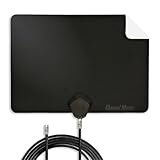
A thin, flat antenna with a long coaxial cable. In areas with strong signals it can pick up local broadcast channels that carry some live games for free, so check coverage for your address first.
ONN 4K Streaming Device
An Android TV box with a voice remote and an HDMI cable in the box. It is an easy way to add the common sports and live TV apps to an older television.

UGREEN 8K HDMI 2.1 Cable
A braided 6.6-foot cable with a metal connector shell, useful for wall-mounted TVs where the port faces sideways.

Frequently Asked Questions
Is the Army-Navy game on free television?
That depends on which partner holds the rights for the fixture and how that partner provides its coverage in your country, since some broadcasts appear on free-to-air channels while others sit behind a subscription. Check the broadcast information, find the partner named for your country, and look at that partner’s schedule to see whether the showing is free or subscription only.
Where can I watch the Army-Navy game legally?
Start from the official athletics pages of the two academies and the game’s own channels, which publish the broadcast information for the fixture. Find the partner named for your country, open that partner’s own schedule or app, and search for the fixture by team name. That route keeps your viewing licensed and confirms the stream will show the game.
What should I do if the stream is not available in my country?
If no partner carries the game live where you are, the licensed fallback is usually a highlights package published within a few hours of full time, or a replay from the rights holder. Check official channels after the game for the highlights, and avoid the score until you watch to keep the result a surprise.
Can I watch a replay of the game later?
Replays depend on the partner that carried the game, since some keep the full match available for a limited window while others provide only a highlights package. Check the partner’s app after full time and look in the on-demand or college football section, and confirm the replay window stays open long enough for the full game before you settle in.
Related guides
More from Amazon
Programs that pair well with the guide above. Offers and eligibility are set by Amazon and may change.
Free shipping on eligible items, Prime Video and more. Eligible new members can start with a free trial.
Start a Prime free trialAd-free music streaming. Eligible new subscribers can start with a free trial.
Try Music Unlimited freeA Prime membership for ages 18-24 with a trial period. Eligibility is set by Amazon.
See Prime for Young AdultsAudiobooks and podcasts to listen to on the go. Eligible new members can start with a free trial.
Try Audible freeAs an Amazon Associate we earn from qualifying purchases.


