Our Short List of 3

- Best for: Players who want the safest premium esports pick with a proven pro shape.
- Sensor: HERO 2, up to 44,000 DPI, over 500 IPS, over 40G acceleration
- Weight: 60 grams
- Polling rate: up to 2,000 Hz wireless via LIGHTSPEED
- Switches: LIGHTFORCE hybrid optical-mechanical switches

- Best for: Palm-grip players who want a full-size ergonomic mouse at an ultralight weight.
- Sensor: Razer Focus Pro 30K Optical Sensor, up to 30,000 DPI, 750 IPS, 70G acceleration
- Weight: 63 grams (black), 64 grams (white)
- Polling rate: 1,000 Hz wireless out of the box, up to 4,000 Hz with HyperPolling dongle sold separately
- Switches: Razer Optical Mouse Switches Gen-3, 90-million click lifecycle

- Best for: Tactical shooter players who want many binds, a long battery, and a full-size ergonomic body.
- Sensor: HERO 25K, 100 to 25,600 DPI, 400 IPS, 40G acceleration
- Weight: 102 grams
- Polling rate: 1,000 Hz wireless
- Switches: LIGHTFORCE hybrid optical-mechanical switches
All 4 Picks at a Glance
| Product | Specs | Action |
|---|---|---|
| Logitech G PRO X Superlight 2 |
| Check price on Amazon |
| Razer DeathAdder V3 Pro |
| Check price on Amazon |
| Logitech G502 X Lightspeed |
| Check price on Amazon |
 Pulsar X2 v2 |
| Check price on Amazon |
In a first-person shooter, the mouse is the link between your aim and the screen, and differences in weight, sensor accuracy, and wireless latency show up fast in a firefight. A heavy mouse with a mushy click makes flick shots harder, while a light mouse with a clean sensor and a fast polling rate lets your crosshair follow your hand without lag. The mice in this guide were picked for competitive shooters such as Counter-Strike 2, Valorant, and Apex Legends, where every millisecond and every gram counts.
Every mouse below is a genuine shooter pick with a proven sensor and a polling rate of at least 1,000 Hz. Four of the five weigh 63 grams or less, and the one heavier pick earns its place with a flagship sensor, a long battery, and a button layout built for players who bind utility keys to the mouse. No matter whether you play with a claw grip, a fingertip grip, or a palm grip, there is a shape here that fits.
Our Top Picks
- Logitech G Pro X Superlight 2 Lightspeed WirelessClassic1.57 x 2.5 x 4.92 inches0.1 poundsCheck on Amazon
Top 3 picks at a glance
Quick Picks
As an Amazon Associate we earn from qualifying purchases
| Product | Best for | Key spec |
|---|---|---|
| Razer Viper V3 Pro | Ultralight esports play | 54 g, Focus Pro 35K, 8,000 Hz wireless |
| Logitech G PRO X Superlight 2 | Proven pro shape | 60 g, HERO 2, 44,000 DPI |
| Razer DeathAdder V3 Pro | Large ergonomic grip | 63 g, Focus Pro 30K, 90-hour battery |
| Logitech G502 X Lightspeed | Button-heavy loadouts | HERO 25K, 13 controls, 140-hour battery |
| Pulsar X2 v2 | Lightweight value | 53 g, PAW3395, 26,000 DPI |
How to Choose
Weight and Shape
Weight shapes how a mouse feels during long sessions and fast flicks. Ultralight mice under 65 grams reduce arm fatigue and make it easier to lift and reposition the mouse between engagements, which matters for low-sensitivity players who move their arm across a large pad. Shape matters just as much: a symmetrical mouse suits claw and fingertip grips, while a tall ergonomic mouse fills a palm grip and supports the hand during long matches. Try to match the shape to your grip before chasing the lowest weight, because a light mouse in the wrong shape still causes strain. Measure your hand length and compare it with the mouse dimensions in the specs below.
Sensor Accuracy
The sensor decides whether your crosshair lands where your hand aimed. Look for a modern optical sensor with high maximum DPI, high tracking speed measured in inches per second, and high acceleration tolerance, since those numbers show the sensor keeps up with fast flicks without spinning out. A sensor with no smoothing, filtering, or acceleration keeps your aim consistent from slow tracking to fast flicks, which is what competitive players need. All five sensors in this guide are current flagship or near-flagship designs, so the differences between them are small and your grip and weight preference should break the tie.
Polling Rate and Latency
Polling rate is how often the mouse reports its position to the PC, and a higher rate means smoother cursor movement and lower input delay. A 1,000 Hz polling rate reports every millisecond and is the baseline for competitive play, while 2,000 Hz, 4,000 Hz, and 8,000 Hz settings cut that delay further at the cost of battery life. Wireless mice from major brands now match wired mice for latency thanks to dedicated 2.4 GHz links, so a wireless mouse is a safe pick for shooters as long as it uses a gaming-grade wireless protocol. Check that the high polling rate is included in the box or built in, rather than locked behind a separate dongle purchase.
Clicks, Buttons, and Battery
Crisp main clicks help you fire the moment you decide to shoot, and optical switches avoid the double-click faults that can plague mechanical switches over time. Most shooter players need only two side buttons for utility binds, but players who map reload, melee, or voice chat to the mouse may want more. Battery life matters for wireless mice: a mouse that lasts 90 hours or more between charges means fewer mid-session surprises, while a mouse with a short battery at a high polling rate needs more frequent charging. A detachable USB-C cable lets you keep playing wired while the mouse charges.
The 5 Best Options
Razer Viper V3 Pro
The Viper V3 Pro is the lightest mouse in this guide and the benchmark for ultralight esports mice. Its symmetrical shape suits claw and fingertip grips, and the smooth-touch finish with large PTFE feet glides cleanly across cloth pads. The included HyperPolling dongle unlocks an 8,000 Hz wireless polling rate out of the box, which is the fastest in this lineup. Note that a newer V4 Pro exists, so the V3 Pro is a proven flagship rather than the newest model in the line, and it remains a strong pick for competitive shooters.
Specs
- Sensor: Razer Focus Pro 35K Optical Sensor Gen-2, up to 35,000 DPI, 750 IPS, 70G acceleration
- Weight: 54 grams (black), 55 grams (white)
- Polling rate: up to 8,000 Hz wireless with included HyperPolling dongle, 1,000 Hz wired
- Switches: Razer Optical Mouse Switches Gen-3, 90-million click lifecycle
- Battery: up to 95 hours at 1,000 Hz, about 17 hours at 8,000 Hz
- Buttons: 6 programmable buttons, 5 onboard DPI profiles
- Dimensions: 127.1 x 63.9 x 39.9 mm, right-handed symmetrical shape
- Connectivity: Razer HyperSpeed Wireless, USB-C wired
Best for: Competitive players who want the lightest mouse with the fastest wireless polling rate.
Watch out for: Battery life drops sharply at 8,000 Hz, and the slim shape does not suit large palm grips.
ASIN: B0CW25XR5R
Logitech G PRO X Superlight 2
- Best for: Players who want the safest premium esports pick with a proven pro shape.
- Sensor: HERO 2, up to 44,000 DPI, over 500 IPS, over 40G acceleration
- Weight: 60 grams
- Polling rate: up to 2,000 Hz wireless via LIGHTSPEED
- Switches: LIGHTFORCE hybrid optical-mechanical switches
Players who want the safest premium esports pick with a proven pro shape.
Some owners report scroll-wheel quirks, so check the wheel early, and there is no DPI button on the mouse.
The Superlight 2 is the most widely used mouse among professional Counter-Strike 2 players, and its shape is the reference point other esports mice are judged against. The HERO 2 sensor tracks cleanly with no smoothing, and the LIGHTFORCE hybrid switches give a crisp click without the double-click faults of older designs. At 60 grams with up to 95 hours of battery, it balances weight, battery, and reliability better than almost anything else in its class. The symmetrical shape works for claw, fingertip, and relaxed palm grips alike.
Razer DeathAdder V3 Pro
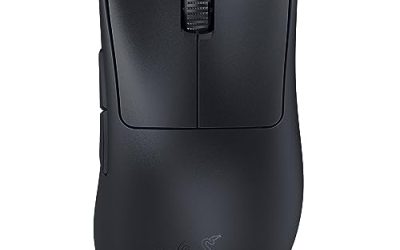
- Best for: Palm-grip players who want a full-size ergonomic mouse at an ultralight weight.
- Sensor: Razer Focus Pro 30K Optical Sensor, up to 30,000 DPI, 750 IPS, 70G acceleration
- Weight: 63 grams (black), 64 grams (white)
- Polling rate: 1,000 Hz wireless out of the box, up to 4,000 Hz with HyperPolling dongle sold separately
- Switches: Razer Optical Mouse Switches Gen-3, 90-million click lifecycle
Palm-grip players who want a full-size ergonomic mouse at an ultralight weight.
The 4,000 Hz dongle is a separate purchase, and the DPI button sits underneath the mouse.
The DeathAdder V3 Pro brings the classic DeathAdder ergonomic shape down to just 63 grams, making it the pick for players who want a larger mouse that still feels light. The tall right-handed body supports a palm grip during long matches, and the Focus Pro 30K sensor delivers the same clean tracking as the smaller Viper line. Battery life reaches up to 90 hours at 1,000 Hz, and the optical switches are built for long-term reliability. This is the mouse for players who tried ultralight symmetrical mice and found them too small or too flat.
Logitech G502 X Lightspeed
- Best for: Tactical shooter players who want many binds, a long battery, and a full-size ergonomic body.
- Sensor: HERO 25K, 100 to 25,600 DPI, 400 IPS, 40G acceleration
- Weight: 102 grams
- Polling rate: 1,000 Hz wireless
- Switches: LIGHTFORCE hybrid optical-mechanical switches
Tactical shooter players who want many binds, a long battery, and a full-size ergonomic body.
At 102 grams it is far heavier than the ultralight picks, and the shape is right-handed only.
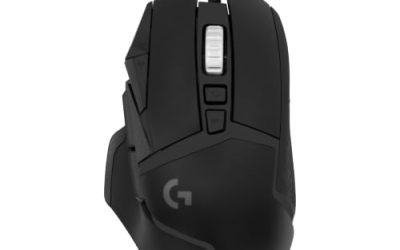
The G502 X Lightspeed is the heaviest mouse in this guide at 102 grams, and it earns its place for a different reason: no other mouse here offers this many controls. Thirteen programmable controls let you bind utility, melee, reload, and voice chat without reaching for the keyboard, which suits tactical shooters with deep keybinds. The HERO 25K sensor tracks with sub-micron precision, LIGHTSPEED wireless keeps latency low, and the 140-hour battery is the longest in this lineup. The right-handed ergonomic body with a thumb rest suits players with larger hands.
Pulsar X2 v2
- Best for: Budget-conscious players who want the lightest mouse in the guide with a proven sensor.
- Sensor: PixArt PAW3395, up to 26,000 DPI, 650 IPS, 50G acceleration
- Weight: 53 grams
- Polling rate: 1,000 Hz, 4,000 Hz ready with separate dongle
- Switches: Optical switches, fast and double-click free
Budget-conscious players who want the lightest mouse in the guide with a proven sensor.
The brand is smaller than Razer or Logitech, and the 4,000 Hz dongle is sold separately.
The Pulsar X2 v2 is the lightest mouse in this guide at 53 grams and the most affordable path to a flagship-level sensor. The PAW3395 sensor tracks up to 26,000 DPI with clean motion sync, and the symmetrical shape with a wide waist and low hump suits claw and fingertip grips. Optical switches remove double-click worries, and the battery lasts up to 100 hours at 1,000 Hz. An OLED display on the underside lets you adjust DPI, polling rate, and lift-off distance without opening software, which is a handy touch for players who switch settings between games.
Which One Fits Your Situation
You Play Ranked Matches Every Night
Pick the Razer Viper V3 Pro or the Logitech G PRO X Superlight 2. Both are ultralight, both use flagship sensors, and both are trusted by professional players in the biggest shooters. The Viper V3 Pro wins on raw polling rate with its included 8,000 Hz dongle, while the Superlight 2 wins on shape familiarity and battery life. Either one disappears in your hand during a long ranked session.
You Have Large Hands or a Palm Grip
Pick the Razer DeathAdder V3 Pro or the Logitech G502 X Lightspeed. The DeathAdder V3 Pro is the lighter of the two and suits players who want an ergonomic body without the weight penalty, while the G502 X Lightspeed adds a thumb rest and far more buttons. Both fill a large palm grip far better than the slim symmetrical mice in this guide.
You Want the Most Binds for Tactical Shooters
Pick the Logitech G502 X Lightspeed. Its thirteen programmable controls let you map utility, melee, reload, push-to-talk, and more without touching the keyboard, and five onboard profiles let you keep different layouts for different games. No other mouse in this guide comes close for keybind depth, and the 140-hour battery means it keeps going through long sessions.
You Want Lightweight Performance on a Smaller Budget
Pick the Pulsar X2 v2. At 53 grams it is the lightest mouse here, and its PAW3395 sensor performs at the same level as the flagship sensors in far more expensive mice. The OLED display makes it easy to change DPI and polling rate without software, and the long battery keeps it running between charges.
Common Mistakes
- Chasing the highest DPI number instead of matching the shape to your grip and hand size
- Picking a mouse for its 8,000 Hz polling rate and then running it at that setting every day, which drains the battery fast
- Buying a symmetrical mouse for a palm grip or an ergonomic mouse for a fingertip grip
- Ignoring the dongle: some mice need a separate purchase to reach their top polling rate
- Choosing a heavy mouse with many buttons for fast flick-heavy shooters where weight matters most
Frequently Asked Questions
What weight is best for a shooter mouse?
Most competitive players prefer mice between 50 and 65 grams, because a lighter mouse is easier to lift, flick, and reposition during fast engagements. The Viper V3 Pro at 54 grams, the Pulsar X2 v2 at 53 grams, and the Superlight 2 at 60 grams all sit in that range. Heavier mice can still work for shooters, especially for players who value stability and extra buttons over raw speed.
Does a higher polling rate improve aim?
A higher polling rate reduces the delay between your hand movement and the cursor on screen, so aiming feels smoother. The jump from 125 Hz to 1,000 Hz is large and easy to feel, while the jump from 1,000 Hz to 8,000 Hz is smaller and matters mostly at very high refresh rates. Battery life falls as polling rate rises, so many players settle at 1,000 Hz.
Is wireless good enough for competitive shooters?
Yes, modern gaming wireless from major brands matches wired mice for latency in competitive play. All five mice in this guide use dedicated 2.4 GHz wireless links built for gaming, not the slower wireless found in office mice. Keep the receiver close to the mouse, keep the battery charged, and a wireless mouse performs at the same level as a wired one.
Do I need a mouse with many buttons for shooters?
Most shooter players only need two side buttons for common binds such as melee or voice chat, and the ultralight mice in this guide cover that well. Extra buttons help in tactical shooters with deep utility binds, which is where the G502 X Lightspeed with thirteen controls shines. More buttons add weight and complexity, so only pay for them if you will actually use them.
Related guides
More from Amazon
Programs that pair well with the guide above. Offers and eligibility are set by Amazon and may change.
Free shipping on eligible items, Prime Video and more. Eligible new members can start with a free trial.
Start a Prime free trialAd-free music streaming. Eligible new subscribers can start with a free trial.
Try Music Unlimited freeA Prime membership for ages 18-24 with a trial period. Eligibility is set by Amazon.
See Prime for Young AdultsAudiobooks and podcasts to listen to on the go. Eligible new members can start with a free trial.
Try Audible freeAs an Amazon Associate we earn from qualifying purchases.