The best drum machines in 2026 are the Elektron Digitakt II for deep sample-based sequencing, Roland TR-8S for immediate live performance, Elektron Syntakt for compact hybrid synthesis, and Akai MPC One+ for an all-in-one production workstation.
As an Amazon Associate we earn from qualifying purchases at no extra cost to you.



Our Top Picks

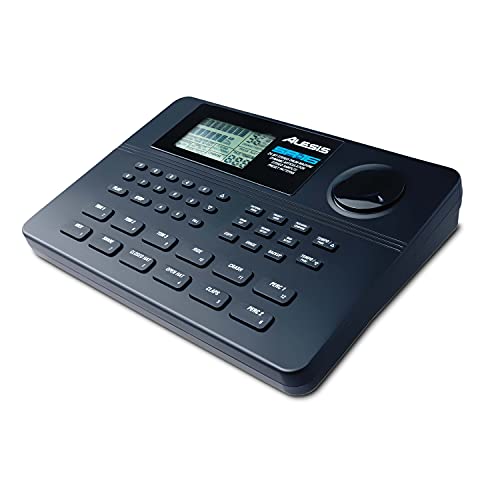


Top 3 picks at a glance
Best drum machines at a glance
| Model | Best for | Sound engine and storage | Sequencing strength | Typical market range |
|---|---|---|---|---|
| Elektron Digitakt II | Detailed sample sequencing | Sample playback, 16 audio tracks, internal storage and sample transfer by USB | Parameter locks, conditional trigs, micro-timing, pattern chaining | Usually $900–$1,100 |
| Roland TR-8S | Live techno, house and electro | ACB drum models plus user samples | Fast step programming, variations, fills and performance controls | Usually $650–$800 |
| Elektron Syntakt | Hybrid synthesized drums and bass | Digital and analog synthesis engines; no user-sample playback | Elektron parameter locks and probability-based sequencing | Usually $900–$1,100 |
| Akai MPC One+ | Complete standalone production | Samples, instruments, effects and large project workflow | Linear and pattern-based sequencing, audio tracks and clip-style ideas | Usually $600–$800 |
| Roland TR-6S | Portable classic drum sounds | ACB models plus sample support | Six-track version of Roland’s performance-focused workflow | Usually $350–$450 |
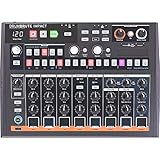
| Arturia DrumBrute Impact | Hands-on analog beatmaking | Analog drum voices with built-in effects | Quick pattern creation, accents, randomness and performance actions | Usually $300–$400 |
Our top picks by workflow
Elektron Digitakt II: best overall for sample-based beatmaking
The Digitakt II is the strongest choice when the sequencing process matters as much as the sounds. Its 16 audio tracks let you separate more drum parts, percussion layers and sampled phrases than the original Digitakt, while Elektron’s parameter locks let individual steps change pitch, filter, sample start, decay or effects settings.
This creates movement without adding extra tracks. For example, one hi-hat track can use a short closed hat on most steps, a longer sample on every fourth step, different filter settings on fills, and probability on selected hits. The result is more detailed than a simple static 16-step loop.
Its main limitation is that it is not the quickest machine for a performer who wants one knob per drum sound. The workflow rewards menu familiarity, pattern organization and careful sound preparation. Choose it if you want evolving hip-hop, IDM, techno or sample-heavy electronic patterns and do not mind learning a deeper system.
Roland TR-8S: best for live performance
The TR-8S is built around immediate access. Its faders control individual parts, dedicated buttons make muting easy, and performance controls support fills, variations and rapid pattern changes. Roland’s ACB modeling provides recognizable versions of classic TR-style machines, while sample loading expands the palette beyond those modeled sounds.
It is particularly effective when you need to keep your attention on a mixer, vocalist or other hardware rather than a screen. The faders also make transitions more physical: lower the kick, open the hi-hat, bring in a percussion variation, and restore the full pattern without stopping playback.
The compromise is a less microscopic editing experience than the Digitakt II or MPC One+. It is excellent at rhythm performance but less suited to arranging a long, sample-heavy composition entirely inside the unit.
Elektron Syntakt: best for synthesized drums and bass
The Syntakt combines digital drum synthesis with analog machines and melodic parts in a compact box. It does not play user samples, so it is the wrong choice if your workflow depends on vocal chops, field recordings or one-shot libraries. It is a strong choice if you want to generate kicks, percussion, basses and electronic textures from synthesis instead.
Its sequencer supports Elektron’s characteristic parameter locks, conditional trigs and micro-timing. A single pattern can therefore contain regular drums, probability-based ghost hits and evolving synthesized tones without requiring a computer.
For live sets, the Syntakt is durable and relatively compact, but its controls are shared across functions. It offers depth rather than one-control-per-voice immediacy.
Akai MPC One+: best standalone workstation
The MPC One+ is better understood as a complete music-production system that includes powerful drum-machine capabilities. It supports sample chopping, multi-track arrangements, effects, instruments and detailed editing on its touchscreen. If your beatmaking starts with recorded material or you want to finish songs without a computer, it is the most flexible option in this group.
Its large feature set also makes it less immediate than the TR-8S. There are more pages, settings and organizational decisions. The MPC One+ is best for producers who want one device to handle beatmaking, sampling, arrangement and mixing rather than a focused rhythm box.
How to choose the right drum machine
1. Decide whether you need synthesis, samples or both
- Choose the Syntakt or DrumBrute Impact when creating sounds from synthesis is central to the process.
- Choose the Digitakt II, TR-8S or TR-6S when you want both modeled drum sounds and imported samples.
- Choose the MPC One+ when you need extensive sample editing, instruments and full arrangements.
- Choose a compact sample box such as the Teenage Engineering EP-133 KO II when portability and quick resampling matter more than deep multitrack production.
Sample support is not only about whether a machine can import WAV files. Check how quickly you can trim a sound, tune it, assign it to a pad or step, and save it with the project. A technically capable machine can still be slow if sample management is buried in menus.
2. Match the sequencer to your writing style
Step sequencers are ideal for precise kick and snare placement. Elektron machines add probability, conditional trigs and parameter locks, which are useful when you want a pattern to change without manually recording every variation. Roland’s TR-8S favors quick pattern performance, while the MPC One+ is more suitable for combining pattern ideas with linear song arrangement.
Before buying, ask whether you usually write by repeating and mutating short patterns or by recording a complete song from start to finish. For the first approach, prioritize pattern memory, variation controls and per-step editing. For the second, prioritize song mode, audio tracks, arrangement visibility and project storage.
3. Calculate your power needs before a live set
A drum machine’s power supply is only one part of a portable setup. For example, a 12-volt drum machine drawing 1 amp uses:
12 volts × 1 amp = 12 watts.
If you add a small mixer drawing 6 watts and a MIDI controller drawing 4 watts, the setup requires about 22 watts continuously. A battery rated at 100 watt-hours would theoretically run it for:
100 watt-hours ÷ 22 watts = 4.5 hours.
Allowing for inverter and battery losses, plan for roughly 3.5–4 hours instead. Use the exact voltage and current printed on each device, and do not assume that a USB power bank can safely replace a manufacturer-approved adapter. For fixed venues, the TR-8S, Syntakt and MPC One+ are practical; for travel, the TR-6S and EP-133 KO II reduce both space and power demands.
4. Check connectivity against the rest of your rig
- Use MIDI DIN when connecting to older synthesizers, drum machines or a dedicated hardware sequencer.
- Use USB MIDI when working with a computer or modern controller and when you want fewer cables.
- Prioritize multiple individual outputs if you mix drums externally and need separate kick, snare or percussion processing.
- Look for audio-over-USB only if you want to record directly into a computer without a separate interface.
- Check whether the device accepts an external clock and whether it can send clock, since tempo instability can disrupt a hardware performance.
The TR-8S is especially useful in a mixer-based live setup because its hands-on part controls encourage external performance mixing. The MPC One+ is more self-contained, while the Digitakt II and Syntakt work well as central MIDI sequencers for a wider hardware system.
Live-performance durability and setup decisions
Durability is more than a metal case. A reliable live machine should have controls that are easy to identify in low light, a stable power connection, dependable pattern recall and enough separation between performance actions and destructive editing. Dedicated mute buttons, large step keys and clear tempo control reduce mistakes when attention is divided.
For a club or rehearsal rig, save a complete project backup before every show and keep a second copy on a computer or storage device. Use consistent pattern names such as “01 Intro,” “02 Main” and “03 Break,” and leave unused patterns between sections if you need room for emergency edits. Set conservative input levels when sampling: peaks around -12 dBFS to -6 dBFS leave useful headroom and reduce accidental clipping.
A practical performance matrix looks like this:
| Your situation | Best match | Why |
|---|---|---|
| You perform techno with frequent mutes and fills | Roland TR-8S | Dedicated controls, modeled classics, samples and fast pattern changes |
| You build intricate, evolving sample patterns | Elektron Digitakt II | Per-step sound changes, probability and deeper sample sequencing |
| You want analog-style synthesis without a sample library | Elektron Syntakt or DrumBrute Impact | Immediate synthesized rhythm creation, with different levels of sequencing depth |
| You need to finish complete tracks in one box | Akai MPC One+ | Sampling, instruments, effects and arrangement in a standalone workflow |
| You need a small, affordable travel setup | Roland TR-6S or EP-133 KO II | Low space requirements and quick pattern-based operation |
Frequently asked questions
Can the Elektron Syntakt play imported samples?
No, the Elektron Syntakt does not play user samples. It combines digital drum synthesis with analog machines and melodic parts, making it suitable for generating kicks, percussion, basses, and electronic textures from synthesis. It is therefore less appropriate for workflows based on vocal chops, field recordings, or one-shot sample libraries.
Which option is best for making complete songs without a computer?
The Akai MPC One+ is the best option for making complete songs without a computer. It supports sample chopping, multitrack arrangements, effects, instruments, detailed editing, and touchscreen-based production. Its broad feature set is less immediate than the TR-8S, but it is more flexible for beatmaking, sampling, arrangement, and mixing in one device.
What should I check before using a drum machine in a hardware setup?
Check its MIDI connections, audio outputs, USB capabilities, and clock options against the rest of your rig. MIDI DIN suits older synthesizers and hardware sequencers, while USB MIDI suits computers and modern controllers. Multiple individual outputs help with external mixing, and external clock support matters when tempo stability is important during a hardware performance.
How long could a portable setup run from a 100 watt-hour battery?
A setup using about 22 watts continuously could theoretically run for 4.5 hours from a 100 watt-hour battery. After allowing for inverter and battery losses, plan for roughly 3.5–4 hours instead. The example combines a 12-volt drum machine drawing 1 amp with a small mixer drawing 6 watts and a MIDI controller drawing 4 watts.
Final recommendation
Buy the Digitakt II if sequencing creativity and sample manipulation are your priorities. Choose the TR-8S if you want the fastest route from pattern to confident live performance. Choose the Syntakt for synthesized electronic drums and bass, the MPC One+ for complete standalone production, and the DrumBrute Impact for direct analog-style control at a lower typical cost. The best drum machines are not interchangeable: the right choice is the one whose sequencing, sound-loading and performance controls match how you actually build and perform beats.