Apartment dwellers face a constraint most homeowners do not: the door, the frame, and sometimes the lock itself belong to someone else. A keypad lock for an apartment has to install without drilling new holes, fit the existing bore and backset, and ideally go back to the original hardware at move-out. That reality shapes the whole decision, from knob versus deadbolt to whether you want an app at all.
This guide is for renters and condo owners who are tired of hiding a key under the mat, losing keys to roommates, or letting in guests and dog walkers. The seven locks below cover keypad knobs, lever handles, and deadbolts, with options that add fingerprint, card, or app access. Prices vary from budget to premium, and the listed specs make it clear who each one suits in 2026.
Our Top Picks
 Zowill Keyless Entry Keypad Deadbolt Lock with Handles3.5 x 7.1 x 11.6 inches4.5 poundsCheck on Amazon


Top 3 picks at a glance
Quick Picks
As an Amazon Associate we earn from qualifying purchases at no extra cost to you.


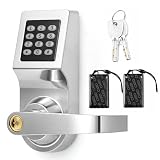

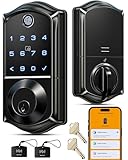

| Product | Best for | Key spec from the title |
|---|---|---|
| Yamiry Keypad Smart Knob | Simple knob replacement | Keyless entry knob, 20 user codes |
| Zowill Keypad Deadbolt | Extra security with handles | 20+ user passwords, one-time code, auto lock |
| GHome Fingerprint Knob | Bedrooms and interior doors | 4-in-1, fingerprint, keypad, app control |
| Hicarer Commercial Lever | Shared or office-style entry | Keypad, card, and key entry, lever handle |
| Yamiry Fingerprint Handle | Remote guest access | Fingerprint, keypad, app, remote passcodes |
| Veise VE017 | Tech-forward households | 8-in-1 entry, app control, touchscreen |
| TEEHO TE004 | Code-only lever with a rating | 20 user codes, ANSI Grade 3, auto lock |
How to Choose
Check your landlord and your door first
Read the lease before swapping hardware, and ask for written approval. Then measure the door: standard prep is a 2-1/8 inch bore with a 2-3/8 or 2-3/4 inch backset, and door thickness between roughly 1-3/8 and 2 inches. A keypad lock that fits the existing holes means you can keep the original lock in a drawer and reinstall it at move-out. Take a photo of the old hardware before you remove it, and keep the screws in a labeled bag so nothing is missing when the landlord inspects the unit.
Choose the lock type for the way you live
Knobs are the easiest swap but give a thin sense of security. Levers are friendlier to hands and common on commercial-style doors. Deadbolt-style models add a stronger bolt. If your door already has a separate deadbolt, you may only need a keypad knob or handle for the latch. Look for the ANSI grade where the listing provides it; Grade 3 is the entry tier for residential use.
Decide how many ways in you want
Keypad-only models are simple and offer many user codes, handy for a household or a regular cleaner. Fingerprint, card, and app options add convenience but also add batteries, firmware, and extra points of failure. Features like one-time codes, auto lock, and anti-peeping password entry matter more than a long feature count. Budget models tend to cut corners on keypad responsiveness and battery life.
Plan for batteries and lockouts
Every keypad lock runs on batteries, usually four AA cells. Look for a low-battery alert and a backup, such as a physical key or an external power contact, so a dead lock never leaves you standing in a hallway at midnight waiting for a locksmith or a building manager. Set a reminder to replace batteries twice a year, and keep a copy of your master code somewhere safe other than your phone. Change any code you gave to a former roommate or a contractor as soon as they are done, since a keypad lock only stays secure while the list of codes stays short.
The 7 Best Options
Yamiry Keypad Smart Knob
A keypad door knob with a handle, aimed at front-door use with easy installation and 20 user codes. It targets renters who want a simple, code-only upgrade without extra complexity.
- 20 user codes are enough for roommates, a cleaner, and a dog walker.
- Easy installation makes a weekend swap realistic.
- Trade-off: a knob-style latch gives less protection than a dedicated deadbolt on its own.
Skip it if you want a deadbolt or fingerprint access. A knob swap is the least invasive option for a rental, since it reuses the existing door prep, but it also gives the least resistance to forced entry, so pair it with the building’s existing deadbolt if there is one.
Zowill Keypad Deadbolt
This keyless deadbolt includes handles and a matte black finish, with 20 or more user passwords, one-time codes, auto lock, and an anti-peeping password feature. It is the closest to a full door-security upgrade in the group.
- One-time codes suit guests, repair visits, and short-term rentals.
- Anti-peeping entry helps hide the real code from onlookers in a shared hallway.
- Trade-off: installing a deadbolt with handles is more work than a simple knob swap.
Skip it if your door cannot be modified or your lease limits hardware changes. A deadbolt set with handles usually replaces both the latch and the bolt, which is a bigger change than a single-knob swap, so read the installation notes and make sure the original parts can be put back at move-out.
GHome Fingerprint Knob
A 4-in-1 smart knob that combines a fingerprint reader, keypad, app control, and auto lock. The title points to bedrooms, which suits interior doors or roommates who want a private room.
- Fingerprint plus keypad covers fast daily entry with a fallback.
- App control helps manage access without being at the door.
- Trade-off: more features mean more batteries and settings to manage.
Skip it if you want a front-door deadbolt-style lock. A knob built for a bedroom or interior door suits privacy more than hard security, and the added fingerprint and app features are best valued by people who want fast personal access instead of a shared code.
Hicarer Commercial Lever
A commercial-style keyless lever with 3-in-1 entry: password, card, and key. The silver finish and lever handle suit shared offices, studios, and rooms with frequent traffic.
- Card entry works well for staff or tenants who prefer a swipe to a code.
- A physical key remains as a backup.
- Trade-off: commercial styling may look out of place on a residential unit, and it is not a Wi-Fi smart lock.
Skip it if you want app control or a residential look. The commercial styling suits a shared studio, office suite, or a building with many users who prefer a swipe card, whereas a household with two or three people will usually be happier with a plain code or a fingerprint option.
Yamiry Fingerprint Handle
This smart handle adds fingerprint reading to a keypad, with deadbolt-style app control and remote passcode generation. It fits renters who host guests while they are away.
- Remote passcode generation lets you grant access to a visitor from anywhere.
- Fingerprint entry means no code to remember for daily use.
- Trade-off: a Bluetooth or app-based feature set adds complexity and reliance on your phone.
Skip it if you prefer a code-only system. Remote codes depend on the phone app and its connection, so renters who rarely leave town may not benefit from that feature, and it is worth confirming how the lock behaves when the phone or the app is unavailable.
Veise VE017
A fingerprint smart lock with app control, 8-in-1 keyless entry, smart user management, and auto lock. The electronic touchscreen suggests a modern look for people who want several entry methods in one lock.
- Eight ways in cover fingerprint, code, app, and other methods.
- User management lets you track who has access.
- Trade-off: more entry methods can mean a steeper setup process.
Skip it if you want the simplest possible lock. A long feature list is only useful if you will set it up, so households that want a quick install and a single code may find a simpler lever or knob more satisfying than eight entry methods and a user-management screen.
TEEHO TE004
A keyless entry lever with a keypad, satin nickel finish, 20 user codes, one-time access codes, auto lock, and an ANSI Grade 3 designation. It is a clear fit for renters who want a code-only handle with a recognized security grade.
- ANSI Grade 3 gives a standardized baseline for residential strength.
- One-time codes make guest access easy to control.
- Trade-off: no fingerprint or app features are listed.
Skip it if you want biometric entry. Its appeal is restraint: a keypad, a security grade, and a few codes, with few settings to forget, which suits renters who want a lock that behaves the same way every day.
Which One Fits Your Situation
You rent and the landlord allows a lock swap, nothing more
The TEEHO TE004 is the cleanest pick: a code-only lever with a stated security grade and easy removal at move-out. Keep the original lock in a labeled bag taped inside a closet so the swap back takes ten minutes.
You host guests often and travel for work
The Yamiry Fingerprint Handle gives you remote passcodes, so a visitor can enter while you are on a different continent. A short-stay guest or a friend watering plants can be given a code and have it removed afterward, which is cleaner than leaving a spare key.
You want better security on the front door
Choose the Zowill Keypad Deadbolt for the added bolt and the anti-peeping password entry in a shared hallway. Neighbors walking past will not easily read the code over your shoulder, and one-time codes help when a repair person visits.
You share a unit with roommates
The GHome Fingerprint Knob suits a bedroom door, giving each person their own fingerprint without sharing a code. It keeps a roommate’s privacy intact while still giving you a keypad backup if a finger is wet or dirty.
Common Mistakes
- Installing a lock without checking the lease or asking the landlord.
- Buying a knob when your door needs a lever, or the reverse, and not measuring bore and backset.
- Choosing a long feature list over a lock with reliable keypad response, even though you will press those buttons several times every single day.
- Leaving batteries until the low-battery warning appears.
- Using a birthday or a simple sequence as the access code.
Related guides
- When I Turn On Record Game In Background On Gamebar. Gamebar Crashes, What Do I Do?
- How To Reduce Background Noise On A Streaming Microphone
- Poly Computer Accessories Company Streaming Evaluation
Frequently Asked Questions
Can I install a keypad lock in a rental?
Often yes, if the landlord approves in writing and the lock fits the existing holes. Keep the original lock and reinstall it when you move out, and ask whether the building needs a copy of the master code for emergencies.
What happens if the batteries die?
Most keypad locks give a low-battery warning and keep a backup, such as a physical key or an external power contact. Replace batteries on a regular schedule.
Is a keypad lock less secure than a key?
It depends on the build and your habits. A lock with a standardized grade and a strong, rarely shared code can match a basic key lock, but cheap models may be weaker.
Do I need Wi-Fi for these locks?
No, keypad-only models work without any network. App features typically use Bluetooth or a hub, so check the listing if remote access matters to you.
Related guides
More from Amazon
Programs that pair well with the guide above. Offers and eligibility are set by Amazon and may change.
Free shipping on eligible items, Prime Video and more. Eligible new members can start with a free trial.
Start a Prime free trialAd-free music streaming. Eligible new subscribers can start with a free trial.
Try Music Unlimited freeA Prime membership for ages 18-24 with a trial period. Eligibility is set by Amazon.
See Prime for Young AdultsAudiobooks and podcasts to listen to on the go. Eligible new members can start with a free trial.
Try Audible freeAs an Amazon Associate we earn from qualifying purchases.