
For most builders the best gaming tower is an airflow-focused ATX mid tower such as the Lian Li Lancool 216 when you want maximum space and cooling, or the Fractal Design North when you want a quieter, furniture-style look with a mesh front option. This guide compares towers by the measurements that decide whether your parts fit and stay cool, then maps each pick to a buyer type.
As an Amazon Associate we earn from qualifying purchases at no extra cost to you.

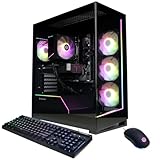


Our Top Picks



Top 3 picks at a glance
Towers at a Glance
| Tower | Best for | Maker-listed fit details | Limit |
|---|---|---|---|
| Lian Li Lancool 216 | Airflow and large GPUs | Mid tower; E-ATX under 280 mm, ATX, Micro-ATX, Mini-ITX; 392 mm GPU clearance; 180.5 mm CPU cooler height; two 160 mm front fans and one 140 mm rear fan included; front and top radiators up to 360 mm, plus 240 mm bottom | Large footprint on a small desk |
| Fractal Design North | Quiet, design-led builds | ATX, Micro-ATX, Mini-ITX; 355 mm GPU length (300 mm with a 360 mm front radiator); 145 mm cooler height; two Aspect 14 PWM fans included; 447 x 215 x 469 mm, 42 liters, 7.6 kg | Cooler height limit is tighter than larger towers |
| NZXT H5 Flow class | Straightforward mainstream builds | ATX mid tower with a perforated front panel (confirm current dimensions on the maker page) | Fewer radiator options than larger cases |
| Corsair 4000D Airflow class | Easy building and cable routing | ATX mid tower with a mesh front (confirm clearances on the maker page) | Check graphics card length against your model |
What a Gaming Tower Actually Has to Do
A case holds parts, feeds them cool air and keeps noise reasonable. Fit is decided by four numbers: motherboard form factor, graphics card length, CPU cooler height and radiator support. Everything else, such as glass panels and lighting, is secondary. Reviewers at outlets such as Gamers Nexus and Tom’s Hardware focus on temperatures and noise because those separate good cases from poor ones.
Motherboard Form Factor
ATX is the standard size and gives the most expansion slots. Micro-ATX boards fit in nearly every tower but have fewer slots, and Mini-ITX boards need a compact or small-form-factor case. Both of the main picks above accept ATX, Micro-ATX and Mini-ITX, and the Lancool 216 also lists E-ATX under 280 mm wide.
Graphics Card Length
Modern graphics cards are long. A card listed at over 340 mm needs a case that lists matching clearance, and the Fractal North’s 355 mm figure drops to 300 mm if you mount a 360 mm radiator at the front. The Lancool 216’s 392 mm clearance covers most current cards without that trade-off. Measure your chosen card, which the card maker lists, and leave a few millimeters spare for power cables.
CPU Cooler Height
Tall air coolers can collide with the side panel. The Fractal North lists 145 mm, which suits many mid-height coolers but excludes the largest dual-tower models. The Lancool 216 lists 180.5 mm, which covers most large air coolers. If you plan to use a liquid cooler instead, radiator support matters more than height.
Radiator Support
The North lists support for 120 to 360 mm radiators at the front, 120 and 240 mm at the top, and side mounts for two 120 or 140 mm fans. The Lancool 216 lists 240, 280 and 360 mm options at both front and top and a 240 mm option at the bottom. A 240 mm or 360 mm front radiator is the common choice for an eight-core processor that runs hot under load.
Airflow Versus Silence
Mesh or perforated front panels pull in more air and keep components cooler under load. Solid or dampened panels cut noise but can raise temperatures. The North ships with a mesh front option and a walnut panel version, so you choose between airflow and appearance. The Lancool 216 leans fully toward airflow, with large 160 mm front fans that move air at lower speeds. If your PC sits on a desk near you, noise may matter as much as peak temperature.
Tier Guidance by Budget
- Budget tier: A plain ATX mid tower with a mesh front and two or three included fans covers most 1080p builds. Prioritize clearance numbers over lighting.
- Mid-range tier: Cases such as the Lancool 216 or North add better build quality, front USB-C and more radiator options.
- Premium tier: Larger towers with dual-chamber layouts and glass panels suit showpiece builds with high-end cards, at the cost of desk space.
Front Ports and Build Experience
Front I/O is worth checking. The North lists three front USB ports including one USB 3.2 Gen 2×2 Type-C at up to 20 Gbps, which suits fast external drives. Cable routing space behind the motherboard tray also affects how clean a build looks and how easy it is to tidy. Reviewers often point to removable panels and drive mounts as quality-of-life features worth paying attention to. Dust filters on the intake side keep components cleaner, and easily removable ones make maintenance quicker.
Cable Management, Dust and Day-to-Day Use
A tower you live with every day should be easy to open and clean. Look for tool-free side panels, removable dust filters on the intake side, and a rear chamber with tie-down points and enough depth for the power supply cables. Reviewers often note that a few extra millimeters behind the motherboard tray make a bigger difference to build quality than any cosmetic feature. Cases with a power supply shroud hide the cable bundle, and a vertical-friendly layout lets you add storage later without rebuilding.
Placement matters as well. A mesh-front tower pushed against a wall or placed inside a closed desk cubby starves the intake fans, and temperatures climb. Leave a few centimeters of space at the front and top, and keep the case off thick carpet so bottom intakes can breathe. If the PC sits on the floor, a case with a bottom dust filter that slides out for cleaning is helpful.
Finally, consider the case size relative to your desk or room. The North lists 447 x 215 x 469 mm and 7.6 kg, which is relatively compact for an ATX tower, while larger cases with 392 mm of card clearance give up some desk space in exchange for easier building and more airflow headroom.
Checklist Before You Buy
- Write down your motherboard size, graphics card length and cooler height from the part makers’ pages.
- Compare each number with the case maker’s listed clearance, leaving a small margin.
- Decide whether you will use air cooling or a liquid radiator, and check which mounts the case lists.
- Count fan headers on the motherboard against the fans you plan to run.
- Confirm front USB-C and any card reader or optical drive needs.
Pick X If You Want Y
| Pick | If you | Why |
|---|---|---|
| Lian Li Lancool 216 | Run a long graphics card and a tall air cooler | 392 mm GPU clearance, 180.5 mm cooler height, large included fans |
| Fractal Design North | Want a quieter, nicer-looking desk setup | Compact 42-liter body, wood or mesh front, front USB-C |
| NZXT H5 Flow class | Want a simple mainstream tower | Perforated front, easy to build in |
| Corsair 4000D Airflow class | Value ease of building | Mesh front and wide availability |
Fan and Radiator Layout Tips
A balanced layout puts two or three intake fans at the front and one exhaust at the rear, with optional top exhaust. If you add a liquid cooler, a front-mounted radiator feeds it cool air but warms the air reaching the graphics card, while a top-mounted one exhausts heat directly. Which layout works better depends on the case, so check reviewer thermal charts for your exact model. Fans with PWM control let the motherboard slow them at idle, which keeps the PC quiet during web browsing and video.
Alternatives Worth Considering
- Small-form-factor cases: Mini-ITX builds save space but limit cooler height and card length, and they are harder to build in.
- Full towers: Useful for custom liquid loops or many drives, but expensive and bulky.
- Pre-built tower from a system maker: Fine for convenience, though proprietary layouts can limit upgrades.
Frequently Asked Questions
Is a mid tower big enough for a gaming PC?
Yes. An ATX mid tower holds a full-size motherboard, long graphics cards and a 360 mm radiator in many models. Check the maker’s clearance numbers against your parts rather than relying on the label alone.
How many case fans do I need?
Two intake fans at the front and one exhaust at the rear is a common baseline. The Lancool 216 ships with three, and the North ships with two front fans, so you may want to add a rear fan to the North.
Does a glass side panel hurt cooling?
The glass panel itself does not reduce airflow if the front and top are ventilated. Cases with solid fronts and glass sides can run warmer than mesh-front designs, so check airflow reviews.
Will my graphics card fit?
Compare the card’s listed length with the case’s maximum GPU length. Allow extra room if you plan a front radiator, since the Fractal North reduces its limit from 355 mm to 300 mm in that setup.
Do I need a case with a built-in power supply shroud?
It is not required, but it hides cables and helps routing. Most current mid towers include one.
Can I fit a tall air cooler in a compact tower?
Only if the listed cooler height allows it. A cooler taller than the case limit will stop the side panel from closing, so measure before you buy.
Related guides
More from Amazon
Programs that pair well with the guide above. Offers and eligibility are set by Amazon and may change.
Free shipping on eligible items, Prime Video and more. Eligible new members can start with a free trial.
Start a Prime free trialAd-free music streaming. Eligible new subscribers can start with a free trial.
Try Music Unlimited freeA Prime membership for ages 18-24 with a trial period. Eligibility is set by Amazon.
See Prime for Young AdultsAudiobooks and podcasts to listen to on the go. Eligible new members can start with a free trial.
Try Audible freeAs an Amazon Associate we earn from qualifying purchases.


