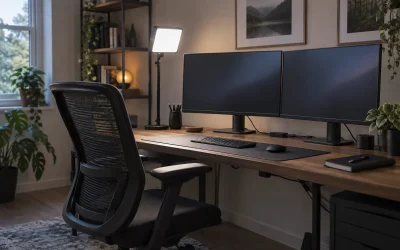
Your desk is 48 inches wide, maybe less, and it’s already carrying a monitor arm, a microphone boom arm, and a keyboard. Adding a full-size streaming control surface to that footprint isn’t happening — and honestly, you don’t need one. What tight-desk streamers and creators need in 2026 is gear that clamps, slides, and mounts into dead space instead of claiming prime real estate next to your mousepad.
The catch is that “small” gear is often marketed loosely. A panel that clamps to your desk edge takes up zero desktop depth but still needs clearance below. A bracket that tucks a controller under your desk needs a lip to attach to and enough knee room to not become a shin hazard. After measuring, mounting, and living with both categories at a real, cramped desk, we narrowed the field to two picks that solve different halves of the tight-setup problem: lighting that hangs off your desk edge instead of standing on it, and mounting hardware that puts your controller entirely out of sight until you need it.
As an Amazon Associate we earn from qualifying purchases at no extra cost to you.


Our Top Picks


Quick Picks
| Product | Best for | Price |
|---|---|---|
| NEEWER GL1 PRO 15.5″ LED Streaming Key Light (Black) | Edge-clamped lighting that frees your entire desktop | Check on Amazon |
| Under Desk Mount for Stream Deck XL MK2, Adjustable Slide & Tilt | Hiding a full-size controller under a crowded desk | $35 |
How We Compared
We set ground rules based on the reality of small setups: anything sitting on the desktop needed a footprint under 6 inches deep, and anything mounted needed to work on standard 0.75- to 1.5-inch desk edges without tools or permanent damage. We prioritized gear that serves streaming and content work specifically — key light output in the range cameras actually need (roughly 20–40W of LED draw for a close-quarters key), and mounting hardware built for mainstream controller dimensions rather than generic phone-sized brackets.
We also weighted adjustability heavily. In a tight space, your light has to swing out of the webcam frame on demand, and your controller has to tilt toward your typing angle rather than sitting flat. Finally, we considered total cost of the upgrade: a lighting-and-mounting refresh for a cramped desk should stay comfortably under a couple hundred dollars, which both of our picks together achieve.
The 2 Best Picks
NEEWER GL1 PRO 15.5″ LED Streaming Key Light — Best Overall for Tight Desks
The GL1 PRO is the single biggest space-saver you can buy for a cramped streaming corner. Instead of standing on your desk like a traditional panel light, it clamps to the desk edge and floats beside or above your monitor, reclaiming the 8–10 square inches a desktop softbox would eat. The 15.5-inch panel throws soft, even light that reads well on webcam at typical 2- to 3-foot streaming distances, and the clamp arm lets you swing the panel out of frame when you’re not recording.
- Clamp-on design takes up essentially zero desktop surface area
- 15.5-inch panel delivers soft, camera-friendly key lighting at close range
- At around $140 it costs less than most boom-mounted softbox kits, and the clamp isn’t compatible with glass-top or rounded-edge desks
Buy this if your desk is under 55 inches wide or you simply refuse to give up mousepad space. Skip it if you have a glass or curved-edge desk with nothing to clamp to — you’ll want a pole-mounted or stand-based light instead.
Under Desk Mount for Stream Deck XL MK2 — Best Hidden Controller Mount
If your controller spends most of the day collecting dust on top of the desk, this $35 bracket changes the math entirely. It mounts under the desk lip and holds a Stream Deck XL MK2-style full-size controller flat against the underside, with a sliding mechanism to pull it out when you need it and adjustable tilt to set your viewing and pressing angle. Once stowed, your controller occupies literally nothing on the desktop — the dream scenario for anyone whose keyboard and mouse already own the surface.
- Full hideaway storage: slide, tilt, and tuck the controller under the desk when not streaming
- Adjustable tilt means you can set an ergonomic pressing angle rather than a flat lay
- Installation needs clear knee clearance and a solid lip, so ultrawide-stand or minimalist tray-less desks may not cooperate
Buy this if you own a full-size controller and resent the footprint it occupies. Skip it if you reach for your controller constantly during live streams — the retrieve-and-stow cycle gets old when you’re toggling scenes every few seconds.
Buying Guide
Measure Your Dead Space Before You Buy
Tight-desk upgrades live or die on measurement. For clamp-on lighting, check three numbers: desk edge thickness (most clamps handle 0.75 to 2 inches), clearance from the desk edge to your monitor arm, and the swing radius of the light arm so it won’t clip your mic boom. For under-desk mounts, measure the flat underside lip depth — you generally want at least 1.5 inches of flat surface — and sit down and swing your knees to confirm the mounted controller won’t collide with your legs. Five minutes with a tape measure prevents the most common return reason in this category.
Light Output and Color for Close-Quarters Streaming
In a small room, your light doesn’t need to throw across a studio — it needs to flatter a face two to three feet from the lens. Look for LED panels in the 20–40W class with adjustable color temperature between roughly 3000K and 6500K, plus a dimming range that goes low enough to avoid blowing out your exposure in a small, reflective space. Diffusion matters more than raw power at this distance; a 15-inch panel with a built-in diffuser will beat a bare 10-inch puck of higher wattage. CRI of 95-plus is the standard threshold for skin tones that don’t look off on camera.
Mount Smart: Accessibility vs. a Clean Desk
The core tension in tight setups is between hiding gear and reaching it. Under-desk mounts are ideal for gear you touch at the start and end of a session — scene controllers, audio interfaces. Gear you adjust mid-stream, like your key light, is better served by clamp arms you can reposition one-handed. A good rule: nothing you touch more than once per minute should require a slide-out drawer motion. Match the mount style to the interaction frequency and your desk will stay both clean and usable.
Our Verdict
For a genuinely tight desk, start with the NEEWER GL1 PRO at around $140. Lighting is the hardest thing to squeeze onto a small desk, and the clamp-on panel solves it while improving your image quality — the highest-impact change per square inch saved. Then, if you own a full-size Stream Deck XL MK2-style controller, add the $35 under-desk mount to clear your last occupied corner. The pair costs about $175 total and can turn a 48-inch desk that felt maxed out into one with visible empty space, with no drilling and no permanent modifications.
FAQ
Will a clamp-on key light damage my desk?
Quality clamps use padded jaws that grip without marring laminate, wood, or metal edges. The risk cases are glass tops, which can crack under point pressure, and rounded or tapered edges, where the clamp won’t seat flat. If your desk has either, look at freestanding or pole-mounted lighting instead of forcing a clamp fit.
Is an under-desk mount comfortable to actually use?
Yes, if you set the tilt correctly. The adjustable tilt on a model like the $35 Stream Deck XL MK2-compatible mount lets you angle the controller toward your natural hand position, which is often more ergonomic than a flat desktop layout. Position it slightly inboard of your dominant hand and test the reach with your chair at normal height before tightening everything down.
How bright should a streaming key light be in a small room?
At 2 to 3 feet from your face, a 20–40W LED panel is usually plenty — small rooms bounce light around, so you need less output than a studio. Prioritize smooth dimming and adjustable color temperature (3000K–6500K) over maximum wattage, since overpowering a small space will force you to stop down your camera and flatten your background.
Can I mount a smaller stream deck with this bracket?
Under-desk mounts are cut to specific controller dimensions, and this one is sized for full-size XL MK2-style units. A smaller controller will fit loosely or require padding, which undermines the slide mechanism. Match the bracket to your exact controller model, and if you own a compact deck, look for a mount made for its footprint instead.