
To choose a wireless gaming headset, start with the connection type your gaming device supports, then compare battery life, microphone quality, comfort and latency in that order. A headset that fits your platform and your head matters more than any spec-sheet number, so work through the steps below before looking at brands.
As an Amazon Associate we earn from qualifying purchases at no extra cost to you.
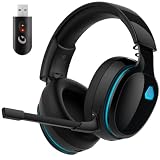

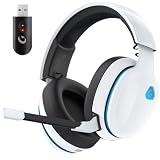

Our Top Picks
 Turtle Beach Stealth 600 Wireless Gaming Headset forStandard8.58 x 7.81 x 3.74 inches0.7 poundsCheck on Amazon


Top 3 picks at a glance
Before You Start: Know Your Setup
- Platform: PC only, PC plus console, or PC plus phone? Compatibility is the first filter.
- Ports: Does your PC have a free USB-A or USB-C port for a wireless dongle? Many headsets rely on a small USB transmitter.
- Where you play: Competitive shooters reward low latency and clear footsteps; story games reward soundstage and comfort.
- How long you play: Long sessions make weight and ear-cup depth more important than bass.
Step 1: Pick the Wireless Type
Gaming headsets generally use one of three wireless approaches, and the maker’s product page states which one applies.
| Connection | How it works | Strengths | Limits |
|---|---|---|---|
| 2.4 GHz USB dongle | Proprietary radio link to a small transmitter | Low latency, stable, works on PC and often consoles | Uses a USB port; dongle can be lost |
| Bluetooth | Standard link to phone, tablet or PC | No dongle, works with phones | Higher latency on most devices; mic quality often lower |
| Dual mode (dongle plus Bluetooth) | Both radios in one headset | Game on PC and take calls from a phone | Often costs more; battery use can be higher |
For fast-paced games, reviewers generally favour the 2.4 GHz dongle approach because audio delay is smaller than over standard Bluetooth. Newer Bluetooth versions and low-latency codecs narrow the gap on supported hardware, but both the headset and the PC adapter must support the codec.
Step 2: Confirm Platform Compatibility
Look at the compatibility list on the maker’s page. Some dongles work with PC and PlayStation but not Xbox, which uses its own wireless protocol and typically needs a headset built for it. If you use both PC and a console, search for a model that lists both, and read whether the console works through the dongle, a cable or a switch on the headset. A headset described as “PC and mobile” may not output to consoles at all.
Step 3: Compare Battery Life Realistically
Makers list battery life in hours, usually measured with lighting off and moderate volume. Reviewers frequently report real-world numbers below the claim, particularly with RGB effects on. Use this as a rough guide:
- Under about 20 hours: acceptable only if you charge nightly.
- 20 to 40 hours: fits most players.
- Over 60 hours: useful if you hate charging or travel.
Also look for quick-charge features, USB-C charging, and whether the headset works while plugged in. A swappable battery is rare but appears on some models.
Step 4: Judge Microphone Quality
Wireless microphones are usually good enough for party chat but they rarely match a dedicated desktop microphone. Check for a detachable or flip-to-mute boom, which tends to sound clearer than a hidden internal mic, and for a sidetone option that lets you hear yourself. If you stream or record, consider a standalone microphone and treat the headset mic as a backup.
Step 5: Think About Comfort and Fit
- Weight: Many wireless headsets weigh more than wired ones because of the battery. Lighter models are easier for long sessions.
- Clamping force: A tight band can cause pressure headaches, especially with glasses.
- Ear pads: Fabric breathes better; leatherette seals better but runs warm.
- Adjustability: Look for a headband that adjusts without sliding on its own.
Comfort cannot be judged from a spec sheet. Read owner reviews that mention head size and glasses, and favour retailers with an easy return window.
Step 6: Check Sound Features
Stereo is perfectly good for gaming. Virtual surround is a software effect, and results vary by game and listener. Features worth noting include:
- Companion software with an equaliser, because stock tuning is often bass heavy.
- Driver size, which is a poor predictor of quality on its own.
- Active noise cancellation, which is uncommon on gaming models and can add latency or weight.
- Wireless range, commonly listed at around ten metres in open space, and less through walls.
Step 7: Compare the Final Candidates
Write a short list of two or three models and rate them on the factors that matter to you. The table gives a simple weighting by player type.
| Player type | Priority order | What to look for |
|---|---|---|
| Competitive shooter | Latency, mic, comfort, battery | 2.4 GHz dongle, light weight, clear mic |
| Single-player and story | Comfort, sound tuning, battery | Soft pads, equaliser, long battery life |
| PC plus console | Compatibility, switching, battery | Dongle that lists both platforms, simple source switching |
| Commuter or mobile gamer | Bluetooth, battery, foldable design | Dual mode, USB-C charging |
| Budget buyer | Compatibility, comfort, battery | Reliable dongle, no extras you will not use |
Common Mistakes
- Buying on RGB or marketing terms such as “7.1” without reading how the headset connects.
- Ignoring dongle compatibility with a console or an older PC.
- Forgetting that a wireless headset needs charging, and having no wired fallback.
- Assuming Bluetooth will feel instant in competitive games.
- Choosing the largest driver or heaviest bass and later finding the sound muddy.
When a Wireless Headset Is Not the Right Choice
A wired headset or a wired pair of headphones with a desk microphone may suit you better if you play on a PC that has to stay latency-free in tournaments, you dislike charging, or you want the most sound quality for the money, since wired models do not spend budget on a battery and radio. Some tournaments also restrict wireless devices, so check event rules. If the headset becomes very hot while charging, swells or smells, stop using it and contact the maker.
Setup Tips After You Buy
Plug the dongle into a USB port close to the headset, ideally on the front or top of the case rather than behind the PC, because walls and metal can weaken the 2.4 GHz link. Install the maker’s companion software only if you want equaliser or microphone controls, and update the headset firmware when the maker offers it, since updates sometimes fix connection drops. In Windows, open Sound settings and select the headset as both the output and input device, then confirm the game’s own audio settings point to the same device. Charge the battery fully before first use, as makers generally advise, and keep the volume at a moderate level to protect your hearing during long sessions. If the headset disconnects often, move the dongle to another port, remove nearby wireless clutter such as other dongles on the same side of the desk, and consult the maker’s support page. Stop using any headset that swells, overheats or smells while charging, and contact the maker.
Frequently Asked Questions
Is a wireless gaming headset laggy?
Most 2.4 GHz dongle models are designed to keep delay low enough that most players do not notice it. Standard Bluetooth is more likely to add noticeable delay, which is why many reviewers prefer a dongle for action games.
Can I use a wireless gaming headset on PC and console?
Only if the maker lists both platforms. Some dongles support PC and PlayStation, while Xbox generally needs a model made for it, so read the compatibility section carefully.
How long should the battery last?
Between 20 and 40 hours covers most players, but real use is often lower than the claim, especially with lighting on. If you game daily, choose a longer battery rating or a model that can play while charging.
Are wireless headset microphones good?
They are usually fine for team chat. A separate microphone generally sounds better for streaming or recording, so treat the headset mic as convenient rather than studio grade.
Is virtual surround worth it?
It is a software effect, and opinions are mixed. Some players like the positioning it gives in certain games, others prefer plain stereo, so look for a headset that lets you switch it off.


