
To set up GeForce NOW on a gaming PC, install the GeForce NOW app for Windows (or open it in a supported browser), sign in with an NVIDIA account, pick a membership tier, then launch a game from your linked library, ideally over Ethernet or a 5 GHz Wi-Fi connection. A PC that is already a strong gaming machine can still benefit, since the service streams from NVIDIA’s servers rather than using your graphics card.
As an Amazon Associate we earn from qualifying purchases at no extra cost to you.


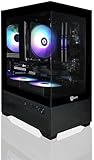
Top 3 picks at a glance
Quick setup steps
- Confirm your PC meets the requirements (table below).
- Create or sign in to an NVIDIA account.
- Download and install the GeForce NOW app for Windows from NVIDIA.
- Choose a membership: free, or a paid tier for longer sessions and higher quality.
- Link your game store accounts inside the app.
- Run the in-app network test and adjust streaming quality.
- Launch a supported game and sign in to its store when prompted.
What your PC needs
NVIDIA’s Windows system requirements list a 64-bit version of Windows 10 or later, a dual-core x86 or x64 CPU at 2.0 GHz or faster (or an NVIDIA Grace or Qualcomm Snapdragon X ARM processor), 4 GB of system memory, and a GPU that supports DirectX 11 or later. These are low, because the heavy rendering happens remotely.
| Resolution | Internet speed the maker lists | Frame rate |
|---|---|---|
| HD (1280×720) | 15 Mbps | 60 FPS |
| FHD (1920×1080) | 25 Mbps | 60 FPS |
| QHD (2560×1440) | 35 Mbps | 120 FPS |
| 4K (3840×2160) | 45 Mbps | 120 FPS |
| 5K (5120×2180) | 65 Mbps | 120 FPS |
NVIDIA also says higher resolutions, RTX effects, HDR and very high frame rates are tied to its Premium membership, and that latency to the nearest NVIDIA data center should be under 80 ms.
Step 1: prepare the network
NVIDIA suggests either a hardwired Ethernet connection or a router with 5 GHz Wi-Fi. Cloud gaming is sensitive to jitter and packet loss, not only raw speed. If you must use Wi-Fi, sit in the same room as the router, avoid the crowded 2.4 GHz band, and pause large downloads or uploads on other devices while you play.
Step 2: install the app
Download the installer from NVIDIA’s GeForce NOW page and run it. Sign in with your NVIDIA account. Some browsers can also run the service without an install, though the maker’s native app generally exposes the full set of options. If your PC is an ARM device, the requirements list above names Snapdragon X and Grace systems as supported.
Step 3: pick a membership tier
| Tier type | Best for | Trade-offs |
|---|---|---|
| Free | Trying the service | Shorter sessions and possible waiting queues, per the maker’s tier descriptions |
| Mid-level paid | Regular 1080p players | Fewer waits and longer sessions than free |
| Premium | Players wanting high resolution, RTX and high frame rates | Needs a faster, stable connection to benefit |
Tier names and perks change, so read the membership page in the app before choosing.
Step 4: link your game libraries
GeForce NOW does not sell games. It runs titles you already own on supported stores. Inside the app, open the games list, choose a title, and sign in to the matching store the first time. Not every game is supported, and publishers can add or remove titles, so search the app’s catalog before assuming a favorite is available. Saves generally follow the store account, and many games use cloud saves, but confirm in the game’s own settings.
Step 5: tune settings
- Streaming quality: Start with the automatic option, then choose a fixed resolution or bitrate if you see stutter.
- Frame rate: Match it to your monitor’s refresh rate if your plan allows it.
- Controller or mouse: Plug in before launching, so the stream picks it up cleanly.
- Display scaling: If text looks small or blurry, adjust Windows display scaling and the game’s own resolution.
Is GeForce NOW worth using on a strong gaming PC?
| Pick this if | Reason |
|---|---|
| Your GPU is older than the games you want | The remote hardware handles the rendering |
| You want to play on a second, weaker PC or laptop | The low requirements suit modest machines |
| You have a fast wired connection | Quality depends mostly on network stability |
| You mainly play competitive shooters where every millisecond matters | Local play avoids streaming latency, so it is usually preferred |
| Your internet has data caps | Streaming uses a lot of data, so check your plan |
Common problems and fixes
| Symptom | Likely cause | Fix |
|---|---|---|
| Blocky or blurry picture | Low bandwidth or congested Wi-Fi | Use Ethernet or 5 GHz, lower the quality setting |
| Input delay | High latency or jitter | Close background apps, move closer to the router, choose a nearer server if offered |
| Game missing | Title not supported or not linked to your store | Check the in-app catalog and your store link |
| Long queue | Free tier demand | Try off-peak times or move to a paid tier |
| App will not launch | Outdated Windows or graphics driver | Update Windows and your GPU driver, reinstall the app |
Frequently Asked Questions
Do I need a powerful graphics card for GeForce NOW?
No. NVIDIA’s listed minimum is a DirectX 11 capable GPU, a dual-core 2.0 GHz CPU and 4 GB of memory. The game itself runs on NVIDIA’s servers.
How fast should my internet be?
The maker lists 15 Mbps for 720p at 60 FPS and 25 Mbps for 1080p at 60 FPS, rising to 65 Mbps for 5K at 120 FPS. A stable connection with latency under 80 ms matters as much as headline speed.
Can I use Wi-Fi?
Yes, but NVIDIA suggests Ethernet or a router with a 5 GHz connection. A 2.4 GHz link is more prone to interference and stutter.
Do I have to buy my games again?
Generally no, as the service lets you play supported games you own on linked stores. Availability depends on the publisher, so check the catalog.
Can I install GeForce NOW alongside a local game library?
Yes. The app is separate from your local installs, so you can play some titles locally and stream others, subject to each store’s own rules.
Does it work on Windows on ARM?
The maker’s requirements name Snapdragon X and NVIDIA Grace ARM-based processors as supported, alongside 64-bit x86 and x64 CPUs on Windows 10 or later.
Related guides
More from Amazon
Programs that pair well with the guide above. Offers and eligibility are set by Amazon and may change.
Free shipping on eligible items, Prime Video and more. Eligible new members can start with a free trial.
Start a Prime free trialAd-free music streaming. Eligible new subscribers can start with a free trial.
Try Music Unlimited freeA Prime membership for ages 18-24 with a trial period. Eligibility is set by Amazon.
See Prime for Young AdultsAudiobooks and podcasts to listen to on the go. Eligible new members can start with a free trial.
Try Audible freeAs an Amazon Associate we earn from qualifying purchases.


