
A good gaming PC for MMOs puts the processor first: a modern CPU with strong per-core speed, 16 GB of RAM (32 GB if you run many tools), a fast SSD and a mid-range graphics card are enough for most online role-playing games. The graphics card matters less than in shooters, because the heaviest moments in an MMO are crowded cities and raids where the CPU and memory do the work.
As an Amazon Associate we earn from qualifying purchases at no extra cost to you.
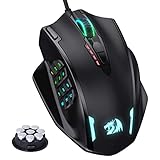


Top 3 picks at a glance
What Makes MMOs Different
Massively multiplayer games such as World of Warcraft, Final Fantasy XIV, Guild Wars 2 and Lost Ark keep track of many characters, effects and network updates at once. In a quiet field they run easily, but in a capital city or a large raid the frame rate can fall sharply. Hardware reviewers who benchmark these games often point out that those moments are processor-limited, and that is why a card that looks overpowered on paper can still produce stutter if it sits beside a weak CPU. Many MMOs are older engines that depend heavily on a few fast cores rather than spreading work across many.
| Component | Priority for MMOs | Why |
|---|---|---|
| CPU | Highest | Crowds, raids and addons load the processor |
| RAM | High | Addons, a browser, voice chat and multiple clients |
| SSD | High | Zone loading and large patches |
| Graphics card | Medium | Resolution and visual settings, less so crowds |
| Monitor | Medium | Ultrawide and high refresh are popular |
| Network | Medium | Stable connection beats raw speed |
The Processor Decision
A current Ryzen 5 or Core i5 class processor serves most players well. If you raid regularly or play in busy hubs, stepping up to a faster chip pays off. Reviewers have repeatedly reported that processors with large stacked cache, such as the Ryzen 7 9800X3D, do especially well in games that are bound by memory access, and online games with many on-screen characters are a common example. They are optional, and a standard mid-range processor remains a perfectly good choice for most players. Avoid very old or low-core-count chips if you plan to run the game alongside voice chat, streaming software and a browser.
RAM and Storage
Sixteen gigabytes is the practical floor for a gaming PC today. MMO players who run addon-heavy interfaces, keep guides open in a browser, stream or play several clients at once benefit from 32 GB. Use two matched sticks for dual-channel operation. A solid-state drive matters because these games ship large patches, and loading between zones is far quicker from an SSD. Many players keep a dedicated drive for the game so that updates and backups stay simple.
Graphics Card Class
MMOs rarely need a top-tier card. Final Fantasy XIV and World of Warcraft both run on a wide range of hardware, according to their makers’ requirements pages, and newer titles with stronger visuals, such as Throne and Liberty or Lost Ark at high settings, ask for more. A mid-range card from the current RTX 50-series or Radeon RX 9000 generation, or a previous-generation equivalent, handles 1440p well. If you want 4K with maximum effects, or a multi-monitor setup, step up a tier. Upscaling features like DLSS and FSR are available in some titles and extend the life of a mid-range card.
Sample Builds by Goal
- Casual leveling and questing: Mid-range six-core CPU, 16 GB RAM, entry or mid-range graphics card, 1 TB SSD.
- Regular raider: Faster CPU with strong single-core speed, 32 GB RAM if you run addons and streaming, mid-range card.
- Streamer or multi-boxer: More cores, 32 GB RAM, a graphics card with a good hardware encoder, and a fast SSD.
- Visual enthusiast: Upper mid-range or high-end graphics card with ultrawide monitor, still paired with a strong CPU.
Display and Peripherals
Ultrawide monitors are popular in MMOs because they give more room for action bars and map information, but check that the game supports the aspect ratio you choose. A mouse with extra buttons helps with ability binding, and a reliable wired network connection reduces latency spikes during raids. Wi-Fi 7 is capable, but a cable remains the most stable option.
Decision Table
| If you are… | Spend on | Do not overspend on |
|---|---|---|
| A casual player | SSD and 16 GB RAM | Premium graphics card |
| A raider in busy zones | CPU with strong per-core speed | Extra cores you will not use |
| A streamer | Cores, RAM, encoder-ready card | Cosmetic upgrades |
| An ultrawide or 4K player | Graphics card tier | Oversized power supply |
Common Mistakes
- Pairing a high-end graphics card with a weak CPU. Raid frame rates then stay low.
- Ignoring RAM. Addons and background apps use more memory than newcomers expect.
- Installing on a hard drive. Zone changes and patches drag.
- Judging the game by its minimum requirements. Minimums describe launching the game, not raid performance.
- Playing over weak Wi-Fi. Latency spikes show up as lag in fights.
Alternatives
A gaming laptop with a recent mobile processor works well for MMOs if cooling is good, since sustained loads are common in long sessions. Some MMOs also run acceptably on handheld PCs, though crowded content can be difficult. If your game is an older title, a modest desktop will do, and the saved money can go to an SSD and monitor.
Frequently Asked Questions
Is the CPU or GPU more important for MMOs?
The CPU usually matters more, especially in crowded cities and raids. A graphics card still governs resolution and effects, so aim for balance rather than extremes.
How much RAM do I need for World of Warcraft or Final Fantasy XIV?
The makers list modest minimums, but 16 GB is a better target for a PC that also runs addons, a browser and voice chat. Thirty-two gigabytes helps for streaming or running multiple clients.
Do X3D processors help in MMOs?
Reviewers report that large cache chips excel in games limited by memory access, which includes many busy online titles. They are a nice upgrade, but not required for a good experience.
Can I play MMOs on a laptop?
Yes, a gaming laptop with a modern processor and discrete graphics handles most MMOs. Look for good cooling because raids can last for hours.
Is a high refresh monitor worth it for an MMO?
It can make movement look smoother, but many players value an ultrawide or larger screen for interface space more. Make sure your PC can reach the refresh rate in busy areas.
What kind of storage should I buy?
An NVMe or SATA solid-state drive of 1 TB is a sensible choice. It shortens loading and handles large patches comfortably.
Planning for Upgrades
Build around a platform with an upgrade path. A motherboard with free memory slots, an M.2 slot for a second drive and a current processor socket lets you add RAM or storage later without replacing the whole PC. Choose a power supply from a reputable maker with headroom above the graphics card’s stated requirement, since the supply is the part most often replaced when a card is upgraded. Keep the case airflow simple, with clear intake and exhaust paths, because sustained long sessions heat components more than short bursts do.
Read the maker’s current requirements page for any game you care about before buying, and compare the recommended column with your plans for resolution, refresh rate and mods. Reviewers also publish benchmark results for new processors and graphics cards, and comparing several outlets gives a better picture than any single chart. If a prebuilt system tempts you, compare the exact CPU model, memory configuration, storage type and power supply, because those are the parts that vary most between similar-looking machines.
Related guides
More from Amazon
Programs that pair well with the guide above. Offers and eligibility are set by Amazon and may change.
Free shipping on eligible items, Prime Video and more. Eligible new members can start with a free trial.
Start a Prime free trialAd-free music streaming. Eligible new subscribers can start with a free trial.
Try Music Unlimited freeA Prime membership for ages 18-24 with a trial period. Eligibility is set by Amazon.
See Prime for Young AdultsAudiobooks and podcasts to listen to on the go. Eligible new members can start with a free trial.
Try Audible freeAs an Amazon Associate we earn from qualifying purchases.


