
You bought a shiny 4K capture card, plugged your console through it, and suddenly your 120Hz game is locked at 60Hz — or your display shows no signal at all. The culprit is almost always an HDMI version mismatch. Understanding HDMI 2.0 versus 2.1 in the context of capture-card passthrough saves you from buying the wrong card and losing your high-refresh gaming.
As an Amazon Associate we earn from qualifying purchases at no extra cost to you.
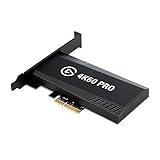
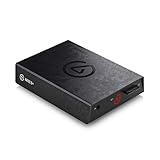


Top 3 picks at a glance
Why passthrough exists
Most capture cards include an HDMI passthrough port so you can play on your monitor or TV with no added lag while the card records or streams a copy. The catch is that both the capture path and the passthrough path are limited by the HDMI version the card supports. A card built to an older spec becomes a bottleneck for your latest console or GPU, quietly capping what your display receives.
HDMI 2.0 vs 2.1 bandwidth
| Spec | Max bandwidth | Handles |
|---|---|---|
| HDMI 2.0 | ~18 Gbps | 4K60, 1440p120, 1080p240 |
| HDMI 2.1 | ~48 Gbps | 4K120, 4K144, 8K60 |
The jump from 18 Gbps to 48 Gbps is the whole story. HDMI 2.0 has plenty of bandwidth for 4K at 60Hz, which covered most gaming until recently. But modern consoles and GPUs target 4K at 120Hz, and that resolution-plus-refresh combination needs HDMI 2.1’s higher ceiling. Feed a 4K120 source through a 2.0 device and it must drop to 4K60 or lower to fit.
The passthrough downgrade trap
Here is what surprises people: even if your console, cable, and TV all support 4K120, a capture card with only HDMI 2.0 passthrough will bottleneck the chain. The card can only pass what its ports support, so your display receives a downgraded signal. To keep 4K120 gaming while capturing, every link — console, cable, card passthrough, and display — must support HDMI 2.1.
What resolution and refresh you actually need
Match the card to your real target, not marketing numbers. If you game at 4K60 or 1440p, HDMI 2.0-class capture is perfectly adequate and far cheaper. If you own a current-gen console or GPU and a 120Hz-plus display and you want that experience preserved on your own screen while streaming, you need genuine HDMI 2.1 passthrough. Many “4K” capture cards only capture at 4K60 while offering 4K120 passthrough — read the spec sheet for both paths separately.
Cables and VRR matter too
HDMI 2.1 features like 4K120 and Variable Refresh Rate (VRR) also require Ultra High Speed HDMI cables rated for 48 Gbps; an old cable can cause dropouts, blank screens, or silent downgrades. If VRR or ALLM matter to you, confirm the capture card explicitly passes them through, because some cards strip these features even when they carry the resolution and refresh rate.
Buying guidance
Decide your target first. For 4K60 or high-refresh 1080p streaming, an HDMI 2.0 card keeps costs down. For 4K120 gaming that you want mirrored losslessly on your own display, budget for a true HDMI 2.1 card, a 48 Gbps cable, and a compatible display. And always separate the two specs a card advertises — its maximum capture resolution and its maximum passthrough resolution are frequently different numbers.
Frequently asked questions
Will an HDMI 2.0 capture card limit my 120Hz gaming?
Yes, if you game above what 2.0 can carry. At 4K, HDMI 2.0 tops out at 60Hz, so a 4K120 source passing through a 2.0 card drops to 4K60 on your display. To keep 4K120, you need HDMI 2.1 passthrough across the whole chain.
Do I need an HDMI 2.1 cable for passthrough?
For HDMI 2.1 features like 4K120 and VRR, yes — use an Ultra High Speed cable rated for 48 Gbps. A lower-rated cable can cause blank screens, flicker, or a silent drop to a lower resolution or refresh rate even when your devices support more.
Bottom line
HDMI 2.0 handles 4K60 and high-refresh 1080p; HDMI 2.1 is required for 4K120 and beyond. For capture-card passthrough, every link in the chain must meet your target, or the weakest one downgrades your display. Buy 2.0-class gear for 4K60 needs, and only pay for true HDMI 2.1 passthrough plus a 48 Gbps cable if you actually game at 4K120.


