Our Top Picks


What “professional” actually means for live stream
A professional live stream camera is not about the highest megapixels. It is about staying sharp for two to four hours, holding exposure when room light changes, and giving you clean output your capture software can use without dropping frames. Most buyer regret comes from buying a great photo camera that overheats, shuts off after 30 minutes, or hunts for focus every time you lean forward. For streaming, reliability beats spec sheets. If your stream is talking-head, podcast, coaching, or desk demo work, a good 1080p image with stable autofocus and good light will look more professional than a soft, noisy 4K image.
There are three practical tiers. First, high-end USB webcams: plug-and-play, powered over USB, no extra capture hardware. Second, camcorders and dedicated streaming cameras: built for long recording times, motorized zoom, and clean HDMI. Third, mirrorless cameras used as webcams: best background blur and low-light detail, but you need a capture card, dummy battery or USB power, and you have to manage heat and autofocus settings. Do not buy tier three unless you want to learn camera menus.
Webcam vs. camcorder vs. mirrorless for streaming
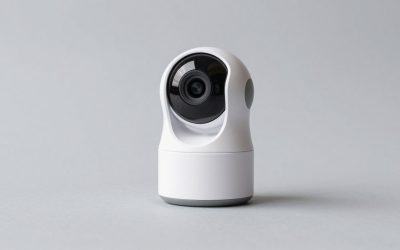
A premium webcam is fine for most streamers and the cheapest path to professional-looking output. You get face-tracking autofocus, built-in mics you should not use, and software noise reduction that helps in a dim room but can make skin look waxy. The trade-off is a small sensor. Once you crop in or your room gets dark, detail falls apart and colors shift. If you stream in a bedroom or office with one window and a key light, this is often enough. Check that the model offers 1080p60 or 4K30 with fixed settings lock, because auto-exposure pumping mid-stream reads as amateur fast.
A camcorder or streaming-focused video camera solves the problems webcams and photo cameras create. No 30-minute record limit, no overheating shutdown in normal indoor use, 20x zoom you can control remotely, and clean HDMI that just works. Image quality will not match a large-sensor mirrorless for blur and low light, but Skin tones are usually more consistent and focus is calmer. This suits churches, classrooms, fitness instructors, and IRL desk-to-stage setups where the camera sits 10-20 feet away. The failure mode here is buying an old consumer camcorder without clean HDMI, which forces overlays and menus into your stream.
A mirrorless camera gives you the look people call professional: sharp eyes, soft background, clean low-light. To get it, you need three extras: a lens, usually a 24-35mm equivalent at f/1.8 to f/2.8 for desk distance, a capture card or USB streaming mode that is actually stable at your resolution, and continuous power. The common failures are overheating after 60-90 minutes in 4K, autofocus breathing on patterned shirts, and full battery shutdown because you used USB charging instead of a dummy battery. If you want this route, shop for models marketed with unlimited video and full-time power, and search for a mirrorless camera for live streaming to compare which kits include the right USB power setup.
Quick comparison
| Type | Typical cost with basics | Setup effort | Strengths | Weak points |
|---|---|---|---|---|
| High-end USB webcam | $150-$300 | Low, USB only | Reliable, good autofocus, compact | Noisy in low light, limited blur, digital look |
| Camcorder / streaming camera | $500-$1,200 + capture card | Medium | Long runtimes, zoom, stable focus | Smaller sensor, needs good light for best look |
| Mirrorless with kit lens | $800-$2,000 + lens, card, power | High | Best image, blur, low light | Heat, battery, focus setup, cost |
| Action camera as stream cam | $300-$500 | Medium | Wide shot, small, good stabilization | Overheats, wide distortion, poor low light |
What to check before you buy
Start with output, not resolution. You need clean HDMI or UVC USB output at 1080p30 minimum with no menus, no auto shutoff, and manual exposure lock. For mirrorless, verify unlimited movie recording time in your region and whether 4K has a crop or time cap. For any camera with HDMI, budget for a capture device if your PC lacks HDMI input. A 1080p60 capture card is enough for Twitch and YouTube; 4K capture only matters if you crop or record masters.
Autofocus behavior matters more than lens sharpness. For desk streaming at 2-4 feet, you want face/eye detection with adjustable speed. Too fast and it pulses with every hand movement. Too slow and you drift soft when you lean in. Camcorders tend to be calmer here. Mirrorless cameras can be excellent but often need you to narrow the focus area and turn off background tracking. If you demonstrate products with your hands, look for product showcase focus modes or plan to use manual focus with a smaller aperture like f/4 to gain depth.
Power and heat decide whether a stream survives. Webcams run all day on USB. Everything else needs a plan. Dummy battery kits work but buy the correct coupler for your exact battery code. USB-C PD power works only if the camera supports power delivery while recording, not just charging when off. For long shows, 1080p runs much cooler than 4K on most bodies. If you must shoot 4K for cropping, use an external fan or open flip screen to vent heat, and test a full-length run before show day. A camera that lasts 45 minutes in your test will not last two hours live.
Lighting, lens, and audio change more than the body
A $200 webcam with a $80 key light and locked white balance will beat a $1,500 mirrorless in auto mode under ceiling LEDs. Mixed lighting causes the flicker and orange skin people blame on cameras. Use one daylight-balanced key at 5600K, turn off overheads if possible, and lock shutter at 1/60 in the US to avoid flicker from mains power. Keep the light 2-3 feet away and diffused. Small sensors need a lot more light than you think.
For mirrorless at a desk, you do not need a zoom. A fixed 24mm or 35mm equivalent lets you sit close without distortion and gather more light. Avoid ultra-wide vlogging lenses indoors unless you want a stretched face and a messy background. For camcorders across a room, optical zoom is your friend, but lock it on a tripod. Digital zoom in low light adds noise fast. Audio is separate: even pro cameras have weak preamps and pick up fan noise. Use a USB or XLR mic close to your mouth and sync in OBS. Do not judge camera mics in demos; you will not use them live.
If you want simple upgrades without rebuilding your rig, start with a good 4K webcam for streaming plus a key light and a solid mount. Only move to interchangeable lenses when you can name what you dislike about that image, usually background distraction or low-light grain. Otherwise you pay for complexity you will not see on a compressed 6 Mbps stream.
Who should buy what
Buy a high-end webcam if you stream games, Just Chatting, tutoring, or work calls from a desk and want to go live in minutes. It suits solo creators, small offices, and travel kits. Be honest about distance: beyond six feet, face detail drops and you will need a real video camera. Mount it at eye level, turn off auto-framing if it drifts, and record locally once to check noise reduction smearing.
Buy a camcorder if you film events, fitness, worship services, or demos where the camera runs for hours unattended. It also suits two-person podcasts where you need a wide safety shot while a mirrorless handles close-ups. Pair it with AC power and a HDMI capture card for streaming and test HDMI handshake after every power cycle. Some cameras default back to overlay output when the battery is removed.
Buy mirrorless if your face is the product: beauty, business coaching, music performance, or high-end interviews where blur and color separate you. It suits creators who already own lights and are comfortable setting white balance, picture profile, and focus limiters. Budget 30 percent extra for lens, power, mount, and capture. If that total scares you, the cheaper webcam is fine. Viewers notice stable framing and clear audio long before they notice sensor size.
FAQ
Is 4K necessary for a professional stream?
No for most people. Twitch and YouTube compress heavily, and most viewers watch at 1080p or on phones. 4K helps if you crop a wide shot or record for YouTube replays, but it adds heat and CPU load. Stable 1080p60 with good light usually looks more professional.
Why does my camera shut off mid-stream?
Usually heat, auto power-off, or battery handoff. Turn off auto power-off, use continuous AC or dummy battery power, lower to 1080p, flip the screen out for airflow, and disable in-body stabilization on a tripod. Do a full-length test recording.
Do I need a capture card?
Webcams with USB do not need one. Any camera using HDMI output does, unless it has a proven USB webcam mode you have tested for dropouts. Make sure the card matches your resolution and frame rate, and that the camera outputs clean HDMI with no icons.
Can I use a photo camera I already own?
Sometimes. Check for clean HDMI, unlimited video time, eye autofocus in video, and power-while-recording. Older DSLRs often lack reliable live autofocus in video and overheat in live view. If yours hunts or crops heavily, a modern webcam will be less frustrating.