The best Switch 2 dock is the official one, and the third-party options below are for travel, a spare, or a replacement. Judged on titles alone, the DGBOSEN replacement dock with its 20V/3A adapter is the closest in format to a stock base, the JSAUX OmniCentro is the strongest compact option, and the SIWIQU is an inexpensive travel pick. A poorly built dock can harm a console, so every pick below comes with a compliance check you should finish before plugging anything in. Dock titles are also unusually loose about which console they fit, so we call out every case where the wording says Switch instead of Switch 2, and one listing that behaves more like a USB-C hub.
Our Top Picks
Eight docks, side by side

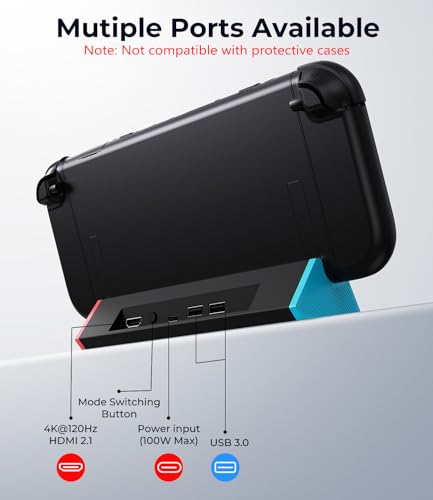
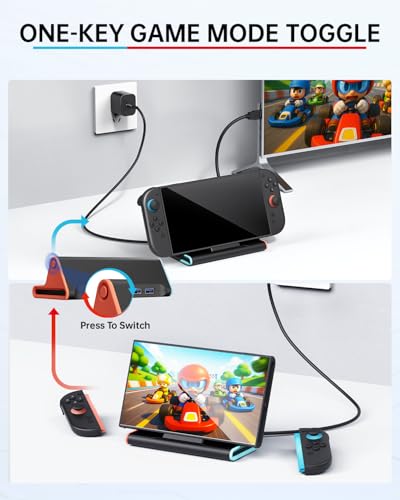
SIWIQU for Nintendo Switch 2 Dock, Portable Switch 2 TV Docking Station | 4K@120Hz HDMI, 100W PD Fast Charging, 2 USB-A Ports, Charge While Playing, TV/Tabletop Mode Button


As an Amazon Associate we earn from qualifying purchases. Product prices and availability are accurate as of the date/time indicated.

Switch 2 TV Dock Station, Replacement TV Base Station for Switch 2 Console | Set with Upgraded IC Module, AC Charger, 4K HDMI Output Cable for Switch 2 Console


As an Amazon Associate we earn from qualifying purchases. Product prices and availability are accurate as of the date/time indicated.

TV Dock Station for Switch 2 - Replacement TV Base Docking Station Set with Upgraded IC Module, Charger, HDMI Cable for Switch 2 Console




As an Amazon Associate we earn from qualifying purchases. Product prices and availability are accurate as of the date/time indicated.
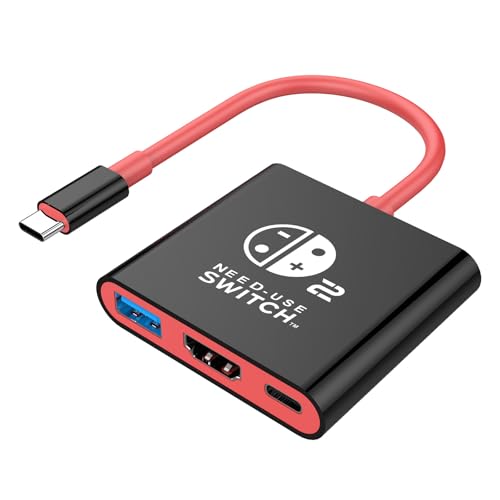
AHGEIIY Switch 2 Dock for Nintendo Switch Docking Station, Upgrade for Nintendo Switch TV Adapter with 4K@ 60Hz HDMI USB 3.0 and 100W PD Port, Portable Travel Dock for Switch 2/OLED MacBook Steam Deck


As an Amazon Associate we earn from qualifying purchases. Product prices and availability are accurate as of the date/time indicated.

Switch 2 Dock, Docking Station for Nintendo Switch 2 with 60W Charger &HDMI | 4K Portable Docking Station, Travel TV Connector Stand Base, USB-C Cable, AC Adapter Power Cord, Game Accessories Set



As an Amazon Associate we earn from qualifying purchases. Product prices and availability are accurate as of the date/time indicated.

Switch 2 Dock,Portable USB C Docking Station with 4K@60Hz~120Hz HDR/PD Max100W/USB Port,Aluminum Alloy Travel TV Dock for Switch/Steam Deck/ROG Xbox Ally X/Legion Go 1/2/S


As an Amazon Associate we earn from qualifying purchases. Product prices and availability are accurate as of the date/time indicated.

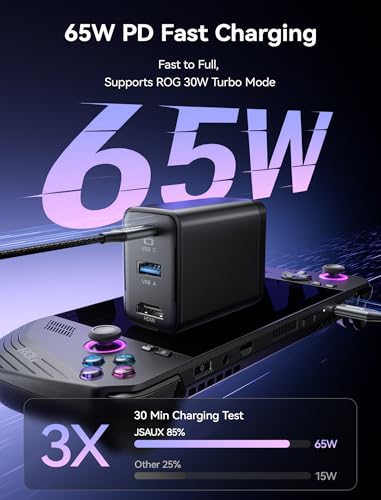
JSAUX 65W Switch Dock with 4K@120Hz HDMI, 65W PD Fast Charging, USB A Port | USB C TV Docking Station Compatible with Switch/Steam Deck/ROG Ally/Samsung/iPad/MacBook and More - OmniCentro Charger Dock




As an Amazon Associate we earn from qualifying purchases. Product prices and availability are accurate as of the date/time indicated.

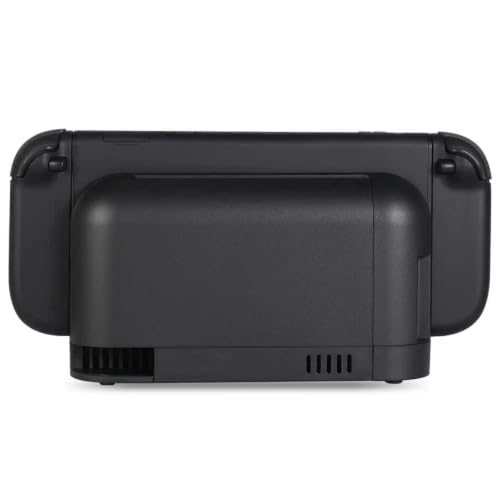
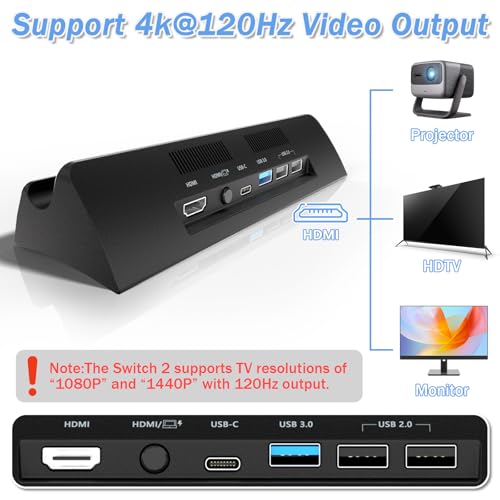
TV Dock Station for Switch 2,Replacement for Official Switch 2 Dock.Switch 2 Docking Station Supports 4K@120Hz HD Output with 20V/3A Power Adapter and Cable


As an Amazon Associate we earn from qualifying purchases. Product prices and availability are accurate as of the date/time indicated.
| Model | Key point from title | Price tier | Best for |
|---|---|---|---|
| DGBOSEN replacement dock | 4K@120Hz output, 20V/3A adapter and cable | Mid-range | Fixed TV setup |
| HaeBorl TV dock set | Upgraded IC module, AC charger, HDMI cable | Premium | Replacement base, complete set |
| ALOBON TV dock set | Upgraded IC module, charger, HDMI cable | Premium | Replacement base, complete set |
| BINBOK VR dock | 60W charger, HDMI, USB-C cable | Mid-range | Travel plus charger in one box |
| JSAUX OmniCentro 65W | 4K@120Hz HDMI, 65W PD, USB-A | Mid-range | Multi-device travel |
| SIWIQU portable dock | 4K@120Hz HDMI, 100W PD, 2 USB-A | Budget | Light travel use |
| DGBOSEN portable aluminum | 4K@60Hz-120Hz HDR, PD up to 100W | Budget | Handheld PC and Switch |
| AHGEIIY travel dock | 4K@60Hz HDMI, USB 3.0, 100W PD | Budget | Hub use, with caution |
Replacement docks that ship with a power adapter
DGBOSEN Replacement Dock for Switch 2 (20V/3A)
The title calls it a replacement for the official dock, supporting 4K@120Hz HD output and including a 20V/3A power adapter and cable. A 20V/3A supply is 60W, which fits the way many USB-C chargers are rated. “Supports 4K@120Hz” describes the dock’s pass-through limit; what the console actually outputs depends on the console and TV, so check Nintendo’s current specifications. Because the adapter is in the box, you also avoid guessing which charger to pair with it, though the title does not name a power-delivery certification.
- Pro: adapter and cable listed in the box
- Pro: replacement format for a fixed TV
- Con: listing does not name safety certifications
Who it’s for: a TV setup where the dock stays put.
HaeBorl TV Dock Station for Switch 2
This set lists an “upgraded IC module,” an AC charger and a 4K HDMI output cable, sold as a replacement base station. “Upgraded IC module” is vague, as the title does not say which chip or what was upgraded. Ask the seller for the certification and the firmware compatibility policy. It sits in the premium tier here, so the extra cost needs to be justified by clear documentation, such as certification marks, charger wattage and a stated return window.
- Pro: charger and HDMI cable included
- Con: IC module claim unexplained
- Con: premium price tier
Who it’s for: owners who want one box and will vet the seller.
ALOBON TV Dock Station for Switch 2
The ALOBON title is close to the HaeBorl one: a replacement TV base docking station set, an upgraded IC module, a charger and an HDMI cable. These two read like near-duplicates, so compare return terms and customer support rather than features. Neither title lists a certification, a charger wattage or an HDMI version, so confirm those on the product page. If both listings are equally vague, the better choice is the seller that publishes more of those details and a plain return process.
- Pro: complete set listed
- Con: no wattage or HDMI version in title
- Con: highest price tier
Who it’s for: buyers who want a boxed replacement and read the policy first.
BINBOK VR Switch 2 Dock with 60W Charger
Per the title, this is a 4K portable docking station with a 60W charger and HDMI, a USB-C cable, an AC adapter power cord and a stand base. The charger in the box reduces guesswork, since you are not reusing an unrelated phone charger. Check the HDMI version and the output the console can reach, because the title says only “4K,” with no refresh rate. The stand base suggests tabletop use, but confirm that it holds the console securely.
- Pro: 60W charger included
- Pro: USB-C cable included
- Con: HDMI version and refresh rate not in title
Who it’s for: someone wanting a dock and the right charger in one purchase.
Portable USB-C docks
JSAUX 65W OmniCentro Dock
The JSAUX title lists 4K@120Hz HDMI, 65W PD fast charging, a USB-A port and compatibility with Switch, Steam Deck, ROG Ally, Samsung, iPad and MacBook. It says “Switch,” not “Switch 2,” so confirm Switch 2 support on the page. The multi-device list suits a bag that carries several USB-C gadgets, but it also means the dock is not tuned for one console. Because its title says Switch rather than Switch 2, ask the seller to confirm in writing which console models it supports.
- Pro: works with many USB-C devices
- Pro: 65W PD input
- Con: Switch 2 not named in title
Who it’s for: travelers carrying a handheld PC and a Switch.
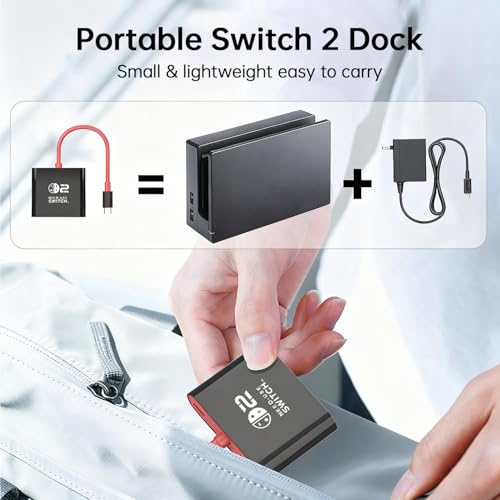
SIWIQU Portable Switch 2 Dock
The title lists 4K@120Hz HDMI, 100W PD fast charging, two USB-A ports, charge-while-playing, and a TV/tabletop mode button. The mode button is helpful in a hotel, where you want a quick switch between TV and handheld. Note that “100W PD” describes the most the dock can pass through, not what the console draws. No charger is listed in the title, so add the cost of a compliant one if you do not already own it.
- Pro: low price tier
- Pro: two USB-A ports
- Con: no charger listed
Who it’s for: light travel use with a charger you already trust.
DGBOSEN Portable USB-C Aluminum Dock
This one lists 4K@60Hz-120Hz HDR output, PD up to 100W, a USB port and an aluminum alloy body, for Switch, Steam Deck, ROG Xbox Ally X and Legion Go 1, 2 and S. It is a general USB-C video dock, and Switch 2 is in the name only. The range “60Hz-120Hz” implies the actual refresh depends on the device. Since the list of supported handhelds is long, treat it as a utility dock for a shared travel bag rather than a Switch 2 specialist.
- Pro: aluminum alloy body
- Pro: low price tier
- Con: general-purpose, not Switch 2 specific
Who it’s for: owners of several handhelds.
AHGEIIY Switch 2 Dock (travel hub)
This is the least like a stock dock. The title mixes “Switch 2,” “Nintendo Switch” and “OLED,” and lists 4K@60Hz HDMI, USB 3.0 and a 100W PD port for MacBook and Steam Deck use. It is closer to a USB-C hub than a purpose-built base, sits at the lowest price tier, and has the weakest documentation of the set. Compatibility warnings apply most here. If you still want it, use it only with the charger that came with your console or a compliant one, and watch for heat.
- Pro: lowest price tier
- Con: mixed Switch and Switch 2 wording
- Con: 4K@60Hz only
Who it’s for: someone who needs an extra USB-C hub and understands the risk.
How we picked these
The Editorial team collected Switch 2 dock listings that name HDMI, USB-C power or a charger in the box, using published specifications, manufacturer documentation and buyer reviews. Nobody on the team used or measured these units. The titles do not mention any safety certification, and we treat every third-party dock as a risk you decide on yourself. We kept titles that name Switch 2 or that list handheld consoles on a general USB-C dock, and we did not rank by brand. Prices appear as relative tiers because they change.
What to check before you plug anything in
Compliance first
Nintendo’s guidance generally warns that unlicensed accessories can cause malfunctions and may void coverage; owners of the original Switch have reported damage from non-compliant docks. A system update can also change how a third-party dock behaves. Look for docks that state USB Power Delivery compliance, include a matching charger and come from a seller with clear returns. If you are unsure, use the official dock and keep this list for travel.
Decode the numbers
“4K@120Hz” is the highest signal the dock can pass; the console and TV set the real output. “100W PD” is a pass-through ceiling, not a guarantee of 100W delivered. A TV/tabletop button is only a convenience; it does not change what the console can output. For 4K at 120Hz you need an HDMI 2.1 cable and a TV input that supports it; 4K60 with HDR typically needs a Premium High Speed cable.
Power budget: a worked example
Take the DGBOSEN adapter: 20V x 3A is 60W. Assume the dock’s own electronics use about 5W and a USB-A accessory up to 4.5W (5V at 0.9A). That leaves roughly 50W for the console, an estimate with stated assumptions. Pair a 65W charger with a dock that passes 100W and the limit is the charger, not the dock. Never use a charger rated below what the console asks for, and avoid cheap unrated adapters. Third-party firmware or system updates may also change how a dock behaves, which is another reason to keep your return window open.
Portable versus replacement format
A replacement base sits behind the TV. A portable dock packs into a bag but typically has a cable, not a cradle. Some portable docks hold the console on a stand; others do not, so check the listing photos. Aluminum bodies spread heat better than plastic, but warm is normal under load. If you stream your Switch 2 sessions, our capture card guide for Switch streaming covers what to add. Before any long session, feel the dock and charger: noticeable heat, a hot smell or a flickering picture is a reason to unplug and stop.
Avoidable dock mistakes
The first is buying the lowest price without a certification. A cheap dock with a poor power circuit is the one that hurts a console. The second is mixing chargers: using a laptop brick with an unknown profile. Third, trusting “4K@120Hz” without checking the HDMI cable and TV. Fourth, assuming a Switch dock works for Switch 2, or the reverse; confirm the exact model named. Fifth, ignoring the return policy, which is the only real safety net on a no-name accessory; if a dock overheats, stop using it and unplug it, and return it. Sixth, using a damaged cable: a bent or frayed USB-C cable can overheat, so replace it. Keep your original console charger and cable aside as a known-good reference if something starts to behave oddly.
Final pick
For a spare TV base, the DGBOSEN replacement with its 20V/3A adapter is the simplest. For travel with a charger included, the BINBOK VR is straightforward, and the JSAUX 65W suits mixed devices. The SIWIQU is the budget travel choice. Treat the AHGEIIY as a hub, not a dock. If your console is under warranty and you can afford it, the official dock remains the lowest-risk option. For a mixed household with a handheld PC and a Switch 2, the JSAUX or DGBOSEN portable fits best.
Related guides
- When I Turn On Record Game In Background On Gamebar. Gamebar Crashes, What Do I Do?
- Poly Computer Accessories Company Streaming Evaluation
- How To Set Up A Stream Deck Alternative In Software
Frequently asked questions
Can a third-party dock damage a Switch 2?
It can if the dock mishandles power delivery. Owners of the original Switch reported such problems, and Nintendo advises caution with unlicensed accessories. Look for stated USB PD compliance, use the matching charger, and stop using a dock that overheats. This is general safety guidance, not a guarantee against failure.
Will my dock output 4K at 120Hz?
Only if the console, dock, cable and TV all support it. A listing that says 4K@120Hz describes the dock’s ceiling. Check Nintendo’s specifications for the console’s actual output and use an HDMI 2.1 cable on a compatible input. Many TVs enable 120Hz only on one HDMI port, so look in the TV’s settings.
Do I need the dock to charge the console?
No. You can charge the console over USB-C with a suitable charger. The dock mainly adds TV output. Use a charger with the right voltage and wattage for the console, and avoid unrated adapters or damaged cables. Charging this way works with the console’s own cable and a certified adapter.
Is a portable dock good enough for a TV setup?
It can be, if it stays cool and the connection is stable. Replacement bases are easier to leave in place, while portable docks suit travel and hotel TVs, though they usually need an external charger. Either way, choose a model that clearly names Switch 2 on the listing, and avoid anything that gets noticeably hot.
Are Steam Deck docks compatible with Switch 2?
Some USB-C docks list both, but the titles do not prove that every function works. Check the Switch 2 name on the listing, read buyer feedback and keep the return option open. If the dock behaves oddly with your console, stop using it instead of troubleshooting with the console connected.