For a Linux desktop, the safest webcam is any standard UVC camera, because the kernel’s generic video driver recognizes them without extra downloads. Most listings in this set are Arducam, innomaker and ELP camera modules, and only the autofocus Arducam and the innomaker look like everyday webcams. The rest are specialty cameras, flagged below.
Our Top Picks
Top 3 picks at a glance
All twelve cameras at a glance
As an Amazon Associate we earn from qualifying purchases at no extra cost to you.


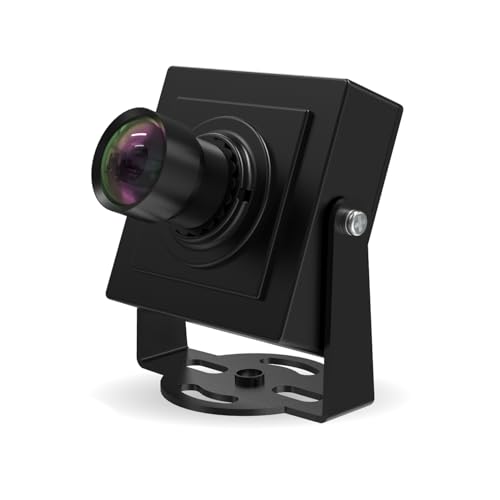


| Model | Key point from title | Price tier | Best for |
|---|---|---|---|
| Arducam 1080P HDR Autofocus UVC (78 degree) | 30fps 1080P, HDR, 78 degree, autofocus, Windows/Linux/Mac/Android | Budget | The most webcam-like pick for a Linux desktop |
| Arducam 2.3MP Global Shutter 110 degree | 1080p at 90fps, global shutter, USB 2.0 UVC, Lightburn | Premium | Fast-motion or laser-engraver work |
| Arducam 1080P Day & Night Vision | 2MP, automatic IR-cut switching, IR LEDs, USB 2.0 webcam board | Budget | Dark rooms, monitoring and DIY projects |
| innomaker 1080P UVC, 121 degree | Low-light HDR/WDR, built-in mic, plug and play, Pi/SBC support | Budget | A cheap Linux and Raspberry Pi webcam with a mic |
| Arducam 5MP HDR, 101 degree M12 lens | 5MP, HDR, M12 lens mount, UVC | Mid-range | Swapping lenses for a custom field of view |
| ELP 4K 60FPS 10X Varifocal (IMX678) | 4K60, 5-50mm manual zoom, USB 3.0/2.0, Jetson Nano named | Premium | Long-distance or machine-vision capture |
| Arducam 12MP 150 degree 4K@25fps | 12MP, 150D wide angle, 4K at 25fps, UVC | Mid-range | Ultra-wide room coverage |
| Arducam USB 3.0 960×600 80fps Global Shutter | 2.3MP AR0234, 1/2.6 inch, 95 degree M12, Windows and Linux | Premium | High-speed machine vision on Windows or Linux |
| Arducam VGA Global Shutter, 800 FPS | Monochrome, QQVGA at 800fps, wide-angle, UVC | Budget | Scientific high-speed experiments |
| Arducam 12MP HDR, 101 degree M12 lens | 12MP, HDR, UVC, lens-swappable | Mid-range | High resolution stills with swappable lenses |
| Arducam 2MP STARVIS 2 Ultra Low Light | 2MP mini module, STARVIS 2 sensor, 1080P, PC/Pi | Mid-range | Low-light 1080p on a Linux PC or Pi |
| ELP High Speed 1080P/230fps, 4K/60fps, 12MP | 10X zoom, 5-50mm lens, USB 3.0/2.0, Jetson Nano named | Premium | Multi-mode zoom camera for lab work |
The cameras, one by one
Arducam 1080P HDR Autofocus UVC (78 degree)
The closest thing to a normal webcam in this set: 1080P at 30fps, HDR wording, a modest 78 degree view and autofocus, with Linux named. It is a bare camera module, so expect a small board and no built-in mic mentioned in the title. Check the listing for the cable length and whether a stand is included.
- Pro: Autofocus with a tight, face-friendly view
- Pro: Linux named in title
- Con: No mic or clip stated
- Con: Module form factor
Who it’s for: Linux users wanting a simple call camera.
Arducam 2.3MP Global Shutter 110 degree
A specialty camera. Global shutter and 90fps suit moving subjects and the Lightburn laser-software mention, not meetings. USB 2.0 UVC means no vendor driver is claimed. The 110 degree wide-angle view is too wide for a face-on call. Confirm the exposure and software options in the listing before buying it for anything other than that niche.
- Pro: Global shutter and 90fps claimed
- Pro: UVC standard
- Con: Not designed for video calls
- Con: Pricey for a 2.3MP sensor
Who it’s for: Makers and laser users.
Arducam 1080P Day & Night Vision
Built for all-day monitoring: the IR-cut filter switches automatically and IR LEDs illuminate dark scenes. Colour in dim light will be limited by IR. It is a board, so mounting and housing are on you. Colour accuracy in daylight is a separate question the title does not answer.
- Pro: IR LEDs for night scenes
- Pro: UVC webcam board
- Con: Infrared images look monochrome
- Con: Not a conference camera
Who it’s for: Security or pet-camera builds.
innomaker 1080P UVC, 121 degree
Unlike most of this set, the title lists a built-in mic and plug and play, plus Raspberry Pi and SBC support. The 121 degree lens is very wide, fine for room shots but distorting up close. HDR and WDR are seller claims. Because it targets small computers, a USB cable to a desktop port should be enough, but check the listing.
- Pro: Built-in mic listed
- Pro: Pi and SBC named
- Con: Wide lens distorts faces
- Con: Low-light claim unverified
Who it’s for: Pi and small-board tinkerers.
Arducam 5MP HDR, 101 degree M12 lens
The M12 mount means you can change lenses. The sensor is 5MP, higher than 1080p, but the title gives no frame rates. Fine if you want control, tedious if you just want a webcam. Read the listing for the lens focal length before assuming the field of view suits your desk.
- Pro: Lens can be changed
- Pro: 5MP sensor
- Con: No frame rate stated
- Con: Hobbyist setup
Who it’s for: Optical tinkerers.
ELP 4K 60FPS 10X Varifocal (IMX678)
A heavy-duty zoom camera. The 5-50mm manual varifocal lens targets distant subjects, and USB 3.0 supplies bandwidth for 4K. Jetson Nano mention points to robotics. Far beyond a webcam needs. Budget for a sturdy mount and a USB 3.0 port, because a heavy lens on a light stand will sag.
- Pro: Zoom lens and 4K claims
- Pro: USB 3.0 option
- Con: Expensive and bulky
- Con: Manual zoom only
Who it’s for: Robotics and imaging projects.
Arducam 12MP 150 degree 4K@25fps
A very wide 150 degree view with 4K at 25fps. Good for room overview, poor for faces because of distortion. 25fps is below the 30fps many call apps prefer. It is a poor match for faces unless you stand well back from the lens.
- Pro: Very wide coverage
- Pro: 4K stated
- Con: Heavy distortion
- Con: 25fps only
Who it’s for: Room-view monitoring.
Arducam USB 3.0 960×600 80fps Global Shutter
A machine-vision module: global shutter, 80fps at 960×600 and an M12 mount. The title lists only Windows and Linux, so Mac is not claimed. Resolution is below 1080p, so it is the wrong tool for video calls. Because the title omits macOS, Mac users should look elsewhere.
- Pro: Global shutter and 80fps claimed
- Pro: Linux named
- Con: Under 1080p resolution
- Con: Industrial use case
Who it’s for: Engineers building vision systems.
Arducam VGA Global Shutter, 800 FPS
A monochrome VGA module whose 800fps figure applies only at QQVGA, a tiny frame. It is off-type for everyday webcam use. Include it only if you know you need extreme frame rates. Treat it as a curiosity unless you have a defined experiment in mind.
- Pro: Extreme frame rate claimed
- Pro: Low cost
- Con: Monochrome only
- Con: Tiny frame at top speed
Who it’s for: Researchers and hobby physics.
Arducam 12MP HDR, 101 degree M12 lens
A 12MP sibling of the 5MP version above, with the same M12 mount. Near-duplicate in spirit, so choose between them by the resolution you need. Frame rates are not in the title, so check the listing. Ask whether you need that resolution at all, since file sizes and processing load grow quickly.
- Pro: 12MP sensor
- Pro: Lens can be changed
- Con: Frame rate unlisted
- Con: Overlaps with 5MP model
Who it’s for: Photographers and inspectors.
Arducam 2MP STARVIS 2 Ultra Low Light
A compact 1080P module with a STARVIS 2 sensor positioned for low light. Linux is not explicitly named in the title, only PC, laptop and Raspberry Pi, so confirm UVC support in the listing. Sensor claims remain seller statements. Photos in buyer reviews are the best way to judge the real low-light noise level.
- Pro: Low-light sensor named
- Pro: 1080P and small size
- Con: Linux not named
- Con: No mic
Who it’s for: Dim-room streaming and Pi builds.
ELP High Speed 1080P/230fps, 4K/60fps, 12MP
Another zoom camera listing several modes: 1080P/230fps, 4K/60fps and 12MP/30fps. Which mode you get depends on USB version and software. It overlaps heavily with the other ELP model; compare the two. Setup involves choosing a mode, which takes more effort than a plug-in webcam.
- Pro: Many modes
- Pro: Zoom lens
- Con: Overlaps with other ELP
- Con: Complex for casual use
Who it’s for: Imaging projects.
How these were chosen
These listings come from titles, published specifications, manufacturer documentation and buyer reviews. Nobody on the team used or measured these units. Tiers are relative within this set. Several listings are not conventional webcams, so read each note.
What to look for on Linux
The UVC standard
USB Video Class cameras are generally recognized by the Linux kernel and show up as video devices. The listing word UVC is the strongest hint. Features that need brand software, such as custom presets, often have no Linux version.
Software you will actually use
Apps such as Cheese, OBS and tools built on v4l2 commonly work with UVC devices. After plugging in, many users run a device-listing command to confirm the camera is detected, but exact commands vary by distribution.
USB bandwidth estimate
Rough estimate with stated assumptions: uncompressed 1080p at 30fps in a 2-byte-per-pixel format is about 124 MB/s, roughly 1 Gbit/s, which exceeds USB 2.0’s 480 Mbit/s limit. That is why USB 2.0 cameras typically send compressed MJPEG. USB 3.0 allows higher resolutions or frame rates.
Webcam versus camera module
Modules are bare boards. They may lack a mic, clip and case. For calls, see our pages on the best PC webcam for streaming and the best gaming webcam for PC.
Linux pre-purchase checklist
- Look for the word UVC in the title.
- Check mic, mount and cable inclusion.
- Match frame rate to resolution.
- Read buyer comments from Linux users.
Mounting and field of view
A wide lens captures more of the room, which is useful for monitoring and wasteful for calls, because you appear small and bent at the edges. Narrow views near 80 degrees suit a head-and-shoulders shot at normal desk distance. Zoom lenses let you frame from farther away but need a stable mount, since small vibrations are magnified. Check whether the title mentions a clip, tripod thread or bare board, because a module without any of these needs a bracket.
Mistakes buyers make
The most common error is buying a specialty module for video calls. Wide lenses above 110 degrees distort faces. Another is assuming 800fps or 230fps applies at full resolution. Some buyers forget that a global-shutter camera at low resolution is a machine-vision tool. A final trap is trusting HDR wording without evidence in photos.
Verdict
For everyday Linux calls, pick the autofocus Arducam 1080P or the innomaker with a mic. Treat the global-shutter, zoom and high-fps modules as specialty tools for builders, not as general webcams.
Questions buyers ask
Do webcams work on Linux without drivers?
Many do. Cameras that follow the UVC standard are generally picked up by the Linux kernel and appear as video devices without extra downloads. Software features tied to brand apps may not be available. Check the listing for the word UVC and read buyer comments for your distribution. If a camera also lists Android or Raspberry Pi support, that usually means it follows the same standard.
What does UVC mean for a webcam?
UVC stands for USB Video Class, a standard way for cameras to talk to a computer. Because the protocol is common, operating systems including Linux can usually use such cameras with built-in drivers. It is a good sign but not a guarantee that every feature works, such as autofocus controls or special modes.
Are these Arducam modules good for video calls?
Only a couple are. Most are camera modules for projects, with wide lenses, no mic or special sensors. If you want a face camera, pick the autofocus 1080P Arducam or the innomaker with a built-in mic, and read the notes on the others before buying. The rest suit builders, laser users and robotics hobbyists far better.
Does 4K need USB 3.0?
Often, though not always. USB 2.0 can carry compressed video, but high resolution at high frame rates typically needs more bandwidth, so USB 3.0 is common for 4K60 claims. Check the listing for the mode and interface combination, and use a USB 3.0 port and cable when the camera supports it. A poor cable is a frequent cause of dropped frames.
Which Linux apps work with webcams?
Common choices include Cheese for quick checks, OBS for streaming and recording, and tools built on the v4l2 interface. Compatibility depends on your distribution and the camera. Search buyer comments for people on a similar setup, and test with a simple app first before you try a more complex streaming setup with scenes and filters.
Related guides
- When I Turn On Record Game In Background On Gamebar. Gamebar Crashes, What Do I Do?
- How To Reduce Background Noise On A Streaming Microphone
- Poly Computer Accessories Company Streaming Evaluation