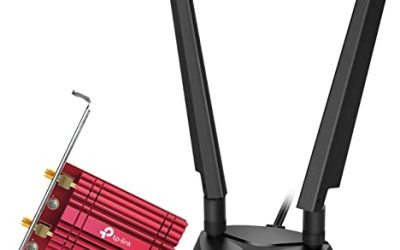
On a home network, the PCIe adapter decision is really about geography and matching. The card must speak the same Wi-Fi standard as the router in the hallway, survive the walls between that router and the desk, and still find a free PCIe x1 slot inside a case that may be years old. Antenna placement matters as much as any rating, because a card hidden behind a tower under a desk starts every connection at a disadvantage.
This guide is for households adding Wi-Fi to a wired-only family PC, replacing a weak internal card in a bedroom desktop, or finishing a home build without onboard wireless. Every pick was chosen from the name and specifications on its Amazon listing, including standard, per-band speeds, Bluetooth version, antenna type and operating system support. The shortlist is ordered around real home routers, from common Wi-Fi 6 models to newer 6E and Wi-Fi 7 systems.
Our Top Picks
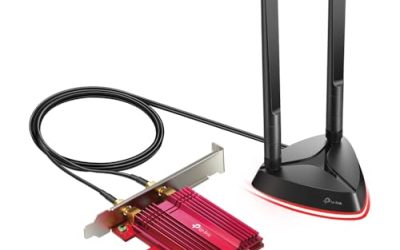
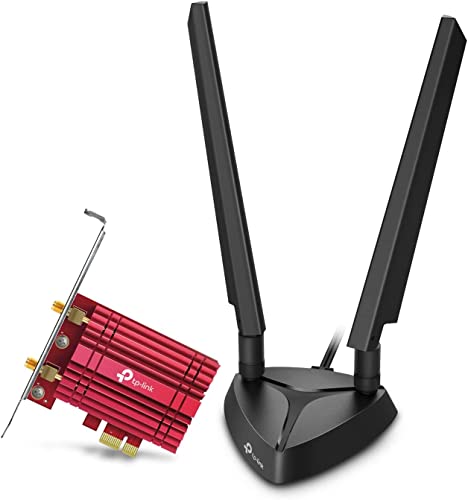 TP-Link WiFi 6E Intel AX210 AXE5400 PCIe WiFi1 Count (Pack of 1)3.75 x 4.76 x 0.85 inches0.59 poundsCheck on Amazon
Top 3 picks at a glance

Quick Picks
As an Amazon Associate we earn from qualifying purchases
| Product | Best for | Key spec from title |
|---|---|---|
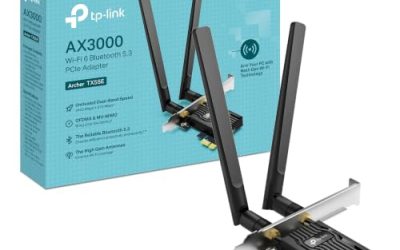
| TP-Link Archer TX55E | The main family desktop on a Wi-Fi 6 router | Wi-Fi 6 AX3000, Bluetooth 5.2, WPA3, two high-gain antennas |
| ASUS PCE-AX58BT | A bedroom or study PC needing steady dual-band coverage | Wi-Fi 6 AX3000, Bluetooth 5.0, OFDMA, 2×2 MU-MIMO |
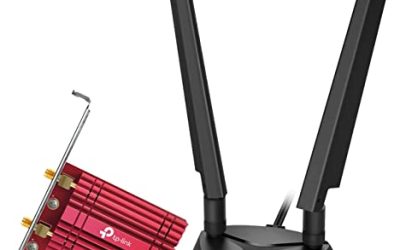
| TP-Link Archer TX3000E | A desk where antennas must move out from behind the tower | Wi-Fi 6 AX3000, Bluetooth 5.3, magnetized antenna base |
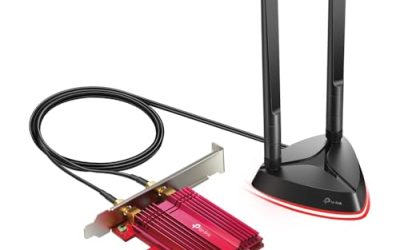
| TP-Link Archer TXE75E | A home with a Wi-Fi 6E router and a PC one room away | Wi-Fi 6E AXE5400, Intel AX210, Bluetooth 5.3 |
| TP-Link Archer TBE550E | A future-proofed Windows 11 home build on Wi-Fi 7 | Wi-Fi 7 BE9300, Bluetooth 5.4, tri-band |
How to Choose
Match the standard to the router your home already runs
Home routers span several generations, and the adapter should follow the router, not lead it. Most households on Wi-Fi 6 get full value from an AX3000 card, because its 2402 Mbps on 5 GHz and 574 Mbps on 2.4 GHz are exactly the bands that router broadcasts. A Wi-Fi 6E card only earns its place when a 6E router is already installed, adding a 2402 Mbps 6 GHz band that fades faster through walls. Wi-Fi 7 cards such as the Archer TBE550E make sense beside a Wi-Fi 7 router or a confirmed upgrade plan, not as a hopeful shortcut around an old router.
Think in rooms and walls, not headline speed classes
The speed class printed on a box assumes a clear path, which homes rarely provide. In a flat where the desktop sits one room from the router, 5 GHz or 6 GHz can carry streaming and downloads comfortably. Two or three walls away, the same PC may live on 2.4 GHz, where antenna quality and placement decide stability more than the class number does. Judge a card for your floor plan: a dual-band Wi-Fi 6 model with well-placed antennas often serves a back bedroom better than a tri-band card whose fastest band cannot reach the desk at a usable strength.
Choose antennas you can actually position at home
Fixed antennas on the rear bracket are acceptable when the tower sits on the desk in the router’s room, but they struggle under desks and inside alcoves. A magnetized antenna base, listed for the Archer TX3000E and TXE75E, moves the antennas onto the case top or a nearby shelf, clearing the metal box that blocks them. Heatsink-equipped cards help during long household transfers such as backups. Whichever design you choose, plan the antenna’s final home before ordering, and keep a low-profile bracket in mind for the compact ex-office PCs many homes inherit.
Check chipset drivers and Bluetooth headers for a mixed household
A home PC accumulates peripherals, so Bluetooth is rarely optional in practice. Cards here list Bluetooth from 5.0 to 5.4, and the feature normally needs a cable to a motherboard F_USB header, which older home motherboards may have only one of. Check that header is not already serving the front panel. Chipset and driver support matter for the same reason: Intel-based cards such as the TXE75E follow Intel driver releases, and every listing here limits support to 64-bit Windows, with the Wi-Fi 7 card excluding Windows 10 entirely. Match both to the machine’s next few years.
The 5 Best Options
TP-Link Archer TX55E

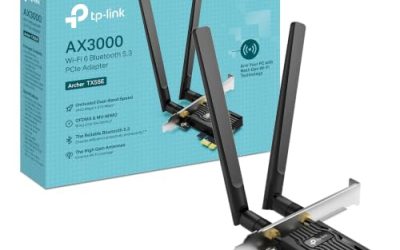
For the typical home on a Wi-Fi 6 router, the Archer TX55E is the card that simply fits. Its listing combines an AX3000 rating, 2402 Mbps on 5 GHz and 574 Mbps on 2.4 GHz, with Bluetooth 5.2, WPA3 and MU-MIMO, received through two high-gain antennas. That set covers the family desktop’s real workload of streaming, homework, calls and downloads without asking the household to change its router or Windows version. It is the recommendation to start from if the PC sits within a couple of rooms of the router and the current problem is a missing or failing wireless connection rather than extreme distance.
Specs
- Wi-Fi standard: Wi-Fi 6 (802.11ax), AX3000 class
- Speeds from title: up to 2402 Mbps on 5 GHz and 574 Mbps on 2.4 GHz
- Bluetooth: 5.2
- Interface: PCIe adapter for desktop PC
- Antennas: two high-gain antennas
- Security and features: WPA3, MU-MIMO listed
- Operating system listed: Windows 11, 10 (64bit) only
Best for: The main family desktop on a Wi-Fi 6 router
Watch out for: Antennas mount at the rear of the case, so a tower buried under a desk may benefit more from a magnetic-base model.
ASIN: B0B1NRGDQ4
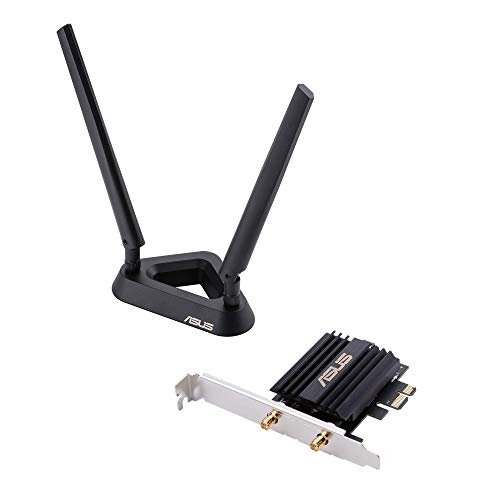
ASUS PCE-AX58BT
The PCE-AX58BT suits the home PC that needs calm, consistent dual-band service rather than a new band. ASUS lists Wi-Fi 6 AX3000 performance with OFDMA, 2×2 MU-MIMO and WPA3, two external antennas, and Bluetooth 5.0 for the keyboard, mouse and headset a study desk accumulates. On a Wi-Fi 6 home network, that is a complete answer for browsing, streaming and school or office work in a room the router reaches well. Choose it over the TP-Link Wi-Fi 6 cards if the ASUS name and its straightforward dual-antenna layout appeal, and accept that Bluetooth here is an older version than its rivals offer.
Specs
- Wi-Fi standard: Wi-Fi 6 (802.11ax), AX3000 class
- Speeds from title: 2402 Mbps on 5 GHz and 574 Mbps on 2.4 GHz
- Bluetooth: 5.0
- Interface: PCIe wireless adapter
- Antennas: two external antennas
- Features: OFDMA, 2×2 MU-MIMO and WPA3 security listed
- Operating system listed: Windows 11, 10 (64bits) only
Best for: A bedroom or study PC needing steady dual-band coverage
Watch out for: There is no 6 GHz band, so homes planning a 6E router soon should look at the TXE75E instead.
ASIN: B07XLP199J
TP-Link Archer TX3000E
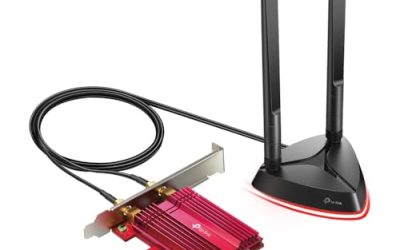
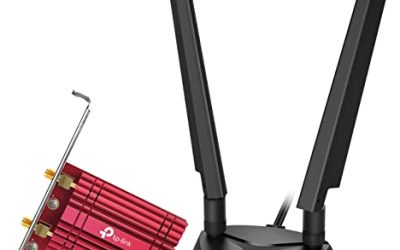
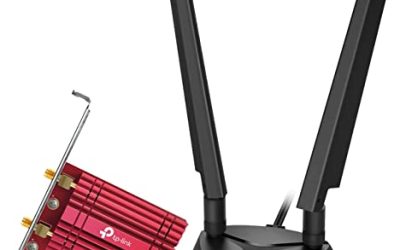
Where the desk setup itself is the obstacle, the Archer TX3000E earns its place. Its magnetized antenna base lifts the two high-gain antennas out from behind the tower and onto the case, a small change that helps a PC under a desk or beside a bookcase hold its 5 GHz connection. The rest of the listing is solid home fare: Wi-Fi 6 AX3000, Bluetooth 5.3, MU-MIMO and OFDMA, plus a low-profile bracket and Bluetooth header cable in the box. Pick it for the awkward room in the house, the one where every other device also struggles, rather than for a desk beside the router.
Specs
- Wi-Fi standard: Wi-Fi 6 (802.11ax), AX3000 class
- Speeds from title: up to 2402 Mbps on 5 GHz and 574 Mbps on 2.4 GHz
- Bluetooth: 5.3
- Antennas: magnetized antenna base with two high-gain antennas
- Included in listing: low-profile bracket and Bluetooth header cable
- Features: MU-MIMO and OFDMA listed
- Operating system listed: Windows 11, 10 (64bit)
Best for: A desk where antennas must move out from behind the tower
Watch out for: The magnetic base needs a sensible flat spot on or near the case, so check the desk layout before relying on it.
ASIN: B07ZV2CJL2
TP-Link Archer TXE75E
Homes that have already moved to a Wi-Fi 6E router should put that router to work with the Archer TXE75E. Its Intel AX210 chipset drives an AXE5400 tri-band connection, with 2402 Mbps on 6 GHz as well as 5 GHz, Bluetooth 5.3, WPA3, MU-MIMO and OFDMA, and a magnetic base positions its dual antennas. The 6 GHz band is the household’s quiet lane for a gaming or streaming PC, provided the machine stays within about a room of the router and runs Windows 11. Further away, the card simply behaves as a strong dual-band model, which keeps it a safe choice even then.
Specs
- Wi-Fi standard: Wi-Fi 6E (802.11ax), AXE5400 class
- Speeds from title: up to 2402 Mbps on 6 GHz, 2402 Mbps on 5 GHz and 574 Mbps on 2.4 GHz
- Chipset from title: Intel Wi-Fi 6E AX210
- Bluetooth: 5.3
- Antennas: magnetic base with dual antennas
- Features: WPA3, MU-MIMO and OFDMA listed
- Operating system listed: Windows 10 and Windows 11, with 6 GHz use requiring Windows 11
Best for: A home with a Wi-Fi 6E router and a PC one room away
Watch out for: The 6 GHz band weakens quickly through walls, so distant rooms will mostly use 5 GHz regardless of the card.
ASIN: B09VCVTJV2
TP-Link Archer TBE550E

The Archer TBE550E is for the household that has already committed to Wi-Fi 7 and Windows 11. Its listing rates the tri-band BE9300 class at 5764 Mbps on 6 GHz, 2882 Mbps on 5 GHz and 688 Mbps on 2.4 GHz, with Bluetooth 5.4 and a multicolor status LED for a quick glance at connection state. In a new home build beside a Wi-Fi 7 router, it is the card least likely to be replaced when the rest of the network catches up. In any other home it is premature, because its defining features wait on a router and an operating system the house may not have.
Specs
- Wi-Fi standard: Wi-Fi 7, BE9300 class
- Speeds from title: up to 5764 Mbps on 6 GHz, 2882 Mbps on 5 GHz and 688 Mbps on 2.4 GHz
- Bands: tri-band, 6 GHz, 5 GHz and 2.4 GHz
- Bluetooth: 5.4
- Design: multicolor status LED listed
- Compatibility from title: supports AMD and Intel motherboards
- Operating system listed: not compatible with Windows 10
Best for: A future-proofed Windows 11 home build on Wi-Fi 7
Watch out for: Do not buy it for a Windows 10 family PC, and do not expect Wi-Fi 7 behaviour from an older router.
ASIN: B0D4PDLX6L
Which One Fits Your Situation
The family PC sits in the same room as the router
Choose the TP-Link Archer TX55E or the ASUS PCE-AX58BT. With a short, clear path, either Wi-Fi 6 card delivers its full dual-band value, and the choice comes down to antenna style and Bluetooth version. The TP-Link’s Bluetooth 5.2 suits newer peripherals, while the ASUS offers a familiar name and two external antennas. Neither asks the household to change anything else in the network.
The desktop is in a back bedroom with a weak signal
Choose the TP-Link Archer TX3000E. Its magnetized antenna base is the practical fix in this list for a signal blocked by the tower itself, letting the antennas sit in open air above the case. It will not defeat broadband that is slow entering the home, but it gives the bedroom PC its best chance of holding 5 GHz instead of falling back to a crowded 2.4 GHz link.
Your home network runs a Wi-Fi 6E mesh or router
Choose the TP-Link Archer TXE75E for the desktop that streams or games. The 6 GHz band gives that PC a lane away from the phones, tablets and smart devices crowding the older bands, and the Intel AX210 chipset is the listing’s foundation for that connection. Keep the PC on Windows 11 and within a room or so of a node for the band to stay useful.
You are building a new home PC to keep for years
Choose the TP-Link Archer TBE550E if a Wi-Fi 7 router is part of the same plan, or the TXE75E if the network stops at 6E. Longevity only counts when the router and Windows version move with the card. A BE9300 card in a Windows 11 build with a matching router is a genuine long-term choice; the same card dropped into an old tower is money waiting for other upgrades.
Common Mistakes
- Choosing a tri-band card for a home router that only broadcasts two bands.
- Judging a card by its combined speed class instead of the band your room can hold.
- Leaving antennas behind a metal tower under a desk and blaming the card for weak signal.
- Forgetting the internal USB header Bluetooth needs on a motherboard with only one.
- Buying a Wi-Fi 7 card for a Windows 10 PC the listing explicitly excludes.
Frequently Asked Questions
Which Wi-Fi standard is right for most home networks?
Wi-Fi 6 is the right match for most homes today, because most installed routers broadcast it and an AX3000 card uses both of its bands fully. Wi-Fi 6E adds value only with a 6E router and a PC near it, and Wi-Fi 7 only with a Wi-Fi 7 router and Windows 11. Let the router you own, not the newest label, set the standard you buy.
Can a PCIe card fix a weak signal in a far room?
It can improve the PC’s side of the problem, especially with a magnetic antenna base that moves the antennas into open air, as on the Archer TX3000E. It cannot strengthen the router’s broadcast or move walls. If every device struggles in that room, the network needs a mesh node or a better router position first, and the card choice comes after that fix.
Do all the cards here add Bluetooth to a home PC?
Yes, every card in this list includes Bluetooth, in versions from 5.0 on the ASUS PCE-AX58BT to 5.4 on the Archer TBE550E. The catch is installation: Bluetooth usually needs the included cable connected to a motherboard F_USB header. Confirm a header is free before ordering, because without it the Wi-Fi works and the Bluetooth you wanted for a headset never appears.
Should I replace a working Wi-Fi 5 card at home?
Only if it is the actual bottleneck. A Wi-Fi 5 card on a Wi-Fi 6 router misses the newer standard’s handling of busy households, and a card with failing connections or no Bluetooth may be worth replacing on those grounds alone. If the PC streams and browses without complaint, keep it and spend on router placement or a mesh node, which usually improves every device in the home at once.
Related guides
More from Amazon
Programs that pair well with the guide above. Offers and eligibility are set by Amazon and may change.
Free shipping on eligible items, Prime Video and more. Eligible new members can start with a free trial.
Start a Prime free trialAd-free music streaming. Eligible new subscribers can start with a free trial.
Try Music Unlimited freeA Prime membership for ages 18-24 with a trial period. Eligibility is set by Amazon.
See Prime for Young AdultsAudiobooks and podcasts to listen to on the go. Eligible new members can start with a free trial.
Try Audible freeAs an Amazon Associate we earn from qualifying purchases.