
A motorized gimbal promises buttery-smooth footage as you walk, but it is also one more thing to charge, balance, and carry. For creators weighing whether to buy one, the honest answer is that it depends heavily on how much you move while filming. This guide breaks down when a gimbal earns its place, when in-body stabilization is enough, and what to expect in cost and setup time.
As an Amazon Associate we earn from qualifying purchases at no extra cost to you.

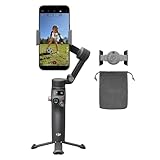


Top 3 picks at a glance
What a gimbal actually does
A three-axis gimbal uses motors to counteract your hand movements across pitch, roll, and yaw, keeping the horizon level and smoothing out the bounce of walking. The result is footage that glides rather than jitters. This is genuinely hard to replicate any other way for walking-and-talking content, running shots, or dynamic movement around a subject.
When you probably do not need one
If you mostly film seated talking-head video, a gimbal is overkill; a simple tripod does the job better and faster. Modern cameras and phones also include in-body or electronic stabilization that handles mild handheld shake well. For gentle movement, that built-in stabilization is often good enough, and it never needs balancing or charging.
| Scenario | Gimbal needed? | Better alternative |
|---|---|---|
| Seated talking head | No | Tripod |
| Slow B-roll pans | Optional | In-body stabilization |
| Walking vlog | Yes | — |
| Running/action | Yes | — |
| Crowded IRL streaming | Usually yes | Stabilized action cam |
The real costs beyond price
Phone gimbals typically run $80–150, while camera gimbals rated for mirrorless bodies run $150–400 depending on payload capacity. But the sticker price is only part of it. A gimbal adds a balancing step every time you change lenses or accessories, needs its battery charged (usually 8–12 hours of runtime), and adds 0.4–1.2 kg to what you carry. For IRL streamers walking for hours, that weight and the need to hold it out front becomes fatiguing.
Payload and balance
Match the gimbal’s rated payload to your camera plus lens weight, and leave headroom. A gimbal running near its maximum load strains the motors, drains the battery faster, and struggles to hold balance. If you plan to add a microphone or light to the camera, factor that into the payload and confirm the gimbal can still balance with the extra weight.
Gimbal vs stabilized action cam for IRL
Many IRL streamers have moved to compact action cameras with excellent electronic stabilization because they are lighter, weather-resistant, and do not require balancing. The footage is not quite as smooth as a well-tuned gimbal, but for run-and-gun street content the convenience often wins. If your top priority is cinematic smoothness and you film deliberately, a gimbal still delivers the best result.
FAQ
Does in-body stabilization make gimbals obsolete?
No, but it narrows the gap. In-body and electronic stabilization handle mild handheld shake and slow movement very well. For walking, running, or fast dynamic shots, a gimbal still produces noticeably smoother footage that software cannot fully match.
How long does it take to set up a gimbal?
Balancing a camera gimbal takes about 3–8 minutes the first time and 1–2 minutes once you are practiced, assuming your setup does not change. Phone gimbals are faster because the payload is fixed. Every lens or accessory change means rebalancing.
Getting the most from one if you buy it
If you decide a gimbal fits your content, a little discipline unlocks its value. Balance it properly every time, because a well-balanced gimbal barely uses its motors, which extends battery life from the low end of the eight-to-twelve-hour range toward the high end. Learn a few movement techniques, the slow push-in, the orbit, the low-mode walk, so your footage looks intentional rather than merely stable. Carry a spare battery for anything longer than a couple of hours. And do not fall for the trap of gimbal-ing every shot; the smoothness reads as special precisely because it contrasts with locked-off tripod shots. Used selectively, a gimbal elevates the moments that need motion. Used constantly, the effect flattens and the added weight and setup time stop being worth it.
Bottom line
Buy a gimbal if you film walking vlogs, action, or mobile IRL content where smoothness sells the shot. Skip it if you shoot seated or only need mild stabilization, where a tripod or in-body stabilization is simpler and just as effective. Match the payload rating to your gear, and budget for the weight and charging, not just the price.


