
Streaming the Nintendo Switch is one of the more forgiving capture-card jobs because the console docks and outputs a clean 1080p signal at 60 frames per second with no HDCP copy protection on gameplay. That means almost any decent HDMI capture card will work, and you do not need to chase 4K features you will never use. The real decisions are USB interface, passthrough, and whether you want a simple plug-and-play device or room to grow.
As an Amazon Associate we earn from qualifying purchases at no extra cost to you.



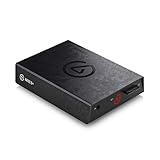
Top 3 picks at a glance
Know the Switch’s output first
The docked Switch outputs up to 1080p60 over HDMI, and importantly its gameplay is not HDCP-locked, so capture cards read it without the black-screen headaches some other consoles cause. Because the ceiling is 1080p60, a 4K-capable card is overkill for Switch alone; the extra cost only makes sense if you also stream a 4K console or PC.
| Switch mode | Output | Capture need |
|---|---|---|
| Docked | Up to 1080p60 | 1080p60 card is plenty |
| Handheld | No HDMI out | Must be docked to capture |
The specs that matter for Switch
Since resolution demands are modest, focus on the interface and reliability. A USB 3.0 card gives you low-latency, uncompressed 1080p60 and works well for a single-PC setup, while USB 2.0 cards compress the feed and add a little latency but are cheaper and fine for many streamers.
| Spec | Recommendation | Why |
|---|---|---|
| Capture resolution | 1080p60 | Matches the Switch ceiling |
| USB interface | USB 3.0 preferred | Lower latency, uncompressed |
| Passthrough | Nice to have | Zero-lag play on a TV |
| Type | External USB | Simple, portable, no PCIe slot |
Passthrough: do you need it?
HDMI passthrough sends the console’s signal out to a TV or monitor at the same time it captures, so you can play on a big screen with no added latency instead of watching a slightly delayed preview on your PC. For fast Nintendo platformers and fighters it is genuinely useful, but if you are comfortable playing off a low-latency software preview, you can skip it and save money.
External vs internal
For a Switch, an external USB capture card is almost always the right call. It needs no free PCIe slot, moves easily between machines, and is simple to set up: HDMI from the dock into the card, USB into your PC, add it as a source in OBS. Internal PCIe cards make sense only for dedicated dual-PC battle stations, which is far more than Switch streaming requires.
Audio, overlays, and the software side
Getting clean video is only part of a good Switch stream; audio and layout finish it. The capture card carries the game audio embedded in the HDMI signal, so in OBS you will balance that game audio against your microphone, and a simple noise gate and level match keeps game sound from burying your commentary. Because the Switch has no separate party-chat complication like some consoles, this stays refreshingly simple.
Framing matters for handheld-style games shown docked. Nintendo titles often have bright, busy art, so leave room for your face cam and overlays without covering key UI, and consider a border or background around the 16:9 game feed. A modest capture card plus thoughtful scene layout in OBS produces a cleaner Switch stream than an expensive card dropped into a cluttered, unbalanced scene, which is another reason not to overspend on hardware here.
FAQ
Do I need a 4K capture card for the Nintendo Switch?
No. The docked Switch tops out at 1080p60, so a 1080p60 capture card captures everything it can output. A 4K card only helps if you also plan to stream a 4K-capable console or PC through the same device. For Switch alone, spending on 4K is wasted money.
Can I capture the Switch in handheld mode?
Not directly, because handheld mode has no HDMI output. You must dock the Switch so it sends video over HDMI to the capture card. Some third-party USB-C hubs can pull video from the console’s USB-C port, but the reliable, supported method is capturing from the dock’s HDMI output.
Bottom line
For Nintendo Switch streaming, a solid 1080p60 external USB 3.0 capture card, ideally with HDMI passthrough, covers everything the console can do without overspending. Skip 4K features you cannot use, dock the console, and route HDMI in and USB to your PC. The Switch’s clean, unprotected 1080p60 signal makes it one of the easiest consoles to stream.


