
Wind noise is the number one reason outdoor audio sounds terrible. A gust hitting a bare mic capsule produces that low, booming rumble that no software filter fully removes. A proper windscreen, foam, furry “dead cat,” or a combination, stops the wind before it reaches the capsule, and for IRL streamers it is the cheapest, highest-impact audio upgrade you can make.
As an Amazon Associate we earn from qualifying purchases at no extra cost to you.


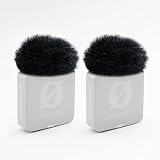
Top 3 picks at a glance
How windscreens work
Wind noise is caused by air turbulence directly on the microphone diaphragm. A windscreen creates a buffer zone: foam slows the air, and fur (a “dead cat” or “windjammer”) breaks up the airflow into smaller, quieter eddies. The more aggressive the wind, the more coverage you need, which is why serious outdoor kits layer foam under fur.
Foam vs fur: when to use each
Foam windscreens handle light breeze and plosives and are compact enough for everyday use. Furry windjammers are far more effective in real wind, cutting the low rumble dramatically, but they slightly dull very high frequencies (a fair trade outdoors). For IRL streaming in unpredictable conditions, a furry cover is usually the right default.
Matching the windscreen to your mic
| Mic type | Best windscreen | Wind resistance |
|---|---|---|
| Lavalier (clip-on) | Mini foam + fluffy cap | Light-moderate |
| Shotgun mic | Foam + furry windjammer | High |
| Handheld reporter mic | Thick foam ball | Moderate |
| Phone/action-cam mic | Adhesive mini deadcat | Light-moderate |
Fit is everything
A windscreen that is loose lets wind sneak underneath, and one that is too tight presses on the capsule and muffles sound. Buy the size made for your specific mic diameter. For lavaliers especially, a snug fluffy cap that fully surrounds the tiny capsule outperforms a generic foam nub.
Layering for heavy wind
In strong gusts, combine a foam layer under a furry cover. The foam handles plosives and light air; the fur breaks up the strong turbulence. This layered approach is what location audio pros use, and it scales down neatly to a lavalier for a walking IRL stream. If wind is extreme, also angle the mic away from the gust and use your body as a windbreak.
Do not rely on software
Noise suppression can tame steady hiss, but wind rumble is broadband and erratic; heavy filtering to remove it also guts your voice. Physical windscreens prevent the problem at the source, which always sounds better than trying to repair it after the fact.
Practical IRL tips
Carry a spare, furry covers snag and pull off on backpacks and clothing. Keep the mic close to your mouth (a lavalier high on the chest or a collar clip) so you can run lower gain and pick up less ambient wind. Secure the windscreen with its clip or a small tie so a gust does not launch it into the street.
FAQ
Will a foam cover alone stop wind for outdoor streaming?
Foam handles light breeze and plosives but is overwhelmed by real wind. For outdoor IRL, a furry windjammer, ideally over foam, is far more effective. Keep foam for indoor or very calm conditions.
Does a furry windscreen hurt my audio quality?
It slightly reduces the highest frequencies, but outdoors that loss is inaudible compared to the wind rumble it prevents. The trade is overwhelmingly worth it; your voice stays clear and intelligible instead of being buried under booming gusts.
Bottom line
Buy a windscreen sized to your exact mic, default to a furry windjammer for outdoor IRL, and layer foam underneath for heavy wind. Keep the mic close, carry a spare, and stop wind at the source rather than fighting it in software, it is the single cheapest fix for pro-sounding outdoor audio.


