
For most hybrid teams, the Anker PowerConf Speakerphone is the best conference speaker for clear meetings because its six-microphone array, USB/Bluetooth flexibility, and portable format cover the widest range of small-room calls without forcing every participant to sit directly in front of one microphone. Choose the EMEET M0 Plus when price matters, the Jabra Speak 510 when dependable portability and a familiar business brand matter, the EMEET Luna Plus Kit or RayBit model when you need a larger-room or daisy-chain setup, and the Yealink SP92 when Microsoft Teams compatibility is central to your workflow. The remaining models fill useful gaps: the Jabra Speak 410 is a simple wired option, the EMEET M1A is a practical USB middle ground, and the SVBONY, PolaTab, and RayBit budget units suit basic home-office calls. The important distinction is not simply maximum microphone count. Room size, table shape, connection method, echo control, participant count, and whether people speak from one side or all around the device determine which speakerphone will sound clear.
Top 3 picks at a glance
Quick Comparison
| Product | Best for | Key specs and features stated by the listing | Price tier |
|---|---|---|---|
| Anker PowerConf Speakerphone | Best overall for flexible small-room meetings | USB/Bluetooth conference speakerphone; six microphones; 360-degree voice pickup class | Premium |
| EMEET M0 Plus | Best budget all-rounder | Conference speaker and microphone; four microphones; 360-degree voice pickup | Budget |
| Jabra Speak 510, 2025 Edition | Best portable business speakerphone | USB or wireless Bluetooth; portable speakerphone for meetings and calls | Mid-range |
| EMEET Luna Plus Kit | Best for larger tables and expandable coverage | Conference speaker and microphone; 8+1 microphones; kit format | Premium |
| Yealink SP92 | Best for Teams-focused offices | Teams Certified; USB conference speaker and microphone; AI noise cancelling; up to 20-hour call-time claim | Mid-range |
| EMEET M1A | Best USB-only middle-ground choice | USB conference speaker and microphone; 360-degree voice pickup | Mid-range |
| SVBONY SVHub Omni2 | Best low-cost home-office option | Omnidirectional conference speaker; compatible with Zoom; home-office design | Budget |
| Jabra Speak 410 | Best simple corded setup | Wired USB speakerphone for softphones; portable design | Premium |
| RayBit Conference Speaker and Microphone | Best for multi-unit coverage | Bluetooth speakerphone; daisy-chain capability; AI noise cancellation | Premium |
| SVBONY Omni2P | Best budget option for 15–20 participants | Zoom-compatible conference speaker; six microphones; intended for 15–20 participants | Budget |
| RayBit USB Speakerphone | Best inexpensive USB home-office speaker | USB speakerphone; 360-degree enhancement; microphone for computer calls | Budget |
| PolaTab Conference Speaker and Microphone | Best for a speakerphone with extra connectivity | USB speakerphone and microphone; integrated USB hub | Mid-range |
How We Chose
This roundup weighs the information each product is presented with against the practical requirements of a conference call. Microphone count matters, but it is only one part of the decision: microphone arrangement, 360-degree pickup, echo control, noise cancellation, speaker output, cable or Bluetooth connectivity, battery claims, and the intended participant count are more useful together than any isolated headline specification. We also separate office-platform fit from general compatibility. A Teams-certified device can be a better choice for a managed Microsoft workplace, while a USB class-compliant speakerphone may be easier across Zoom, Meet, softphones, and browser calls. Finally, the products are compared by category fit and upgrade path. A single compact unit is sensible for a two-to-six-person table; a daisy-chainable model is more appropriate when the table or group may grow. Where the listing does not establish a precise technical number, this guide uses a specification class rather than presenting an uncertain figure as fact.
1. Anker PowerConf Speakerphone – Best for flexible small-room meetings
As an Amazon Associate we earn from qualifying purchases at no extra cost to you.

The Anker PowerConf Speakerphone is the strongest general recommendation in this list for people who want one device to serve both a home office and a small conference room. Its listing identifies it as a Zoom-certified conference speaker with six microphones, and the USB/Bluetooth speakerphone format gives it two useful connection paths. Use USB when you want predictable audio and charging from the computer; use Bluetooth when the meeting device is a laptop, tablet, or phone positioned away from the table.
- Microphones: six-microphone array, designed for room-wide pickup rather than a single front-facing talker.
- Connection class: USB and Bluetooth.
- Platform fit: Zoom-certified positioning, with general use through common computer calling applications.
- Best room: small meeting rooms, home offices, and tables where participants sit around the device.
- Power planning: USB is the safest choice for long meetings; Bluetooth is convenient when cable placement is awkward.
The main advantage is flexibility. A 360-degree or room-wide microphone arrangement reduces the need to rotate the device every time somebody speaks. Six microphones also provide more pickup positions for the processing system to work with than a basic single-microphone speaker. That does not make the unit immune to room echo: a glass table, hard walls, an open doorway, or a laptop fan can still reduce intelligibility. Put it near the middle of the table, keep it away from the laptop speakers, and avoid placing it directly beside a keyboard.
For a two-to-six-person discussion, this is a better fit than a tiny laptop microphone because it establishes a consistent acoustic center. It is also less specialized than a large-room system. The Zoom certification is useful if Zoom is your primary platform, but the USB/Bluetooth format is the more important everyday feature for mixed software environments. If the meeting is mainly one person at a desk, a simpler wired speakerphone may deliver similar practical results for less complexity.
Pros
- Six microphones suit conversations from several directions.
- USB and Bluetooth cover wired and wireless workflows.
- Zoom certification gives it a clear platform-oriented use case.
- Portable format works in a home office or a small meeting room.
Cons
- Premium positioning may be unnecessary for one-person calls.
- It is not presented as a dedicated large-room installation system.
- Bluetooth introduces another battery and pairing variable compared with a permanently wired unit.
- Room acoustics still affect far-end clarity.
The closest alternative is the EMEET M0 Plus. The M0 Plus has four microphones and a budget position, so it is the sensible value choice for smaller groups. Choose the Anker when the extra microphone coverage, Zoom-oriented positioning, and USB/Bluetooth flexibility justify the higher tier. Choose the M0 Plus when the call pattern is mostly a small home-office meeting and the goal is acceptable room pickup rather than the broadest feature set.
2. EMEET M0 Plus – Best for affordable 360-degree pickup

The EMEET M0 Plus is the budget pick for buyers who need a dedicated conference speaker and microphone without moving into premium pricing. Its listing specifically identifies four microphones and 360-degree voice pickup. That makes it more suitable for a small table discussion than a standard headset-free laptop call, particularly when two or more people need to speak from different sides of the device.
- Microphones: four microphones.
- Pickup pattern: 360-degree voice pickup.
- Device type: conference speaker and microphone in one unit.
- Best use: home offices, small study rooms, and compact meeting tables.
- Price position: budget.
The M0 Plus makes sense when the room is small enough that everyone can remain close to the device. A useful practical limit is not a fixed distance printed on the box, but the conversational geometry: if a participant has to lean forward or raise their voice to be heard, the unit is being asked to cover too much space. For a small four-person table, place it at the center and keep the nearest talker roughly equally distant from the microphone array. If the table is long and narrow, placing the device toward the middle of the speaking group is more helpful than pushing it beside the display.
Four microphones are not automatically better than a well-positioned two-microphone device, but they can give a processing system more spatial information for handling speakers around the unit. The listing’s 360-degree claim is therefore relevant to the product’s intended use. It does not mean that loud HVAC, room reverberation, or people speaking simultaneously will disappear. Before spending more on a premium speakerphone, improve the call environment: close the door, lower the laptop volume if it creates feedback, and use a hardwired connection where possible.
Compared with the RayBit USB Speakerphone, the M0 Plus has a more clearly stated four-microphone, 360-degree pickup configuration. Compared with the Anker PowerConf, it gives up the premium tier and the larger six-microphone headline. This is a good choice when the room is compact and the meeting budget is controlled.
Pros
- Budget-friendly route to a dedicated conference device.
- Four microphones and 360-degree pickup suit group discussion.
- Simple category fit for home and small-office meetings.
- Less overbuilt than a larger-room kit.
Cons
- Four microphones provide less stated array coverage than six- or 8+1-microphone alternatives.
- Not the best match for long tables or 15–20-person meetings.
- Budget hardware may offer fewer expansion options than premium systems.
- Clear speech still depends on keeping participants reasonably close.
Pick the M0 Plus for the lowest-cost balanced option. Move to the EMEET M1A if USB-first operation and a mid-range build are more important, or to the Anker if Bluetooth, Zoom certification, and the six-microphone design are worth paying for.
3. Jabra Speak 510 – Best for portable business meetings

The Jabra Speak 510, 2025 Edition, is the most natural choice for people who frequently move between desks, hotel rooms, shared offices, and small meeting spaces. Its listing describes a portable speakerphone with USB or wireless Bluetooth connectivity for meetings and calls. That combination is valuable because travel use often involves unpredictable computers: USB works when wireless pairing is restricted, while Bluetooth is convenient when a cable would cross the table.
- Connection options: USB and wireless Bluetooth.
- Form factor: portable speakerphone.
- Use case: meetings and calls in changing locations.
- Best audience: individuals and small groups.
- Price position: mid-range.
Portability changes what “clear” means. In a permanent room, you can optimize furniture, cable routes, and speaker placement. With a travel speakerphone, setup must be repeatable in seconds. Place the device on the table, select it as both microphone and speaker in the calling application, and check that the laptop has not retained its built-in microphone. If you choose Bluetooth, pair before the meeting rather than during it, and keep the computer within a normal nearby working distance.
Jabra’s business communications focus makes the Speak 510 a credible fit for people who want a conventional office accessory rather than a generic USB speaker. The model is not the obvious choice for a 15–20-person conference table; its strongest territory is a desk, a small huddle space, or a few colleagues gathered around a portable table. A larger array can be useful when participants sit far apart, but it also adds cost and can encourage users to place the device too far away.
The nearest alternative is the Yealink SP92. Both are business-oriented mid-range options, but their emphasis differs. The Jabra emphasizes USB/Bluetooth portability, while the Yealink listing emphasizes Teams certification, AI noise cancelling, and up to 20 hours of call time. Choose Jabra for platform flexibility and frequent movement. Choose Yealink when Teams management and longer wireless operation are more important than the most familiar portable form factor.
Pros
- USB and Bluetooth support flexible travel setups.
- Portable format is well suited to mobile workers.
- Established business-communications product family.
- Useful for both individual calls and small-group conversations.
Cons
- Not intended as the clearest choice for a large conference table.
- Bluetooth adds pairing and battery considerations.
- Mid-range pricing may be more than a basic wired home-office user needs.
- Portable placement can be inconsistent from room to room.
The Jabra Speak 410 is the simpler wired alternative if you never need Bluetooth. The Anker PowerConf is the stronger array-oriented alternative if several people regularly speak from around the table. The Speak 510 wins when carrying one dependable device between locations is the main requirement.
4. EMEET Luna Plus Kit – Best for larger tables and expandable coverage

The EMEET Luna Plus Kit is the premium EMEET option for meetings that need more microphone coverage than a compact desk speakerphone normally provides. Its listing identifies an 8+1-microphone design and a kit format. Those details point to a system intended for broader table coverage, more participants, or a setup where a single central unit may not be enough.
- Microphones: 8+1 microphones as stated in the listing.
- Format: conference speaker and microphone kit.
- Best setting: larger meeting tables and shared conference spaces.
- Positioning: suitable for a more distributed pickup strategy than a basic single desk unit.
- Price position: premium.
The benefit of a kit is coverage planning. On a long rectangular table, one speakerphone at the head may leave the far end acoustically disadvantaged. A kit can be more useful because the microphone coverage is designed around a wider group rather than one person sitting directly beside the unit. Place the primary speaker output where everyone can hear it, then follow the product’s connection and placement guidance for any companion component. Do not place microphones beside the display speakers or directly against a wall; those positions increase the chance of echo and uneven pickup.
An 8+1-microphone headline should be interpreted as array capacity, not a promise that nine people can speak simultaneously with perfect separation. Conversation still works best when one person speaks at a time, participants avoid side conversations, and the room has some soft furnishings. If the room has mostly glass, concrete, and bare desks, even a premium microphone system benefits from curtains, carpet, acoustic panels, or simply closing nearby doors.
Compared with the Anker PowerConf, the Luna Plus Kit is the more room-oriented choice. The Anker is easier to justify for a compact hybrid meeting and offers a simpler portable format. Compared with the SVBONY Omni2P, the EMEET is premium rather than budget and is not selected solely because it claims a participant count. Choose it when the table layout and expansion path matter enough to justify the additional hardware.
Pros
- 8+1 microphones are suited to broader coverage than a basic desk unit.
- Kit format offers a more adaptable approach to larger tables.
- Premium category is appropriate for recurring room-based meetings.
- Better upgrade path than a single fixed-position speakerphone.
Cons
- More equipment means more setup and cable management.
- Premium pricing is difficult to justify for one-person calls.
- Microphone count does not eliminate echo or overlapping speech.
- Requires more careful placement than a compact portable unit.
If you need a simple premium single-device solution, choose Anker. If you need a Teams-focused wireless business unit, choose Yealink. The Luna Plus Kit is the better fit when the room, not the desk, is the main problem to solve.
5. Yealink SP92 – Best for Microsoft Teams-focused offices

The Yealink SP92 is the clearest platform-specific recommendation in this roundup. Its listing identifies it as a Teams Certified conference speaker and microphone with AI noise cancelling and up to 20 hours of call time. For an office standardized on Microsoft Teams, those attributes matter because platform certification can reduce uncertainty around controls, device selection, and day-to-day call behavior.
- Platform: Microsoft Teams Certified.
- Noise handling: AI noise cancelling stated by the listing.
- Power claim: up to 20 hours of call time.
- Device type: conference speaker and microphone.
- Price position: mid-range.
The 20-hour claim is especially useful for planning, but it should be treated as a maximum-style manufacturer claim rather than a guaranteed schedule. A simple meeting-day calculation illustrates the margin: four one-hour meetings consume roughly four hours of active call time before standby, volume, wireless behavior, and other activity are considered. Even allowing for substantial overhead, a full day of separated meetings is a different battery problem from a continuous 20-hour call. Charge it before a day of travel, and use USB when the room setup is stationary.
AI noise cancelling is most valuable for steady background sounds such as air conditioning, keyboard activity, or nearby office movement. It cannot reliably make multiple people talking at once intelligible, and aggressive processing can sometimes affect voices. Place the device away from the loudest noise source and ask remote participants whether the room sounds natural before starting a formal presentation.
The closest competitor is the Jabra Speak 510. Jabra is the better general portable choice when USB/Bluetooth flexibility and cross-platform travel are the priority. Yealink is the more targeted purchase when Teams is the organization’s central calling platform and the stated noise-cancelling and call-time features match the deployment. The Anker PowerConf is a better fit when six-microphone coverage and Zoom certification are more relevant than Teams-specific positioning.
Pros
- Teams certification gives it a clear enterprise use case.
- AI noise cancelling targets common office distractions.
- Up to 20 hours of call time supports extended mobile use.
- Mid-range position balances business features and cost.
Cons
- Teams-centric features matter less in a mixed-platform environment.
- The call-time figure is not a promise for every volume or usage pattern.
- Noise cancelling cannot solve poor room acoustics or overlapping speech.
- May be unnecessarily specialized for a basic USB desk call.
Choose SP92 for Teams-first deployments. Choose the Jabra Speak 510 for broader portable use, and the EMEET M1A for a simpler USB-focused setup when wireless operation and platform certification are not priorities.
6. EMEET M1A – Best for a USB-centered office

The EMEET M1A is a sensible middle-ground speakerphone for people who want a dedicated USB conference device without buying a larger premium kit. Its listing specifies a USB conference speaker and microphone with 360-degree voice pickup. That gives it a straightforward role: connect it to a computer, select it in the meeting application, and keep the room’s speaking group within a reasonable distance around the device.
- Connection: USB.
- Pickup: 360-degree voice pickup.
- Device type: conference speaker and microphone.
- Best use: home offices and small-to-medium meeting tables with a fixed computer.
- Price position: mid-range.
USB-only can be an advantage. It avoids Bluetooth pairing, wireless interference, and the question of whether the battery will last through a long call. For a permanently installed desk or conference-room computer, the cable also makes the routine repeatable. The tradeoff is that the device must remain physically close to the computer or use a suitable extension arrangement, and the meeting host cannot move as freely as with a wireless unit.
When setting it up, select the M1A as the input and output device rather than using the microphone from the laptop and the speaker from the conference unit. A mixed selection can create echo or cause remote participants to hear an inconsistent balance. Start with the operating system’s middle volume range, then adjust the meeting application and device placement. Maximum speaker volume is rarely the clearest setting in a reflective room.
The M1A sits between the budget EMEET M0 Plus and premium Anker PowerConf. The M0 Plus is the cost-conscious choice with four microphones and 360-degree pickup. The Anker adds a six-microphone configuration and USB/Bluetooth flexibility. The M1A is the appropriate compromise when USB reliability matters and the room is too involved for a tiny built-in computer microphone, but does not require wireless travel or a larger array.
Pros
- USB connection simplifies fixed installations.
- 360-degree pickup suits a group around the device.
- Mid-range category offers a practical step above basic laptop audio.
- No Bluetooth pairing is required for routine use.
Cons
- USB-only operation is less convenient for phones and tablets.
- It lacks the stated six-microphone positioning of the Anker.
- It is not the clearest choice for a large 15–20-person room.
- Cable placement can limit where the unit sits.
Choose M1A for a stable USB desk or small-room workflow. Choose Jabra Speak 510 if mobility matters, M0 Plus if budget is decisive, and Luna Plus Kit if the room is large enough that one compact unit is not adequate.
7. SVBONY SVHub Omni2 – Best for a low-cost home office
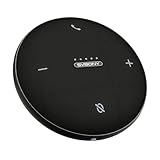
The SVBONY SVHub Omni2 is aimed at the home-office buyer who wants an omnidirectional conference speaker compatible with Zoom. Its value is practical rather than specialized: it provides a dedicated speaker-and-microphone category device for calls without requiring a premium meeting-room investment. For one person or a small household office, that may be all the improvement needed over a laptop’s built-in microphone and speakers.
- Pickup class: omnidirectional conference speaker.
- Platform compatibility: Zoom, according to the listing.
- Target environment: home office.
- Best group size: one person or a compact discussion around the device.
- Price position: budget.
Omnidirectional means the design is intended to receive sound around the device rather than only from one forward-facing position. That is useful when a second person joins a call from the same table. It does not mean every room is equally suitable. A bare kitchen with hard surfaces may produce more reflected sound than a carpeted office, and a device placed beside a monitor speaker can feed audio back into the microphone.
For a home-office installation, place the SVHub Omni2 between the participants and at least a short distance from the computer’s own speakers. Disable the laptop microphone and speakers after selecting the conference unit, then make a short test call. If the remote side reports echo, lower the speaker volume first, check that only one playback device is active, and move the unit away from a wall or corner.
The closest comparison is the RayBit USB Speakerphone. Both are budget-friendly home-office candidates, but the SVBONY listing gives the clearest omnidirectional and Zoom-compatible positioning. The SVBONY Omni2P is the better choice if your stated requirement is a 15–20-person meeting and six-microphone coverage. For a single employee or two people at a desk, the smaller home-office orientation of the SVHub Omni2 is more sensible.
Pros
- Budget route to an omnidirectional conference speaker.
- Zoom compatibility is directly relevant to common home meetings.
- Home-office positioning keeps the use case clear.
- Can improve group calls over relying on a laptop alone.
Cons
- Not presented as a large-room or expandable system.
- Budget positioning may mean fewer advanced management features.
- Omnidirectional pickup remains sensitive to room echo and noise.
- Less suitable than a premium array for a long conference table.
Choose SVHub Omni2 for an inexpensive home-office upgrade. Choose Omni2P for the larger stated participant group, M0 Plus for a stronger budget all-rounder, or Anker for a more flexible premium device.
8. Jabra Speak 410 – Best for simple wired meetings

The Jabra Speak 410 is the right product for a buyer who values easy setup above wireless convenience. Its listing describes a corded speakerphone for softphones and a portable USB design. That combination makes the decision uncomplicated: connect the USB cable to the computer, select the unit in the calling application, and begin the meeting without Bluetooth pairing or wireless battery planning.
- Connection: corded USB.
- Software category: softphone calls.
- Form factor: portable speakerphone.
- Best use: individual desks and small wired meeting setups.
- Price position: premium in this comparison.
“Simple” is a meaningful feature in a shared office. A permanently available USB speakerphone has fewer steps than a wireless model, and there is no question about whether the device is paired with the correct laptop. It is especially suitable for employees who make calls from a desk but occasionally carry the unit to a huddle room. The cable also keeps the unit powered through the computer connection, assuming the computer provides the expected USB power.
The principal limitation is coverage and flexibility. A corded portable speakerphone is not the same as a multi-microphone room kit. It is better for a person or small group sitting near the unit than for a long table with participants spread widely apart. Keep the USB cable from rubbing against the device or crossing the main speaking area, since handling noise can be transmitted through the desk.
Compared with the Jabra Speak 510, the Speak 410 gives up wireless operation in exchange for a simpler wired routine. The Speak 510 is more convenient for phones, tablets, and travel locations where cables are awkward. Compared with the EMEET M1A, the Jabra has a similar wired-first logic but a different business-product positioning. Choose the 410 when reliability of setup matters more than having the widest feature list.
Pros
- USB connection avoids pairing and battery concerns.
- Portable design can move between desks and small rooms.
- Clear fit for softphone users.
- Simple device selection for recurring office calls.
Cons
- No stated wireless Bluetooth option.
- Less suitable for large groups spread around a table.
- Premium tier makes it poor value if a basic USB unit is sufficient.
- Cable placement affects convenience.
Pick the Speak 410 for a stable wired workflow. Select the Speak 510 if you need wireless mobility, M1A if you prefer a USB-centered EMEET alternative, or Anker if you need broader microphone-array flexibility.
9. RayBit Conference Speaker and Microphone – Best for daisy-chain expansion

The RayBit Conference Speaker and Microphone stands out because its listing combines Bluetooth, daisy-chain capability, and AI noise cancellation. Those features make it the most relevant RayBit choice for a room that may need more than one speakerphone. Rather than treating it as merely a louder desktop speaker, think of it as a possible coverage-building component for larger or irregularly shaped meeting spaces.
- Connection: Bluetooth speakerphone format.
- Expansion: daisy-chain capability.
- Noise handling: AI noise cancellation.
- Best use: expandable meeting-room coverage.
- Price position: premium.
Daisy chaining is valuable when one microphone position cannot serve everyone equally. Imagine a long table where the nearest participant is two or three seat lengths from the display and the far end is separated by another stretch of tabletop. Two linked units can create a more balanced arrangement, provided the product’s connection method and supported configuration are followed precisely. The practical goal is not to put units everywhere; it is to keep each speaker within a reasonable speaking distance while avoiding feedback loops.
Start with one unit in a small room and add the second only when the room layout demonstrates a real coverage gap. Place them away from the display speakers and avoid putting both directly beside one another. If the system produces echo after adding a unit, check whether both devices are independently selected as playback sources in the operating system. A daisy-chain system should have one intentional audio path, not several competing paths.
AI noise cancellation can help with office background noise, but it does not substitute for acoustic treatment or meeting discipline. The premium price is justified only when Bluetooth convenience, expansion, and room coverage are actually needed. For a two-person desk call, the budget RayBit USB Speakerphone or EMEET M0 Plus is more proportionate.
Pros
- Daisy-chain capability offers a clear expansion path.
- Bluetooth supports flexible room placement.
- AI noise cancellation addresses common office distractions.
- Premium format is appropriate for more demanding room layouts.
Cons
- More complex than a single USB speakerphone.
- Wireless and multi-unit operation require careful setup.
- Premium cost is hard to justify for a small desk.
- Noise cancellation cannot solve simultaneous speech or severe reverberation.
The EMEET Luna Plus Kit is the closest coverage-oriented alternative. Choose EMEET when its 8+1-microphone kit format better matches the room. Choose RayBit when daisy chaining and Bluetooth are the features that solve your actual layout problem.
10. SVBONY Omni2P – Best for budget 15–20-person meetings
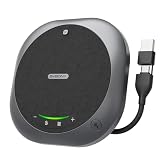
The SVBONY Omni2P is the budget model in this list with the clearest large-group positioning: its listing says it is compatible with Zoom, has six microphones, and is intended for 15–20 participants. That makes it a useful candidate for a community group, classroom-style meeting, or small organization that needs more coverage than a personal desk speakerphone but cannot immediately move to a premium kit.
- Microphones: six microphones.
- Intended group: 15–20 participants, according to the listing.
- Platform: compatible with Zoom.
- Device category: conference speaker and microphone.
- Price position: budget.
The participant figure should guide expectations rather than replace room planning. Fifteen people around a compact table are acoustically different from fifteen people in a long boardroom, and a group seated in a U-shape may need a different placement from a single circular table. Before buying, sketch the seating arrangement and mark the probable speaking positions. If most speakers are on one side of the device, a claimed omnidirectional or multi-microphone design may still require careful orientation and distance control.
There is also a difference between hearing everyone and understanding everyone. The speaker must be loud enough for the room, while the microphone must isolate voices from HVAC, chair movement, paper handling, and side conversations. Ask participants to mute when not speaking, keep the unit away from the projector or display speakers, and use the platform’s echo-cancellation controls. These steps often produce a larger improvement than moving from one microphone count to another.
The nearest alternative is the EMEET Luna Plus Kit. The EMEET is the more natural premium-room choice because its listing emphasizes an 8+1-microphone kit. The Omni2P is the budget answer when the group-size claim is attractive and the organizer can invest time in placement and meeting discipline. For a two-person desk, it is unnecessarily large in purpose even if its price is appealing.
Pros
- Six microphones and a stated 15–20-participant use case.
- Zoom compatibility suits common group meetings.
- Budget position lowers the entry cost for a larger group.
- More appropriate for a shared table than a basic personal speakerphone.
Cons
- Participant capacity depends heavily on room shape and speaking behavior.
- Budget hardware may have less expansion flexibility than premium kits.
- Large-group calls still need muting and turn-taking discipline.
- May be excessive for a home-office user.
Choose Omni2P when the group-size requirement is the main concern and the budget is limited. Choose Luna Plus Kit for a more premium room deployment, RayBit for daisy-chain expansion, or M0 Plus for a substantially smaller meeting.
11. RayBit USB Speakerphone – Best for an inexpensive computer call setup

The RayBit USB Speakerphone is the straightforward budget option for a home-office user who wants a computer speakerphone with a microphone and 360-degree enhancement. Its listing places it in the conference computer-speaker category, making it appropriate for people who do not need wireless operation, a large microphone array, or a multi-unit room system.
- Connection: USB speakerphone format.
- Pickup class: 360-degree enhancement stated by the listing.
- Target environment: home-office calls.
- Best user: one person or a small group near a computer.
- Price position: budget.
A USB speakerphone is easiest to evaluate by workflow. Connect it before the call, select it as both input and output, and confirm that the meeting application has not reverted to the laptop hardware. Place it in front of the people speaking, not behind the screen. If only one person uses it, keeping it near the front edge of the desk can improve speech pickup; if two people share the call, move it toward the midpoint between them.
The “360-degree” wording suggests a design that is not restricted to one forward-facing talker, but it should not be interpreted as a guarantee of uniform pickup at every distance. At a small desk, the unit may be entirely adequate. In a room with six people spread around a table, the nearest voices will usually be much easier to capture than the farthest voices, regardless of the marketing category. That is where the M0 Plus, Anker, or a larger-room model becomes more sensible.
Compared with the SVBONY SVHub Omni2, the RayBit has a stronger USB computer-call emphasis, while SVBONY is explicitly positioned as Zoom-compatible and omnidirectional. Compared with the PolaTab, RayBit does not have the stated USB-hub feature. Pick RayBit when low-cost USB simplicity is enough and additional connectivity is not part of the brief.
Pros
- Low-cost USB route to dedicated meeting audio.
- 360-degree enhancement suits a small shared desk.
- Simple fit for home-office computer calls.
- No wireless pairing is required.
Cons
- Not intended for large groups or long tables.
- No stated Bluetooth or daisy-chain feature in the listing name.
- Budget pickup performance depends strongly on distance and room noise.
- May duplicate features already adequate in a modern laptop.
Choose RayBit for the least complicated budget USB purchase. Choose M0 Plus for a more clearly specified four-microphone array, SVHub Omni2 for Zoom-focused home use, or PolaTab when an integrated USB hub is valuable.
12. PolaTab Conference Speaker and Microphone – Best for a speakerphone with a USB hub

The PolaTab Conference Speaker and Microphone is differentiated by its integrated USB hub. Its listing describes a USB speakerphone and microphone with USB hub functionality, so its main appeal is not a larger stated microphone array but the ability to combine meeting audio with additional USB connectivity. This can be useful at a laptop desk where ports are already occupied by a webcam, keyboard, storage device, or presentation accessory.
- Device type: USB speakerphone and microphone.
- Additional feature: integrated USB hub.
- Best setting: laptop desks and compact workstations with limited USB ports.
- Meeting size: personal calls and small nearby groups.
- Price position: mid-range.
The hub changes the buying decision. If you already use a powered dock or have several free USB ports, it may not add much value. If your laptop has only a couple of ports and you want one meeting accessory to consolidate connections, the PolaTab can reduce desk clutter. Check the requirements of connected peripherals before treating the hub as a replacement for a full docking station; a hub’s practical bandwidth, power delivery, and supported peripheral types depend on its implementation and the host computer.
For clear speech, the same rules apply as with the other USB options. Use the PolaTab as the selected microphone and speaker, keep the device away from the laptop’s own speakers, and test the hub with all intended peripherals before an important call. If a webcam disconnects or a storage device behaves inconsistently when another accessory is connected, reduce the number of simultaneous devices or use a separate powered hub or dock.
The nearest alternatives are the EMEET M1A and RayBit USB Speakerphone. The M1A has an explicitly stated 360-degree pickup design, while RayBit is the lower-cost home-office choice. PolaTab is the stronger fit only when the USB hub is useful enough to offset the mid-range price. It is not the automatic best speakerphone merely because it has more ports.
Pros
- Combines conference audio with USB hub functionality.
- Useful for laptops with limited available ports.
- Mid-range category offers more than a basic speakerphone.
- Can reduce cable and accessory clutter at a desk.
Cons
- The listing does not establish a large microphone array or participant capacity.
- Hub performance depends on the host computer and connected peripherals.
- Less compelling if a dock is already installed.
- USB-only operation is less flexible than a Bluetooth-capable model.
Choose PolaTab when connectivity is part of the problem. Choose M1A when room-wide USB microphone pickup matters more, RayBit when the goal is the lowest-cost computer speakerphone, and Jabra Speak 510 when portability and Bluetooth are more important.
How to Choose
The best conference speakers for clear meetings are selected by matching the device to the room and workflow, not by buying the product with the longest feature list. Begin with four questions: how many people will speak, how far apart will they sit, which meeting platforms matter, and whether the device will stay in one place. Once those are answered, microphone count, connection type, battery, noise cancellation, and budget become easier to weigh.
1. Match the microphone coverage to the table
A compact desk meeting is a different job from a boardroom meeting. For one person, a USB speakerphone placed within easy speaking distance can be sufficient. For two to six people around a small table, 360-degree pickup or a multi-microphone array is more useful because voices arrive from several directions. The EMEET M0 Plus, EMEET M1A, Anker PowerConf, and RayBit USB model all fit this general category, although their stated features and price tiers differ.
For larger groups, look for a product whose listing explicitly discusses additional microphones, a kit, daisy chaining, or a participant range. The EMEET Luna Plus Kit has an 8+1-microphone listing, the RayBit premium model lists daisy-chain capability, and the SVBONY Omni2P is presented for 15–20 participants with six microphones. These claims help narrow the field, but they are not substitutes for room measurements.
Measure the table diagonally and identify where the farthest regular speaker will sit. If that person is substantially farther from the microphone than the nearest participant, a single central unit may produce uneven speech levels. A second linked unit, a kit, or a different seating arrangement may be a better fix. Do not put a speakerphone at the front of a long table simply because it is close to the display; put microphone coverage where the speakers are.
2. Consider room acoustics before buying more microphones
Hard surfaces reflect speech. Glass walls, bare floors, stone desks, and empty rooms can make a call sound distant even when the microphone is technically picking up enough volume. Soft furnishings absorb some reflections. A curtain, carpet, fabric chair, bookshelf, or modest acoustic panel can improve intelligibility without changing the speakerphone.
Place the unit away from corners and walls where reflections arrive quickly. Keep it away from the laptop’s built-in speakers, monitor speakers, and projectors. When remote participants report echo, use this order of checks:
- Select the conference speakerphone as both the microphone and speaker in the operating system and meeting application.
- Lower playback volume to a moderate level instead of leaving it at maximum.
- Move the device away from the nearest wall, screen speaker, and laptop fan.
- Mute extra computers in the room so only one device handles audio.
- Ask one person to speak while checking the input meter and far-end report.
This sequence matters because echo is often caused by two active playback paths, not a lack of microphone count. Buying a larger array will not fix a laptop and conference speaker both playing the same call into the room.
3. Choose USB, Bluetooth, or both
USB is usually the best choice for a fixed desk or permanently installed conference computer. It avoids wireless pairing, generally keeps the device connected to the intended host, and removes the need to remember a battery charge for every meeting. The Jabra Speak 410, EMEET M1A, RayBit USB Speakerphone, and PolaTab are particularly easy to understand as USB-first options.
Bluetooth is valuable when the meeting host changes, the computer is across the table, or a phone or tablet joins the call. The Anker PowerConf and Jabra Speak 510 are strong choices when both wired and wireless operation are useful. Wireless convenience has costs: pairing can fail, another nearby device can be selected accidentally, and a battery-powered device needs a charging routine.
Use this simple planning rule: if the device will remain at one desk for more than four out of five meetings, prioritize USB. If it will move between at least three locations each week, dual USB/Bluetooth connectivity may save more time than a slightly larger microphone array. If it will serve a shared room with a fixed computer, cable reliability usually matters more than wireless freedom.
4. Treat battery claims as operating estimates
The Yealink SP92 listing states up to 20 hours of call time. A useful calculation is to estimate real meeting load rather than assume the maximum figure. Suppose a mobile employee has five one-hour calls in a day. The active-call total is:
5 calls × 1 hour = 5 hours of call time.
That is one quarter of the stated 20-hour maximum, before accounting for standby, high speaker volume, Bluetooth behavior, and other activity. A device with a headline maximum of 20 hours should therefore have ample margin for that schedule, but it should still be charged before travel. Continuous playback at high volume is a more demanding situation than several short calls with idle periods between them.
If battery uncertainty is unacceptable, select a USB-first product or keep a charging cable at the meeting location. A wireless conference speaker that is unusable on the day of a board meeting is less valuable than a wired model with fewer convenience features.
5. Decide whether platform certification matters
Platform compatibility and certification are not the same thing. A general USB audio device may work with Zoom, Teams, Meet, and browser-based calling because the computer sees it as a microphone and speaker. Certification can add confidence around platform controls and business deployment, especially when an organization standardizes on one application.
The Anker PowerConf and both SVBONY listings are positioned with Zoom-related compatibility or certification. The Yealink SP92 is Teams Certified. The Jabra models are business softphone-oriented. Pick the product whose platform emphasis matches the calls you actually host, not the platform you might use once a month. A Zoom-certified feature is not a reason to reject a device for Teams if it functions as a normal USB or Bluetooth audio device, but a Teams-managed office may value the Yealink’s more specific positioning.
6. Separate noise cancellation from acoustic isolation
AI or digital noise cancellation can reduce steady background sounds. The Yealink SP92 and premium RayBit listing explicitly emphasize noise-cancellation features. Such processing is useful for air conditioning, keyboard noise, and some nearby office activity. It cannot reliably separate three people talking at once, remove every reflection in a bare room, or turn a distant voice into a close voice.
For a noisy room, combine processing with placement. Put the microphone closer to the talkers, move it away from the noise source, close doors, and mute when a participant is not speaking. If the problem is a loud fan directly beside the unit, moving the unit may help more than choosing a model with a more impressive software label.
7. Consider the value of expansion
Expansion is worth paying for when the room or team may grow. The RayBit premium conference speaker lists daisy-chain capability, while the EMEET Luna Plus Kit uses an 8+1-microphone kit design. These products are more appropriate when the goal is room coverage rather than personal portability.
A simple cost-benefit test helps. If the meeting normally has three people and never uses a second device, a premium expandable system may sit unused. If the meeting alternates between a four-person huddle and a 12-person planning session, expansion can prevent a later replacement. The SVBONY Omni2P’s stated 15–20-participant positioning is attractive for a budget deployment, but the room arrangement should confirm that the claimed group size matches your actual space.
8. Account for USB hub requirements
The PolaTab adds an integrated USB hub, which can be useful for a laptop with limited ports. But a hub is not automatically a full docking station. Before connecting a webcam, storage drive, keyboard, and other accessories, check whether the host computer can supply enough power and bandwidth. A speakerphone itself usually has modest data requirements, while a high-resolution camera or external drive can be more demanding.
Use PolaTab when consolidating desk connections solves a real problem. If the laptop already has a dock, the EMEET M1A or Jabra Speak 410 may be a cleaner audio purchase. Never choose a speakerphone solely for a port that will remain unused.
9. Use participant count carefully
Participant numbers are useful as a starting point, not a guarantee of equal audio. A 15-person group can be quiet and orderly around one table, or loud and spread across a room. A six-person meeting with side conversations may be harder than a 12-person presentation where one person speaks at a time.
For one or two users, prioritize portability, USB simplicity, and cost. For three to six people, prioritize 360-degree pickup and a reasonable central placement. For larger groups, prioritize a kit, more microphones, daisy chaining, or an explicitly stated room-oriented design. In every case, make sure the speaker output is audible without being so loud that it feeds back into the microphones.
10. Select the budget tier by consequence, not prestige
Budget models such as the EMEET M0 Plus, SVBONY SVHub Omni2, SVBONY Omni2P, and RayBit USB Speakerphone make sense when the meeting is informal, the room is small, and a failed call does not carry a major cost. They can also be good first purchases for a home office.
Mid-range models such as the Jabra Speak 510, Yealink SP92, EMEET M1A, and PolaTab are more appropriate when calls are frequent and the user benefits from business-oriented portability, platform fit, fixed USB operation, or a hub. Premium models such as Anker PowerConf, EMEET Luna Plus Kit, Jabra Speak 410 in this listed comparison, and the RayBit daisy-chain model are justified when room coverage, expansion, brand workflow, or a particular feature solves a recurring problem.
The most economical choice is the device that fixes the dominant failure. If remote participants cannot hear the far end of the table, buy for microphone coverage. If the issue is echo, fix audio routing and placement. If the problem is constant pairing, choose USB. If the problem is a growing room, choose expansion. Spending more without identifying the failure mode rarely produces a proportionate improvement.
Frequently Asked Questions
What is the best conference speaker for clear meetings overall?
The Anker PowerConf is the best overall match for many small-room and hybrid meetings because it combines a six-microphone design with USB and Bluetooth flexibility. It is especially suitable when several people speak around a table and the meeting platform is often Zoom.
Is a six-microphone conference speaker automatically clearer than a four-microphone model?
No. More microphones can provide more array information, but placement, room reflections, background noise, and overlapping speech are equally important. A well-positioned four-microphone unit in a quiet small room can sound clearer than a poorly positioned six-microphone unit in a reflective room.
Should I choose USB or Bluetooth for a conference speaker?
Choose USB for a fixed desk or permanent conference-room computer because it avoids pairing and battery concerns. Choose Bluetooth when the device must move between computers, phones, and tablets. A dual USB/Bluetooth model is the most flexible, but it costs more and introduces wireless setup considerations.
Which model is best for Microsoft Teams?
The Yealink SP92 is the clearest Teams-focused choice because its listing states that it is Teams Certified. It also lists AI noise cancelling and up to 20 hours of call time. The Jabra and EMEET models may still be suitable for general computer audio, but SP92 has the most specific Teams positioning here.
Can a conference speaker really cover 15–20 people?
The SVBONY Omni2P is listed for 15–20 participants, but actual clarity depends on room dimensions, table shape, noise, and how far the most distant speaker sits from the device. For a large group, keep participants near the intended pickup area, control side conversations, and consider a kit or daisy-chain system when one unit cannot cover the room evenly.
How do I stop echo during a meeting?
First select the conference speakerphone as both the microphone and speaker, then disable the laptop’s competing audio path. Lower playback volume, move the device away from walls and screen speakers, and ensure that only one computer in the room is playing the call. If echo remains, test with headphones to determine whether the problem is room feedback or the meeting application’s audio configuration.
Is the EMEET Luna Plus Kit worth choosing over a compact speakerphone?
It is worth considering when the meeting table is larger, participants are spread out, or a kit-style setup provides a useful coverage path. For one person or a small desk group, the Anker PowerConf, EMEET M0 Plus, or EMEET M1A is usually a more proportionate choice.
Do I need a USB hub built into my conference speaker?
Only if your laptop setup benefits from another convenient USB connection. The PolaTab is the listed model with a USB hub, but it should not automatically replace a full dock for high-bandwidth or high-power peripherals. If your computer already has sufficient ports, prioritize microphone coverage and connection reliability instead.
Final Recommendations by Reader Situation
Choose the Anker PowerConf as the safest all-round purchase for flexible small-room meetings. Choose the EMEET M0 Plus for the best budget balance, the Jabra Speak 510 for portable business calls, and the Yealink SP92 for a Teams-centered office. For larger tables, compare the EMEET Luna Plus Kit, RayBit Conference Speaker and Microphone, and SVBONY Omni2P according to whether you need kit coverage, daisy chaining, or a budget 15–20-person design. For a fixed USB desk, consider the EMEET M1A, Jabra Speak 410, or RayBit USB Speakerphone; choose the PolaTab when its USB hub solves a real workstation problem.


