The best GPU for streaming is the one that pairs a current-generation hardware encoder with enough video memory to hold your game, OBS and your overlays at the same time. Among the ten cards below, the 16GB GeForce and Radeon models make the safest choices for 1440p, the RTX 5070 Ti stands out for having two encoder engines, and the 8GB cards are the ones to be cautious about. Prices are shown only as relative tiers, because they change daily. Every note here comes from listing titles, manufacturer documentation and general knowledge of how encoders and memory work.
Our Top Picks
 ASUS ROG Strix NVIDIA GeForce RTX 5070 TiRTX5070Ti|OC|Black|Standard13.1 x 5.8 x 2.5 Inches3.6 PoundsCheck on Amazon
 msi Gaming RTX 5070 12G Shadow 3X OC1.9" x 4.8" x 11.9"11.9 x 4.8 x 0.1 Inches3.1 PoundsCheck on Amazon
Top picks at a glance

NVIDIA - GeForce RTX 5070 12GB GDDR7 Graphics Card - Graphite Grey
As an Amazon Associate we earn from qualifying purchases. Product prices and availability are accurate as of the date/time indicated.
ASUS ROG Strix NVIDIA GeForce RTX 5070 Ti 16GB GDDR7 OC Edition Gaming Graphics Card, (PCIe 5.0, HDMI/DP 2.1, 3.2-Slot, MaxContact Design, Phase-Change GPU Thermal Pad), 3 Year Warranty


As an Amazon Associate we earn from qualifying purchases. Product prices and availability are accurate as of the date/time indicated.
msi Gaming RTX 5070 12G Shadow 3X OC Graphics Card (12GB GDDR7, 192-bit, Extreme Performance: 2557 MHz, DisplayPort x3 2.1a, HDMI 2.1b, NVIDIA Blackwell Architecture)


As an Amazon Associate we earn from qualifying purchases. Product prices and availability are accurate as of the date/time indicated.

msi Gaming RTX 5060 Ti 16G Shadow 2X OC Graphics Card (16GB GDDR7, 128-bit, Extreme Performance: TBA MHz, DisplayPort x 3 2.1a, HDMI 2.1b, NVIDIA Blackwell Architecture)


As an Amazon Associate we earn from qualifying purchases. Product prices and availability are accurate as of the date/time indicated.

MSI GeForce RTX 4060 Ti Ventus 2X Black 8G OC Graphics Card - NVIDIA RTX 4060 Ti, 8 GB GDDR6 Memory, 18 Gbps, PCIe 4.0, DLSS3


As an Amazon Associate we earn from qualifying purchases. Product prices and availability are accurate as of the date/time indicated.

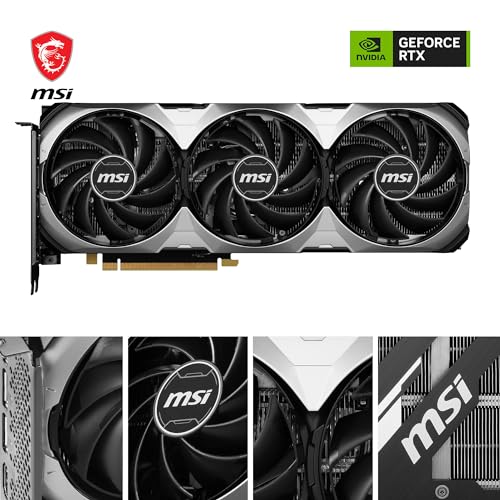
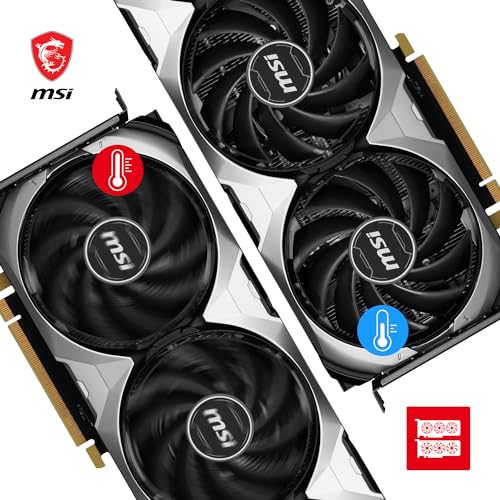
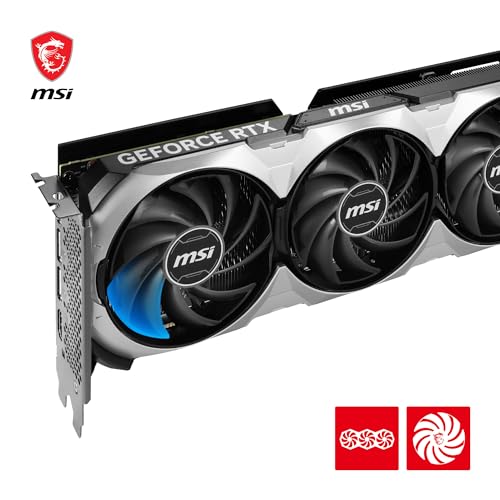
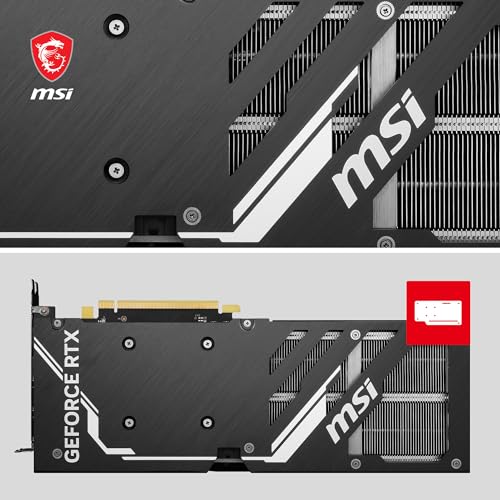
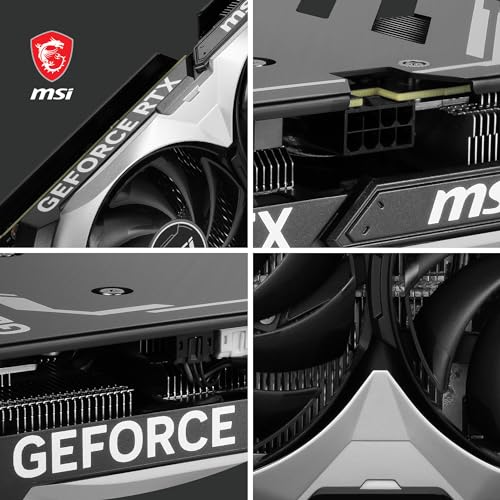
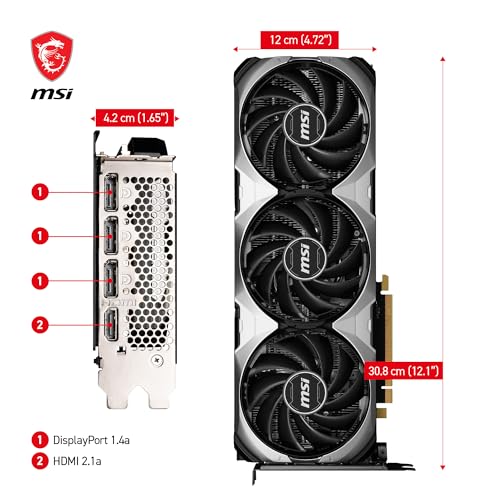
MSI GeForce RTX 4060 Ti Ventus 3X 16G OC Graphics Card -NVIDIA RTX 4060 Ti, 16GB GDDR6 Memory, 18Gbps, PCIe 4.0, DLSS3
As an Amazon Associate we earn from qualifying purchases. Product prices and availability are accurate as of the date/time indicated.

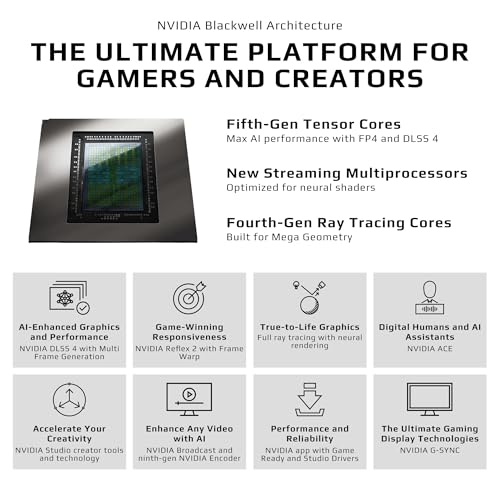
GIGABYTE GeForce RTX 5060 Ti WINDFORCE OC 8G Graphics Card, 8GB 128-bit GDDR7, PCIe 5.0, WINDFORCE Cooling System, GV-N506TWF2OC-8GD Video Card




As an Amazon Associate we earn from qualifying purchases. Product prices and availability are accurate as of the date/time indicated.

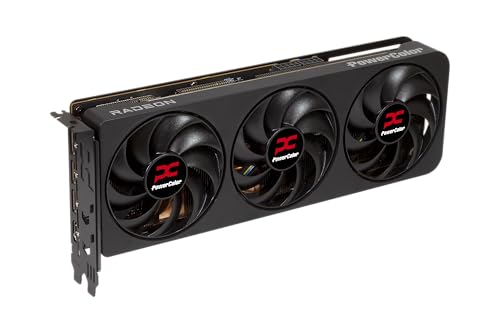
PowerColor Reaper AMD Radeon RX 9070 XT 16GB GDDR6



As an Amazon Associate we earn from qualifying purchases. Product prices and availability are accurate as of the date/time indicated.

PowerColor Hellhound AMD Radeon RX 9070 XT 16GB GDDR6


As an Amazon Associate we earn from qualifying purchases. Product prices and availability are accurate as of the date/time indicated.

GIGABYTE Radeon RX 9070 XT Gaming OC 16G Graphics Card, PCIe 5.0, 16GB GDDR6, GV-R9070XTGAMING OC-16GD Video Card


As an Amazon Associate we earn from qualifying purchases. Product prices and availability are accurate as of the date/time indicated.
| Card | Key point from the title | Price tier | Best for |
|---|---|---|---|
| ASUS ROG Strix RTX 5070 Ti OC | 16GB GDDR7, PCIe 5.0, 3.2-slot, 3-year warranty | Premium | 1440p games plus high-quality encoding |
| NVIDIA RTX 5070 12GB | 12GB GDDR7, sold under NVIDIA’s name | Mid to premium | 1080p and 1440p single-PC streaming |
| MSI RTX 5070 Shadow 3X OC | 12GB GDDR7, 192-bit, DP 2.1a | Mid to premium | Same class with a triple-fan cooler |
| MSI RTX 5060 Ti 16G Shadow 2X OC | 16GB GDDR7, 128-bit | Mid | VRAM headroom on a budget |
| MSI RTX 4060 Ti Ventus 3X 16G OC | 16GB GDDR6, PCIe 4.0, DLSS 3 | Mid | Older design with lots of memory |
| Gigabyte RTX 5060 Ti Windforce OC 8G | 8GB GDDR7, PCIe 5.0 | Mid | 1080p streams with modest games |
| MSI RTX 4060 Ti Ventus 2X Black 8G OC | 8GB GDDR6, PCIe 4.0, DLSS 3 | Budget to mid | Entry encoder access on a tight budget |
| Gigabyte RX 9070 XT Gaming OC 16G | 16GB GDDR6, PCIe 5.0 | Premium | Raw game speed plus AV1 encode |
| PowerColor RX 9070 XT Hellhound | 16GB GDDR6, minimal title | Premium | Radeon fans comparing coolers |
| PowerColor RX 9070 XT Reaper | 16GB GDDR6, minimal title | Premium | Radeon buyers who confirm the specs |
What a streaming GPU actually does
When you stream from one PC, the graphics card renders the game and a separate fixed-function block, the hardware encoder, compresses the video for upload. On NVIDIA cards this block is called NVENC. Because it is dedicated silicon, the cost to game frame rates is usually small, but it is not zero: capture, scaling and overlays still share the card’s memory and bandwidth.
Two factors separate one card from the next. The first is the encoder generation, which sets image quality at a given bitrate and which codecs are available. NVIDIA lists the GeForce RTX 50 series as using ninth-generation NVENC with AV1 encode, and its documentation shows one encoder on the RTX 5070 and two on the RTX 5070 Ti. The second is video memory, which decides whether the game, OBS and overlays all fit at once.
AV1 is the codec to watch. It can look better than H.264 at the same bitrate, which matters when a platform caps the upload rate. But support depends on the platform and on your viewers’ devices, so confirm current platform rules before choosing a card for AV1 alone.
How these ten were picked
The editorial team worked from listing titles, published specifications, manufacturer documentation and buyer reviews, and compared each card on video memory, encoder generation, interface and what the title does or does not say. Seller wording is treated as a claim. Where a title lacks a spec, this guide says so and points you to the maker’s page. Nobody on the team used or measured these units, so no frame-rate or encode-quality numbers are given for individual cards.
ASUS ROG Strix GeForce RTX 5070 Ti 16GB OC Edition
The title names 16GB of GDDR7, PCIe 5.0, HDMI and DisplayPort 2.1, a 3.2-slot cooler, a phase-change thermal pad and a three-year warranty. The 16GB of memory gives plenty of room for a 1440p game, OBS and a browser overlay together, and NVIDIA’s documentation lists two ninth-generation NVENC engines on the 5070 Ti, which can matter if you record locally while streaming or edit video afterward.
At 3.2 slots, this is a large card, so check your case clearance and power connector requirements before ordering. It suits a streamer who plays modern titles at 1440p and wants headroom for the next few years. The premium tier and size are the trade-offs.
- Pros: 16GB memory; two encoder engines per NVIDIA’s documentation; long warranty; modern display outputs.
- Cons: large cooler may not fit smaller cases; premium cost; power supply requirements are higher than for mid-tier cards.
Scenario: a streamer plays a 1440p shooter at a high frame target, records a local copy for editing and runs a chat window on a second monitor. The extra memory and the second encoder engine both make that day-to-day workload less cramped, which is the reason to pay the premium over the 12GB cards.
Question to ask before buying: does your case and power supply match the card’s published dimensions and connector needs?
NVIDIA GeForce RTX 5070 12GB Graphite Grey
This listing carries NVIDIA’s own name and names 12GB of GDDR7. It is a sensible middle point: the same ninth-generation NVENC family as the other 50-series cards, with 12GB of memory that suits 1080p and many 1440p games alongside OBS. The title is short, so details such as dimensions, power connectors and clock behavior are not listed here. Check the listing or the maker’s page for those.
It fits a streamer who wants a strong single-PC setup without the cost of the 16GB tier. NVIDIA’s documentation lists one encoder on the 5070, which is enough for a single stream; it is mainly local recording plus streaming plus video editing where a second engine could help.
- Pros: 12GB GDDR7; current-generation encoder with AV1; simpler spec sheet than add-in board partners.
- Cons: one encoder engine; 12GB can feel tight in demanding 1440p scenes with many overlays; sparse title.
Scenario: a variety streamer who rotates between a competitive title at 1080p and a story game at 1440p. The 12GB buffer handles both if overlays stay light. If you add a heavy browser overlay, a camera capture app and a music app, watch memory use in the first week and be ready to lower textures.
Question to ask before buying: is the seller authorized, and is the card new and sealed?
MSI Gaming GeForce RTX 5070 12G Shadow 3X OC
The title lists 12GB of GDDR7, a 192-bit bus, a stated boost clock of 2557 MHz, three DisplayPort 2.1a outputs, HDMI 2.1b and the Blackwell architecture. It is the same GPU class as the NVIDIA-branded 5070, with a triple-fan cooler design from the board partner. The boost clock is a manufacturer claim and real clocks vary with temperature and power.
The three DisplayPort outputs are helpful if you run a multi-monitor streaming desk with a game screen, chat screen and dashboard. A triple-fan card tends to give the cooler more surface area to work with, but noise and temperature depend on the design, so look at buyer comments.
- Pros: 12GB GDDR7; three DisplayPort outputs; same encoder family as the rest of the 50 series.
- Cons: one encoder engine; card length and width should be checked; 12GB is a ceiling for heavy 1440p setups.
Scenario: a desk with a main game display, a chat and alerts display and a third screen for OBS controls. Three DisplayPort connections cover that without adapters, though your monitors’ own inputs still decide the final cable choices. For a single-monitor setup, this extra connectivity adds nothing and you should choose on price.
Question to ask before buying: how many monitors will you connect, and does the card cover them?
MSI Gaming GeForce RTX 5060 Ti 16G Shadow 2X OC
This title lists 16GB of GDDR7 on a 128-bit bus with three DisplayPort 2.1a outputs and HDMI 2.1b, and the clock figure reads “TBA MHz”, which means the seller did not fill it in. Treat the title as incomplete and check the maker’s page. What stands out is the memory: 16GB at a mid-tier tier is rare, and for streaming it is a real advantage because it leaves room for the game, OBS and overlays.
The narrower bus means this card trades raw speed for capacity, so it suits 1080p and moderate 1440p play rather than top-end settings. A two-fan cooler is usually shorter than a triple-fan design, which can help smaller cases.
- Pros: 16GB at a mid-range tier; current encoder generation; shorter two-fan cooler.
- Cons: clock field says TBA; 128-bit bus limits peak performance; slower than the 5070 class in games.
Scenario: a streamer on a tight budget who still wants a game, OBS and a browser overlay open together. This is the cheapest way in this list to avoid memory pressure with a current encoder generation, which is a more useful trade for streaming than a few extra frames per second.
Question to ask before buying: does the 16GB model’s price gap over the 8GB version make sense for your games?
MSI GeForce RTX 4060 Ti Ventus 3X 16G OC
The title names 16GB of GDDR6, 18 Gbps memory, PCIe 4.0 and DLSS 3. This is a previous-generation design, so it has an older NVENC generation than the 50-series cards, although the 40 series does support AV1 encoding per NVIDIA’s documentation. For streaming specifically, the 16GB capacity is the main draw.
It suits a streamer who wants memory room and an AV1-capable encoder and accepts older architecture. Check the current price against the 5060 Ti 16GB, since the newer card may offer better value. The three-fan cooler may keep fan noise lower at moderate loads, but check buyer comments for the specific model.
- Pros: 16GB memory; AV1 encode support in the architecture; DLSS 3.
- Cons: previous generation; slower memory type than GDDR7; may not be cheaper than newer cards.
Scenario: someone upgrading an older PC where the used market offers few options and who wants 16GB without stepping up to the premium tier. Compare it with the newer 5060 Ti 16GB and also with 12GB cards, since the extra memory only helps if your games and overlays actually need it.
Question to ask before buying: is it priced meaningfully below a 5060 Ti 16GB?
Gigabyte GeForce RTX 5060 Ti WINDFORCE OC 8G
The title lists 8GB of 128-bit GDDR7, PCIe 5.0 and the WINDFORCE cooling system, with a model number for cross-checking. It has the newer encoder generation but only 8GB of memory, which is the limiting factor for streaming: modern games can use much of 8GB at 1440p before OBS and overlays add their share.
It suits a 1080p streamer who plays less demanding titles and keeps texture settings moderate. If you stream newer open-world games, the 16GB version of the same GPU class is the safer choice. The same GPU name is also sold with 16GB, so read the capacity before you buy.
- Pros: current encoder generation; PCIe 5.0; modest power needs compared with larger cards.
- Cons: 8GB of memory is tight for game plus OBS; lower headroom for future titles.
Scenario: a new streamer who mostly plays esports titles and indie games at 1080p. Those games typically leave memory to spare, so this card can serve well. The same card paired with a large open-world game, a browser source and a webcam app will run out of room sooner than the spec sheet implies.
Question to ask before buying: do your main games stay under 8GB at your resolution and settings?
MSI GeForce RTX 4060 Ti Ventus 2X Black 8G OC
The title names 8GB of GDDR6, 18 Gbps memory, PCIe 4.0 and DLSS 3 on a two-fan Ventus cooler. It has the same GPU as the 16GB Ventus above, with half the memory. For streaming, the encoder is the same older generation, and the memory is the weakness.
It makes sense when the budget is the main limit and you stream at 1080p. It is a weaker choice for 1440p games with overlays. If the price is close to the 8GB 5060 Ti, the newer card is a more natural pick because it gets the newer encoder generation.
- Pros: low entry cost within the set; compact two-fan cooler; AV1-capable architecture.
- Cons: 8GB memory; older generation; limited headroom.
Scenario: a first streaming PC where the whole build budget is capped. Putting money into a reliable power supply and a decent microphone may help the stream more than moving up a tier of GPU. Plan to lower texture quality for newer games and keep overlays minimal so the memory limit does not show.
Question to ask before buying: would a newer 8GB card cost about the same?
GIGABYTE Radeon RX 9070 XT Gaming OC 16G
The title lists 16GB of GDDR6, PCIe 5.0 and a model number. This is the most detailed Radeon listing in the set. The RX 9070 XT is a high-end game card, and the 16GB of memory is ample for streaming and gaming together. AMD’s RDNA 4 generation includes AV1 encoding, and AMD’s encoder is accessible in OBS through the AMF options.
The question for streamers is encoder quality and support compared with NVIDIA’s. AMD has improved over time, but results depend on settings and platform. Read current OBS and driver notes. If your games run best on Radeon and you stream at normal bitrates, this is a strong pick.
- Pros: 16GB memory; high game performance for the tier; AV1 encode support in the architecture.
- Cons: NVIDIA’s encoder has the longer track record with streaming software; premium tier; check cooler size.
Scenario: a player who values raw frame rate at 1440p and streams at a normal 1080p bitrate. The encoder will be fine for that, and the 16GB buffer covers the overlays. The risk is mainly software polish, so test OBS settings carefully, keep drivers current and compare the stream preview against your expectations before going live.
Question to ask before buying: does your streaming platform and software support AMD’s encoder at the quality you need?
PowerColor Hellhound AMD Radeon RX 9070 XT 16GB
This title is minimal: it states the brand, model and 16GB of GDDR6 and nothing else. The GPU class is the same as the Gigabyte card, so the streaming relevant features, 16GB of memory and the RDNA 4 encoder, are shared. What differs is the cooler and board design, which the title does not describe.
Because the listing does not state clocks, power connectors or dimensions, you need the maker’s page to compare it with the other Radeons. Pick the Hellhound if its price or availability is better and buyer comments about noise are positive; the title gives no basis for ranking it above its siblings.
- Pros: 16GB memory; same GPU class as other 9070 XT cards; availability may vary.
- Cons: minimal title; unknown cooler details; same encoder trade-offs as other Radeon cards.
Scenario: a buyer choosing among three 9070 XT cards on price and availability alone. Since the GPU class is shared, the decision comes down to cooler noise, size and warranty terms. Look for buyer comments about fan sound under sustained load, because a stream can run for hours and an irritating fan hum can reach your microphone.
Question to ask before buying: what are the card’s dimensions and power connector requirements?
PowerColor Reaper AMD Radeon RX 9070 XT 16GB
Another minimal title: brand, model and 16GB of GDDR6. It is the same GPU class as the Hellhound and Gigabyte models, and the same streaming considerations apply. Because the listing is so brief, the maker’s specification page is the only way to compare dimensions, cooling and connectors reliably.
The title does not say whether the cooler is compact or oversized, so do not assume. If you want a Radeon for streaming, decide by price, cooler size and buyer reports rather than by the name alone.
- Pros: 16GB memory; high-end game performance class; same GPU as the other 9070 XT listings.
- Cons: very little detail in the title; encoder trade-offs shared with other Radeons; need to verify size.
Scenario: a Radeon buyer who found this card at a good price and wants a straightforward 16GB option. Ask the seller or the maker’s page for the length, slot width and recommended power supply wattage first, because those details decide whether the card fits and runs, and the title alone cannot answer them.
Question to ask before buying: have you confirmed it fits your case?
How to choose a streaming GPU
NVENC generations
Newer NVENC generations improve quality at a given bitrate and add codec features. NVIDIA documents ninth-generation NVENC on the 50 series and an earlier generation on the 40 series. The difference is most visible at lower bitrates, such as the ones platforms cap for 1080p60 streams.
AV1 encode
AV1 can produce a cleaner picture at the same bitrate, but both the platform and the viewer’s device must support it. Check the platform’s current guidance.
VRAM for the game plus overlays
The game uses memory first. OBS, a browser source for alerts, Discord and the encoder session all add to the total. If you run over, textures swap into system memory and you see stutter. Aim for at least 12GB for 1440p.
1080p versus 1440p streaming load
Streaming at 1080p from a 1440p game involves scaling, which adds a small load. Streaming at 1440p raises the bitrate and encoder demands. Check platform limits first.
Driver and OBS support
Keep drivers current, and read OBS release notes for encoder options. Following the manufacturer’s installation instructions avoids most setup problems.
| Spec concept | What to look for | Why it matters |
|---|---|---|
| Encoder generation | Newest your budget allows | Better quality per bit |
| Encoder count | Two engines if you record and edit heavily | Parallel jobs |
| VRAM | 12GB minimum, 16GB for 1440p | Avoids stutter |
| Interface | PCIe 4.0 or 5.0 slot on the motherboard | Compatibility check |
| Cooler size | Match to case clearance | Fit and noise |
Worked example: VRAM budget for game plus stream
These numbers are assumptions for illustration, not measurements. Suppose a 1440p game at high settings uses about 9GB, OBS with scenes and the encoder session takes about 1GB, a browser overlay and Discord take about 1GB, and Windows takes about 0.5GB. The total is about 11.5GB.
| Card memory | Assumed free after 11.5GB | Likely result |
|---|---|---|
| 8GB | Short by about 3.5GB | Lower textures or resolution |
| 12GB | About 0.5GB spare | Works, little margin |
| 16GB | About 4.5GB spare | Comfortable |
Change the game number to match your title: if your game uses 6GB, the 8GB card fits. The method is the point.
Which card for which streamer
| Streamer | Look at |
|---|---|
| 1440p games, local recording, editing | RTX 5070 Ti |
| Balanced single-PC stream | RTX 5070 (NVIDIA or MSI) |
| Memory on a budget | RTX 5060 Ti 16G or 4060 Ti 16G |
| Radeon fan, high frame rates | RX 9070 XT |
| 1080p, light games | 8GB models, with caution |
Mistakes buyers make
| Mistake | Fix |
|---|---|
| Buying 8GB for 1440p streaming | Pick 12GB or 16GB |
| Paying for AV1 without checking the platform | Read platform docs first |
| Ignoring card length and power | Check case and power supply |
| Assuming overclock figures are guaranteed | Treat clocks as manufacturer claims |
| Skipping the model number check | Confirm 8GB versus 16GB on the same name |
Related guides
- When I Turn On Record Game In Background On Gamebar. Gamebar Crashes, What Do I Do?
- How To Reduce Background Noise On A Streaming Microphone
- Poly Computer Accessories Company Streaming Evaluation
Frequently asked questions
Do I need a special GPU to stream games?
No. Any recent graphics card from NVIDIA, AMD or Intel includes a hardware video encoder that can handle a 1080p stream. What changes with a better card is encode quality at a given bitrate, how much game performance you give up while streaming, and how much video memory is left for the game, OBS and overlays. Pick the card for the game first and check its encoder generation second.
Is NVENC better than AMD’s encoder for streaming?
NVIDIA’s NVENC has long been the default recommendation because of its quality, broad support in OBS and streaming platforms, and mature drivers. AMD has been narrowing the gap with newer generations, but quality differences depend on codec, bitrate and settings. If you stream at modest bitrates to platforms that favor H.264, NVENC is the lower-risk choice. If AV1 is your plan, check platform support before paying for it.
How much VRAM do I need for gaming and streaming at once?
Sixteen gigabytes gives the most comfortable margin for 1440p games plus OBS, a browser overlay and Discord. Twelve gigabytes is workable for most 1080p and many 1440p setups. Eight gigabytes can work for 1080p, but newer games already use much of it, and the encoder, capture and overlays add to the total. Treat 8GB as the minimum, not the target, and lower texture settings if you see stutter.
Does AV1 encoding matter for streaming?
It can, because AV1 can deliver similar quality at lower bitrates than H.264, which helps viewers on weak connections. But the benefit only appears if your streaming platform accepts AV1 and your viewers’ devices can decode it. Support varies by platform and changes over time, so read the platform’s current documentation before you build a setup around it. For many streamers H.264 remains the safe default.
Should I use a second PC or one GPU for streaming?
One GPU is enough for most streamers today, since the hardware encoder takes a small share of the card’s resources. A second PC makes sense when you play very demanding games at high frame rates, want to isolate encoding from gameplay, or run a lot of overlays and scenes. It adds cost and complexity, so try a single-PC setup first and measure whether it meets your needs.
Is an older RTX 4060 Ti still worth buying for streaming?
It can be, mainly the 16GB version, since it supports AV1 encoding and has ample memory. The newer RTX 5060 Ti offers a newer encoder generation and faster memory, so compare current prices before choosing. The 8GB 4060 Ti is the weaker option for anything beyond 1080p. Whichever you choose, confirm the model and memory size in the listing before you order.