Shopping for a new printer in 2026 usually starts with an old frustration: the last one jammed, ran dry of a clogged cartridge, or lost its Wi-Fi connection every other week. A fresh machine is the chance to fix the real problem instead of repeating it. That means deciding first whether your pages are mostly color or mostly black text, whether you need a scanner and copier attached, and whether a monthly ink subscription fits how you print.
This guide is for people replacing an aging home or small-office printer and who want a current model from a major brand without wading through dozens of near-identical listings. The six printers below cover the main paths: two entry-level HP all-in-ones, a duplex-capable HP Envy, a document-focused HP OfficeJet Pro, a Canon inkjet for family use, and a compact Brother laser for black-and-white pages. Everything here is judged on the specs stated in each listing title.
Our Top Picks
Top 3 picks at a glance
Quick Picks
As an Amazon Associate we earn from qualifying purchases at no extra cost to you.


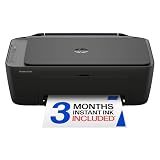


| Product | Best for | Key spec from the title |
|---|---|---|
| HP DeskJet 2923 | Light home printing on a tight budget | Wireless all-in-one: print, scan, copy |
| HP DeskJet 2955 | Same needs as the 2923, alternate model | Wireless color inkjet, mobile compatibility |
| HP OfficeJet Pro 8125 | Home office document workloads | ADF plus duplex printing |
| HP Envy 6155 | Households that print schoolwork and photos | Duplex printing, 3 month Instant Ink trial |
| Canon PIXMA TS4320 | Occasional family printing and scanning | Wireless color inkjet: print, copy, scan |
| Brother HL-L2405W | Black-and-white text, mobile printing | Compact wireless monochrome laser |
How to Choose
Inkjet or laser
Inkjets handle color documents and photos, which is why five of these six are inkjets. A monochrome laser such as the Brother prints text only, so it makes sense when your color output is close to zero. If you print a few color pages a month, the inkjet still wins on flexibility. If you print dozens of black pages weekly, a laser tends to suit that pattern better.
Features that save time: duplex and ADF
Duplex printing means automatic two-sided pages, and it matters if you print long documents or want to cut paper use. An automatic document feeder lets you scan or copy a multi-page stack without lifting the lid for each sheet. Among these models, the OfficeJet Pro lists both, while the Envy lists duplex. Entry models without these features are fine for single-page tasks but get tedious fast.
Connectivity and mobile printing
Every printer here is wireless, which is the baseline now. Look for explicit mention of mobile printing or mobile compatibility if you plan to print from a phone, since not every wireless model advertises it. Also confirm your router situation: printers can be fussy on mixed networks, so keep the setup app and a spare few minutes ready for first-time pairing.
Ink plans and running costs
Several listings mention trial subscriptions for ink or toner replenishment. These can be convenient if you print steadily, but they are a recurring commitment once the trial ends. Budget printers often cut corners on cartridge capacity, meaning more frequent replacements. Ignore the sticker cost of the machine alone and think about what you will spend on supplies over a year.
One more practical point: match the printer to the paper you actually use. Plain letter-size sheets are fine for every model here, but if you want to print photos, look for photo-oriented wording in the title, as the Canon lists. Buyers who print rarely should also remember that inkjet nozzles can dry out when idle, so a machine used once a month may cost more in wasted ink than one used weekly. A laser avoids that issue, which is another reason the Brother suits sporadic text printing.
The 6 Best Options
HP DeskJet 2923
The DeskJet 2923 is described as a wireless, all-in-one color inkjet that prints, scans, and copies, with mobile compatibility mentioned in the title. It is aimed at easy home printing of color documents rather than heavy workloads. It fits a student, a renter, or a household that prints a handful of pages a week.
- Strength: wireless all-in-one with print, scan, and copy in one footprint.
- Strength: mobile compatibility listed, suited to printing from a phone.
- Trade-off: the title mentions no duplex or document feeder, so multi-page jobs mean manual flipping.
Skip it if you scan stacks of paper or print long reports. Buyers who expect to print a school packet every week will outgrow it quickly, while someone printing a boarding pass and a recipe now and then will not.
HP DeskJet 2955
The DeskJet 2955 shares nearly the same title language as the 2923: wireless, color inkjet, print, scan, copy, easy home printing, and mobile compatibility. In practice it is a sibling choice, so the decision often comes down to which one is available at the better tier of pricing when you shop. Buyers who want a no-frills first printer for a dorm room or spare bedroom are the natural audience.
- Strength: straightforward all-in-one feature set for home use.
- Strength: wireless setup and mobile compatibility stated in the listing.
- Trade-off: as with the 2923, no listed duplex or feeder, which limits office-style work.
Skip it if you want two-sided printing built in. It also makes little sense to buy both DeskJets; treat them as alternatives and pick one.
HP OfficeJet Pro 8125
The OfficeJet Pro 8125 is the document-oriented pick here. Its title lists wireless all-in-one color inkjet operation with print, scan, copy, an automatic document feeder, and duplex printing, plus a three month Instant Ink trial. That feature mix suits a home office where contracts, invoices, and forms are routine.
- Strength: automatic document feeder makes multi-page copying and scanning faster.
- Strength: duplex printing is listed, which helps with long documents.
- Trade-off: it sits above the entry DeskJets in tier, and the Instant Ink trial is a subscription you must decide on later.
Skip it if you print rarely and want the cheapest entry point. A tier above the DeskJets, it only pays off when the feeder and duplex get used weekly.
HP Envy 6155
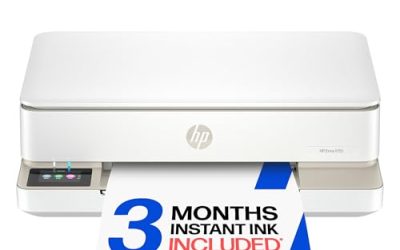
The Envy 6155 is listed as a wireless all-in-one color inkjet with print, scan, copy, and duplex printing, along with a three month Instant Ink trial. It is aimed at the household that prints a mix of homework, recipes, and occasional photos and wants two-sided output without paying for a feeder it may never use.
- Strength: duplex printing is listed, trimming paper use on longer jobs.
- Strength: all-in-one design with wireless connectivity for the whole household.
- Trade-off: the title does not mention an automatic document feeder, so scanning multi-page stacks is manual.
Skip it if you scan bulk paperwork regularly; look at the OfficeJet Pro instead. For a family that mostly prints single sheets, the duplex feature is a convenience rather than a requirement.
Canon PIXMA TS4320
The PIXMA TS4320 is a wireless color inkjet that prints, copies, and scans, and its title calls it a cost-efficient multifunction photo printer for home use. It brings a different brand ecosystem to the list, which matters if you already use Canon apps or have a preference for the brand.
- Strength: wireless print, copy, and scan in a home-focused machine.
- Strength: positioned for photo and general family printing.
- Trade-off: no duplex or feeder is stated in the title, so it is a light-duty option.
Skip it if you need two-sided output or a document feeder. Households already comfortable with Canon software may find the setup familiar, which counts for something with a first wireless install.
Brother HL-L2405W
The HL-L2405W is the odd one out: a wireless, compact monochrome laser printer with mobile printing and black-and-white output. It includes a Refresh subscription trial. If your printing is almost entirely text, such as school reading, forms, shipping labels on plain paper, or work documents, it is a focused tool.
- Strength: compact laser design aimed at crisp black text.
- Strength: wireless and mobile printing are listed.
- Trade-off: black-and-white only, and it is print-only per the title, with no scanner or copier.
Skip it if you ever need color pages or a scanner. Remember the Refresh subscription trial is a trial only; plan for what happens when it ends.
Which One Fits Your Situation
You work from home and handle paperwork
Go for the HP OfficeJet Pro 8125. The feeder and duplex combination removes the two most annoying chores of document work, and it keeps scan, copy, and print in a single device.
You have kids doing homework and projects
The HP Envy 6155 fits well. Duplex printing helps with multi-page assignments, and the all-in-one setup covers the occasional scan of a worksheet or permission slip.
You want the cheapest working printer for occasional use
Choose between the HP DeskJet 2923 and DeskJet 2955, or the Canon PIXMA TS4320 if you prefer that brand. Pick whichever sits at a lower tier when you buy, since the listed features are close. None of these three lists duplex or a feeder, so they suit short jobs: a form, a ticket, a school worksheet. If you expect that to change within a year, step up to the Envy instead of replacing the machine early.
You only print black-and-white text
The Brother HL-L2405W is the specialist here. It gives up color and scanning in exchange for a compact laser built for mobile printing of text pages. A student who prints essays and readings, or a small business that prints plain forms, gets everything it needs from that narrow feature set.
Common Mistakes
- Buying on machine cost alone and ignoring how often cartridges or toner will need replacing.
- Assuming every all-in-one has duplex or a document feeder; read the title for those exact words.
- Choosing a monochrome laser and then discovering a color document is needed for school or work.
- Letting a trial subscription roll into a paid plan without deciding whether the print volume justifies it.
- Skipping a Wi-Fi band check on the router, then fighting setup errors during the first install.
Related guides
- When I Turn On Record Game In Background On Gamebar. Gamebar Crashes, What Do I Do?
- How To Reduce Background Noise On A Streaming Microphone
- Poly Computer Accessories Company Streaming Evaluation
Frequently Asked Questions
Is a laser printer better than an inkjet for home use?
It depends on what you print. A laser favors steady black-and-white text, while an inkjet handles color and photos. If you need both and print occasionally, an inkjet all-in-one is usually the more flexible choice.
What does duplex printing mean?
Duplex printing is automatic two-sided printing. The printer flips the page itself, so you do not have to reload sheets by hand. Among these six, the OfficeJet Pro and the Envy list it in their titles.
Do I need the ink subscription trial?
No, it is optional. A trial can be handy if you print regularly, but it becomes a recurring plan afterward, so decide before the trial ends whether it matches your volume.
Can I print from my phone with these models?
Yes in most cases, since all six are wireless. Several titles mention mobile compatibility or mobile printing, including both DeskJets and the Brother. For the others, check the manufacturer app support for your phone before you commit.