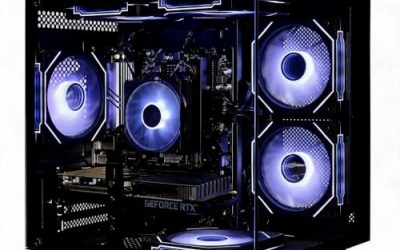
For a gaming-first PC in 2026, start with AMD’s Ryzen X3D processors such as the Ryzen 7 9800X3D, which reviewers consistently place at or near the top for game frame rates; pick Intel’s Core Ultra 200S series when your budget is tighter, when you also do a lot of multi-core work such as video encoding, or when a particular motherboard bundle fits your plan better. The steps below show how to reach that decision from your own games, graphics card and budget.
Step 1: Decide what the PC mostly does
Write down your split. If most of the time goes on games, especially CPU-heavy ones such as simulation, strategy, open-world and competitive shooters at high frame rates, the CPU choice matters more. If you also stream, edit video, compile code or render, multi-core throughput carries more weight. Retail and review guides compiled in 2026 agree on the broad pattern: AMD’s X3D chips lead in games, while Intel’s Core Ultra 200S chips compete closely in multi-threaded productivity.
Step 2: Match the CPU to your graphics card and resolution
The processor limits frame rate most when the graphics card is not the bottleneck. At 1080p with a high-end GPU, the CPU gap between brands shows clearly. At 1440p and especially 4K, the graphics card takes over, and the difference shrinks. Sources report the X3D lead ranging from single-digit to well over twenty percent depending on game and resolution, and the figures vary by outlet, so rely on a few independent reviews of the games you actually play rather than one headline number.
| Your situation | CPU influence on FPS | Leaning |
|---|---|---|
| High-end GPU, 1080p or 1440p high refresh | Large | AMD X3D |
| Mid-range GPU, 1440p | Moderate | Either; pick by price |
| Any GPU, 4K | Small | Choose on platform and value |
| Gaming plus streaming or rendering | Mixed | Intel Core Ultra or a higher-core Ryzen |
Step 3: Know what each maker currently sells
- AMD: the Ryzen 9000 family on the AM5 socket, which uses DDR5 memory. The X3D models add stacked cache aimed at games. The Ryzen 7 9800X3D is widely named the top gaming pick, and reports mention newer X3D parts such as the 9850X3D that are slightly faster still at a higher cost. Check the maker’s product pages for the lineup at your time of purchase.
- Intel: the Core Ultra 200S series (Arrow Lake) on the LGA 1851 socket, also DDR5. Intel also released a refreshed Core Ultra 200S Plus line in March 2026, according to buyer guides, with models such as the Core Ultra 7 270K Plus pitched at the mid-range gaming buyer.
Confirm any specific model on the maker’s own page before you buy, since lineups and availability shift.
Step 4: Compare the platform, not just the chip
The motherboard, memory and upgrade path come with the processor. AMD’s AM5 has a track record of supporting multiple processor generations on one socket, and reviewers often cite that as a reason it suits people who like to upgrade the CPU later. Intel’s current platform also supports DDR5 and modern features such as PCIe 5.0 and, on many boards, Wi-Fi 7 and fast USB, and Intel has changed sockets between generations more often. Whichever you choose, check the board maker’s CPU support list so the board can run your processor, sometimes after a BIOS update.
| Platform factor | AMD AM5 | Intel LGA 1851 |
|---|---|---|
| Memory | DDR5 | DDR5 |
| Socket longevity | Maker has stated a long support window for AM5 | Historically shorter between generations |
| Typical GPU slot | PCIe 5.0 on many boards | PCIe 5.0 on many boards |
| Cooler mounting | AM4-style cooler brackets often carry over | Needs LGA 1851-compatible mounting |
Step 5: Check power and heat
Reviewers report that the 9800X3D draws noticeably less power in games than Intel’s higher-end Core Ultra chips, which can mean a smaller cooler and lower fan noise. Productivity loads change that picture, since all processors draw more when every core is busy. Use the maker’s stated power rating and the cooler maker’s compatibility list when selecting a cooler. A good air cooler or a 240 mm or 360 mm liquid cooler covers most gaming builds, but follow the processor and cooler manuals.
Step 6: Set a budget tier and compare value
Instead of chasing the single fastest chip, pick a tier first. Premium builders who want the highest frame rates generally end up with an X3D chip. Mid-range buyers often find an Intel Core Ultra 7 or a non-3D Ryzen 7 competitive for the money, and some sources call the Core Ultra 7 270K Plus the best mid-range gaming choice. Budget buyers should compare older but capable Ryzen and Core options and weigh what the motherboard and RAM cost, since platform costs add up. Current pricing changes quickly, so compare at the time you buy.
Step 7: Read a few independent reviews
Use two or three reputable review sites that publish game-by-game results and frame-time or 1% low data, then look for your own titles. Be cautious about retailer or affiliate-style articles with exact percentage claims; they can be useful for orientation but are not lab results.
Decision table: AMD or Intel?
| Pick AMD Ryzen X3D if… | Pick Intel Core Ultra if… |
|---|---|
| Games are the main workload | You mix gaming with heavy multi-core work |
| You play at high refresh rates with a strong GPU | You find a good bundle or board deal |
| You want lower gaming power draw | You want a mid-range chip at a lower cost |
| You want a platform you can upgrade later | You rely on features of a specific Intel board |
Common mistakes
- Buying a top CPU for a build with a weak graphics card, or the reverse.
- Ignoring the motherboard, which can cost as much as the processor and decide future upgrades.
- Using DDR4 assumptions; both current platforms use DDR5.
- Forgetting a cooler, since many high-end CPUs ship without one.
- Trusting one benchmark chart without reading how it was run.
- Skipping a BIOS update when a board needs it for a newer processor, which can leave a new build unable to start. Follow the board maker’s guidance.
Frequently Asked Questions
Is AMD or Intel better for gaming in 2026?
Reviewers generally place AMD’s Ryzen X3D chips, such as the Ryzen 7 9800X3D, ahead of Intel’s Core Ultra 200S models in games. Intel remains competitive in multi-core work and at lower price tiers. The right answer depends on your games, graphics card and budget.
Does the CPU matter at 4K?
Less than at lower resolutions, because the graphics card usually limits frame rate. The CPU still affects stutter and minimum frame rates in some games. At 4K, platform and value often matter more than a small CPU gap.
Do I need an X3D processor?
No. It helps most in CPU-bound games and high-refresh play. A cheaper Ryzen or Intel chip pairs well with a mid-range GPU and still runs modern games well.
Which platform is easier to upgrade later?
AMD has stated long-term support for its AM5 socket, which reviewers often cite as an upgrade advantage. Always confirm a board’s compatibility list for a given processor before buying.
Is Intel or AMD more power efficient for games?
Reports show the 9800X3D using less power in games than high-end Core Ultra chips. In heavy productivity tasks the gap narrows. Look at power numbers from independent reviews of the exact models you are considering.
Should I buy a prebuilt or build myself?
Either works. A prebuilt saves time, while building lets you choose the board, cooler and memory. Confirm which CPU, board and RAM a prebuilt actually uses before deciding.
Related guides
More from Amazon
Programs that pair well with the guide above. Offers and eligibility are set by Amazon and may change.
Free shipping on eligible items, Prime Video and more. Eligible new members can start with a free trial.
Start a Prime free trialAd-free music streaming. Eligible new subscribers can start with a free trial.
Try Music Unlimited freeA Prime membership for ages 18-24 with a trial period. Eligibility is set by Amazon.
See Prime for Young AdultsAudiobooks and podcasts to listen to on the go. Eligible new members can start with a free trial.
Try Audible freeAs an Amazon Associate we earn from qualifying purchases.