A travel gaming mouse is a packing decision before it is a performance one. The mouse you game on at home can be as big as it likes; the one that rides in a laptop sleeve has to earn its space, survive being tossed into a bag, and still aim properly on a hotel desk. The figures that decide that are printed on the product page: shell length, weight, wireless modes, and battery life. A 127 mm esports mouse with a loose USB dongle fails that test no matter how good its sensor is.
This guide is for laptop gamers who play on the road, students moving between dorm and home, and anyone whose second setup lives in a carry-on. Every pick below is a gaming mouse whose Amazon listing publishes a compact footprint under 118 mm long, and every specification quoted comes from the names and figures on those Amazon product pages.
Our Top Picks


Top 3 picks at a glance

Quick Picks
As an Amazon Associate we earn from qualifying purchases.
| Product | Best for | Key spec from title |
|---|---|---|
| Razer Orochi V2 | Long trips without a charger | 108 mm long, under 60 g |
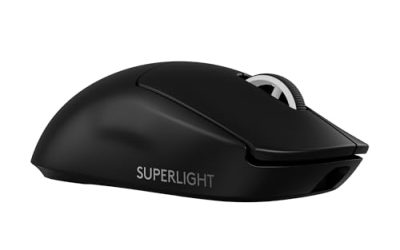
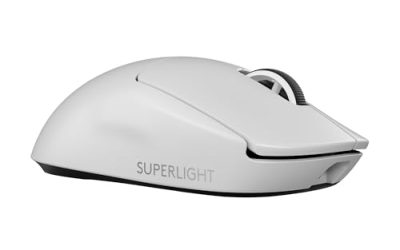
| Pulsar X2V2 Mini | Competitive play in the lightest bag | 51 g, 115.6 mm long |
| HyperX Pulsefire Haste 2 Mini | One mouse for work and play | 59 g, Bluetooth and 2.4 GHz |
| Logitech G305 | Never losing the receiver | 116.6 mm long, built-in receiver storage |
How to Choose
Start With the Published Footprint
Length is the number that decides whether a mouse disappears into a laptop sleeve or fights the charger brick for space. The mice in this guide run from 108 mm to about 117 mm long, against roughly 125 mm for a standard esports shell. Width matters too: a narrow 60 mm body packs flat and suits fingertip control on a cramped desk, while a wider shell fills the palm better during long sessions. Compare the listing’s dimension line with the pocket or sleeve you actually travel with, because a mouse that needs its own hard case has already lost the point of going small.
Read the Weight Figure Carefully
Gram counts are only comparable when they measure the same thing. Razer lists the Orochi V2 at under 60 g excluding its battery, and the battery you install changes the real number: an AA cell adds more than a AAA in the adapter. Logitech’s 99 g for the G305 includes its AA battery, so the honest gap between the two is smaller than the headline figures suggest. Rechargeable models such as the Pulsar and HyperX below quote one fixed weight. Before ordering, check whether the published weight includes the battery, and factor in the cable or dongle you will also carry.
Pick Your Wireless Strategy
There are three ways these mice connect, and each suits a different trip. A 2.4 GHz dongle gives the 1 ms response competitive games want, but the dongle itself becomes a tiny, losable object; the G305 answers that with storage inside the mouse. Bluetooth needs no dongle at all and pairs with almost any modern laptop, which is why the Orochi V2 and Haste 2 Mini offer it alongside their dongles. Wired-only mini mice avoid batteries entirely but trail a cable across every temporary desk. Decide which failure you would rather manage: a lost dongle, a dead battery, or a cable.
Match Battery Life to Trip Length
Published battery figures are quoted per wireless mode, and the gap is wide. The Orochi V2 lists up to 950 hours in Bluetooth mode and up to 425 hours on its HyperSpeed dongle connection, while the rechargeable Pulsar and HyperX models list up to 100 hours. A replaceable AA, as in the G305’s 250-hour rating, can be swapped in any airport shop; a rechargeable mouse needs its cable and a free port, though both rechargeable picks here can be used while charging. For a weekend trip any of these work. For a month away, battery strategy becomes the deciding feature.
The 4 Best Options
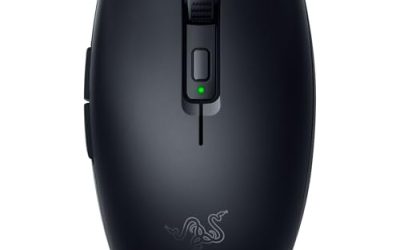
Razer Orochi V2

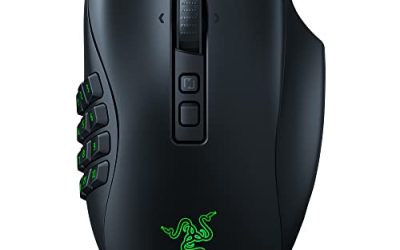
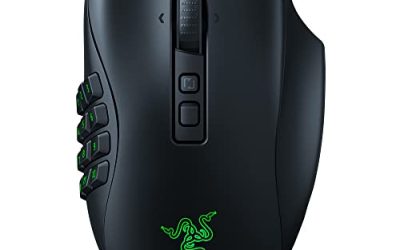
The Orochi V2 is the mouse Razer built specifically for laptop bags: its listing gives an approximate size of 108 x 60 x 38 mm, the shortest shell in this guide, and a weight under 60 g before the battery goes in. It covers both travel connections, low-latency HyperSpeed for gaming and Bluetooth for pairing with a work laptop without touching the dongle. The published battery figures are the strongest here, up to 950 hours over Bluetooth, so a long trip needs no cable at all. It suits claw and fingertip grips and anyone whose mouse lives permanently in a carry-on.
Specs
- Dimensions: approximately 108 x 60 x 38 mm
- Weight: under 60 g, excluding battery
- Sensor: Razer 5G Advanced optical sensor, 18,000 DPI
- Connectivity: Razer HyperSpeed 2.4 GHz wireless and Bluetooth
- Battery life: up to 950 hours (Bluetooth), up to 425 hours (HyperSpeed)
- Power: one AA or AAA battery
- Switches: 2nd-generation Razer mechanical mouse switches
- Buttons: 6 programmable buttons
- Feet: 100% PTFE mouse feet
Best for: Long trips where charging stops are rare and space is tight.
Watch out for: The under-60 g figure excludes the battery, so check which cell you will run; an AA makes it noticeably heavier than the headline number.
ASIN: B0916N2LPZ
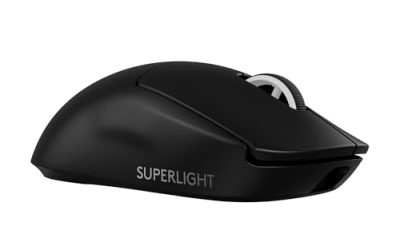
Pulsar X2V2 Mini
At 51 g, the X2V2 Mini is the lightest mouse in this guide, and its listing keeps the footprint small too: 4.55 x 2.38 inches, or 115.6 x 60.6 mm. Pulsar did not shrink the internals to match the shell; the listing publishes a PAW3395 sensor at up to 26,000 DPI, optical switches, and a 1000 Hz polling rate, which is full competitive hardware in a mini symmetrical body. Battery life is listed at up to 100 hours. This is the pick for players who travel to compete, or who simply refuse to let a hotel setup slow their aim down.
Specs
- Weight: 51 g (1.80 oz)
- Footprint: 4.55 x 2.38 in (115.6 x 60.6 mm)
- Sensor: PixArt PAW3395, up to 26,000 DPI
- Tracking: 650 IPS, 50G acceleration
- Polling rate: 1000 Hz / 1 ms, 4K ready with a separate dongle
- Switches: optical switches, Pulsar Blue encoder
- Battery life: up to 100 hours
- Connectivity: 2.4 GHz wireless and wired USB-C
- Shape: symmetrical
Best for: FPS players who want the lightest possible carry without giving up a top-tier sensor.
Watch out for: There is no Bluetooth mode, so the dongle has to travel with the mouse, and 4K polling requires a separate dongle purchase.
ASIN: B0CH9XHFW8
HyperX Pulsefire Haste 2 Mini
HyperX shrank its Haste 2 Wireless by a sixth and kept the parts that matter. The listing puts this Mini at 59 g with a 4.61 x 2.44 inch footprint, and describes it as built for gamers who prefer smaller mice. Its HyperX 26K sensor matches the Pulsar on headline numbers, up to 26,000 DPI and 650 IPS, and the dual wireless modes cover both halves of a travel day: the 2.4 GHz dongle for gaming, Bluetooth for the laptop at a café. Battery life is listed at up to 100 hours, and the included cable lets you keep playing while it charges.
Specs
- Weight: 59 g
- Dimensions: 4.61 x 2.44 in (about 117 x 62 mm)
- Sensor: HyperX 26K sensor, up to 26,000 DPI
- Tracking: up to 650 IPS
- Battery life: up to 100 hours
- Connectivity: 2.4 GHz wireless via dongle and Bluetooth
- Size reference: one-sixth less space than the full-size Pulsefire Haste 2 Wireless
- Charging: play while charging with the included cable
Best for: Travellers who want one compact mouse that pairs with a work laptop and a gaming setup.
Watch out for: The listing publishes no receiver storage inside the mouse, so give the dongle a fixed home in your bag or use Bluetooth where you can.
ASIN: B0CQPMCBDL
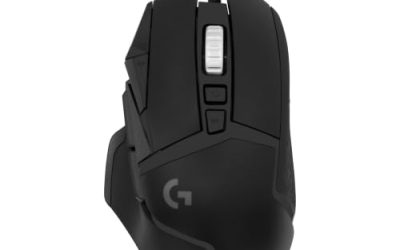
Logitech G305
The G305 is the heaviest mouse here at 99 g, and its listing is upfront about why it still travels well: the compact 116.6 x 62.15 x 38.2 mm body has built-in storage for its USB nano receiver, the single detail that prevents the most common travel failure. Its HERO sensor is rated from 200 to 12,000 DPI with a 1 ms report rate over LIGHTSPEED wireless, and one AA battery is listed at up to 250 hours in performance mode, replaceable anywhere in the world. On-board memory keeps one profile on the mouse itself, so your settings survive borrowed computers.
Specs
- Dimensions: 116.6 x 62.15 x 38.2 mm
- Weight: 99 g
- Sensor: HERO, 200 to 12,000 DPI
- Wireless: LIGHTSPEED with 1 ms report rate
- Battery life: up to 250 hours on one AA battery
- Buttons: 6 programmable buttons
- Memory: on-board memory for one profile
- Storage: built-in compartment for the USB nano receiver
Best for: Travellers who prioritise never losing the receiver and never hunting for a charger.
Watch out for: There is no Bluetooth and no wired mode, so the receiver is the only connection; keep it in its storage slot whenever the mouse is in your bag.
ASIN: B07CMS5Q6P
Which One Fits Your Situation
You Fly Carry-On Only and Count Every Gram
Take the Pulsar X2V2 Mini. At a listed 51 g it adds less weight than the charging cable most people pack, and the 115.6 mm shell slides into the corner of a tech pouch. You give up Bluetooth, so give the dongle a fixed spot in the pouch, and in return you get a genuine 26,000 DPI competitive sensor at your destination.
One Mouse Has to Cover Work and Gaming
Choose between the two dual-mode picks. The HyperX Pulsefire Haste 2 Mini pairs over Bluetooth with a work laptop and switches to its dongle for gaming, with 100 hours of listed battery. The Razer Orochi V2 does the same trick and stretches far longer between batteries, up to 950 hours on Bluetooth, if your trips run for weeks rather than days.
You Keep Losing Dongles and Chargers
The Logitech G305 was designed around your problem. Its receiver parks inside the mouse body, its single AA battery is sold in every airport and corner shop, and its on-board memory means a replacement laptop does not need your settings rebuilt. It is heavier than the ultralights at 99 g, but it is the hardest setup here to strand yourself with.
Your Hands Are Small and Hotel Desks Are Tiny
Start with the shortest shells. The Orochi V2’s 108 mm length is the smallest footprint in this guide and leaves room to actually move on a narrow desk, while the X2V2 Mini’s low, symmetrical 115.6 mm body suits fingertip control in tight spaces. Either beats forcing a full-size mouse onto a bedside table.
Common Mistakes
- Shopping by DPI headline instead of published length, then discovering the “travel” mouse is a full-size 125 mm shell.
- Comparing weights without checking whether the battery is included; the Orochi V2’s under-60 g figure excludes its cell, while the G305’s 99 g includes one.
- Tossing a loose 2.4 GHz dongle into a bag pocket; pick receiver storage or Bluetooth if you know you will lose it.
- Assuming a mini mouse fits every grip; large hands using a palm grip will feel cramped on shells under 118 mm.
- Ignoring the mode behind a battery claim; the same mouse can list 950 hours on Bluetooth and far fewer on its gaming connection.
Frequently Asked Questions
Is a wired gaming mouse better for travel than a wireless one?
A wired mouse never needs charging, but the cable takes more room than a dongle and drags on unfamiliar desks. Every pick in this guide is wireless because their listings publish compact dimensions, light weights, and battery figures from 100 to 950 hours, which suits bag-based setups better. If your trips are between two fixed desks, wired stays a fair option.
How small is too small for a gaming mouse?
It depends on hand size and grip. The shells here run from 108 mm to about 117 mm long, a range that suits small and medium hands using claw or fingertip grips. If you rest your whole palm on the mouse or have large hands, even the biggest of these can feel cramped; check the listing’s published dimensions against the mouse you use now.
Should I use Bluetooth or the 2.4 GHz dongle on the road?
Use the dongle for gaming: the listings for these mice tie their 1 ms response figures to the 2.4 GHz connection. Bluetooth is the convenience mode for work, pairing without spare parts and stretching battery life, up to 950 hours on the Orochi V2. Models with both, like the Orochi V2 and Haste 2 Mini, let you switch per task.
Will these mice work with a laptop that has no spare USB ports?
Two of them will pair without a port at all: the Razer Orochi V2 and the HyperX Pulsefire Haste 2 Mini both list Bluetooth alongside their dongles. The Pulsar X2V2 Mini and Logitech G305 need their USB receivers, although the G305 at least stores its receiver inside the mouse so it arrives with you. Check your laptop’s port count before choosing.
Related guides
More from Amazon
Programs that pair well with the guide above. Offers and eligibility are set by Amazon and may change.
Free shipping on eligible items, Prime Video and more. Eligible new members can start with a free trial.
Start a Prime free trialAd-free music streaming. Eligible new subscribers can start with a free trial.
Try Music Unlimited freeA Prime membership for ages 18-24 with a trial period. Eligibility is set by Amazon.
See Prime for Young AdultsAudiobooks and podcasts to listen to on the go. Eligible new members can start with a free trial.
Try Audible freeAs an Amazon Associate we earn from qualifying purchases.