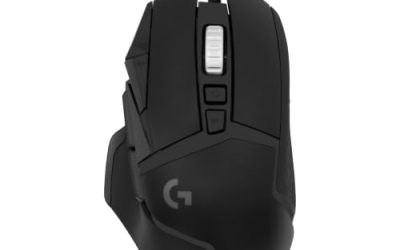
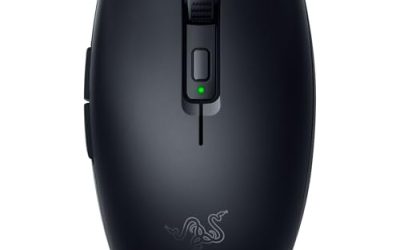
Hybrid grip sits between palm and claw: the palm rests on the shell while the fingers stay arched and ready to lift and flick. That mix asks for a shape that is neither a tall palm-only brick nor a tiny fingertip shell. The wrong shape forces the wrist to do work the fingers should share, and long sessions turn stiff and sloppy. Getting the shape right matters more than chasing the highest sensor number on the box.
This guide is for players who rest part of the palm down, keep fingertips curled, and switch between tracking and fast flicks in shooters and action games. Every mouse below is a medium ergonomic shape that supports that hand position, and each pick comes from its Amazon listing title and listed specifications, so you can check sensor, weight, buttons, and connection type before choosing.
Our Top Picks
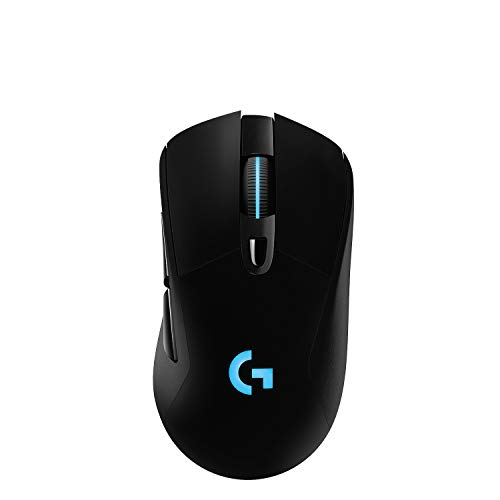 Logitech G703 LIGHTSPEED Wireless Gaming Mouse4.9" x 2.7" x 1.7"43 x 68 x 124 inches0.2 poundsCheck on Amazon
 Razer Basilisk V3 Customizable RGB Wired Ergonomic GamingMouse2.96 x 5.12 x 1.67 inches0.2 poundsCheck on Amazon
Top 3 picks at a glance

Quick Picks
As an Amazon Associate we earn from qualifying purchases
| Product | Best for | Key spec from title |
|---|---|---|
| Razer DeathAdder V3 Pro | Wireless play with a light ergonomic shell | 63g, Focus Pro 30K sensor |
| Razer DeathAdder V3 | Wired play with a light ergonomic shell | 59g, Focus Pro 30K sensor, 8K Hz HyperPolling |
| Logitech G703 LIGHTSPEED | A heavier, tunable wireless shape | HERO 25K sensor, 100-25,600 DPI |
| Razer Basilisk V3 | Extra controls and a scroll wheel with modes | Focus+ 26K sensor, 11 programmable buttons |
| SteelSeries Rival 5 | A steady wired shape with a side-button cluster | 18,000 CPI TrueMove Air sensor, 85g |
How to Choose
Shell length and hump position
Hybrid grip needs a shell long enough to support the base of the palm while leaving the fingertips arched over the buttons. Look for a medium length, roughly 120 to 128 mm, with the hump sitting near the middle of the shell rather than pushed toward the rear. A hump placed too far back pushes the hand into a full palm grip, while a flat shell with no hump leaves the palm unsupported and forces the fingers to grip harder. Check the listed length and the shape from the side view on the listing before deciding, and compare it with the mouse you already use.
Weight and balance
Weight changes how a hybrid grip feels during lifts and resets. Lighter shells, near 60g, make repeated lifting easy and suit players who reposition the mouse often between flicks. Heavier shells, near 95g, feel steadier during slow tracking and suit players who keep the mouse planted and move mainly with the wrist. Balance matters as much as the number: a mouse that feels nose-heavy will drag during lifts, while a centered balance keeps the shell level. If a listing includes an optional weight, treat it as a tuning tool, not a reason to ignore the base weight.
Sensor and polling rate
Every mouse in this guide uses a modern optical sensor, so the deciding factor is how the sensor behaves at your sensitivity, not the headline DPI number alone. A sensor rated to 25,600 or 30,000 DPI gives plenty of headroom, and most hybrid players settle somewhere in the low thousands. Polling rate sets how often the mouse reports its position, and a 1000 Hz rate is the standard baseline, with some wired models reaching 8000 Hz. Match the polling rate to your monitor and your system, and confirm the sensor name on the listing rather than trusting a headline alone.
Buttons and connection type
Hybrid players use the side buttons for actions like melee, reload, or ability keys, so count them and check where they sit under the thumb. Two well-placed side buttons beat a row of small ones that are easy to press by accident, and a thumb rest or textured grip helps the thumb stay put during fast moves. For connection type, a wireless mouse removes cable drag during lifts, while a wired mouse needs no charging and works the moment it is plugged in. If you pick wireless, check the listed battery life and whether the mouse also works over a cable.
The 5 Best Options
Razer DeathAdder V3 Pro

The DeathAdder V3 Pro is the wireless flagship of the DeathAdder line, and its right-handed ergonomic shell is a natural match for hybrid grip. The palm rests on a gentle curve while the arched fingers keep full control of the two main buttons, and the light shell makes repeated lifting feel easy during long matches. Its sensor tracks cleanly across fast flicks and slow tracking alike, and the wireless connection removes cable drag when the hand lifts and resets. This is the pick for players who want the classic DeathAdder shape without a cable.
Specs
- 63g ultra lightweight design
- Focus Pro 30K optical sensor
- HyperSpeed wireless connection
- 5 programmable buttons
- Up to 90 hours of battery life
- 1000 Hz polling rate out of the box, up to 8000 Hz with the HyperPolling Wireless Dongle sold separately
Best for: Hybrid players who want a light wireless ergonomic shell for shooters.
Watch out for: The 8000 Hz polling rate needs the HyperPolling Wireless Dongle, which is sold separately.
Razer DeathAdder V3
The wired DeathAdder V3 keeps the same refined ergonomic shape as the Pro model in a lighter wired shell, which makes it a strong fit for hybrid grip at a simpler setup. The palm sits on the same gentle curve, the fingers stay arched over the main buttons, and the 59g shell lifts with almost no effort during fast repositioning. Its Speedflex cable is built to stay out of the way, and the high polling rate keeps cursor movement smooth during quick flicks. This is the pick for players who want the DeathAdder shape, a wired connection, and nothing to charge.
Specs
- 59g ultra lightweight design
- Focus Pro 30K optical sensor
- Fast Optical Switches Gen-3
- 8K Hz HyperPolling
- 6 programmable buttons
- Speedflex cable
- Ergonomic right-handed shape
Best for: Hybrid players who want the lightest DeathAdder shape with a wired connection.
Watch out for: It is wired only, so check your cable routing and desk space before buying.
Logitech G703 LIGHTSPEED
The G703 LIGHTSPEED suits hybrid players who like a fuller, steadier shell with room to tune the weight. Its right-handed ergonomic shape supports the palm while the rubber side grips give the thumb and ring finger a secure hold during lifts, and the optional 10g weight lets the balance shift toward the rear. The HERO 25K sensor covers a wide DPI range for both low and high sensitivity play, and the wireless connection works with POWERPLAY charging mats for players who already own one. This is the pick for players who want a solid, adjustable wireless mouse.
Specs
- HERO 25K sensor
- 100-25,600 DPI range
- LIGHTSPEED wireless connection
- 95g weight plus 10g optional weight
- POWERPLAY wireless charging compatible
- LIGHTSYNC RGB lighting
- Rubber side grips
Best for: Hybrid players who want a heavier, tunable wireless shell with a secure grip.
Watch out for: At 95g before the optional weight, it feels noticeably heavier than the light Razer picks in this guide.
Razer Basilisk V3
The Basilisk V3 is the pick for hybrid players who want more controls under the thumb without moving to a large multi-button shell. Its ergonomic shape supports the palm while the fingers stay arched, and the thumb area carries extra buttons within easy reach for actions like melee or ability keys. The HyperScroll Tilt Wheel switches between notched scrolling and free spin, which helps when moving through inventories or long pages, and the Chroma RGB lighting runs along the shell and wheel. This is the pick for players who mix shooters with games that need more buttons.
Specs
- Focus+ 26K DPI optical sensor
- 11 programmable buttons
- HyperScroll Tilt Wheel with tilt controls
- Chroma RGB lighting
- Wired USB connection
- Optical mouse switches
- Ergonomic right-handed shape
Best for: Hybrid players who want extra thumb controls and a versatile scroll wheel.
Watch out for: The fuller shell and extra thumb controls suit medium to large hands better than small hands.
SteelSeries Rival 5

The Rival 5 gives hybrid players a steady wired shape with a useful side-button cluster and a clean, simple setup. Its ergonomic shell supports the palm while the arched fingers keep control of the main buttons, and the five-button side cluster sits where the thumb can reach it without stretching. The TrueMove Air sensor tracks at up to 18,000 CPI, and the PrismSync RGB lighting runs across the shell in ten zones. With no software needed for basic use and no battery to charge, it is a straightforward pick for players who want to plug in and play.
Specs
- 18,000 CPI TrueMove Air optical sensor
- 9 programmable buttons
- 85g competitive weight
- PrismSync RGB lighting with 10 zones
- Wired USB connection
- Dimensions: 5.07 x 2.68 x 1.65 inches
Best for: Hybrid players who want a steady wired mouse with a thumb-button cluster.
Watch out for: The side-button cluster takes a few sessions to learn, so expect some accidental presses at first.
Which One Fits Your Situation
You play long sessions and want the lightest hand feel
Pick the Razer DeathAdder V3 Pro if you play wireless, or the wired DeathAdder V3 if you want no charging. Both shells weigh near 60g, so lifting and resetting stays easy across long sessions, and the gentle ergonomic curve supports the palm while the fingers stay arched and ready for flicks and tracking alike.
You play fast shooters and reset the mouse constantly
Pick the Razer DeathAdder V3 for its 8K Hz HyperPolling and 59g shell, or the DeathAdder V3 Pro if you want the same shape without a cable. Both keep the shell level during lifts, and the Focus Pro 30K sensor holds tracking steady through quick flicks and sharp stops without the shell dragging during the reset.
You want a heavier, steadier mouse with tuning options
Pick the Logitech G703 LIGHTSPEED. Its 95g shell feels planted during slow tracking, the rubber side grips hold the thumb in place, and the optional 10g weight lets you shift the balance. The HERO 25K sensor covers a wide DPI range for different sensitivities, and the wireless connection keeps the desk clear of cable drag.
You want more buttons for games beyond shooters
Pick the Razer Basilisk V3 for its 11 programmable buttons and HyperScroll Tilt Wheel, or the SteelSeries Rival 5 for its 9 programmable buttons and thumb cluster. Both keep a medium ergonomic shape for hybrid grip while giving the thumb more actions within easy reach for shooters, action games, and strategy titles alike.
Common Mistakes
- Picking a mouse by headline DPI alone instead of checking shell length, hump position, and weight for your hand.
- Choosing a tiny fingertip shell or a tall palm-only shell when your grip sits between palm and claw.
- Ignoring the cable on a wired mouse, then finding it drags during lifts and resets.
- Loading every side button at once instead of learning two or three thumb actions first.
- Skipping the listed dimensions and weight on the Amazon listing and guessing from photos alone.
Frequently Asked Questions
What is hybrid grip?
Hybrid grip blends palm and claw: the base of the palm rests on the shell while the fingers stay arched and curled over the buttons. It suits medium ergonomic mice with a gentle hump, because the shape supports the palm without forcing the hand flat or leaving the fingers stretched.
What size mouse fits hybrid grip best?
A medium shell, roughly 120 to 128 mm long, fits most hybrid players, with the hump near the middle of the shell. Measure your hand from wrist to fingertip and compare it with the listed length, and check the side view to see where the hump sits.
Is a lighter mouse better for hybrid grip?
A lighter shell makes lifting and resetting easier, which helps players who reposition often during flicks. A heavier shell feels steadier during slow tracking, so the better choice depends on whether you lift the mouse often or keep it planted and move with the wrist.
Should hybrid grip players choose wired or wireless?
Both work well for hybrid grip, so the choice comes down to setup habits. Wireless removes cable drag during lifts, while wired needs no charging and works the moment it is plugged in. Check the listed battery life on wireless models and the cable type on wired models.
Related guides
More from Amazon
Programs that pair well with the guide above. Offers and eligibility are set by Amazon and may change.
Free shipping on eligible items, Prime Video and more. Eligible new members can start with a free trial.
Start a Prime free trialAd-free music streaming. Eligible new subscribers can start with a free trial.
Try Music Unlimited freeA Prime membership for ages 18-24 with a trial period. Eligibility is set by Amazon.
See Prime for Young AdultsAudiobooks and podcasts to listen to on the go. Eligible new members can start with a free trial.
Try Audible freeAs an Amazon Associate we earn from qualifying purchases.