Picking an air cooler for a Ryzen processor looks easy until you notice how many different machines sit behind the same socket name. A six-core chip drawing modest power is happy with a compact single tower. A sixteen-core chip pushed through a long render needs a heatsink with real mass and two fans. Add the fact that AM5 and AM4 both appear in nearly every cooler listing, and the shopper’s question shifts from which cooler fits to how much cooler this particular processor deserves, and whether the case, the memory and the budget can carry it.
This guide is for builders who want to cool a Ryzen chip with air and no pump. We work only from what each listing title states: heat pipe counts, fan size and type, stated TDP, socket support, lighting and any screen or display features. No temperatures, noise figures or decibel numbers are quoted, because none are in the titles. Eight distinct coolers are reviewed; a white duplicate of the Peerless Assassin Vision MAX and a second Hyper 212 variant that differs only in lighting were set aside so the list is not padded.
Our Top Picks


Top 3 picks at a glance
Quick Picks
As an Amazon Associate we earn from qualifying purchases at no extra cost to you.





| Product | Best for | Key spec from the title |
|---|---|---|
| Thermalright Assassin X120 Refined SE | Mid-range Ryzen on a tight budget | 4 heat pipes, TL-C12C PWM fan, AM4/AM5 support |
| Thermalright Peerless Assassin 120 Vision MAX ARGB | Showpiece builds with a display | Twin tower, 2150RPM, IPS screen at 480×854 |
| be quiet! Pure Rock Pro 3 | Quiet, understated builds | 250W TDP, double tower, 2 silent 120mm PWM fans |
| Thermalright Peerless Assassin 120 SE ARGB | Popular dual-tower value | 6 heat pipes, dual TL-C12C-S PWM fans, AGHP |
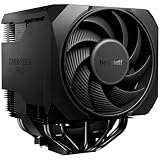
| be quiet! Dark Rock Pro 6 | High-core-count chips | 7 heatpipes, 2 PWM fans, 300W TDP, semi-passive mode |
| Cooler Master Hyper 212 Spectrum V3 ARGB | Compact, recognizable classic | 4 heat pipes, 120mm PWM fan, AM5/AM4 and LGA1851/1700 |
| Thermalright PS120SE | Extra heat pipes for the money | 7 heat pipes, dual 120mm PWM fans, S-FDB bearing |
| Thermalright Assassin X 120R Digital ARGB | Single tower with a status display | 2000RPM, 4 heatpipes, digital screen top cover |
The 8 Best Options
Thermalright Assassin X120 Refined SE
The Assassin X120 Refined SE is the sensible entry in this list. The title gives a single-tower design with four heat pipes, a TL-C12C PWM fan, an aluminum heatsink cover, AGHP technology and support for AM4, AM5 and Intel sockets. For a Ryzen 5 or a Ryzen 7 that sees ordinary gaming loads, a compact tower of this type does the basic job, and the PWM fan lets the motherboard slow the blades when the processor is idle.
Because the tower is narrow, memory clearance is rarely a problem, which is a quiet advantage for builders who run tall RAM heatsinks. The AGHP label is a heat pipe design term, and the title offers no more detail, so treat it as a marketing term rather than a measurable edge. This is the cooler to choose when the case is average and the goal is to retire a stock cooler without paying for lighting or screens.
A typical home for it is a first Ryzen 5 build where the processor ships without a cooler, or a Ryzen 7 upgrade where the owner is tired of the noise from a stock fan. Pair it with a case that has at least one intake fan at the front and one exhaust at the rear, and the tower will do its work without drama. Because the title lists both AM4 and AM5, it also survives a later motherboard swap, which is a small but real saving.
- Four heat pipes and a PWM fan cover typical six-core and eight-core loads.
- AM4 and AM5 support is stated, so one cooler suits an upgrade path.
- The narrow single tower leaves room around memory slots.
- Four heat pipes give less surface than the dual-tower options below.
- No stated TDP, so heavy 16-core loads are a stretch.
Skip it if you plan a high-core-count chip with long all-core loads. Compared with the Vision MAX next, you give up the second tower and the display in return for simplicity.
Thermalright Peerless Assassin 120 Vision MAX ARGB
The Vision MAX is the showpiece. The title names a twin-tower radiator, a fan speed of 2150RPM, ARGB lighting and an IPS screen at 480×854 resolution built into the cooler. The idea is that the display can show system information or custom images, and the design suits a build with a glass side panel where the cooler is the visual centerpiece.
The cooler is a dual-tower type, so the cooling surface is larger than that of a single tower. The title does not list heat pipe counts or a TDP, so treat the raw performance claims with caution and rely on the dual-tower layout as the guide. The screen adds software and cabling to the build, which means more to configure and one more thing that could fail. It suits a builder who enjoys tuning the look of a system as much as the cooling itself.
Think about where the cable runs: a display cooler usually needs a USB header connection for the screen, a fan header for the fans and a lighting connector, so confirm your board has the spare headers or buy a small splitter. If you keep the side panel closed and never look at the cooler, the display is money spent where you cannot see it. If your case has a window and you enjoy a tidy dashboard of system data, it turns the cooler into a feature.
- A twin-tower radiator offers a larger fin area than single-tower coolers.
- The IPS screen can show system data or custom artwork.
- ARGB lighting matches other components in a showcase build.
- The display adds software, cabling and a possible failure point.
- The title omits heat pipe count and TDP.
Skip it if you want a plain, quiet cooler and no extra software. Against the be quiet! Pure Rock Pro 3 that follows, the Thermalright focuses on style while the be quiet! unit focuses on calm, stated TDP and silence.
be quiet! Pure Rock Pro 3
The Pure Rock Pro 3 is the quiet, understated choice. The listing describes a black air CPU cooler for AMD and Intel with a 250W TDP, a double-tower compact design, two Silent 120mm PWM fans and six high-performance 6mm heat pipes (the title is cut off after the number). A stated TDP figure is useful because it gives you a reference when matching the cooler to a processor, which is rare in this list.
The name be quiet! signals the brand’s aim of low noise, and two PWM fans allow the motherboard to scale speed with load. The black finish suits builds without lighting. The title does not mention RGB, so buyers who want a lit cooler should look at other picks. It is a good partner for a processor in the eight to twelve-core range, and a good choice for a living-room or office PC where fan noise matters more than looks.
Since the title does not name AM5 directly, check the mounting kit description for the socket you use before ordering.
- A 250W TDP is stated, giving you a number to compare with processor power.
- Dual towers and two Silent PWM fans suit sustained loads.
- The black, lighting-free look suits plain cases.
- No lighting, which some buyers want.
- A double-tower body is large, so check case and memory clearance.
Skip it if you want RGB or a very compact tower. Compared with the Peerless Assassin 120 SE next, the be quiet! model states its TDP, while the Thermalright states a heat pipe count and lighting.
Thermalright Peerless Assassin 120 SE ARGB
The Peerless Assassin 120 SE is the dual-tower value pick. The title gives six heat pipes, dual TL-C12C-S PWM fans, an aluminum heatsink cover, AGHP technology and ARGB lighting, with support for AMD and Intel sockets. Dual towers and two fans bring a large cooling area, and six heat pipes carry heat from the base to the fins.
It suits builders who want strong air cooling without paying for the most premium brands. The ARGB lighting is a pleasant extra, and the SE in the name points to the standard edition without a display. As with other dual-tower coolers, make sure the case is wide enough and that the first fan does not collide with tall memory modules. In many builds the front fan can be shifted along the heatsink to clear memory, which is worth checking in the manual.
This is the cooler that many builders reach for when they want the look of a premium tower with a modest outlay. The lighting is addressable, so it can follow the colors of a graphics card or case fans through the motherboard software, or be turned off if you prefer a dark case. Two fans on one heatsink also give you the option to run them at lower speeds, which can keep noise down at idle while still moving plenty of air under load.
- Six heat pipes and two fans suit eight-core to twelve-core Ryzen chips.
- ARGB lighting is included without a screen to configure.
- AM4 and AM5 support means the cooler can move between platforms.
- A dual-tower body needs generous case and RAM clearance.
- No TDP is stated in the title.
Skip it if your case is narrow or you prefer a silent, no-light look. Compared with the Dark Rock Pro 6 next, it gives most of the dual-tower benefit with simpler styling and a lighter footprint.
be quiet! Dark Rock Pro 6
The Dark Rock Pro 6 is the heavyweight. The title lists seven heat pipes, two PWM fans, a 300W TDP, a semi-passive mode, high RAM and VRM cooler compatibility and Silent Wings fans. A 300W TDP is the highest stated in this list, and the semi-passive mode means the fans can stop at low load, which is attractive for a quiet desktop.
The note about RAM and VRM compatibility suggests the design is meant to leave room around the memory slots and the power stages near the socket. This is useful with Ryzen 9 chips that draw more power. The listing text does not mention AM5 in the visible part, so confirm that a mounting kit for AM5 is included before buying. Expect a large, heavy cooler, and check case height and weight support before you commit.
Because of its size, this cooler suits a roomy full-tower or a wide mid-tower rather than a compact case. It makes sense for a workstation that spends hours rendering or compiling, where a steady load rewards a big heatsink. The semi-passive mode is a comfort feature for a PC used in a quiet room, because light browsing and office work may leave the fans stopped altogether. Builders who want a plain, dark, serious look will find the design fits well.
- A 300W TDP and seven heat pipes suit the hardest-working Ryzen chips.
- Semi-passive mode lets the fans pause at low load.
- RAM and VRM compatibility is named in the title.
- It is large and heavy, so case clearance is critical.
- AM5 support is not named in the visible title.
Skip it if your case is compact or you want a lit build. Next to the Hyper 212, the Dark Rock Pro 6 is a much bigger and more capable cooler, but the Hyper 212 fits where it cannot.
Cooler Master Hyper 212 Spectrum V3 ARGB
The Hyper 212 is the classic name in air cooling, and this V3 version keeps the compact single-tower layout. The title shows four heat pipes, support for AM5, AM4, Intel LGA1851 and LGA1700, quiet cooling language, a 120mm PWM fan and ARGB lighting. Its explicit socket list is helpful for Ryzen buyers because it names both AM5 and AM4.
The strength of this cooler is fit. Its smaller body suits mid-tower and compact cases where a dual tower would not clear the side panel. For a Ryzen 5 or Ryzen 7 at stock or lightly boosted settings, it is a reasonable partner, and the ARGB fan adds a touch of color. Because it uses a single 120mm fan, it is not the choice for a heavily loaded sixteen-core chip.
The name carries weight in the community, so help and mounting guides are easy to find, which is a real comfort for a first-time builder. It is also the cooler to consider for a small-form-factor or tight mid-tower case where a dual tower will not clear the glass. If you pair it with a Ryzen 5 or a lower-power Ryzen 7, the single fan can run at moderate speeds, and the ARGB lighting gives a small amount of color without taking over the build.
- Explicit AM5, AM4 and Intel socket support in the title.
- A compact single tower fits more cases.
- ARGB fan brings lighting at a modest size.
- A single fan limits headroom for hot processors.
- Four heat pipes give a smaller fin area than dual towers.
Skip it if you plan a sixteen-core chip. Compared with the PS120SE next, the Hyper 212 is easier to fit but has fewer heat pipes and only one fan.
Thermalright PS120SE
The PS120SE is the heat pipe count leader for value. The title lists seven heat pipes, dual 120mm TL-C12B V2 PWM fans, AGHP 4.0 technology, an S-FDB bearing and AM4 and AM5 plus Intel support. Seven heat pipes and two fans put it near the top of the stated specs for a cooler without any lighting or screen in the title.
S-FDB is a fan bearing label that suggests an aim of quiet running and a long life, though the title offers no figures to back it up. The cooler suits a builder who wants strong air cooling with a no-frills look, and the dual fans allow either push or push-pull orientation. As with other twin towers, check that the memory sits clear of the first fan and that the case is wide enough for the full assembly.
The value argument is plain. A builder who wants maximum stated cooling hardware and does not care about lights can put the savings into a better processor or more memory. In a dark, tidy build, a heatsink of this type blends in and lets the graphics card and case lighting take the focus. Ryzen 7 and Ryzen 9 owners who want quiet, sustained cooling without the largest brand premium are the natural audience.
- Seven heat pipes and two fans are listed.
- S-FDB bearings are named for the fans.
- Socket support covers AM4 and AM5.
- No lighting, which may disappoint some builders.
- A large body needs case and RAM clearance.
Skip it if you want RGB or a compact body. Next to the Assassin X 120R Digital, the PS120SE has more cooling hardware, while the Digital model has a screen and a smaller footprint.
Thermalright Assassin X 120R Digital ARGB
The last pick combines a single tower with a digital display. The title lists a 2000RPM fan speed, four heatpipes, a 12cm quiet PWM fan, a digital screen top cover and ARGB lighting, with support for AMD and Intel sockets. The top cover screen can show data, which gives a small build a visual feature without the width of a twin tower.
For a Ryzen 5 or Ryzen 7 system in a smaller or mid-size case, it combines moderate cooling with a distinctive look. The 2000RPM figure is the maximum fan speed, and PWM control lets the board slow the fan during light use. As with all four heat pipe designs, the cooling area is smaller than that of the dual-tower picks, so match it to a processor with modest power draw.
This is a cooler for the builder who wants a small status panel in view, perhaps showing processor load or a custom image, while keeping the case footprint small. Its screen sits on the top of the heatsink, so it is visible through a window or from above on an open bench. If you have never configured a cooler display, expect some time with the manufacturer’s software, and keep the manual handy for the cable connections.
- A digital display adds information at a glance.
- Single-tower body fits more cases.
- PWM fan with a 2000RPM maximum covers varied loads.
- Four heat pipes limit headroom for hot chips.
- The display needs software and cabling.
Skip it if you plan a high-core-count chip. It is the last entry, so compare it with the Assassin X120 Refined SE at the top if you want a plain version of the same family.
Who Needs an Aftermarket Air Cooler for Ryzen?
Not every Ryzen buyer needs one, but plenty benefit from one. Here is how to tell which group you are in.
Owners of chips without a box cooler
Many higher-end Ryzen processors ship without a cooler, so a separate purchase is required. In that case an air cooler is the simplest and cheapest route, and any of the picks here fit the job for the right tier of chip.
Builders chasing lower noise
A larger heatsink lets the fans spin slower for the same load. Dual-tower coolers with two PWM fans, such as the Pure Rock Pro 3, usually give a calmer sound than the box cooler included with some Ryzen chips.
People who want no pump in the case
Air coolers have no liquid to leak and no pump to wear out, and the only moving parts are the fans. That makes them simple to maintain and a strong choice for a machine that must run for years without service.
It is worth saying who can skip the purchase. If you own a non-X Ryzen chip that came with a box cooler and you use the PC for browsing and office work, the stock cooler may be all you need. An aftermarket tower earns its cost when you want lower noise, plan to boost the chip, or buy a processor that ships bare.
How to Choose
Match the cooler to the processor power
Ryzen chips range from 65W parts to 170W parts, and the cooler should match. A 65W six-core or eight-core chip is comfortable with a four heat pipe single tower. A 105W to 120W chip sits better under a dual tower, and a 170W sixteen-core chip deserves the largest cooler you can fit, such as one with a 250W to 300W TDP figure. Treat a stated TDP as a guide to capacity, not a promise of temperature. As a working rule, pick a cooler whose stated TDP is comfortably above the processor’s listed power, and remember that boost behavior can push real draw higher than the base figure. Among the listings here, only the two be quiet! models give a TDP, so for the others use the heat pipe count and the number of towers as your guide.
Check the socket and the bracket
AM5 coolers use the same mounting holes as AM4, so many AM4 coolers fit AM5 with the right bracket. The titles for the Thermalright and Cooler Master models name AM4 and AM5 directly. For a cooler whose title is silent on AM5, check the manufacturer page for a mounting kit before buying. Also note that Ryzen chips have the heat-spreading lid positioned differently from many Intel chips, so a cooler with a flat, well-finished base and an even mounting pressure matters more than a flashy label. Follow the instructions on paste amount, and avoid spreading too much.
Measure case and RAM clearance
Dual-tower coolers are tall and wide. Check the maximum cooler height in your case specs and compare it with the cooler’s stated height on the full listing. Verify that the front fan clears your memory modules, particularly if they have tall heat spreaders, and that the tower does not block the first PCIe slot. A good rule is to leave at least a few millimeters between the cooler’s side and the case panel, and to check the power-stage heatsinks on the motherboard so the cooler base does not rub against them. Case makers list a maximum cooler height, and a cooler whose height is close to that limit is a bad idea if you also want a tidy side panel.
Fans: size, count and type
Look for 120mm PWM fans, which allow the motherboard to control the speed. Two fans help more than one on a large tower. Check for a bearing type named in the title, such as S-FDB, as a hint at longevity, and look for semi-passive modes if you want silence at idle. A 4-pin PWM connector is the standard you want on the cooler’s fan cable, and a cooler that includes a splitter for two fans saves a motherboard header. Fan speed in revolutions per minute only tells you the maximum, so treat a lower number as a hint at quieter operation, not a flaw.
Weight and installation
Large dual-tower coolers weigh enough to stress an unsupported motherboard if you move the PC often. Consider removing the cooler before shipping a finished build, and install it with the backplate pressed evenly to avoid uneven pressure on the processor. Screw the mount down in a cross pattern a little at a time.
What to ignore and where budget models cut corners
Ignore the lighting count and the screen as measures of cooling. Budget coolers often cut corners on fan bearing quality, the thickness of the fins, the quality of the mounting kit and the thermal paste included. A good paste and careful installation matter as much as the model name. Cheaper coolers may also ship with clips instead of a rigid backplate, or with a fan that cannot be moved, so look at the photos of the mounting hardware rather than only the heatsink.
Single Tower vs Dual Tower for Ryzen
| Factor | Single tower | Dual tower |
|---|---|---|
| Examples here | Assassin X120 Refined SE, Hyper 212, Assassin X 120R | Vision MAX, Pure Rock Pro 3, PA120 SE, Dark Rock Pro 6, PS120SE |
| Heat pipes listed | 4 | 6 to 7 where stated |
| Fans | One 120mm | Two 120mm |
| Case fit | Most mid-towers and some compact cases | Needs a wide case and RAM clearance |
| Best for | 6-core to 8-core Ryzen | 8-core to 16-core Ryzen |
Why a single tower can be enough
If the processor is a Ryzen 5 or a Ryzen 7 at stock, a single tower handles the load with room to spare. The smaller body fits more cases and avoids RAM clearance trouble. It is also lighter on the board, which matters if you move the PC often.
When to move to a dual tower
If you run a Ryzen 9, enable heavy boosting or do long renders, a dual tower provides more surface area and a second fan. The extra size is the price, so confirm your case before ordering. A dual tower also tends to let the fans run slower for the same load, which can make the machine sound calmer even when the cooler is the larger one. If you cannot decide, measure first and let the available space make the call.
Setup, Compatibility and Upgrade Tips
What to check before buying
Confirm the processor socket, the case height limit and the memory height. Note whether the cooler comes with thermal paste and whether the mounting kit supports your socket. If you use a tower case with a side window, check how the cooler looks from the front.
What to upgrade first
Replace the stock fan layout of your case before chasing a bigger cooler, because airflow decides how hot the whole case gets. A second fan on the heatsink and a clean intake filter often help more than a model change. Update the motherboard firmware if you are moving to a new Ryzen generation, and set the fan curve in the BIOS so the cooler ramps up gradually instead of spiking each time the processor boosts for a second.
Common compatibility traps
Do not assume an AM4 cooler includes an AM5 bracket. Do not forget that the cooler may block the top PCIe slot or the first memory slot. Do not overtighten the mount, and remember to remove any protective plastic from the base before installing. Check that fan cables are routed away from the blades and that the fan header you use is the processor fan header, because some boards will throw a warning at boot if it is empty.
Which One Fits Your Situation
A budget Ryzen 5 build
The Thermalright Assassin X120 Refined SE is a simple, effective single tower with AM4 and AM5 support. It also suits first-time builders who want a cooler with plenty of installation guides online.
A quiet living-room PC
The be quiet! Pure Rock Pro 3 pairs a stated 250W TDP with two Silent PWM fans and a plain black look. It is a calm choice for a PC that sits near the desk.
A glass-panel showcase
The Thermalright Peerless Assassin 120 Vision MAX ARGB adds a dual tower with a display for a statement build. If you prefer a cheaper dual tower without the screen, the Peerless Assassin 120 SE ARGB or the PS120SE give a similar footprint with less to configure.
A Ryzen 9 workstation
The be quiet! Dark Rock Pro 6 offers a 300W TDP, seven heat pipes and a semi-passive mode for heavy loads. Confirm the AM5 mounting kit before ordering.
Common Mistakes
- Buying a dual-tower cooler without measuring the case.
- Assuming every cooler includes an AM5 bracket.
- Choosing lighting or a screen over cooling capacity.
- Blocking the first memory slot with the front fan.
- Forgetting to peel the protective film from the base.
- Pairing a four heat pipe tower with a 170W processor.
Related guides
- When I Turn On Record Game In Background On Gamebar. Gamebar Crashes, What Do I Do?
- How To Reduce Background Noise On A Streaming Microphone
- Poly Computer Accessories Company Streaming Evaluation
Frequently Asked Questions
Does AM5 need a special cooler?
No, the mounting hole spacing matches AM4, so most coolers that name AM5 will fit. Check that the kit includes the correct bracket.
Is a dual-tower cooler always better?
Not always. It has more cooling area, but it needs more room, and a single tower is enough for many six-core and eight-core chips.
Are screens on coolers useful?
They are mostly cosmetic and need software. They do not improve cooling, so choose them only if you like the look.
What does TDP mean on a cooler?
It is the cooler maker’s stated heat capacity in watts. Use it as a rough guide when matching to processor power, not as a temperature promise.
Do I need a cooler for a Ryzen chip with a box cooler?
The included cooler works for stock use, but an aftermarket tower can reduce noise and give headroom for boosting.
How often should I clean the cooler?
A gentle dusting every few months keeps airflow healthy. Use compressed air while holding the fan still.
Final Words
For most Ryzen builders in 2026, a dual tower such as the Peerless Assassin 120 SE or the PS120SE is the strongest air-cooling choice, with the Pure Rock Pro 3 for quiet builds and the Dark Rock Pro 6 for the most demanding chips. Compact cases suit the Hyper 212 or the Assassin X120 Refined SE. Measure the case, check the bracket and match the cooler to the processor, and an air cooler will serve you for years. If the listing leaves out a figure you care about, such as height or TDP, check the maker’s page before ordering, because titles are short and always leave something out.