Our Short List of 3

- Best for: Players who want one proven mouse for every Warzone situation, from long-range beams to close-range fights.
- Weight: 60 grams
- Sensor: HERO 2, up to 44,000 DPI
- Polling rate: up to 8,000 Hz
- Battery life: up to 95 hours

- Best for: Palm-grip players who want a larger ergonomic shell for steady long-range aim.
- Weight: 63 grams
- Sensor: Focus Pro 30K optical, up to 30,000 DPI
- Polling rate: 1,000 Hz standard, up to 8,000 Hz with a separate HyperPolling dongle
- Battery life: up to 90 hours

- Best for: Fingertip players who want the lightest symmetrical shell in this guide.
- Weight: 52 grams (medium)
- Sensor: XS-1 flagship sensor, up to 32,000 DPI
- Tracking speed: 750 IPS, 50g acceleration
- Polling rate: up to 8,000 Hz with a separate 8K dongle
All 4 Picks at a Glance
| Product | Specs | Action |
|---|---|---|
| Logitech G Pro X Superlight 2 |
| Check price on Amazon |
| Razer DeathAdder V3 Pro |
| Check price on Amazon |
| Pulsar X2 v3 |
| Check price on Amazon |
 Razer Viper V3 HyperSpeed |
| Check price on Amazon |
Picking a mouse for Warzone is a decision about control under pressure, not about chasing the biggest sensor number on a box. Matches swing on flick shots through doorways, tracking a parachuting enemy across open ground, and winning close-range fights where one missed burst ends the round. A mouse that feels steady during a long spray and light enough to snap back to center after every flick matters far more than extra buttons you never touch.
This guide covers five wireless gaming mice built for that kind of play, from proven tournament shapes to featherweight symmetrical shells. Each pick comes from its Amazon listing, with weight, sensor, polling rate, and battery life taken from the product page, so you can match the hardware to your grip, your hand size, and the way you move across Verdansk and its smaller maps.
Our Top Picks
- Logitech G Pro X Superlight 2 Lightspeed WirelessClassic1.57 x 2.5 x 4.92 inches0.1 poundsCheck on Amazon
Top 3 picks at a glance
Quick Picks
As an Amazon Associate we earn from qualifying purchases
| Product | Best for | Key spec from title |
|---|---|---|
| Logitech G Pro X Superlight 2 | All-round Warzone play with a proven shape | 60g, HERO 2 sensor, 44,000 DPI, 8kHz polling |
| Razer Viper V3 Pro | Fingertip and claw players who flick constantly | 54g, Focus Pro 35K sensor, 8K polling |
| Razer DeathAdder V3 Pro | Palm players who want a larger ergonomic shell | 63g, Focus Pro 30K sensor, 90-hour battery |
| Pulsar X2 v3 | Lightweight symmetrical play at a lower weight | 52g, XS-1 sensor, 32,000 DPI, 750 IPS |
| Razer Viper V3 HyperSpeed | Long sessions without charging or cable swaps | 82g, Focus Pro 30K sensor, up to 280-hour battery |
How to Choose
Weight and How It Changes Your Aim
Weight shapes every movement you make in Warzone, from a 180-degree turn toward gunfire behind you to the tiny correction that lands a headshot at range. Mice under 60 grams let you flick and reset with less effort, which helps during long sessions and fast-paced fights inside buildings. Heavier shells around 80 grams can feel more planted and steady when you track a target moving across open ground. Neither choice is wrong on its own. Test how a weight feels during a full match rather than a few minutes on a desk, and pay attention to whether your wrist tires before your aim does.
Sensor Accuracy for Long-Range Tracking
Warzone rewards players who hold a beam on a moving target at distance, so the sensor must track cleanly without skipping, smoothing, or spinning out during fast swipes. Modern flagship sensors from Logitech, Razer, and Pulsar all handle that job, and differences between them matter less than your sensitivity setting and your mousepad. What matters more is a sensor that stays consistent at the DPI you actually play at, usually between 400 and 1600 for most Warzone players. Pick a mouse whose sensor holds steady at low DPI and does not force you to relearn your aim.
Polling Rate and What It Does in a Fight
Polling rate decides how often your mouse reports its position to your PC, and higher rates shrink the delay between your hand moving and the crosshair responding. A 1,000 Hz rate already feels responsive for most players, while 8,000 Hz gives smoother cursor updates during the fastest flicks and micro-adjustments. The trade-off is battery life, since higher polling drains a wireless mouse much faster, and some mice need a separate dongle to reach the top rate. If you play on a high-refresh monitor and notice stutter during fast turns, a higher polling rate is worth having.
Shape, Grip, and Hand Size
Shape decides whether a mouse disappears into your hand or fights it for three hours straight. Symmetrical mice suit fingertip and claw grips and let you switch hands or angles without relearning the shell, while right-handed ergonomic shapes support your palm during long sessions and steady your aim when holding angles. Measure your hand from wrist to middle fingertip and compare it with the length of each mouse before buying. A shell that is too long forces your fingers to stretch, and one that is too short leaves your palm unsupported during the fights that matter most.
The 5 Best Options
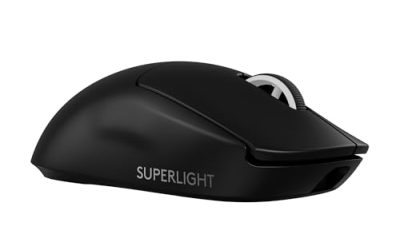
Logitech G Pro X Superlight 2
- Best for: Players who want one proven mouse for every Warzone situation, from long-range beams to close-range fights.
- Weight: 60 grams
- Sensor: HERO 2, up to 44,000 DPI
- Polling rate: up to 8,000 Hz
- Battery life: up to 95 hours
Players who want one proven mouse for every Warzone situation, from long-range beams to close-range fights.
No dedicated DPI button on the shell, so sensitivity changes go through software instead of a quick press mid-match.
The Superlight 2 remains the safest starting point for Warzone because its symmetrical shape fits claw and fingertip grips without forcing your hand into one style, and its 60-gram body keeps flicks quick without feeling hollow. The HERO 2 sensor tracks cleanly at low DPI, which suits players who run a low sensitivity for long-range beams, and the 8kHz polling keeps cursor updates smooth during fast turns. With up to 95 hours of battery life, it survives a full week of evening matches before needing a charge through USB-C.
Watch out for: No dedicated DPI button on the shell, so sensitivity changes go through software instead of a quick press mid-match.
Razer Viper V3 Pro
The Viper V3 Pro is the lightest mouse in this guide at 54 grams, and that weight shows the moment you snap between targets in a crowded building or reset after a flick. Its symmetrical shell favors fingertip and claw grips, while the Focus Pro 35K sensor and included 8K polling dongle deliver smooth tracking during the fastest movements Warzone demands. Gen-3 optical switches give each click a crisp, consistent feel without double-click issues, and the 95-hour battery keeps it running through long ranked sessions.
Specs
- Weight: 54 grams
- Sensor: Focus Pro 35K optical, up to 35,000 DPI
- Polling rate: up to 8,000 Hz with included HyperPolling dongle
- Battery life: up to 95 hours
- Switches: Gen-3 optical switches
- Buttons: 8 programmable buttons
- Connection: HyperSpeed wireless, USB-C charging
Best for: Fingertip and claw players who flick constantly and want the lightest shell here.
Watch out for: No RGB lighting and no Bluetooth, so players who switch between PC and other devices need a different mouse for that job.
Razer DeathAdder V3 Pro
- Best for: Palm-grip players who want a larger ergonomic shell for steady long-range aim.
- Weight: 63 grams
- Sensor: Focus Pro 30K optical, up to 30,000 DPI
- Polling rate: 1,000 Hz standard, up to 8,000 Hz with a separate HyperPolling dongle
- Battery life: up to 90 hours
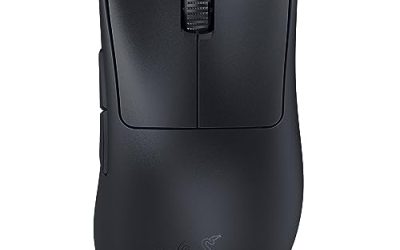
Palm-grip players who want a larger ergonomic shell for steady long-range aim.
The 8K polling dongle is sold separately, and the shell is right-handed only, so left-handed players should look elsewhere.
The DeathAdder V3 Pro suits palm players who find small symmetrical mice cramped during long Warzone sessions, because its right-handed ergonomic shell fills the hand and steadies aim while holding angles. At 63 grams it stays light for its size, and the Focus Pro 30K sensor tracks reliably at the low DPI settings most long-range players use. HyperSpeed wireless keeps the connection stable with no cable drag, and the 90-hour battery covers several days of matches. Five programmable buttons keep the layout simple, with two large side buttons placed where your thumb rests.
Watch out for: The 8K polling dongle is sold separately, and the shell is right-handed only, so left-handed players should look elsewhere.
Pulsar X2 v3
- Best for: Fingertip players who want the lightest symmetrical shell in this guide.
- Weight: 52 grams (medium)
- Sensor: XS-1 flagship sensor, up to 32,000 DPI
- Tracking speed: 750 IPS, 50g acceleration
- Polling rate: up to 8,000 Hz with a separate 8K dongle
Fingertip players who want the lightest symmetrical shell in this guide.
The 8K polling dongle is a separate purchase, and the brand has fewer service centers than the bigger names here.
The X2 v3 is the lightest symmetrical option from a smaller esports brand, and its 52-gram medium shell makes it a strong pick for fingertip players who want almost no resistance during flicks. The XS-1 sensor reaches 32,000 DPI with 750 IPS tracking speed, so fast swipes across the pad stay accurate instead of spinning out. Optical switches keep clicks consistent over time, and the 2.4 GHz wireless connection pairs with USB-C charging for wired play when the battery runs low. Its clean, hole-free shell also avoids the dust and grime that collect in perforated designs.
Watch out for: The 8K polling dongle is a separate purchase, and the brand has fewer service centers than the bigger names here.
Razer Viper V3 HyperSpeed
- Best for: Players who hate charging and want a mouse that runs for weeks on one battery.
- Weight: 82 grams
- Sensor: Focus Pro 30K optical, up to 30,000 DPI
- Battery life: up to 280 hours on a single AA battery
- Switches: Mechanical Switches Gen-2
Players who hate charging and want a mouse that runs for weeks on one battery.
It runs on a disposable AA battery rather than a rechargeable pack, so keep spares on hand for long sessions.
The Viper V3 HyperSpeed trades some weight for stamina, running on a single AA battery for up to 280 hours, which means you can play for weeks without thinking about charging. At 82 grams it feels more planted than the featherweight picks here, and that steadiness helps when tracking a target across open ground or holding a sightline. The Focus Pro 30K sensor delivers the same accurate tracking as the pricier Razer models, and HyperSpeed wireless keeps latency low. Eight programmable controls give you room to bind plates, pings, and equipment without reaching for the keyboard.
Watch out for: It runs on a disposable AA battery rather than a rechargeable pack, so keep spares on hand for long sessions.
Which One Fits Your Situation
You Flick Constantly in Close Quarters
Choose the Razer Viper V3 Pro. Its 54-gram body and symmetrical shape let you snap between targets inside buildings with the least effort, and the included 8K dongle keeps tracking smooth during the fastest turns. Fingertip and claw players will feel the difference within a single match, especially when clearing rooms alone.
You Play Palm Grip and Hold Long Angles
Choose the Razer DeathAdder V3 Pro. Its ergonomic shell supports your palm through long sessions, and the 63-gram weight stays steady while you track distant targets. The Focus Pro 30K sensor holds a beam cleanly at low DPI, which is exactly what holding angles demands across open ground. That steadiness pays off whenever a fight stretches past the first few seconds.
You Want the Lightest Mouse Possible
Choose the Pulsar X2 v3. At 52 grams it is the lightest pick in this guide, and its symmetrical shell suits fingertip players who want almost no resistance during flicks. The XS-1 sensor tracks fast swipes without spinning out, even at high DPI settings, and the clean shell stays comfortable through long matches.
You Hate Charging Your Mouse
Choose the Razer Viper V3 HyperSpeed. A single AA battery runs it for up to 280 hours, so you can play for weeks without plugging anything in. The 82-gram shell feels planted during long-range tracking, and the Focus Pro 30K sensor keeps aim consistent across every map and mode. You never have to pause a session to find a cable.
Common Mistakes
- Buying the lightest mouse available without checking whether its shape fits your grip and hand size.
- Running a very high DPI and wondering why long-range tracking feels twitchy and hard to control.
- Setting polling to the maximum and then blaming the mouse when the battery drains in a day.
- Ignoring mousepad size, then running out of room during the wide swipes Warzone demands.
- Choosing a mouse for its looks instead of testing how it feels after a full match.
Frequently Asked Questions
What DPI should I use for Warzone?
Most Warzone players do best between 400 and 1600 DPI with a low in-game sensitivity, because that range gives fine control for long-range tracking while keeping flicks manageable. Start at 800 DPI, play several matches, and adjust in small steps until your aim feels steady at distance and quick up close.
Is a wireless mouse fast enough for Warzone?
Yes, modern wireless mice from the brands in this guide use low-latency connections that match wired play in practice. A stable 2.4 GHz link with 1,000 Hz polling already feels instant, and the freedom from cable drag often helps more than any tiny latency difference a wire could remove.
Do I need 8,000 Hz polling for Warzone?
No, 8,000 Hz polling is a nice upgrade rather than a requirement for good aim. It smooths cursor updates during the fastest flicks and helps on high-refresh monitors, but it drains battery much faster. Most players will aim just as well at 1,000 Hz, so treat the higher rate as a bonus.
How much does mouse weight matter in Warzone?
Weight matters because it changes how quickly you can flick, reset, and track across the pad. Lighter mice under 60 grams reduce wrist fatigue and speed up close-range fights, while slightly heavier shells can feel steadier for long-range beams. The right weight is the one that lets you aim consistently through a full match.
Related guides
More from Amazon
Programs that pair well with the guide above. Offers and eligibility are set by Amazon and may change.
Free shipping on eligible items, Prime Video and more. Eligible new members can start with a free trial.
Start a Prime free trialAd-free music streaming. Eligible new subscribers can start with a free trial.
Try Music Unlimited freeA Prime membership for ages 18-24 with a trial period. Eligibility is set by Amazon.
See Prime for Young AdultsAudiobooks and podcasts to listen to on the go. Eligible new members can start with a free trial.
Try Audible freeAs an Amazon Associate we earn from qualifying purchases.