Our Short List of 3

- Best for: Low DPI players who want maximum stopping control in a dedicated mouse zone.
- Brand: BenQ Zowie
- Model: G-SR III
- Size: 470 x 390 mm
- Thickness: 3.5 mm

- Best for: Players who want balanced friction for both arm sweeps and fine corrections.
- Brand: Logitech G
- Model: 943-000797
- Size: 460 x 400 x 3 mm
- Surface: Cloth, moderate surface friction, optimised for gaming sensors

- Best for: Full-desk setups that want a proven cloth surface under both keyboard and mouse.
- Brand: SteelSeries
- Series: QcK
- Size: 900 x 400 mm
- Surface: Micro-woven cloth, optimised for gaming sensors
All 4 Picks at a Glance
| Product | Specs | Action |
|---|---|---|
| BenQ Zowie G-SR III Large |
| Check price on Amazon |
| Logitech G640 Large |
| Check price on Amazon |
| SteelSeries QcK XXL |
| Check price on Amazon |
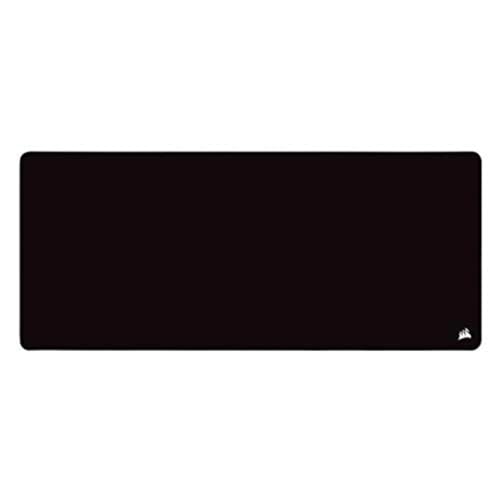 Corsair MM350 PRO Extended XL |
| Check price on Amazon |
Playing on low DPI turns every turn, peek and corner clear into a long arm movement, so the real decision is not glide speed in isolation. It is whether the pad gives you enough uninterrupted width to finish a full sweep without lifting, plus enough surface friction to stop the crosshair exactly where that sweep ends. A pad that is too small or too slick punishes the very playstyle low sensitivity is meant to support.
This guide is for tactical shooter and arena players who aim mostly with the arm, rest the forearm on the desk, and reset the mouse several times in a single round. Every pad below was selected from its Amazon listing name and specifications, favouring large footprints, cloth control surfaces and bases that stay planted during wide movements.
Our Top Picks
Top 3 picks at a glance
Quick Picks
As an Amazon Associate we earn from qualifying purchases
| Product | Best for | Key spec from title |
|---|---|---|
| BenQ Zowie G-SR III Large | Pure control on a mouse-only area | 470 x 390 mm, controlling glide |
| Logitech G640 Large | Balanced friction for mixed aim styles | 460 x 400 x 3 mm, moderate friction |
| SteelSeries QcK XXL | Full-desk coverage on a proven cloth | 900 x 400 mm, micro-woven cloth |
| Razer Gigantus V2 XXL | The widest sweep room in this group | 940 x 410 x 4 mm, micro-weave cloth |
| Corsair MM350 PRO Extended XL | Spill protection over a huge surface | 930 x 400 x 4 mm, spill-proof cloth |
How to Choose
Measure usable width, not the size label
Size names mislead, because one brand calls 450 mm wide large while another reserves that word for a full desk mat. Work from your sensitivity instead: at a low setting, a single comfortable arm sweep should cross the pad without your mouse reaching an edge or your wrist hanging off the side. Pads around 460 to 470 mm wide suit a mouse-only zone beside the keyboard, while footprints near 900 mm and above put keyboard and mouse on one surface. Measure the clear desk depth as well, since a 400 mm deep pad can push a monitor stand further back than expected.
Match surface friction to how you stop
Low DPI aim depends on stopping power as much as glide. A control cloth adds drag that helps the crosshair settle after a fast flick, which suits players who overshoot targets on faster surfaces. A moderate-friction weave sits in the middle, easing the long tracking movements used when following a moving opponent. Neither is automatically better: if your misses land past the target, lean toward control; if your arm tires during long tracking fights, a slightly freer glide reduces effort. Check the listing wording carefully, because terms such as moderate friction and controlling glide describe genuinely different feels.
Pick thickness for your desk and forearm
Thickness changes comfort during the exact movements low DPI demands. A thinner pad around 3 mm keeps the mouse close to desk height and gives a firmer, more direct feel under the palm. Moving up to 4 mm adds cushioning that smooths small desk imperfections and softens the pressure where your forearm rests through long sessions. Very soft bases can let the mouse sink slightly when you press down hard, which some players notice during stops. If your desk surface is uneven or your forearm aches after matches, the thicker options in this list deserve priority.
Check edges, base grip and upkeep
Wide sweeps punish weak construction. A rubber base with real grip matters because a pad that creeps forward a few millimetres each round slowly steals your usable space. Stitched edges resist the fraying that starts where your forearm drags across the front border, though the stitching itself should sit low enough not to irritate skin. Cloth also absorbs sweat and dust over time, which gradually changes glide, so a surface that wipes clean easily will feel consistent for longer. Finally, confirm the pad ships rolled rather than folded if you want it flat quickly.
The 5 Best Options
BenQ Zowie G-SR III Large
- Best for: Low DPI players who want maximum stopping control in a dedicated mouse zone.
- Brand: BenQ Zowie
- Model: G-SR III
- Size: 470 x 390 mm
- Thickness: 3.5 mm
Low DPI players who want maximum stopping control in a dedicated mouse zone.
It covers the mouse area only, so the keyboard sits off the pad; check the listing size before ordering.
This is the most control-focused pad here, built for players whose mouse area sits beside the keyboard rather than underneath it. The listing describes a consistent, controlling glide with a cloth top layer made to resist humidity, which addresses the sticky feeling that can appear as hands warm up. Its 470 mm width still leaves generous room for arm sweeps, and the uniform rubber base aims to keep that surface stable. Choose it when stopping precision matters more than covering the whole desk.
Logitech G640 Large
- Best for: Players who want balanced friction for both arm sweeps and fine corrections.
- Brand: Logitech G
- Model: 943-000797
- Size: 460 x 400 x 3 mm
- Surface: Cloth, moderate surface friction, optimised for gaming sensors
Players who want balanced friction for both arm sweeps and fine corrections.
The listing does not highlight stitched edges, so inspect the edge finish on the product page if fraying worries you.
The G640 takes the balanced route, pairing a large footprint with what the listing calls moderate surface friction. That middle-ground drag suits players who mix wide arm flicks with smaller wrist corrections, because the surface neither locks the mouse down nor lets it skate. Logitech positions it as optimised for gaming sensors, and the flexible cloth construction means it rolls up for transport to another setup. For a straightforward large pad from a familiar line, this is the least specialised and most adaptable option in the group.
SteelSeries QcK XXL
- Best for: Full-desk setups that want a proven cloth surface under both keyboard and mouse.
- Brand: SteelSeries
- Series: QcK
- Size: 900 x 400 mm
- Surface: Micro-woven cloth, optimised for gaming sensors
Full-desk setups that want a proven cloth surface under both keyboard and mouse.
Confirm your desk can take a 900 mm footprint, and check the current listing for the exact thickness of this variant.
Few cloth pads have been on desks as long as the QcK line, and the XXL stretches that familiar micro-woven surface across the full width of a setup. At 900 mm, keyboard and mouse share one continuous layer, which removes the height step your forearm would otherwise cross mid-sweep. The listing emphasises peak tracking and stability for gaming sensors, plus a never-slip base. It suits low DPI players who like the classic QcK feel but kept running out of room on the standard sizes.
Razer Gigantus V2 XXL
The Gigantus V2 XXL offers the largest mouse area in this roundup, stretching to 940 mm wide and 410 mm deep. Razer builds it from a textured micro-weave cloth over thick, high-density rubber foam, so the surface stays flat across imperfect desks while the anti-slip base holds position during aggressive re-centring swipes. That extra depth also helps players who rest more of the forearm on the pad. If your current pad forces a mouse lift in the middle of a turn, this footprint is the direct answer.
Specs
- Brand: Razer
- Model: RZ02-03330400-R3M1
- Size: 940 x 410 x 4 mm
- Surface: Textured micro-weave cloth
- Base: Thick, high-density rubber foam with anti-slip underside
- Format: XXL
- Colour: Classic Black
Best for: Very low sensitivity players who need the widest possible uninterrupted sweep.
Watch out for: At 940 mm wide it can crowd smaller desks and monitor stands, so measure before buying.
ASIN: B0885FJ8CB
Corsair MM350 PRO Extended XL
- Best for: Low DPI players with a full-desk setup who want a wipe-clean, spill-resistant surface.
- Brand: Corsair
- Model: CH-9413770-WW
- Size: 930 x 400 x 4 mm
- Surface: Micro-weave cloth with spill-proof, stain-resistant coating
Low DPI players with a full-desk setup who want a wipe-clean, spill-resistant surface.
The glide-enhanced surface leans faster than a pure control cloth, so check the listing description if you prefer heavy drag.
Corsair adds a practical twist to the extended format: a spill-proof, stain-resistant coating over its micro-weave cloth. Drinks near the desk are common during long sessions, and a surface that wipes clean protects the consistent glide low DPI aim relies on. The pad still delivers the essentials, with a 930 mm width, 4 mm of plush rubber and anti-fray stitched edges running the full border. Pick it when you want desk-wide coverage but worry about coffee, dust and everyday mess slowly ruining a plain cloth pad.
Which One Fits Your Situation
You play tactical shooters and keep overshooting
Choose the BenQ Zowie G-SR III Large. Its controlling glide and humidity-resistant cloth are aimed squarely at stopping power, which is the quality that turns a fast arm flick into a clean stop on a head-level angle. The mouse-only footprint also keeps your keyboard position unchanged, so you can swap it in without rearranging the whole desk.
You split time between shooters and tracking-heavy games
The Logitech G640 Large fits this mix best. Moderate friction gives enough drag for controlled stops while still letting the mouse travel during long tracking movements, and the 460 mm width covers a full sweep at typical low settings. It is also the easiest pad here to roll up and move between a desk at home and a second setup elsewhere.
Your keyboard and mouse both belong on one surface
Look at the SteelSeries QcK XXL or the Razer Gigantus V2 XXL. Both remove the edge between keyboard and mouse zones, which helps when a sweep carries your forearm across that boundary. The Razer is wider and deeper with thicker foam, while the SteelSeries offers the long-running QcK cloth feel. Measure your desk first, because either footprint dominates a smaller workspace.
Your desk doubles as a workspace with drinks nearby
The Corsair MM350 PRO Extended XL is the sensible pick. Its spill-proof coating and stitched edges are built for a desk that sees coffee cups and long office hours as well as matches. You still get extended width for low DPI sweeps, but the surface is easier to wipe back to a consistent state after an accident than an untreated cloth pad.
Common Mistakes
- Buying by size name alone, then discovering that a large from one brand is far smaller than the extended pad it replaces.
- Choosing a fast, low-friction surface for low DPI play and fighting overshoot on every flick as a result.
- Forgetting desk depth, so a 400 mm pad pushes the keyboard and monitor into uncomfortable positions.
- Ignoring edge construction, even though the front edge takes constant forearm friction during wide sweeps.
- Never cleaning the cloth, letting sweat and dust build up until the glide changes and aim feels inconsistent.
Frequently Asked Questions
How wide should a mouse pad be for low DPI?
Work backwards from your longest comfortable sweep. For most low sensitivity players, a pad at least 450 mm wide prevents mid-turn lifts, while extended pads above 900 mm suit players who also want the keyboard on the same surface. Depth around 390 to 410 mm gives the forearm room to rest without hanging off the front edge.
Is a control pad or a speed pad better at low DPI?
Control cloth usually suits low DPI better because the added friction helps stop the mouse after a long, fast movement. Speed surfaces reduce effort during tracking but make precise stops harder to repeat. Players who split time between flick-heavy and tracking-heavy games often settle on a moderate-friction pad as the compromise between the two extremes.
Does pad thickness change how aim feels?
Yes, modestly. Thinner pads feel firmer and keep the mouse closer to the desk, while thicker foam cushions the forearm and can soften the sensation when you press down during a stop. The difference is about comfort and consistency rather than accuracy itself, so pick the thickness that lets you play long sessions without wrist or forearm fatigue.
How often should a cloth gaming pad be replaced?
Replace it when the glide no longer feels even after a proper clean, when edges fray enough to catch your forearm, or when the base stops gripping the desk. Heavy daily use wears the centre of the surface fastest, and a worn patch changes friction exactly where most of your aiming happens, which quietly undermines the consistency low DPI play depends on.
Related guides
More from Amazon
Programs that pair well with the guide above. Offers and eligibility are set by Amazon and may change.
Free shipping on eligible items, Prime Video and more. Eligible new members can start with a free trial.
Start a Prime free trialAd-free music streaming. Eligible new subscribers can start with a free trial.
Try Music Unlimited freeA Prime membership for ages 18-24 with a trial period. Eligibility is set by Amazon.
See Prime for Young AdultsAudiobooks and podcasts to listen to on the go. Eligible new members can start with a free trial.
Try Audible freeAs an Amazon Associate we earn from qualifying purchases.