A big hand on a short mouse is not a minor comfort issue. When the shell ends before the palm does, fingers splay past the main buttons, the thumb drags on the pad, and every flick starts from a grip that was never settled in the first place. The real decision here is shell length and width: a large wireless gaming mouse should measure roughly 128 mm or longer, fill the palm without forcing a claw, and still track cleanly when the whole hand relaxes onto it.
This shortlist is for players with large hands, palm and relaxed claw grippers, and anyone who has returned a well reviewed mouse simply because it felt small. Every pick below is a wireless gaming mouse whose Amazon listing states a long shell, and the specifications are taken from those product listings and the names and figures printed on them, not from smaller sibling models.
Our Top Picks
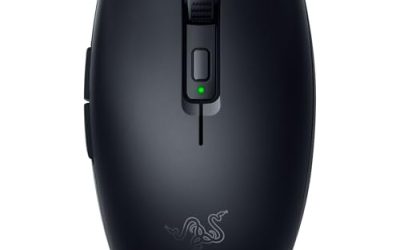
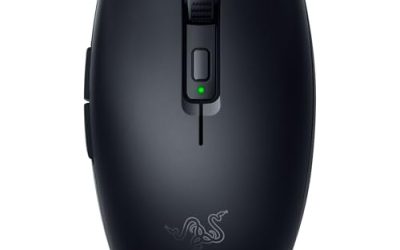
 Logitech G502 X Plus Wireless RGB Gaming MouseWireless7.1 x 4.6 x 2.7 inches0.84 poundsCheck on Amazon
 Logitech G502 LIGHTSPEED Wireless Gaming MouseWireless5.19 x 2.95 x 1.57 inches0.81 poundsCheck on Amazon


Top 3 picks at a glance
Quick Picks
As an Amazon Associate we earn from qualifying purchases
| Product | Best for | Key spec from title |
|---|---|---|
| Logitech G502 X Plus | Palm grip with the most controls | HERO 25K sensor |
| Razer Basilisk V3 Pro 35K | Scroll heavy games and work | HyperScroll Tilt Wheel |
| Razer DeathAdder V3 Pro | Large hands that want low weight | 63 g lightweight build |
| Corsair Ironclaw RGB Wireless | The widest palm fit here | 18,000 DPI optical sensor |
| Logitech G502 Lightspeed | Adjustable weight and balance | Tunable weights included |
How to Choose
Start with shell length, not marketing size labels
Brands call very different shells large, so ignore the label and read the dimensions on the listing. For a hand that measures long from wrist to middle fingertip, a shell under about 125 mm usually leaves the palm unsupported and pushes the fingers into a permanent curl. The mice in this guide run from 128 mm to about 131 mm long. That extra length lets the base of the palm rest on the shell instead of hovering, which steadies small corrections and reduces the forearm tension that builds up over a long session.
Match width and hump shape to your grip
Length alone does not make a mouse feel big. A wide body with a thumb rest, like the G502 shapes and the Ironclaw, spreads a large hand out and suits a full palm grip where the whole hand steers. A narrower ergonomic shell with a centred hump, like the DeathAdder V3 Pro, fills the palm front to back but lets the fingers stay more mobile, which suits a relaxed claw. Decide which contact pattern you want before ordering, because width is the difference between a mouse that feels supportive and one that feels like a brick.
Accept the weight that comes with a bigger shell
Large shells carry more plastic, bigger batteries and often more buttons, so most full size wireless models weigh noticeably more than the ultralight mice built for small and medium hands. That weight is not automatically a flaw. A heavier mouse can feel planted during slow, precise tracking and less twitchy in palm grip. It becomes a problem only if you play low sensitivity shooters with constant arm lifts. If that is your style, the lightest long shell here is the sensible compromise; if you steer from the wrist and palm, the heavier feature models will feel natural.
Check the wireless extras a large mouse should include
A big mouse earns its desk space when the wireless side is complete: a 2.4 GHz receiver for gaming, a charging cable that lets you play while topped up, and onboard memory so settings travel between computers. Some models here add Bluetooth for a second device, and one Logitech line supports wireless charging pads listed on its product page. Confirm what is actually in the box on the listing for the exact variant you select, because bundles and colour variants of the same mouse family do not always include the same receiver or cable.
The 5 Best Options
Logitech G502 X Plus
This is the large mouse for a palm gripper who wants everything within thumb reach. Its shell is one of the longest in this guide, the thumb wing keeps a wide hand from dragging, and the control count suits games where abilities, ping wheels and inventory actions all need a home. The LIGHTSYNC lighting and the dual mode scroll wheel also make it an easy single mouse for both play and desktop work, provided the weight and the button heavy layout appeal rather than overwhelm.
Specs
- Sensor: HERO 25K gaming sensor
- Switches: LIGHTFORCE hybrid optical-mechanical switches
- Controls: 13 buttons, listed on the product page
- Scroll wheel: infinite scroll toggle
- Battery life: up to 130 hours, as listed
- Charging: USB-C, PowerPlay wireless charging capable
- Dimensions: 5.17 inches long, about 131 mm
- Weight: 106 g
- Model number: 910-006160
- Compatibility: PC and Mac, Windows and macOS
Best for: Palm grippers with large hands who use many thumb commands.
Watch out for: The listing dimensions vary slightly between colour variants, so confirm the black variant details before ordering.
ASIN: B092CB69Q4
Razer Basilisk V3 Pro 35K
Choose this one when the scroll wheel does as much work as the main clicks. The Basilisk shell is long and tall with a clear thumb rest, so a large hand settles instead of perching, and the tilt wheel handles weapon cycling, timeline scrubbing and long document scrolling in a way a plain wheel cannot. The updated sensor generation and the three connection modes make it the most feature complete Razer shape here, and the battery figure on the listing is the strongest of this group over its performance wireless mode.
Specs
- Sensor: Focus Pro 35K Optical Sensor Gen 2, up to 35,000 DPI
- Controls: 13 customizable controls
- Scroll wheel: HyperScroll Tilt Wheel
- Switches: Razer Optical Switches Gen 3
- Lighting: Chroma RGB
- Battery life: up to 140 hours on HyperSpeed wireless, per the listing
- Connectivity: HyperSpeed wireless, Bluetooth and wired USB-C
- Dimensions: 130 mm long by 75.1 mm wide by 42.5 mm high
- Weight: 112 g, excluding cable and dongle
- Model number: RZ01-05240100-R3U1
Best for: Large handed players who scroll constantly and want a thumb rest.
Watch out for: The higher polling modes discussed on the listing need a separate Razer dongle or dock that is not the standard receiver in the box.
ASIN: B0DG837JYP
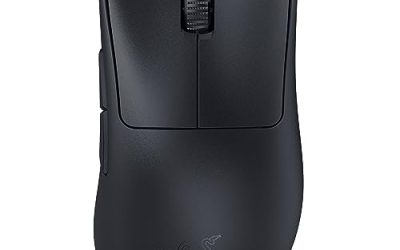
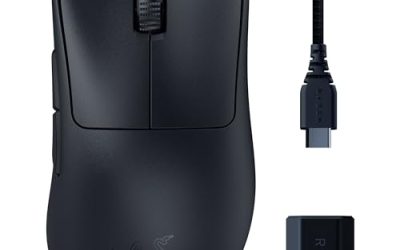
Razer DeathAdder V3 Pro
Here is the answer for a large hand that refuses a heavy mouse. The DeathAdder shell is long front to back and tall at the hump, yet the listed weight is far below the other picks, so arm aiming and repeated lifts stay manageable across a full evening of shooters. There is no thumb wing and no tilt wheel, and that simplicity is the point: clean ergonomic support, a proven right handed curve, and nothing extra for the ring finger or thumb to catch during fast swipes.
Specs
- Sensor: Focus Pro 30K optical sensor, up to 30,000 DPI
- Weight: 63 g in black, as listed
- Dimensions: 128 mm long by 68 mm wide by 44 mm high
- Switches: Razer Optical Switches Gen 3
- Buttons: 5 programmable buttons
- Battery life: up to 90 hours of continuous play, per the listing
- Connectivity: Razer HyperSpeed wireless, wired via USB Type C cable
- Shape: right handed ergonomic
- Model number: RZ01-04630100-R3G1
Best for: Big handed shooter players who aim with the arm and lift often.
Watch out for: There is no Bluetooth on this model, so a laptop without a spare port for the receiver is a poor match.
ASIN: B0B6XZLNHQ
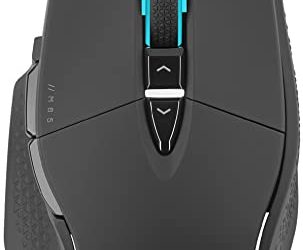
Corsair Ironclaw RGB Wireless

Corsair built this shell specifically around palm grips and larger hands, and it shows in the width: at about 80 mm across, it is the broadest body in this guide, with a contoured right side that gives the ring and little fingers somewhere to rest instead of squeezing inward. That makes it the most relaxed fit here for a genuinely wide hand. The three way connection setup also helps a shared desk, since the same mouse can stay paired to a gaming PC and still connect to a second machine.
Specs
- Sensor: native 18,000 DPI optical sensor
- Controls: 10 programmable buttons
- Connectivity: Slipstream Corsair wireless technology, Bluetooth and USB wired
- Wireless speed: sub-1 ms Slipstream connection, as listed
- Dimensions: 130 mm long by 80 mm wide by 45 mm high
- Shape: contoured shape sculpted for palm grips and larger hands
- Lighting: RGB, iCUE compatible per the listing title
- Compatibility: PC, Mac and consoles listed on the product page
- Model number: CH-9317011-NA
Best for: The widest hands in this guide, and full palm grip players.
Watch out for: This is an older model line, so check the seller and the exact listing variant carefully before buying.
ASIN: B07Q424WFW
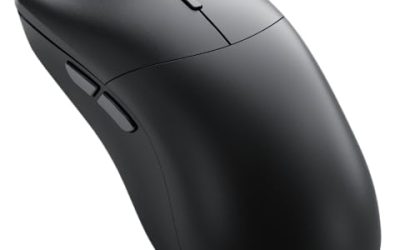
Logitech G502 Lightspeed
The original wireless G502 remains in this guide because its shape solves a problem the newer models changed: balance you can tune yourself. The long, wide shell already suits a big palm, and the included weights let you shift how the mouse settles and lifts, which matters when a large hand applies force further back on the body. It shares the thumb forward layout and the dual mode wheel that made the line popular, in the earlier design with its own receiver and charging arrangement.
Specs
- Sensor: HERO 25K sensor
- Connectivity: Lightspeed wireless with 1 ms report rate, as listed
- Battery life: up to 60 hours of uninterrupted gaming, per the listing
- Weights: tunable weight system, six adjustable weights included
- Charging system: PowerPlay compatible
- Lighting: Lightsync RGB
- Dimensions: 5.19 inches long by 2.95 inches wide by 1.57 inches high
- Model number: 910-005565
- Contents listed: receiver, receiver extension adapter and charging data cable
Best for: Large handed players who want to set the balance themselves.
Watch out for: Battery life on the listing is well below the newer G502 X models, so expect more frequent charging.
ASIN: B07L4BM851
Which One Fits Your Situation
Your fingers hang off your current mouse
Start with the Ironclaw RGB Wireless or the G502 X Plus. Both pair a shell around 130 mm long with real width and a thumb rest, so the palm, thumb and outer fingers all make contact at once. If your complaint is specifically that mice feel narrow rather than short, the Ironclaw is the wider of the two and the more direct fix.
You play shooters and lift the mouse all night
Take the DeathAdder V3 Pro. It is the only pick here that combines a genuinely long ergonomic shell with a weight listed in the low sixties of grams, so a large hand gets its support without paying for it on every reset to the centre of the pad. Players who rarely lift can ignore this advantage and choose on buttons instead.
Your games need a dozen commands under one thumb
The G502 X Plus and the Basilisk V3 Pro 35K both list 13 controls, and both fill a large hand. Split them by the wheel: pick the Razer if tilt scrolling and a multi function trigger sound useful, and pick the Logitech if the sniper style thumb button layout and wireless charging pad support matter more to your setup.
One mouse covers the gaming PC and a work laptop
Look at the Basilisk V3 Pro 35K or the Ironclaw RGB Wireless, since both list Bluetooth alongside their gaming receivers. That lets the gaming connection stay plugged into the desktop while the same mouse pairs to the laptop for the workday, and the large shells stay comfortable through both kinds of hours.
Common Mistakes
- Judging size from a photograph or a size label instead of the length and width printed on the listing.
- Buying a long mouse with a narrow grip width, then blaming hand size when the outer fingers still cramp.
- Choosing the lightest mouse available even though a relaxed palm grip often feels better with some mass in the shell.
- Forgetting that large mice need a large pad area, especially at low sensitivity where the whole hand travels.
- Mixing up variants within one mouse family, since colour and bundle versions can change the receiver, cable or included weights.
Frequently Asked Questions
How long should a gaming mouse be for large hands?
As a working rule from the listings in this guide, look for a shell around 128 mm or longer, and check the width alongside it. Hands differ, so treat those figures as a filter rather than a promise: a long but narrow mouse can still feel small, while a slightly shorter but much wider shell can feel fully supportive in a palm grip.
Is a heavier large mouse bad for shooters?
Not automatically. Extra weight can steady slow tracking and suits wrist and palm driven aim, but it does tire players who lift and reset constantly at low sensitivity. If that second description matches you, the DeathAdder V3 Pro in this guide keeps the long shell while cutting the listed weight dramatically compared with the feature heavy picks.
Can a large wireless mouse also work for office use?
Yes, and the bigger shells often help during long workdays because the palm stays supported. Models here with Bluetooth, like the Basilisk V3 Pro 35K and the Ironclaw RGB Wireless, move between a gaming PC and a laptop without swapping receivers, while free spinning scroll modes on the Logitech and Razer picks make long documents less tedious to move through.
What grip suits a large wireless gaming mouse best?
Palm grip is the natural fit, since a long shell exists to support the whole hand, and relaxed claw also works well on the taller ergonomic shapes here. Fingertip grip wastes the extra length and can feel awkward on wide bodies with thumb rests, so fingertip players with large hands usually prefer a long but lighter, wing free shape such as the DeathAdder V3 Pro.
Related guides
More from Amazon
Programs that pair well with the guide above. Offers and eligibility are set by Amazon and may change.
Free shipping on eligible items, Prime Video and more. Eligible new members can start with a free trial.
Start a Prime free trialAd-free music streaming. Eligible new subscribers can start with a free trial.
Try Music Unlimited freeA Prime membership for ages 18-24 with a trial period. Eligibility is set by Amazon.
See Prime for Young AdultsAudiobooks and podcasts to listen to on the go. Eligible new members can start with a free trial.
Try Audible freeAs an Amazon Associate we earn from qualifying purchases.