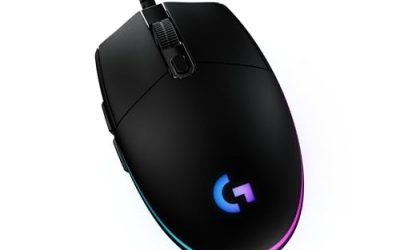
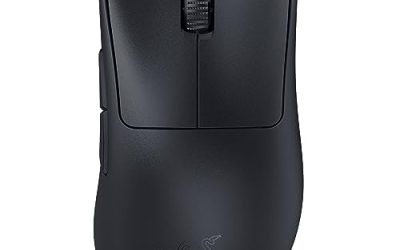
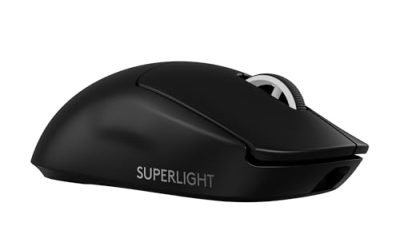
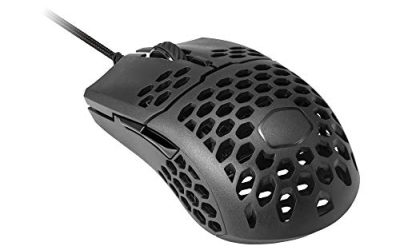
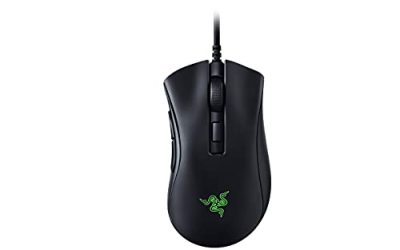
The frustrating moment is familiar: you plug your mouse into a tournament PC, a laptop, or a friend’s rig, and your DPI feels wrong, your side buttons do nothing, and the lighting resets to a rainbow cycle. That happens when settings live in software on one computer instead of inside the mouse itself. Onboard memory fixes it by storing profiles on the mouse, so the configuration you saved at home is the one that loads anywhere.


This list is for players who switch machines, travel to LAN events, share a family PC, or simply refuse to keep a configuration app running in the background. Every pick below is a gaming mouse whose Amazon listing or maker specification explicitly confirms onboard profile storage, and each section states what that memory actually holds, because the gap between one stored profile and five is the real decision here.
Our Top Picks
- Razer Basilisk V3 Customizable RGB Wired Ergonomic GamingMouse2.96 x 5.12 x 1.67 inches0.2 poundsCheck on Amazon


Top 3 picks at a glance

Quick Picks
As an Amazon Associate we earn from qualifying purchases
| Product | Best for | Key spec from title |
|---|---|---|
| Logitech G502 HERO | Players who rotate between several games and PCs | Onboard memory for up to 5 profiles |
| Razer Basilisk V3 | Palm-grip players who want deep button remapping | 5 on-board memory profiles |
| Corsair Dark Core RGB Pro | Wireless players who carry lighting and macro profiles | Onboard storage for up to 3 profiles |
| Razer DeathAdder V3 Pro | Esports players with one locked-in setup | 1 onboard profile from the last used Synapse profile |
| Logitech G305 LIGHTSPEED | Travel and backup duty on a single AA battery | On-board memory, 250-hour battery life |
How to Choose
Count the profiles you will really use
One stored profile is plenty if your sensitivity and button layout never change: you set it once and every computer feels identical. Five profiles earn their space when you jump between genres, because a shooter layout, an MMO layout with macros on every side button, and a lean desktop layout can each live in their own slot. Think about your last month of play honestly. Most people use two profiles at most, so treat a five-profile mouse as flexibility insurance rather than a feature you will touch daily.
Check what the memory actually stores
Onboard storage is not one uniform feature. On some mice it holds the full package: DPI stages, button assignments, macros and lighting colours. On others it keeps only the essentials, such as DPI and polling rate, while animated lighting effects or complex macro sequences quietly stay behind in the software. Read the listing wording closely before buying. If a profile is described as storing DPI and button configs, do not assume your layered lighting effect travels too. The product sections below state, for each mouse, exactly which settings its memory is documented to hold.
Separate the one-time setup from daily use
Almost every mouse here needs its maker’s software exactly once: you open G HUB, Synapse or iCUE, build your profiles, push them to the onboard memory, and after that the mouse runs standalone on any machine. That is very different from designs that only work fully while the app stays installed and running. Before you buy, confirm the save-to-device step exists in the software for your model, and test it by plugging the mouse into a second computer with no app installed. Your DPI and buttons should be correct immediately.
Do not let memory outrank fit and connection
A mouse that stores five profiles is still the wrong mouse if its shape cramps your hand or its weight fights your aim style. Work through the physical basics first: shell size against your hand and grip, wired versus wireless, and whether the sensor ceiling covers the sensitivity range you play at. Then use onboard memory as the deciding layer between finalists. The picks below span heavy wired models with many buttons and light wireless models built for fast swipes, so fit, not profile count alone, should drive the final call.
The 5 Best Options
Logitech G502 HERO
If you want the deepest onboard storage on this list, the wired G502 HERO is the benchmark: Logitech documents memory for up to five profiles, and each one can carry your DPI settings, button commands and LIGHTSYNC lighting. You build them in G HUB once, save them to the mouse, and they load on any PC with no software present. The eleven programmable buttons and tilting scroll wheel give those profiles plenty to work with, and the five included tuning weights let you set the balance per game.
Specs
- Sensor: HERO 25K optical, 100 to 25,600 DPI
- Onboard memory: up to 5 profiles (DPI, button assignments, LIGHTSYNC RGB)
- Buttons: 11 programmable
- Weight: 121 g, plus five 3.6 g tuning weights
- Connection: wired USB, 1,000 Hz report rate
- Lighting: LIGHTSYNC RGB, 1 zone
- Dimensions: 132 x 75 x 40 mm
Best for: players who keep separate profiles for shooters, MOBAs and desktop work and move between machines.
Watch out for: it is wired only and heavy by current standards; Logitech’s spec sheet ties the five-profile memory to a specific firmware version, so update the mouse before relying on all five slots.
ASIN: B07GBZ4Q68
Razer Basilisk V3
The Basilisk V3 matches the G502 on storage depth, with five on-board memory profiles confirmed in Razer’s specification, holding your keybinds, DPI settings and HyperShift secondary functions. A button on the underside cycles the profiles, so switching from a shooter layout to a strategy layout takes a press rather than a software session. The right-handed shell suits palm grips, the four-way HyperScroll tilt wheel adds two extra inputs most mice lack, and the eleven-zone Chroma underglow makes the lighting side of each profile worth storing in the first place.
Specs
- Sensor: Razer Focus+ optical, up to 26,000 DPI
- On-board memory: 5 profiles (keybinds, DPI, HyperShift functions)
- Buttons: 11 programmable
- Switches: Razer Optical Gen-2, rated for 70 million clicks
- Scroll wheel: 4-way HyperScroll tilt wheel with free-spin and tactile modes
- Lighting: Chroma RGB, 11 zones
- Weight: 101 g, excluding cable
- Dimensions: 130 x 75 x 42.5 mm
Best for: palm-grip players who remap heavily and want several complete layouts stored on the mouse.
Watch out for: the shell is right-handed only and the wired design will not suit a cable-free desk; advanced Chroma effects beyond the stored basics still need Synapse running.
ASIN: B09C13PZX7
Corsair Dark Core RGB Pro
Corsair’s listing is unusually explicit about storage: onboard memory saves up to three profiles, covering lighting and macro profiles alongside button assignments set in iCUE. Three slots is a sensible middle ground for a wireless mouse that also has to manage battery life. You get three connection modes, a sensor adjustable in single-DPI steps for precise sensitivity matching, and two interchangeable side grips so the shell can be tuned for palm support or a narrower hold. The nine-zone RGB light bar gives each stored profile a visible identity when you switch.
Specs
- Sensor: PixArt PAW3392 optical, 18,000 DPI in 1 DPI steps
- Onboard storage: up to 3 profiles (lighting and macro profiles)
- Buttons: 8 programmable
- Connection: Slipstream wireless, Bluetooth, or USB wired
- Polling: hyper-polling up to 2,000 Hz
- Battery: up to 50 hours, USB-C charging
- Lighting: nine-zone dynamic RGB
- Extras: two interchangeable side grips
- Model: CH-9315411-NA
Best for: wireless players who want lighting and macros to travel with the mouse between a desktop and a laptop.
Watch out for: the Amazon listing snapshot behind these fields is older than the others here, so confirm a live offer before ordering; profiles are written through iCUE, and Bluetooth mode runs at reduced polling compared with Slipstream.
ASIN: B082LVNHW9
Razer DeathAdder V3 Pro
The DeathAdder V3 Pro takes the opposite approach to the five-profile mice: Razer confirms exactly one onboard profile, which mirrors your last used Synapse profile, including calibrated DPI, polling rate, lift-off distance and button configurations. For a competitive player whose settings never change, that single slot is not a limitation at all, and it keeps the focus on the hardware: a 63-gram ergonomic shell, the Focus Pro 30K sensor and optical switches built for tournament play. Set it in Synapse once, and the mouse carries that setup to any stage PC.
Specs
- Sensor: Razer Focus Pro 30K optical
- Onboard memory: 1 profile (last used Synapse profile: DPI, polling rate, lift-off distance, button configs)
- Weight: 63 g
- Switches: Razer Optical Mouse Switches Gen-3
- Connection: HyperSpeed wireless, USB-C charging
- Battery: up to 90 hours
- Buttons: 5 programmable
- Dimensions: 128 x 68 x 44 mm
Best for: esports and ranked players with one fixed setup who value a light shell over profile variety.
Watch out for: one profile is genuinely all you get, so genre hoppers should look at the five-profile picks; the higher polling rates need the separate HyperPolling wireless dongle rather than the receiver in the box.
ASIN: B0B6XZLNHQ
Logitech G305 LIGHTSPEED
The G305 is the travel-friendly end of this list: a compact wireless mouse whose Amazon title names on-board memory directly, and listing data confirms it stores DPI settings and button mappings set in G HUB. It runs for up to 250 hours on a single AA battery, the nano receiver stores inside the shell so it cannot get lost in a bag, and at 99 grams with the battery fitted it disappears into a laptop kit. For a second mouse that lives away from your main desk, its memory means it still feels like your mouse.
Specs
- Sensor: HERO optical, 200 to 12,000 DPI
- On-board memory: yes, stores DPI settings and button mappings
- Buttons: 6 programmable
- Connection: LIGHTSPEED wireless, 1 ms report rate, USB nano receiver stored in the mouse
- Battery: 1 AA battery, up to 250 hours in Performance mode
- Weight: 99 g with battery
- Dimensions: 116.6 x 62.15 x 38.2 mm
Best for: a portable or secondary mouse for laptops, work trips and shared family computers.
Watch out for: Logitech’s own materials conflict on profile count, with the specification sheet listing one onboard profile while some Logitech copy mentions up to five, so check the current listing before counting on several; there is no Bluetooth and the AA battery is replaceable rather than rechargeable.
ASIN: B07CMS5Q6P
Which One Fits Your Situation
You compete on PCs that are not yours
Tournament and LAN machines rarely let you install anything, which makes onboard storage the whole ballgame. The DeathAdder V3 Pro fits if your setup is fixed, since its single profile mirrors your last Synapse configuration exactly. If your layout changes between titles at the same event, the G502 HERO or Basilisk V3 carries five full profiles you can cycle without touching software on the venue PC.
One mouse travels between your desktop and laptop
A shared mouse only feels shared when both machines behave the same. The Dark Core RGB Pro suits this pattern well: three stored profiles cover a desktop layout and a laptop layout with one spare, and its Bluetooth mode pairs with the laptop while the Slipstream receiver stays in the desktop. The G305 is the lighter alternative if the second machine is mostly for travel days.
You play several genres with different button maps
Genre switching is where profile count stops being a spec-sheet number. An MMO map with macros on every side button, a shooter map with a sniper button, and a plain desktop map can coexist on the G502 HERO or the Basilisk V3, each with its own DPI stages. The underside profile button on the Basilisk makes the swap quickest, while the G502 adds tilt-wheel inputs for extra bindings.
You want wireless play without daily software
If your goal is simply never opening a configuration app again, any pick here works after the one-time save, but the G305 removes the most friction: no charging cable to manage, a receiver that stores in the shell, and settings that persist on the mouse. The DeathAdder V3 Pro is the step up when you also want a lighter shell and a higher-end sensor for competitive play.
Common Mistakes
- Assuming every gaming mouse has onboard memory, when many models keep profiles only in software on one PC.
- Building a profile in the app but never using the save-to-device option, so nothing is actually stored on the mouse.
- Buying a one-profile mouse when you genuinely switch layouts between games, then blaming the memory for a mismatch you could have checked.
- Expecting every lighting animation and macro layer to travel, when some mice store only DPI and button basics onboard.
- Choosing purely on profile count while ignoring shell size, grip fit and weight, which affect every minute of play.
Frequently Asked Questions
Does onboard memory work on a PC with no software installed?
Yes, that is the point of the feature. Once a profile is saved to the mouse, its DPI stages, button assignments and stored lighting load on any compatible computer as soon as the mouse connects. You only need the maker’s app on one machine, at setup time, to write the profile to the device in the first place.
What exactly gets stored on the mouse?
It depends on the model, which is why the listings matter. The G502 HERO documents DPI, button assignments and lighting across five profiles, while the DeathAdder V3 Pro stores one profile with DPI, polling rate, lift-off distance and button configurations. Simpler mice may hold only DPI steps and button maps, so check the stated list before buying.
Can I switch between stored profiles without opening the app?
On multi-profile models, yes. Mice such as the Basilisk V3 put a dedicated profile button on the underside, and Logitech’s multi-profile models cycle slots through an assigned button or the software-free profile switch. The active profile is usually confirmed by an indicator light colour, so you can verify which layout is live before a match starts.
Is one onboard profile enough for most players?
For most players, yes. If you use one sensitivity and one button layout across your games, a single stored profile, like the one on the DeathAdder V3 Pro or the G305, covers everything and keeps setup simple. Multiple profiles only pay off when your bindings or DPI genuinely change between games, work and different computers.
Related guides
More from Amazon
Programs that pair well with the guide above. Offers and eligibility are set by Amazon and may change.
Free shipping on eligible items, Prime Video and more. Eligible new members can start with a free trial.
Start a Prime free trialAd-free music streaming. Eligible new subscribers can start with a free trial.
Try Music Unlimited freeA Prime membership for ages 18-24 with a trial period. Eligibility is set by Amazon.
See Prime for Young AdultsAudiobooks and podcasts to listen to on the go. Eligible new members can start with a free trial.
Try Audible freeAs an Amazon Associate we earn from qualifying purchases.