Our Top Picks


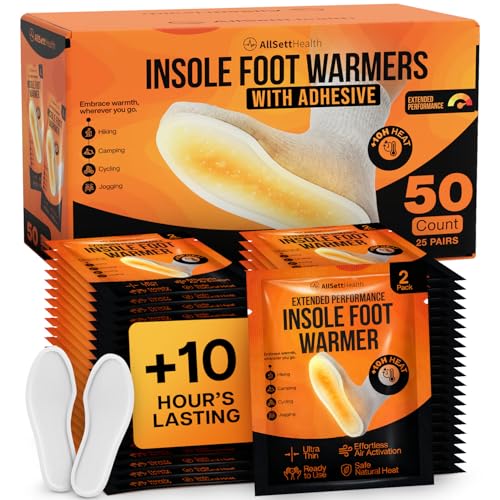
Top 3 picks at a glance
Best Heated Foot Warmers
The best heated foot warmers for gaming depend on whether you need portable warmth, whole-foot coverage, or heat combined with massage: heated slippers are best for movement, heated foot pads are the quietest and lowest-power option, and heated foot massagers provide the most coverage but use more electricity and desk space.
For long gaming sessions, a heated foot pad is usually the best all-round choice because it warms both feet without forcing you to wear bulky footwear. Choose heated slippers if you regularly walk away from your desk, or a heated foot massager if cold feet come with stiffness and you value kneading or compression more than compactness.
As an Amazon Associate we earn from qualifying purchases at no extra cost to you.
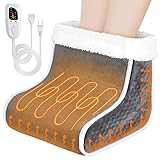


Quick Comparison: Slippers vs Pads vs Massagers
| Type | Typical heat settings | Coverage | Typical power draw | Best for | Main compromise |
|---|---|---|---|---|---|
| Heated slippers | 2–3 levels, commonly about 38–55°C | Toes, soles, sides, and sometimes ankles | Battery models: about 2–8 W per pair; wired models: about 10–20 W | People who move around or want warmth away from the desk | Limited battery life and less even heating around the heel |
| Heated foot pad | 3–6 levels, commonly about 35–65°C | Both soles and lower sides, depending on pad size | About 20–100 W | Desktop gaming, office work, and low-noise use | It warms feet from below but does not enclose them |
| Heated foot massager | 3–5 heat levels, often about 35–60°C | Feet, toes, arches, heels, and sometimes ankles | About 30–100 W | Cold feet combined with tension or fatigue | Bulky, louder, and harder to store |
Our Buying Recommendations by Situation
| Your situation | Best choice | Why |
|---|---|---|
| You sit at one desk for several hours | Large heated foot pad | It provides consistent warmth, uses little power, and leaves your feet unrestricted. |
| You frequently get up for drinks or chores | Rechargeable heated slippers | You can keep moving without unplugging a pad or carrying a massager. |
| Your feet and calves feel tight after gaming | Heated foot massager with gentle compression | Massage and warmth address discomfort that heat alone may not relieve. |
| You share a quiet room | Foot pad or silent heated slippers | Motorized massagers can produce a noticeable hum and mechanical noise. |
| You have limited under-desk space | Foldable pad or slippers | Massagers commonly need a fixed footprint and clearance around the pedals or chair base. |
| You want the lowest running cost | Low-wattage foot pad | A 30–50 W pad normally costs less to operate than a heated massager. |
Heated Slippers: Best for Portable Warmth
Heated slippers put the heating elements close to the toes and soles, so they often feel warm faster than a pad. They are the practical choice if your gaming setup is in a cold room but you do not stay seated continuously. Look for insulated uppers, non-slip soles, and a controller that does not press against the ankle or Achilles tendon.
What to check
- Heat-zone placement: Toe-only heating leaves the heel and upper foot cold. A better design distributes heat across the forefoot and sole.
- Battery position: Removable batteries mounted near the ankle can feel heavy. Cable routing should avoid crossing the toes.
- Runtime: A claimed runtime usually depends on the lowest setting. Expect substantially less time on maximum heat.
- Washability: Only machine-wash or submerge slippers if the manufacturer explicitly says the battery and controller are removable and the remaining footwear is washable.
- Sole grip: Smooth fabric soles are unsafe on hard floors, especially when standing up from a gaming chair.
Heated slippers are less suitable if you use foot pedals, frequently shift your feet, or dislike feeling enclosed. They also need careful sizing: loose slippers reduce contact between the heating element and your foot, while tight slippers compress insulation and can create hot spots.
Heated Foot Pads: Best for Gaming Desks
A heated foot pad is the simplest solution for a stationary setup. The best models have enough surface area for both feet to move naturally, a controller with tactile buttons, and a washable or removable fabric cover. Some are flat mats; others have raised side panels or a partial foot pocket for better heat retention.
Features that matter most
- Size: A pad around 40–60 cm wide generally gives two adult feet room to change position. Check that it fits beneath your chair without catching the casters.
- Heat control: Three levels are sufficient for most users. More settings are helpful when the same pad is shared by people with different cold tolerance.
- Automatic shutoff: Prefer a timer, commonly 2–4 hours, rather than a device that remains on indefinitely.
- Water resistance: A spill-resistant surface is useful near drinks, but it does not make the pad safe to use while wet.
- Foldability: A flexible pad stores easily, while a rigid or thick model may provide more insulation and retain its shape better.
For a gaming room, choose a controller that remains visible from your seated position. A foot warmer hidden behind the desk is easy to forget, and a long automatic timer should not replace switching it off when you leave.
Heated Foot Massagers: Best for Coverage and Relief
Heated foot massagers usually surround the feet with fabric-lined chambers and combine warmth with kneading, rolling, vibration, or air compression. They offer the most complete coverage, often reaching the toes, arches, heels, and sides of the feet. This makes them attractive after long sessions, but their extra mechanisms increase size, noise, cleaning requirements, and energy use.
Choose the controls carefully
- Independent heat control: Heat should be usable without activating an intense massage program.
- Compression adjustment: Multiple pressure levels are more useful than a single strong setting.
- Removable liners: Zippered or detachable liners are a major hygiene advantage because foot chambers collect sweat and skin oils.
- Foot-size range: Check the internal chamber dimensions rather than relying only on a stated shoe-size range.
- Timer: A 15–30 minute session timer is preferable to continuous operation.
Start with low heat and low compression for 10–15 minutes. Increase only one setting at a time. That approach helps you identify whether warmth, pressure, or kneading is causing discomfort instead of making several changes at once.
Energy Use: A Realistic Cost Calculation
Heating devices are generally inexpensive to run, but their wattage varies considerably. To estimate operating cost, multiply watts by hours used, divide by 1,000, and multiply by your electricity rate.
For example, suppose a 60 W foot pad is used for four hours per evening, 30 days per month, at an electricity rate of around $0 per kilowatt-hour:
60 W × 4 hours × 30 days ÷ 1,000 = 7.2 kWh
7.2 kWh × around $0 = around $1 per month
A 90 W massager used for 30 minutes per day would consume:
90 W × 0.5 hours × 30 days ÷ 1,000 = 1.35 kWh
At the same rate, that is about around $0 per month. The massager has a higher instantaneous power draw, but shorter sessions can make its monthly energy cost lower. Battery slippers shift the calculation to charging efficiency and battery replacement rather than direct continuous power.
Safety Controls You Should Not Skip
The most important controls are automatic shutoff, overheat protection, insulated wiring, and a controller that does not become hot during use. Avoid any warmer with damaged cables, exposed heating elements, scorch marks, or a controller that smells like melting plastic.
- Use the lowest comfortable temperature rather than maximum heat for an entire evening.
- Do not sleep with a heated foot warmer unless it is specifically designed and certified for that use.
- Keep pads flat; folding or bunching can concentrate heat in one area.
- Do not use electric warmers on wet feet or with wet washable covers.
- People with reduced heat sensitivity, circulation problems, or nerve damage should ask a medical professional before using heated devices.
- Place the power cord where chair wheels cannot repeatedly roll over it.
Washable Materials and Cleaning
Soft fleece and polyester covers feel warm quickly, while plush fabrics retain more heat but can hold sweat. A removable, machine-washable liner is more valuable than an extra heat setting on a massager. Before cleaning, unplug the device and remove every controller, battery pack, and power lead. Never assume a USB connector or low-voltage cable makes the entire product washable.
For non-removable surfaces, use a lightly damp cloth and mild detergent, then allow the warmer to dry completely before reconnecting it. Do not fold or store it while damp, since trapped moisture can damage insulation and create odors.
Cord Length and Desk Setup
A short cord can be more frustrating than a missing feature. Measure from the intended foot position to the nearest safe outlet, then add roughly 60–90 cm so the cable can route behind the desk without tension. A 1.5–2 m cord is usually easier to place than a cable under 1 m. Avoid running the lead across the walking path or beneath a chair caster.
If you need an extension cord, use one rated for the device’s power and keep its connections away from spilled drinks. Do not daisy-chain extension cords or use a power strip that is already carrying high-load heaters, kettles, or other appliances.
Final Buying Verdict
Choose a heated foot pad for the best balance of warmth, quiet operation, washable materials, low energy use, and gaming-desk comfort. Choose heated slippers when portability and freedom to walk matter most. Choose a heated foot massager when full-foot coverage and massage justify the larger footprint, motor noise, and cleaning work.
Regardless of type, prioritize automatic shutoff, even heat distribution, a practical cord or battery system, and washable contact surfaces before paying for extra heat levels or decorative features.
Frequently asked questions
Which heated foot warmer is best if I move around during the day?
Rechargeable heated slippers are the best choice if you regularly leave your desk for drinks or chores. They keep warmth with you without requiring you to unplug a pad or move a massager. Choose slippers with insulated uppers, non-slip soles, and heat distributed across the forefoot and sole rather than only around the toes.
Can I use a heated foot pad with a gaming chair?
Yes, provided the pad fits beneath the chair without catching the casters. A size around 40–60 cm wide generally gives two adult feet room to change position. Keep the pad flat, place the power cord where chair wheels cannot repeatedly roll over it, and choose a controller that remains visible from your seated position.
Why might a heated foot warmer feel uneven?
Uneven warmth can result from limited heat-zone placement, poor fit, or the shape of the device. Toe-only heating may leave the heel and upper foot cold, while loose slippers reduce contact with heating elements. Tight slippers can compress insulation and create hot spots. A larger pad or a massager with broader coverage may provide more even warmth.
Are heated foot massagers suitable for quiet rooms?
They may not be ideal for a shared quiet room because motorized massagers can produce noticeable hum and mechanical noise. A heated foot pad or silent heated slippers are quieter alternatives. Massagers also require more desk space and may be harder to store, although they offer broader coverage and can combine warmth with kneading, rolling, vibration, or compression.
How long should I use a heated foot massager at first?
Start with low heat and low compression for 10–15 minutes, then increase only one setting at a time. This helps you identify whether warmth, pressure, or kneading is causing discomfort. Prefer a massager with a 15–30 minute session timer, and use independent heat control so warmth does not require activating an intense massage program.