An Intel gaming desktop used to be a one-line decision: pick a Core i5, i7, or i9 and match it to a graphics card. That shortcut no longer works. Today’s listings split into two camps, the established Core i-series chips such as the i5-14400F and i9-14900KF, and the newer Core Ultra family that powers the latest Alienware towers. Each camp has a different socket, a different upgrade story, and a different attitude toward overclocking, so “Intel” on the box tells you much less than it once did.
This guide is for buyers who have already settled on Intel, perhaps because of software compatibility, familiarity, or a preference for strong single-core speed, and want a complete, ready-to-plug-in tower for 2026. Six prebuilt systems are sorted below by what their listing titles actually state, explain what each processor tier means for real play, and flag where a flashy spec sheet hides a weak spot, from an aging graphics card to a missing power supply detail.
Our Top Picks


Top 3 picks at a glance
Quick Picks
As an Amazon Associate we earn from qualifying purchases at no extra cost to you.






| Product | Best for | Key spec from the title |
|---|---|---|
| Skytech Archangel 5 (i5 14400F) | Cost-conscious 1080p play | Core i5 14400F, RTX 5060, 750W Gold PSU |
| Thermaltake LCGS View i1470S-380 | Showpiece build with a high-end Intel chip | Core i9-14900KF, 32GB DDR5 6000MT/s, RTX 5070 |
| Alienware Aurora (RTX 5080) | Maximum graphics from the newer Intel platform | Core Ultra 9 285, RTX 5080, Wi-Fi 7 |
| CyberPowerPC Gamer Xtreme VR | Storage-heavy mid-high build | i9-14900KF, RTX 5070 12GB, 2TB PCIe 4.0 SSD |
| Alienware Aurora (RTX 5070) | Balanced modern-platform tower | Core Ultra 7 265F, RTX 5070, 32GB DDR5 |
| HP OMEN 45L | Memory-rich multitasking rig | Intel i7, 64GB RAM, 2TB SSD, 800W Gold PSU |
The 6 Best Options
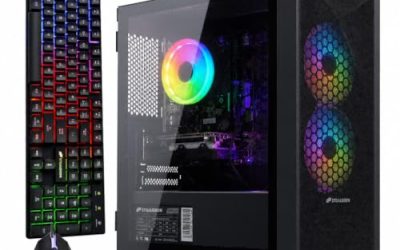
Skytech Archangel 5 with Core i5 14400F
The Archangel 5 is the sensible starting point for an Intel tower. The title lists an Intel Core i5 14400F, an RTX 5060, 16GB of RAM, a 1TB SSD, Windows 11, NVMe storage, DDR5 6000 memory, a 750W Gold power supply, and Wi-Fi 5. It reads like a build designed by someone who understands that a modest processor and a current graphics card is the efficient way to cover 1080p.
- DDR5 6000 memory and an NVMe drive are named, so the platform is not cutting obvious corners.
- A 750W Gold power supply is listed, which gives breathing room for the graphics card.
- The “F” suffix on the processor means no integrated graphics, which is fine because a dedicated card is included.
- 16GB of memory is the minimum for current games and will likely be the first upgrade.
- Wi-Fi 5 is an older wireless standard than the Wi-Fi 7 on the Alienware models, though wired Ethernet makes this moot for many players.
Skip it if you plan to stream, edit, or keep the machine through several graphics generations. Compared with the Thermaltake tower that follows, the Skytech gives up processor tier and memory in exchange for a much lower cost tier, which makes it the practical choice for a first Intel gaming PC rather than a showpiece. It is also the easiest of the six to justify to a skeptical parent or partner: every named part has an obvious job, nothing in the title is there purely for show, and the money saved against the flagship towers can go toward a better monitor or a second drive.
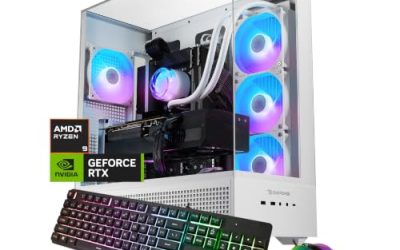
Thermaltake LCGS View i1470S-380
This one is built to be seen. The listing describes a Core i9-14900KF, ToughRam 32GB DDR5 6000MT/s RGB memory, an NVIDIA GeForce RTX 5070, and a 1TB NVMe drive. The View in the name points to the glass-forward styling that Thermaltake is known for, so this is a tower for a desk where the case is part of the setup.
- The Core i9-14900KF is a top-tier unlocked chip from the Core i-series line.
- 32GB of DDR5 at 6000MT/s is named, with matching RGB memory for a coordinated look.
- RTX 5070 pairs with the processor for a high-end Intel configuration.
- A flagship processor paired with a mid-high graphics card means some of the money goes to the CPU rather than frame rates.
- The title does not state the power supply wattage or cooling type in the visible text, so buyers should check the full listing.
Skip it if you only play at 1080p or care more about graphics performance per dollar than about case aesthetics. Against the CyberPowerPC Gamer Xtreme VR, which shares the same processor and graphics card, the Thermaltake emphasizes styling while the CyberPowerPC offers double the storage, so the choice comes down to looks versus capacity. Buyers who plan to leave the side panel visible, add RGB peripherals, and treat the machine as the centerpiece of a room will lean toward the Thermaltake, while buyers who simply want a large library installed from day one will lean the other way.
Alienware Aurora with RTX 5080 and Core Ultra 9 285
The top of the Intel list belongs to the newer platform. This Aurora pairs a Core Ultra 9 285 with an RTX 5080, a 1TB SSD, 32GB of DDR5, 2.5Gb Ethernet, Wi-Fi 7, Windows 11 Home, and a wired keyboard. It is the only entry here that combines the newer Core Ultra family with a flagship-class graphics card.
- RTX 5080 is the highest graphics tier among the Intel systems.
- Wi-Fi 7 and 2.5Gb Ethernet give it the strongest networking in the group.
- A bundled wired keyboard means one less purchase to get started.
- Only 1TB of storage is listed, which is modest for a machine at this tier.
- Prebuilt systems from large brands can use custom parts, so upgrade freedom may be narrower than in a standard tower.
Skip it if you want maximum internal flexibility, since compact branded chassis tend to limit swaps. Compared with the cheaper Aurora that follows later in the list, this model raises the graphics card two notches and the processor one, so it is the pick for 1440p or 4K players rather than for the casual buyer. If you already own a high-refresh monitor and have been held back by your old graphics card, this is the configuration that removes that limit, and the networking hardware named in the title means the rest of the system will not become the next obstacle.
CyberPowerPC Gamer Xtreme VR
The Gamer Xtreme VR is a straightforward high-end Intel build with an emphasis on storage. The listing names an Intel Core i9-14900KF, a GeForce RTX 5070 with 12GB, 32GB of DDR5, a 2TB PCIe 4.0 SSD, WiFi readiness, and Windows 11 Home. The VR in the name suggests it was configured for headset use as well as flat-screen play.
- 2TB of PCIe 4.0 storage is the largest drive among the Core i-series entries.
- 12GB of video memory on the RTX 5070 is spelled out clearly.
- The i9 processor leaves headroom for streaming or capture while gaming.
- “WiFi Ready” can mean an adapter is not included, so confirm what ships in the box.
- The i9-14900KF is a power-hungry chip class that benefits from solid cooling, which the title does not describe.
Skip it if you want the newest platform with a clear upgrade path to the next Intel generation. Compared with the Alienware Aurora RTX 5070 model, the CyberPowerPC offers a stronger processor tier and more storage, while the Alienware offers newer networking and a different platform, so it is a decision between raw capacity and modern features. Players who also use a headset will appreciate that the listing leans into VR, since that use case rewards a strong processor, a capable graphics card with 12GB, and fast storage for large installs all at the same time.
Alienware Aurora with RTX 5070 and Core Ultra 7 265F
The cheaper Aurora is the balanced entry in the newer lineup. The title lists a Core Ultra 7 265F, an RTX 5070, a 1TB SSD, 32GB of DDR5, Wi-Fi 7, Bluetooth, Killer 2.5Gb Ethernet, and Windows 11 Home. It is a modern platform with a graphics tier that targets 1440p.
- 32GB of DDR5 is included without needing an upgrade.
- Killer 2.5Gb Ethernet and Wi-Fi 7 give it stronger networking than most towers at this tier.
- Core Ultra 7 sits on the newer Intel platform with a longer expected upgrade runway than the older i-series chips.
- 1TB of storage fills quickly with several large games.
- The Core Ultra 7 265F is positioned below the i9 chips, so raw processor tier is lower than on the Thermaltake or CyberPowerPC systems.
Skip it if you want the cheapest possible Intel tower; the Skytech Archangel 5 costs less. Next to the HP OMEN 45L, the Alienware is far newer in graphics, which makes it the stronger gaming choice even though the OMEN carries more memory and storage on paper. This Aurora is the model to consider when you want a tidy, modern, mostly pre-decided system, with 32GB of DDR5 already installed and wireless and wired networking that will not need replacing as your home internet improves.
HP OMEN 45L
The OMEN 45L is the odd one out, and understanding why matters. The listing names an Intel i7, liquid cooling, 64GB of RAM, a 2TB PCIe SSD, a GeForce GTX 1660 Super, an 800W Gold power supply, RGB tempered glass, and a WiFi adapter. The memory, storage, and cooling are generous, but the graphics card is the weak link.
- 64GB of RAM is the highest amount in the group, suited to heavy multitasking.
- 2TB of PCIe storage and liquid cooling are included.
- An 800W Gold power supply leaves room to swap in a stronger graphics card later.
- The GeForce GTX 1660 Super is an older graphics card that will struggle with current games at high settings.
- The processor is named only as “Intel i7” in the title, so the exact model and generation need checking.
Skip it if gaming performance is your main goal; the older graphics card will limit you. It makes sense for a buyer who needs plenty of memory and storage for work and plans to upgrade the card soon, because the 800W power supply and spacious case support that plan. Of the six, this is the pick for a productivity-first buyer rather than a player. Think of it as a workstation-style foundation that happens to carry a gaming badge: large memory pool, roomy drive, strong power supply, and an obvious upgrade target in the graphics slot.
Why Buy an Intel Gaming PC Right Now
AMD gets most of the headlines in gaming hardware, but Intel towers still make sense for specific buyers. The reasons are practical rather than tribal, and they show up in the way people actually use their machines.
You rely on software that favors Intel
Some creative and engineering programs have long histories of tuning for Intel chips, and a few older tools still behave more predictably on them. If your daily workflow includes such software, an Intel tower removes a variable you would otherwise have to test yourself.
You want strong single-core speed for older or lightly threaded games
Many popular titles still lean heavily on one or two fast cores. High-clocked Core i-series chips such as the i9-14900KF are built with that workload in mind, and even the i5 14400F covers it adequately for 1080p play.
You want to buy now and get a platform with room to grow
The Core Ultra systems offer a newer socket and a likely longer path for processor upgrades. If you plan to keep the tower for several years, that platform difference is worth more than a small gain in current speed. Buyers who like to refresh a processor in the middle of a machine’s life, rather than replacing the whole board, should lean toward the newer family even if it costs a little more at checkout.
How to Choose
Decide between Core i-series and Core Ultra
The Core i-series chips named here, the i5 14400F and i9-14900KF, are from the earlier generation, while the Core Ultra 7 265F and Ultra 9 285 are newer. If you want the longest platform life, favor Core Ultra. If you want the lowest cost for a given performance tier, an older i5 or i9 can be the smarter pick. Either way, read the processor name carefully, since a single letter changes what the chip does. Also look past the headline model: the same i9 name can sit in a tower with a first-rate cooler and power supply or in one that skimps on both, and the processor can only perform as well as the parts that feed and cool it.
Understand the suffixes
A “K” means the chip is unlocked for overclocking, and an “F” means there is no built-in graphics. A “KF” combines both. All the Intel systems here include a dedicated graphics card, so the F suffix costs nothing, but it matters if you ever remove the card for troubleshooting, because the motherboard video outputs will then show nothing. Keep a spare older card or a laptop handy if you like to tinker. The K suffix only matters if you intend to overclock, and most buyers of prebuilt towers never do, so do not pay extra for an unlocked chip purely for the badge.
Match the graphics card to your screen
For 1080p, an RTX 5060 is a reasonable floor. For 1440p, the RTX 5070 with 12GB is a sweet spot, and the RTX 5080 suits 4K or very high refresh rates. Avoid pairing a flagship processor with a weak card, as the HP OMEN does with its GTX 1660 Super, unless you plan to replace the card. As a rule of thumb, 8GB of video memory is tight for newer titles at 1440p, 12GB is comfortable, and 16GB is the usual target for 4K. The listing for the RTX 5060 does not state its memory, so check the full specification before assuming it will carry you for years.
Memory, storage, and cooling
Target 32GB of DDR5 and at least 1TB of NVMe storage, with 2TB preferred. High-end Intel chips run warm, so a 360mm liquid cooler or a large air cooler is more than a styling choice. Listings that never mention the cooler deserve a second look. For storage, an NVMe drive on PCIe 4.0 is plenty fast for loading games, and a second drive slot is more valuable than a marginally faster first drive. For memory, two matched sticks beat one, and 6000MT/s kits are a common sweet spot on current DDR5 platforms.
Power supply and connectivity
A 750W Gold unit covers mid-range cards, while 800W or more helps with flagship cards and future upgrades. For networking, Wi-Fi 7 and 2.5Gb Ethernet are nice extras but not essential. Make sure the front panel offers enough USB ports for your peripherals. Bluetooth is a useful extra for controllers and headsets, and it is named on the cheaper Aurora. Rear connectivity matters too: look for a USB Type-C port, at least two display outputs on the graphics card, and a wired network jack so you are not locked into wireless.
Warranty and what to ignore
Prefer a clear warranty from a known brand. Ignore decorative extras such as RGB memory and glass panels unless you value them. Where budget models cut corners: unnamed power supplies, single-channel memory, small drives, and proprietary parts that block upgrades. One practical rule is to rank any listing by its weakest component, not its strongest, because the weakest part sets the experience. Warranty length is a quiet differentiator, as is the ease of reaching customer support; a longer period on the whole system is worth more than a mouse or headset thrown into the bundle.
Core i-series vs Core Ultra: Which Intel Platform Fits You
The systems above fall into two groups, and the difference affects both what you get today and what you can do later.
| Factor | Core i-series (i5 14400F, i9-14900KF) | Core Ultra (Ultra 7 265F, Ultra 9 285) |
|---|---|---|
| Systems in this guide | Skytech, Thermaltake, CyberPowerPC, HP OMEN | Both Alienware Aurora models |
| Platform age | Earlier generation | Newer generation |
| Upgrade runway | Shorter | Longer |
| Typical networking in these listings | Wi-Fi 5 or WiFi Ready | Wi-Fi 7 with 2.5Gb Ethernet |
| Best for | Value and processor tier | Longevity and modern features |
When the earlier generation wins
If cost matters, or if you want a high-tier processor such as the i9-14900KF without paying for a new platform, the Core i-series towers deliver. They also come from builders who offer more storage in the same package, as the CyberPowerPC build shows. Another point in their favor is availability: with several builders using the same chips, you can shop across brands, compare warranty terms, and pick the combination of memory, drive, and cooler that suits you instead of accepting one fixed configuration.
When the newer platform wins
If you keep a desktop for five years or more, the Core Ultra systems are the safer long-term bet, and they bring modern networking by default. The trade-off is a higher entry cost and, with branded cases, less freedom to change parts. Think about how you play, too. If you swap games often and care about fast downloads, the 2.5Gb Ethernet and Wi-Fi 7 named on the Alienware listings are genuinely useful, but if your home connection is slow, that hardware will sit idle and the money would be better spent on storage.
Setup, Compatibility and Upgrade Tips
What to check before buying
Read the whole listing for the processor model, power supply wattage, cooler type, and warranty length. Measure your desk space, since tall glass-panel towers are bulky. Check whether the keyboard, mouse, and monitor are included, because most are not. Look at the return window as well, and keep the original packaging for the first few weeks in case a fault shows up early. If you are replacing an older machine, back up your saves and files first, and note which accounts and launchers you will need to sign in to again.
What to upgrade first
Storage is the easiest win, followed by memory on the 16GB Skytech. Next is the graphics card, which is where the HP OMEN would benefit most. If a system uses a standard power supply and motherboard layout, these changes are simple; branded chassis can complicate them. Cooling is worth a look after the first month: dust filters should be cleaned, fans should spin freely, and case airflow should not be blocked by cables or a wall behind the tower. Heat is the quiet enemy of high-end Intel chips.
Common compatibility traps
Do not mix socket generations: a Core i-series processor will not fit a Core Ultra board. Confirm that a new graphics card fits the case length and that the power supply has the right connectors. When adding memory, match the type and speed already installed. Finally, update the BIOS and drivers on the first day, since fresh firmware often improves stability on new hardware. Also remember that unlocked i9 chips draw a lot of power under load, so a power supply with only just enough capacity can cause shutdowns when a heavy game and a streaming program run together. Adequate wattage and a good cooler prevent most of those complaints.
Which One Fits Your Situation
You are building your first gaming setup on a tight budget
The Skytech Archangel 5 with Core i5 14400F and RTX 5060 covers 1080p without spending on features you will not use. Add a second memory kit later and the system will stay comfortable for a good while.
You want the strongest Intel processor for streaming and gaming together
The CyberPowerPC Gamer Xtreme VR pairs an i9-14900KF with 12GB graphics and a 2TB drive, so recording and playing at the same time stays comfortable.
You play at 1440p or 4K and want a modern platform
The Alienware Aurora with RTX 5080 and Core Ultra 9 285 is the high-resolution pick, while the RTX 5070 model is a more modest step into the same family. If glass panels and a showcase look matter most, the Thermaltake LCGS View belongs on your shortlist as well.
Your work needs lots of memory and you plan to swap the graphics card later
The HP OMEN 45L brings 64GB of RAM, 2TB of storage, and an 800W power supply, which is a strong base for a card upgrade down the line.
Common Mistakes
- Assuming any “Intel” label means the newest platform, when the listing may use an earlier-generation chip.
- Pairing a flagship processor with an old graphics card and expecting high frame rates.
- Ignoring the cooling solution on an unlocked i9 chip.
- Buying 16GB of memory and forgetting that it will be the first bottleneck.
- Overlooking that “WiFi Ready” may not include the adapter.
- Choosing by case lighting instead of the weakest component, then discovering that a bright glass panel cannot make up for a small drive or a dated graphics card.
Related guides
- When I Turn On Record Game In Background On Gamebar. Gamebar Crashes, What Do I Do?
- How To Reduce Background Noise On A Streaming Microphone
- Poly Computer Accessories Company Streaming Evaluation
Frequently Asked Questions
Is the Core i9-14900KF worth it for gaming?
For most games, a lower-tier processor paired with a stronger graphics card gives better results. The i9 pays off when you also stream, edit video, or run heavy background tasks. If you only play, put the budget toward the graphics card. A Core i5 paired with a stronger card often delivers smoother results in games than an i9 paired with a weaker one, which is why the lineup above rewards balance over bragging rights.
What does the F in the processor name mean?
It means the chip has no integrated graphics, so a dedicated graphics card is required. Every system in this guide includes one, so the F suffix is not a drawback here.
Is a GTX 1660 Super still usable?
It can handle older and lighter games, but it will struggle with recent releases at high settings. Buyers who choose a tower with this card should plan to replace it soon.
Do I need Wi-Fi 7?
Not for most homes. Wired Ethernet gives the most stable connection for online play, and Wi-Fi 5 or 6 is enough for casual use. Wi-Fi 7 is a convenience, not a requirement.
How much memory should an Intel gaming PC have?
32GB of DDR5 is the comfortable target, with 16GB as a minimum. If you work with large files or run virtual machines, the 64GB in the HP OMEN is useful.
Are Alienware towers harder to upgrade?
Branded chassis can use custom layouts that limit part swaps, though storage and memory are usually straightforward. Check the full specification for details before planning major upgrades, and look for owner guides that show which parts are standard and which are proprietary, since the answer changes from model to model.
Final Words
An Intel gaming tower is a good fit when it matches your screen, your software, and your patience for upgrades. The Skytech Archangel 5 handles the entry tier, the CyberPowerPC and Thermaltake builds serve high-end Core i9 buyers, the Alienware models represent the newer platform, and the HP OMEN suits memory-hungry work with a graphics upgrade in mind. Read the processor name and the weakest part of the spec sheet first, and the rest of the decision gets easier. Treat every flashy extra as optional, treat the warranty as part of the product, and remember that a balanced tower with a sensible graphics card will always feel faster than a lopsided one.