Shopping for a gaming desktop looks simple until you line up ten listings and realize every one of them is a different answer to the same question: where should the money go? One tower spends heavily on the processor and trims the graphics card. Another does the opposite. A third hands you a bargain-bin platform with a flashy case. The phrase “best gaming PC” hides all of those trade-offs, and the only way to pick well is to decide which part of the machine you refuse to compromise on before you start reading spec strings.
This guide is written for buyers who want a ready-to-run tower rather than a build project: students moving up from a console, parents shopping for a first serious rig, and players whose old desktop has finally run out of headroom in 2026. The comparison below covers seven prebuilt systems, judged using only what each listing title states, sort them by the problem they solve, and then walk through the specs that actually decide whether a machine feels fast, quiet, and upgradeable a few years from now.
Our Top Picks
 iBUYPOWER Element Gaming PC Desktop Computer AMD Ryzen20 x 9.1 x 17.4 inches36 poundsCheck on Amazon



Top 3 picks at a glance
Quick Picks
As an Amazon Associate we earn from qualifying purchases at no extra cost to you.




| Product | Best for | Key spec from the title |
|---|---|---|
| iBUYPOWER Element | Balanced all-rounder with a strong CPU | Ryzen 9 7900X, RTX 5070 12GB, 32GB DDR5 |
| CyberPowerPC Gamer Master | Entry into current-generation graphics | Ryzen 7 8700F, RTX 5060 Ti 8GB, 16GB DDR5 |
| Skytech Ryzen 7 9800X3D build | High-refresh play with a cache-heavy CPU | RTX 5070 Ti, 2TB SSD, 850W Gold ATX 3 PSU |
| msi Codex Z2 | Storage-rich mid-range with VR in mind | R7-8700F, RTX 5070, 32GB DDR5, 2TB SSD |
| Skytech Ryzen 7 9850X3D build | Top-end graphics for demanding titles | RTX 5080, 32GB RAM, 360 ARGB AIO |
| YAWYORE Ryzen 7 5700X | Tight budgets that still want 32GB | RTX 5060, 32GB DDR4, 1TB M.2 NVMe |
| KOTIN Ryzen 7 9700X | Buyers who want a Radeon card and a built-in display | RX 9070 XT 16GB, 32GB DDR5, WiFi 7 |
The 7 Best Options
iBUYPOWER Element
The Element suits the buyer who plays a mix of competitive shooters and large single-player games and does not want to think about which one stresses the processor more. The listing names an AMD Ryzen 9 7900X, an NVIDIA GeForce RTX 5070 with 12GB of video memory, 32GB of DDR5 memory, a 1TB NVMe drive, and Windows 11 Home. That is a processor tier above what most graphics cards in this class are paired with, which leaves room for streaming, video editing, or heavy background apps alongside a game.
- A Ryzen 9 class processor tier gives headroom for multitasking beyond gaming.
- 12GB of video memory on the graphics card is a comfortable amount for current high-texture settings.
- 32GB of DDR5 is already at the capacity most players only reach after an upgrade.
- The listing shows a single 1TB drive, which fills quickly once several large games are installed.
- The title does not state the power supply wattage or cooling type, so buyers need to read the full spec sheet before relying on it for upgrades.
Skip it if your main goal is the highest possible frame rate in one esports title; a cheaper processor with a faster graphics card would serve you better. Compared with the CyberPowerPC pick that follows, the Element spends more on the processor and memory and gives up nothing in graphics tier, so it is the more future-proof of the two for anyone willing to step up one budget notch. It is also the only machine in the group that pairs a Ryzen 9 with a 12GB card, which makes it a natural fit for a player who wants one tower to cover a desk full of browser tabs, a chat client, a capture program, and a game running at the same time.
CyberPowerPC Gamer Master
This is the entry ticket to current-generation graphics for buyers who would rather start modestly than overextend. The title lists a Ryzen 7 8700F processor, a GeForce RTX 5060 Ti with 8GB, 16GB of DDR5, a 1TB PCIe 4.0 SSD, WiFi readiness, and Windows 11 Home. It is a sensible configuration for 1080p play and for players who like to upgrade piece by piece later.
- Current-generation GeForce graphics at a lower cost tier than the 12GB cards above it.
- PCIe 4.0 storage is named explicitly, which is helpful when comparing against listings that only say “SSD”.
- DDR5 memory means the platform can accept faster kits later without a board swap.
- 8GB of video memory is the tightest figure in this lineup and may limit very high texture settings in newer games.
- 16GB of system memory is adequate today but is the first thing most owners end up doubling.
Skip it if you plan to play at higher resolutions or keep the machine for many years without upgrading. Against the msi Codex Z2 further down the list, the CyberPowerPC build gives up a graphics tier and a terabyte of storage in exchange for a lower entry point, so it is the right choice only when the budget ceiling is firm. Think of it as a starter tower for a player who knows a memory kit and a second drive can be added later, and who would rather spend the saved money on a good monitor, a decent chair, or a headset than on a bigger graphics tier that the display would not fully use.
Skytech Ryzen 7 9800X3D with RTX 5070 Ti
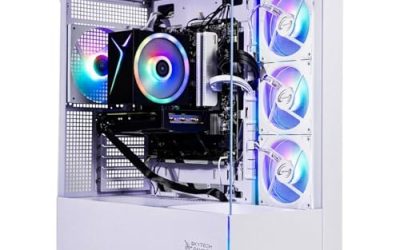
This Skytech tower is aimed at players who care about smooth motion above everything else. The title packs in a Ryzen 7 9800X3D, an RTX 5070 Ti, 32GB of RAM, a 2TB SSD, a Gen4 NVMe drive, DDR5 6000 memory, an 850W Gold ATX 3 power supply, and a 360 ARGB all-in-one liquid cooler. Few listings spell out the power supply and cooler this clearly, and that transparency is part of the appeal.
- The X3D processor line is built around extra cache, a design that favors gaming workloads over general productivity.
- An 850W Gold ATX 3 power supply is named, which suggests room for the graphics card and a future upgrade.
- A 360 liquid cooler and 2TB of storage mean fewer immediate add-ons.
- RGB-heavy styling will not suit buyers who want a plain, understated tower.
- The title does not name the motherboard or case, so upgrade paths depend on details outside the listing.
Skip it if you play at modest settings where a cheaper processor would already saturate the graphics card. Compared with the next Skytech model that pairs an RTX 5080 with a newer X3D chip, this one is the better value step: it keeps the cache-heavy design and the same power and cooling spec while saving a full graphics tier. For many players the RTX 5070 Ti is the sweet spot of the lineup, because it targets high-refresh 1440p play while the processor and cooling named in the listing keep the whole system balanced instead of lopsided.
msi Codex Z2
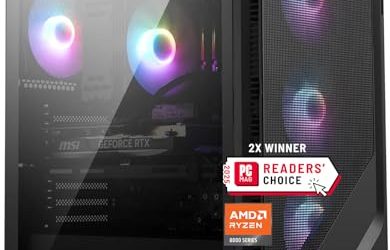
MSI’s Codex Z2 appeals to buyers who value brand-backed support and a tidy spec sheet. The listing gives an AMD R7-8700F processor, an RTX 5070, 32GB of DDR5, a 2TB SSD, USB Type-C, VR readiness, and Windows 11 Home. It is a plain, sensible mid-range machine that does not chase extremes.
- 2TB of storage and 32GB of DDR5 arrive together, which is rare at this tier.
- The listing calls out VR readiness, helpful for households that share one machine between flat-screen games and headsets.
- USB Type-C is named, saving the cost of an adapter card for newer peripherals.
- The Ryzen 7 8700F is a more modest processor than the higher-tier chips on this list.
- The title does not name the power supply wattage, so upgrade planning needs extra reading.
Skip it if you want the strongest possible processor for streaming or editing, or if you would rather have a large video memory buffer than a clean, unflashy spec sheet. Against the iBUYPOWER Element, the Codex Z2 trades a faster processor for double the storage, which is the better deal for players whose library is large and whose workloads are almost purely gaming. It also suits a shared family computer, since a mid-range graphics card, a roomy drive, and a named brand are easy to explain to everyone who will use it, and nobody has to learn a new control panel to get started.
Skytech Ryzen 7 9850X3D with RTX 5080
If the goal is to run demanding new releases at high settings without compromise, this is the flagship of the group. The title lists a Ryzen 7 9850X3D, an RTX 5080, 32GB of RAM, a 2TB SSD, NVMe storage, DDR5 6000, an 850W Gold ATX 3 power supply, and a 360 ARGB all-in-one cooler. The graphics card is the headline, but the supporting hardware is sized sensibly around it.
- RTX 5080 is the highest graphics tier in this comparison.
- Newer X3D processor model keeps the cache-focused gaming design.
- The same 850W Gold ATX 3 power supply and 360 cooler named in the title signal a well-matched build.
- It sits at the top cost tier, which is hard to justify for 1080p players.
- Only 32GB of RAM and 2TB of storage are listed, so creators may want more soon.
Skip it if you play at 1080p or mostly esports titles, where the graphics card would sit underused. Compared with the KOTIN build next in this lineup, the Skytech flagship offers a stronger processor and a higher-tier GeForce card, while the KOTIN adds a Radeon option and a built-in display for those who prefer that approach. If you already own a high-refresh 1440p or 4K monitor and tend to keep a tower for many years, the extra graphics headroom here is the kind of spending that still makes sense a few seasons from now, whereas lower tiers may feel limiting once new releases arrive.
YAWYORE Ryzen 7 5700X
The YAWYORE tower is the budget play in this group. The title lists a Ryzen 7 5700X, a GeForce RTX 5060, 32GB of DDR4 RAM, a 1TB M.2 NVMe drive, ARGB fans, and WiFi plus Bluetooth. It pairs a current graphics card with an older platform, which is a legitimate way to lower cost if the buyer understands what is being traded.
- 32GB of memory at a budget tier removes a common bottleneck for newer games.
- A current-generation GeForce card means modern upscaling features are available.
- Wireless networking is included, so no extra adapter is needed.
- DDR4 and a Ryzen 5000-series processor sit on an older platform with limited upgrade life.
- The brand has a smaller footprint than established system builders, so support options deserve a closer look.
Skip it if you want a machine that stays relevant for many years; a DDR5 platform gives a longer runway. Compared with the CyberPowerPC pick, the YAWYORE offers double the memory at a lower tier but gives up the newer platform, so it suits a short-term, cost-driven purchase. Treat it as a bridge machine: good enough to play current titles now, with the understanding that a later move to a newer platform will mean replacing the board, the memory, and likely the processor together instead of one piece at a time.
KOTIN Ryzen 7 9700X with RX 9070 XT
The KOTIN is the outlier: an AMD Radeon system with a personality. The title describes a Ryzen 7 9700X, an RX 9070 XT with 16GB, 32GB of DDR5, a 1TB SSD, an 11.3-inch smart display, a 360mm liquid cooler, and WiFi 7. The display is a novelty, but the 16GB graphics card and 360mm cooler are the real draw.
- 16GB of video memory is the largest amount listed among the systems here.
- A 360mm liquid cooler and WiFi 7 are named in the title.
- All-AMD configuration may suit buyers who prefer Radeon graphics.
- The smart display is a styling feature that adds little to gaming performance.
- Only 1TB of storage is listed, which is modest given the graphics tier.
Skip it if you rely on NVIDIA-specific features for creative software, or if a plain case without a built-in screen sounds more appealing. The KOTIN is the last pick, and it contrasts most clearly with the iBUYPOWER Element at the top: both are well-rounded, but one is built on GeForce and the other on Radeon. Because the title also mentions WiFi 7 and a 360mm liquid cooler, it reads as a complete package, and buyers who care more about a large video memory buffer than about brand familiarity will find it a distinctive alternative to the usual GeForce-centered shortlist.
Who Needs a Prebuilt Gaming Tower Instead of a Custom Build
Building a PC yourself is a rewarding project, but it demands time, patience, and a willingness to troubleshoot. A prebuilt tower makes more sense when your time is worth more than the savings, when you want a single warranty contact, or when you need the machine running this weekend.
The first-time PC gamer
Someone coming from a console gains the most from a complete system with Windows already installed. The listings above come with an operating system, wireless networking, and a power supply sized by someone else, which removes the guesswork. The main risk is overpaying for styling, so compare the graphics card first and the lighting second. It also helps to settle on a monitor resolution early, because that single choice tells you which graphics tier in the table above is sensible and which is wasted money.
The busy parent or gift buyer
If the machine is a present for a teenager, the priority is a configuration that will not feel slow within a year. Look for 32GB of memory, at least 1TB of storage, and a graphics card with 12GB or more where the budget allows. A tower with a recognizable warranty is easier to support than one assembled from unknown parts.
The upgrader who wants a better starting point
Players with an aging desktop often discover that the case and power supply are fine but the platform is not. For them, a prebuilt with DDR5 and a modern processor is the quickest route to a clean slate, and the old drives can be reused as secondary storage once the data is copied across.
How to Choose
Prioritize the graphics card, then the processor
For most games, the graphics card sets the ceiling on image quality and frame rate. Aim for 12GB of video memory or more if you play at 1440p or want high texture settings; 8GB is workable at 1080p but leaves little margin. After the graphics card, match the processor to your use. Six to eight cores handle nearly all games, while a Ryzen 9 or similar tier only pays off if you stream, edit video, or run virtual machines alongside play.
Memory capacity and generation
16GB is the practical floor today, and 32GB is the comfortable target. DDR5 gives a longer upgrade path than DDR4 because newer processors and boards are built around it. When a title says “DDR5 6000”, that is the memory speed; speeds around 6000 pair well with current AMD platforms. Avoid listings that omit capacity or generation entirely. Also check whether the memory runs as a matched pair, since two sticks working together generally deliver better bandwidth than a single stick of the same total size. Budget towers sometimes ship one large module to save a little, and that choice quietly limits performance in games that lean on memory speed.
Storage size and interface
A 1TB NVMe SSD is the baseline, but large games commonly run past 100GB each, so 2TB is a better fit for a varied library. Prefer an NVMe drive over SATA, and note whether the listing says PCIe 4.0 or Gen4, both of which are quick enough for gaming. Budget systems sometimes use slower QLC drives; a named, known drive is a good sign. Also look at how many M.2 slots the motherboard offers. A board with a single slot forces you to replace the original drive when you outgrow it, while a board with two lets you simply add another terabyte and keep everything you already installed.
Power supply and cooling
Look for a named wattage and an 80 Plus rating. A 750W unit is a fair floor for a mid-range graphics card, while 850W leaves room for a higher-tier card later. For cooling, a 360mm all-in-one liquid cooler suits high-end processors, but a good air cooler is simpler and quieter at lower tiers. Listings that never mention the power supply are a warning sign, since that is the part budget builders trim most often. Remember that the graphics card draws the most power in the machine, so a higher-tier card calls for a higher-wattage unit with the right connectors. A native 12V-2×6 or the older 8-pin cables should be present for the card you are buying, not left to adapters that crowd the case.
Ports, networking, and form factor
Count the USB ports, check for a USB Type-C connector if you own newer peripherals, and confirm WiFi generation. WiFi 7 is overkill for most homes, but wired Ethernet matters more for online play. A standard mid-tower leaves space for extra drives and longer graphics cards; compact cases look tidy but restrict upgrades. Front-panel ports are worth a look too: at least two USB-A ports and one USB-C within easy reach save you from crawling behind the desk every time you plug in a headset, a controller, or a flash drive.
Warranty, support, and what to ignore
A one-year warranty is typical, and longer coverage on the full system is a genuine advantage. Ignore flashy extras such as small displays, extra RGB fans, and branded mouse bundles. Where budget models cut corners: unnamed power supplies, proprietary motherboards that block upgrades, slow memory, and thin airflow in the case. A fair warranty and standard parts matter more than any lighting package. One more habit helps: write down the five specs you refuse to give up, such as 12GB of video memory, 32GB of DDR5, and a 1TB NVMe drive, and reject any listing that misses two of them. That short list cuts through the marketing noise faster than any comparison chart.
Radeon vs GeForce: The Comparison Gaming Buyers Actually Face
Several of the systems here use NVIDIA GeForce graphics, while the KOTIN uses an AMD Radeon RX 9070 XT. Choosing between them is one of the biggest decisions in this category, and the right answer depends on what you play and what else you do with the machine.
| Factor | NVIDIA GeForce (RTX 5060 to 5080) | AMD Radeon (RX 9070 XT) |
|---|---|---|
| Listed video memory in this lineup | 8GB to 12GB (RTX 5080 amount not stated) | 16GB |
| Upscaling and creative software support | Broad, with many apps tuned for it | Improving, but fewer apps optimized |
| Typical buyer | Mixed gaming and creative work | Pure gaming with a large memory buffer |
| Range of prebuilt options | Wide, across many brands | Narrower |
When GeForce is the safer pick
If you edit video, use 3D tools, or rely on features that were built around NVIDIA hardware, GeForce remains the lower-risk choice. It also has the broadest selection of prebuilt towers, which makes comparison shopping easier and gives you more warranty options.
When Radeon makes sense
If your use is games alone and you value a larger memory buffer for high-resolution textures, a Radeon card with 16GB is an attractive alternative. Pair it with an all-AMD platform and the system tends to be simple to configure. Just confirm that the games you play do not depend on a feature that works best on the other brand. Also compare driver support and any bundled software, because the control panel you use every week matters as much as the card inside the case.
Setup, Compatibility and Upgrade Tips
What to check before buying
Read the full listing, not just the title. Confirm the power supply wattage, the case dimensions against your desk, the number of memory slots in use, and whether the motherboard has a spare M.2 slot. Check the return window and what is covered by the warranty, especially if a component fails after a few months.
What to upgrade first
Storage is the easiest and cheapest improvement: add a second NVMe drive or a larger SATA drive for older games. Memory is next, moving from 16GB to 32GB if the platform supports it. Graphics cards are best left until the current one clearly limits you, and only if the power supply can handle the swap.
Common compatibility traps
Proprietary power supply connectors and unusual motherboard sizes can block upgrades in some prebuilts. Tall air coolers may not fit in slim cases, and large graphics cards can collide with front-mounted liquid radiators. A mismatch between memory generations, such as DDR4 kits in a DDR5 board, will simply not work, so always match the type. Finally, update the BIOS and graphics drivers on day one, since new hardware often ships with older firmware. Before powering on, make sure the box contents match the listing, including the wireless antenna, the power cable, and any quick-start sheet. Check that the graphics card is seated firmly and that the monitor cable is plugged into the card rather than the motherboard, a surprisingly common reason for a blank screen on first boot.
Which One Fits Your Situation
You play at 1080p and want a low entry cost
The CyberPowerPC Gamer Master gives you a current-generation card and DDR5 without stretching the budget, and the YAWYORE is an option if cost is the only concern.
You split time between gaming and streaming or editing
The iBUYPOWER Element pairs a Ryzen 9 with 12GB of video memory and 32GB of DDR5, so background tasks will not choke your games.
You want the smoothest high-refresh experience
The Skytech Ryzen 7 9800X3D with RTX 5070 Ti combines a cache-heavy processor with an 850W Gold power supply and a 360 cooler, a clean recipe for fast, steady frame rates. If budget allows a further step, the RTX 5080 model raises the ceiling.
You own a headset or keep a large library
The msi Codex Z2 lists VR readiness and 2TB of storage, which suits households that want one machine for flat-screen games, a headset, and a big install folder.
Common Mistakes
- Choosing by lighting and case styling instead of graphics card tier and memory capacity.
- Ignoring video memory and buying an 8GB card for a 1440p monitor.
- Skipping the power supply details and discovering later that an upgrade will not fit.
- Paying extra for a high-core processor when the use is games only.
- Buying an older DDR4 platform and expecting it to remain upgradeable for years.
- Forgetting the monitor, keyboard, and mouse, which most towers do not include.
Related guides
- When I Turn On Record Game In Background On Gamebar. Gamebar Crashes, What Do I Do?
- How To Reduce Background Noise On A Streaming Microphone
- Poly Computer Accessories Company Streaming Evaluation
Frequently Asked Questions
How much memory does a gaming PC need now?
16GB is the practical minimum, but 32GB is the safer target for new releases and multitasking. If a tower ships with 16GB, check that a second pair of slots is free for later expansion.
Is 8GB of video memory enough?
It is workable at 1080p with moderate texture settings, but newer games increasingly ask for more. Buyers planning on 1440p or higher should lean toward 12GB or 16GB cards.
Do I need a liquid cooler?
Not always. A 360mm cooler suits high-end processors, but a quality air cooler handles mid-range chips quietly and with fewer failure points. Choose based on the processor tier named in the listing.
Are X3D processors worth the extra cost?
For gaming-focused buyers, the added cache is the whole point of the design, and it tends to help most in CPU-limited titles at high frame rates. If you mainly edit video or run heavy multitasking, a standard high-core chip may serve you better.
Can I upgrade a prebuilt later?
Usually yes, within limits. Storage and memory are simple swaps, while graphics card and power supply upgrades depend on case size and connectors. Check the listing for a named power supply wattage before assuming room to grow.
Should I worry about the brand being unfamiliar?
Look at warranty terms and return policy first. A lesser-known builder can still offer solid parts, but a longer warranty and clear support channels reduce the risk if something fails.
Final Words
The right gaming desktop is the one that matches your screen, your library, and your patience for upgrades. Buyers with a firm budget should favor the CyberPowerPC or YAWYORE listings; those who want balance should start with the iBUYPOWER Element or msi Codex Z2; and anyone chasing top-tier smoothness should look at the two Skytech towers. Whatever you choose, read the full specification list, confirm the power supply and storage, and keep a record of the warranty terms before you click buy. A tower that fits your monitor, your library, and your upgrade habits will feel fast for years, while a flashier one that misses on memory or storage will start to nag within months.