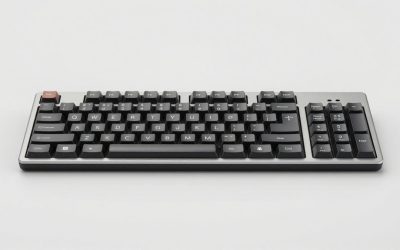
The best mechanical ergonomic keyboards for comfortable typing are the Kinesis Advantage360 for its deep contoured layout, the ZSA Moonlander for programmable customization, the MoErgo Glove80 for adjustable low-profile comfort, and the Dygma Defy for a feature-rich split design; the right choice depends more on tenting, thumb-key placement, and learning tolerance than on switch brand.
As an Amazon Associate we earn from qualifying purchases at no extra cost to you.


Our Top Picks


Top 3 picks at a glance
Quick comparison
| Keyboard | Layout and tenting | Best for | Main compromise | Typical market range |
|---|---|---|---|---|
| Kinesis Advantage360 | Deep split wells; fixed sculpted key geometry | Reducing finger travel and wrist extension | Unusual layout and higher learning curve | Usually $400–$600 |
| ZSA Moonlander | Split columns; adjustable thumb clusters; roughly 20-degree tenting accessory | Users who want extensive remapping | Large footprint and prominent key wells are absent | Usually $350–$450 |
| MoErgo Glove80 | Split concave key wells; adjustable tenting | Low-force typing and wireless flexibility | More delicate, compact construction | Usually $350–$500 |
| Dygma Defy | Split columnar board; optional tenting and palm supports | Gaming and productivity with many thumb keys | Accessories can substantially increase the cost | Usually $350–$600 |
| Keychron Q11 | Traditional low-profile split-style staggered layout; limited tenting | First-time split-keyboard buyers | Less ergonomic separation and thumb positioning | Usually $180–$250 |
What makes a mechanical ergonomic keyboard comfortable?
Comfort comes from several independent adjustments. A split keyboard lets you place each half under the corresponding shoulder instead of forcing both hands toward the center. Tenting rotates the inner edges upward, reducing forearm pronation. Columnar layouts arrange keys in vertical columns that better match different finger lengths. Thumb clusters move frequently used keys such as Space, Backspace, Enter, and layer controls away from the pinkies.
These features are not automatically beneficial in every setup. A keyboard with aggressive tenting may feel worse if your chair is low and your elbows sit below the desk. A deep key well can reduce reaching but may make it harder to use standard shortcuts until your muscle memory adapts. The most comfortable keyboard is the one whose geometry matches your neutral posture and the applications you use every day.
Head-to-head: the strongest choices
Kinesis Advantage360: best for contoured comfort
The Advantage360 places each hand in a separate concave key well. Instead of reaching across a flat surface, your fingers press keys arranged around their natural arcs. This can reduce lateral stretching and repeated upward reaches, particularly for heavy typing.
Its major advantage is geometry rather than software. The board has a built-in, highly distinctive shape, so it is a strong choice when your priority is keeping wrists relatively straight and minimizing finger travel. The trade-off is the learning curve: number rows, thumb keys, modifiers, and shortcuts do not feel like a conventional keyboard. It is also less convenient if you frequently switch between computers or need to use another person’s keyboard.
ZSA Moonlander: best for programmable layouts
The Moonlander combines a split columnar layout with adjustable thumb clusters, a detachable cable between halves, and extensive remapping through ZSA’s Oryx configurator. You can create layers for symbols, navigation, mouse controls, coding shortcuts, or game commands without changing the physical hardware.
Its thumb clusters are particularly useful when you move Backspace, Enter, or modifiers away from the pinky columns. However, the board occupies more desk space than its compact appearance suggests, and the standard key wells are not as deeply contoured as those on the Advantage360 or Glove80. Choose it when software customization matters as much as physical shaping.
MoErgo Glove80: best for low-force, low-profile typing
The Glove80 uses concave key wells and a columnar arrangement while keeping the overall board relatively light. Its low-profile Choc switches can make key travel feel quick and reduce the amount of vertical movement required between keys. Adjustable tenting allows you to experiment rather than committing to one fixed angle.
This is a compelling option for users who want a deeply ergonomic layout without a heavy desktop board. Low-profile keycaps and switches are less interchangeable than the enormous MX-compatible ecosystem, so confirm that your preferred replacement switches and keycaps fit before buying. It also rewards careful setup: because the board is light, aggressive typing can move the halves unless they are placed on a non-slip surface.
Dygma Defy: best for mixed gaming and productivity
The Defy emphasizes a large number of thumb keys, programmable layers, and optional tenting and wrist-support accessories. That makes it practical for users who alternate between typing, editing, shortcuts, and games. A separate left half can also sit closer to a mouse, leaving more room for broad mouse movements.
Its flexibility comes with a price: the total cost depends heavily on the tenting kit, palm rests, wireless configuration, and other accessories. Before ordering, decide whether you need a compact travel board or a permanent desk setup. The Defy makes more sense as a complete workstation keyboard than as a minimal portable device.
Keychron Q11: best transition from a conventional keyboard
The Q11 is easier to understand than a columnar board because it retains a more familiar staggered arrangement and conventional keycap ecosystem. Its split format lets you separate the halves and place them at a more natural shoulder width, while hot-swappable switches make experimentation inexpensive.
It is not as physically corrective as a true columnar, tented keyboard. The halves remain relatively flat, the thumb keys are conventional, and the layout still preserves many traditional reaches. It is a sensible first step for someone who wants mechanical switches and a wider hand position but is not ready to relearn typing.
Switches: choose force and sound, not marketing
For long typing sessions, linear switches around 35–50 gf of operating force are a reasonable starting range. They have no tactile bump and can feel smooth, but they may encourage bottoming out if you press hard. Light tactile switches around 40–55 gf provide a clear bump that can help you release the key earlier. Clicky switches add audible feedback, but their noise may be unsuitable for shared spaces.
Very light switches are not automatically more ergonomic. If your fingers rest heavily on the keys or you trigger keys accidentally, a slightly heavier switch can reduce errors. Conversely, a stiff switch can increase fatigue when combined with a high typing volume. Hot-swap sockets are valuable because they let you change this variable without replacing the keyboard.
Keycap profiles and wrist support
Uniform or low-profile keycaps simplify repositioning because rows have similar heights. Sculpted profiles such as Cherry or OEM can improve orientation and reduce accidental reaches, but they are less flexible when you rearrange keys across layers. On columnar boards, matching keycap profiles to the manufacturer’s recommended arrangement is usually safer than applying a conventional row-based set at random.
Wrist rests should support the heel of the palm without forcing the wrist upward. A useful test is to place your hands on the home row and check whether your wrists remain neutral while your fingers hover. If a rest creates a bend, remove it or lower it. With a split keyboard, two separate rests are usually easier to position than one long rest.
Decision matrix: match the keyboard to your situation
| Your situation | Prioritize | Most suitable direction | Why |
|---|---|---|---|
| Shoulder-width desk setup and frequent typing | Separate halves and adjustable distance | Moonlander, Glove80, or Defy | You can align each half with the shoulders instead of adapting to a fixed width. |
| Finger fatigue from repeated reaching | Concave wells and columnar keys | Advantage360 or Glove80 | The key geometry shortens or redirects common reaches. |
| Programming, text editing, and many shortcuts | Layers and thumb modifiers | Moonlander or Defy | Frequent commands can be placed under strong thumbs rather than weak pinkies. |
| Gaming with a mouse on the right | Detachable halves and compact left side | Defy, Moonlander, or Glove80 | The left half can move independently, increasing mouse clearance. |
| Minimal relearning | Familiar staggered layout | Keychron Q11 | Standard shortcuts and key positions remain easier to recognize. |
How to adapt without creating new strain
Do not switch to a radically different layout on the same day as a major deadline. For the first week, keep a conventional keyboard available and practice for 20–30 minutes at a time. Start with the default layout, then change only one behavior—such as moving Backspace to a thumb key—after the basic positions feel reliable.
Set the halves so your elbows remain close to your sides and your forearms point toward the home rows. Begin with little or no tenting, then increase the angle in small steps of about 5 degrees every few sessions. If the outer wrist edge feels compressed, reduce the angle or move the halves farther apart. If the inner wrists bend upward or inward, raise the tenting gradually.
For a programmable keyboard, use a simple initial layer: keep letters unchanged, place navigation on an easily held thumb key, and add symbols only after the first layer becomes automatic. Avoid putting essential commands on a layer that requires two awkwardly placed keys. The goal is fewer reaches, not a complicated layout that demands constant thought.
Frequently asked questions
Can I use a split keyboard with a mouse?
Yes, separating the keyboard halves can leave more room for a mouse. The article notes that a separate left half can sit closer to a mouse, allowing broader mouse movements, and that the left half can move independently to increase mouse clearance. The Defy, Moonlander, and Glove80 are listed as suitable directions for gaming with a mouse on the right.
How can I tell whether a wrist rest is positioned correctly?
Your wrists should stay neutral while your fingers hover over the home row. A wrist rest should support the heel of your palm without pushing your wrist upward. If it creates a bend, remove it or lower it. With a split keyboard, two separate rests are usually easier to position than one long rest.
Are the lightest switches always the best for reducing fatigue?
No, very light switches are not automatically more ergonomic. They can lead to accidental key presses if your fingers rest heavily on the keys, while stiff switches can increase fatigue during high-volume typing. The article suggests considering how you press and whether you bottom out, and notes that hot-swap sockets let you change switches without replacing the keyboard.
What should I check before changing keycaps on a columnar keyboard?
Check whether the keycaps fit the keyboard and its recommended arrangement. The article explains that sculpted profiles are less flexible when keys are rearranged across layers, and advises using the manufacturer’s recommended arrangement on columnar boards rather than applying a conventional row-based set at random.
How can I adapt to an ergonomic keyboard without creating new strain?
Start by matching the keyboard’s geometry to a neutral posture rather than assuming more tenting is always better. The article warns that aggressive tenting can feel worse when your chair is low and your elbows sit below the desk. It also notes that unfamiliar key wells, thumb keys, modifiers, and shortcuts can take time to learn.
Final verdict
Choose the Kinesis Advantage360 for the strongest contoured approach, the Moonlander for deep programmability, the Glove80 for lightweight low-profile comfort, and the Dygma Defy for an adaptable gaming-and-work setup. Pick the Keychron Q11 if you want to test split positioning while retaining familiar key behavior. In every case, prioritize neutral alignment, moderate switch force, and a layout you are willing to practice rather than judging comfort from specifications alone.