In first-person shooters, a mouse pad is not decoration, it is the surface your aim lives on. A speed pad is built for low friction, so a flick across the screen needs less hand effort and the cursor stops where you expect only after you have trained for it. That makes the keyword a specific decision: you are choosing glide over stopping power, which suits players who sweep wide for flicks and tracking rather than tiny precise adjustments.
This guide is for FPS players on a competitive or semi-competitive path who already know they prefer a fast surface and want to compare cloth and glass options. It covers five pads using the listed materials, sizes, and base types, and explains how to choose a size by sensitivity and desk space. Hardware cycles into 2026 have not changed the basics: surface, base grip, and edge durability still decide how a pad ages.
Top 3 picks at a glance
Quick Picks
As an Amazon Associate we earn from qualifying purchases at no extra cost to you.


| Product | Best for | Key spec from the title |
|---|---|---|
| SteelSeries QcK L | Smooth cloth glide at a large size | Extra density, stitched edge, neoprene non-slip base |
| Glass Gaming Mouse Pad (Black) | Maximum glide and speed | Tempered glass, micro-etched surface |
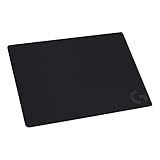
| Logitech G240 | Balanced cloth for general play | Moderate surface friction, non-slip base |
| Razer Goliathus Speed Small | Portable, tight desk setups | Small cloth, anti-fraying stitched frame |
| Esports Glass Mousepad | Compact glass for low sensitivity | 14.17 by 11.81 inches, 3.2mm thick, 60A rubber base |
How to Choose
Cloth versus glass
Cloth pads give a forgiving, slightly textured glide and are quiet and easy to roll up for travel. Glass pads use a micro-etched hard surface that is extremely fast with very low friction, and they are also easy to wipe clean. The trade-off is that glass can feel slippery, and some players find stopping harder until they adapt. If you are switching from a soft pad, give yourself a few days before judging. Moving a mouse across glass also changes the sound, a faint high-pitched scrape that some players love for the feedback and others find distracting on voice chat, so think about whether your microphone sits near the desk.
Size should follow your sensitivity
Players on low sensitivity, who sweep across the whole pad for a 180 degree turn, need a large surface of about 450mm wide or more. High-sensitivity players can use small pads around 250 by 210mm or the compact 14-inch glass model. Match the pad to desk width too, leaving room for the keyboard, so the mouse hand never runs off the edge during a tense round. A quick test is to place your mouse in the center, swing the arm through a full flick, and see whether the mouse stays on the surface. If it leaves the pad, either raise your sensitivity or move to a bigger size. Extended desk-sized formats exist within the same cloth families if you want a full keyboard-and-mouse surface.
Base grip and thickness
A speed pad that slides on the desk undermines everything. Look for a rubber base, as listed on the QcK L, the Goliathus Speed, and the glass pad with a 60A rubber layer. Thickness matters for wrist comfort too: low-profile cloth sits flat, while a 3.2mm glass pad is slightly raised and benefits from a wrist-rest habit. Check that stitched edges stay flat and do not fray after months of use. A fraying edge is not only cosmetic: the raised threads catch the side of your hand and can pull the mouse off line during a quick sweep.
What to ignore and where budgets cut corners
Ignore decorative RGB, graphic designs, and claims of improved aim. The most important point is surface consistency. Cheaper pads often cut corners on edge stitching, base glue, and surface uniformity, and cheap glass can show scratches under use. Keep the sensor in mind as well, since a very smooth glass surface suits most optical sensors, but a few older models track unevenly on highly reflective materials. Mouse feet matter as well: glass can wear softer feet faster, so keep a spare set of skates on hand. Budget pads sit at the low end of the tier, mid-range options add better stitching and bases, and premium ones are mostly glass or hard surfaces with polished finishing.
The 5 Best Options
SteelSeries QcK L
The QcK L is a well-known cloth pad with extra density for a smooth glide, low-profile edge stitching, and a non-slip neoprene rubber base. It is aimed at players who want a classic fast cloth surface at a generous size.
- Strength: dense cloth gives a smooth, consistent glide.
- Strength: stitched edges and the neoprene base protect against fraying and slipping.
- Trade-off: cloth stops and starts differently than glass, so it feels a bit more textured to speed purists.
Skip it if you want the fastest possible hard surface. It suits players who value a quiet pad that works across many mice, and the low profile keeps the wrist at a neutral height. The L size gives wrist-and-forearm freedom for most desks, so it is a sensible first upgrade from a thin stock mat. Beginners often find the dense cloth easier to control than a hard surface while they build muscle memory for speed.
Glass Gaming Mouse Pad (Black)
This is a tempered-glass pad marketed for esports, with a micro-etched surface for top speed and control in black. The hard surface makes it the speed choice for players who want almost no friction.
- Strength: micro-etched glass offers very low friction for fast flicks.
- Strength: the surface cleans easily and does not trap debris like cloth.
- Trade-off: a hard surface can feel loud and slippery during precise stops.
Skip it if you prefer a soft, quiet feel under the hand. It fits experienced FPS players ready to trade familiarity for glide, and the black finish blends into most desk setups. Because the title does not list dimensions, check the size on the product page before buying, and make sure it will clear your keyboard and monitor stand. Keep a microfiber cloth nearby, as fingerprints and dust show up quickly on a glass finish.
Logitech G240
A cloth pad with a non-slip base, tuned for gaming sensors with moderate surface friction and a consistent feel. It is the most balanced option in this group, leaning slightly toward control rather than raw speed.
- Strength: moderate friction helps players who like to stop quickly after a flick.
- Strength: non-slip base and a straightforward cloth surface suit a wide range of mice.
- Trade-off: moderate friction means it is not the speed leader here.
Skip it if you want the lowest friction available. It works well for players who are not sure whether they prefer speed or control and want a safe middle ground before committing to a fast pad. It is also friendly to office use, so one pad can serve for work during the day and ranked matches at night without feeling out of place on either side.
Razer Goliathus Speed Small
A small cloth mat with a smooth surface, an anti-slip rubber base, and an anti-fraying stitched frame, built for portable use. Its portable cloth design makes it easy to carry to LANs and tournaments.
- Strength: portable size suits small desks and travel.
- Strength: anti-fraying frame supports longer life.
- Trade-off: the small size limits large sweeping movements.
Skip it if you play on low sensitivity and need a long runway. It is a good fit for high-sensitivity players or anyone gaming on a compact desk who still wants a speed-oriented surface. Because the cloth rolls, it also doubles as a travel pad for a laptop and a portable mouse, which makes it handy for anyone who splits time between home and a friend’s place.
Esports Glass Mousepad
A micro-etched tempered-glass pad measuring 14.17 by 11.81 inches, 3.2mm thick, with a 60A non-slip rubber base and a scratch-resistant surface. It is a compact option for glass fans.
- Strength: scratch-resistant glass and a rubber base keep it stable and durable.
- Strength: compact footprint is easy to fit on a crowded desk.
- Trade-off: the size is small for low-sensitivity players who need more room.
Skip it if you sweep your arm across a wide area. It suits high-sensitivity FPS players who want glass speed in a modest footprint, with an easy wipe-clean surface. Players who already own a large cloth pad sometimes add a small glass pad like this one as a second surface for warm-ups, which lets them compare the two feels before settling on one.
Which One Fits Your Situation
Low-sensitivity arm aimer
Pick the SteelSeries QcK L for the large cloth surface. It gives you room for full-arm swipes without the harder feel of glass. Pair it with a mouse that glides easily on cloth and you will have a setup that feels fast without being twitchy.
Chasing the fastest possible surface
Choose the black Glass Gaming Mouse Pad if you want the lowest friction, or the compact Esports Glass Mousepad if your sensitivity is high and your desk is tight. Expect an adjustment period of several practice sessions, and run a few aim-training drills before jumping into ranked play.
Switching from a stock desk mat
The Logitech G240 is a gentle step up. Moderate friction eases the transition so your aim does not feel foreign. If you later decide you want more glide, you will know what to compare against, which is the point of starting in the middle.
LAN parties and small desks
Take the Razer Goliathus Speed Small. It rolls into a bag and still has a rubber base to stay put at an unfamiliar table.
Common Mistakes
- Buying a speed pad when your aim style depends on stopping power.
- Choosing a small pad while playing at low sensitivity and running out of room mid-turn.
- Ignoring the base; a pad that creeps on the desk ruins aim.
- Switching surfaces right before a tournament instead of practicing for a week first.
- Never cleaning the pad, so oils and dust slowly change how it glides.
Related guides
- When I Turn On Record Game In Background On Gamebar. Gamebar Crashes, What Do I Do?
- How To Reduce Background Noise On A Streaming Microphone
- Poly Computer Accessories Company Streaming Evaluation
Frequently Asked Questions
Is a speed pad better than a control pad for FPS?
Neither is better outright. Speed suits sweeping flicks and tracking, while control suits micro-adjustments and holding angles. Pick the one that matches how you aim. Players of tactical shooters that reward tiny corrections often prefer control, while arena shooter players lean toward speed.
Are glass mouse pads worth it?
They offer very low friction and a long-lasting surface that wipes clean. They are louder and can feel slippery at first, so give yourself time to adjust. Check the mouse skates too, because hard surfaces can wear them down faster than cloth does.
What size mouse pad should I get?
Large pads, around 450mm wide, suit low-sensitivity players. Compact pads under about 300mm suit high sensitivity and small desks.
How often should I clean a cloth pad?
Every few weeks with mild soap and a rinse works well for cloth, and then let it air dry fully. Glass pads simply need a wipe with a damp microfiber cloth.
Related guides
More from Amazon
Programs that pair well with the guide above. Offers and eligibility are set by Amazon and may change.
Free shipping on eligible items, Prime Video and more. Eligible new members can start with a free trial.
Start a Prime free trialAd-free music streaming. Eligible new subscribers can start with a free trial.
Try Music Unlimited freeA Prime membership for ages 18-24 with a trial period. Eligibility is set by Amazon.
See Prime for Young AdultsAudiobooks and podcasts to listen to on the go. Eligible new members can start with a free trial.
Try Audible freeAs an Amazon Associate we earn from qualifying purchases.