The best USB-C monitor for a laptop in 2026 comes down to what your laptop’s port can actually deliver, not to the panel alone. If you work at a fixed desk, the Philips 346E2CUAE 34-inch curved UWQHD is the best overall pick: one cable carries 3440×1440 at up to 100Hz, charges the laptop over USB-C power delivery, and adds a small USB hub so peripherals stay plugged in. If the screen has to live in a bag, the Lenovo L15 is the best portable pick — 15.6 inches, Full HD IPS, 250 nits, 60Hz, single-cable over USB-C in a business-grade chassis. Budget buyers who only need a second panel for email, chat and reference documents will be well served by the VILVA, Anyuse, ForHelp, WCV or WGK 15.6-inch models, which sit in the same spec class. Every pick below is judged on four things: how much power delivery the connection can pass, how much bandwidth the resolution and refresh rate demand, how accurate the panel is, and which hub ports come with it.
Our Top Picks
 VILVA 15.6" FHD IPS USB-C HDMI Portable Monitor15.6 inch 1080P14.48 x 8.85 x 0.3 Inches3.8 poundsCheck on Amazon
 MNN 15.6" FHD 60Hz Portable Monitor USB-C HDMI15.6" 1080P14.48 x 8.85 x 0.3 Inches1.53 PoundsCheck on Amazon
 Anyuse 15.6" FHD IPS USB-C HDMI Portable Monitor15.6" FHD16.9 x 1.96 x 11.4 inches1.42 PoundsCheck on Amazon


Top 3 picks at a glance

Quick Comparison
| Product | Best for | Key specs (as listed) | Price tier |
|---|---|---|---|
| VILVA 15.6″ FHD IPS USB-C HDMI Portable Monitor | A first second-screen on a tight budget | 15.6″ IPS, 1920×1080, 60Hz, USB-C + HDMI, bus-powered | Budget |
| MNN 15.6″ FHD 60Hz Portable Monitor | Mixed work and casual gaming on the move | 15.6″ IPS, 1920×1080, 60Hz, HDR labelling, USB-C + HDMI | Mid-range |
| cocopar 15.6″ 1080P FHD 60Hz Travel Monitor | Premium travel screen with built-in speaker | 15.6″ 1080p, 60Hz, 85% sRGB, HDMI + USB-C, speaker | Premium |
| Anyuse 15.6″ FHD IPS USB-C HDMI Portable Monitor | Simple single-cable use at the lowest tier | 15.6″ IPS, 1920×1080, USB-C + HDMI, smart cover stand | Budget |
| InnoView 15.6″ FHD 1080P HDMI USB-C Monitor | An all-round mid-range portable for laptop and desktop | 15.6″ FHD IPS, USB-C + HDMI, laptop / desktop / MacBook | Mid-range |
| ForHelp 15.6″ 1080P USB-C HDMI Monitor | Consoles and phones as well as laptops | 15.6″ 1080p, USB-C + HDMI, PS / Xbox / Switch compatibility listed | Budget |
| ViewSonic VX2416A 24″ 1080p IPS Gaming Monitor | 1080p gaming and everyday desk work from a laptop | 24″ IPS, 1920×1080, 120Hz, 1ms, USB-C input | Premium |
| Lenovo L15 Portable Monitor | Business travel and hot-desking | 15.6″ Full HD IPS, 250 nits, 60Hz, USB-C single-cable | Premium |
| WCV 15.6″ 1080P USB-C HDMI Ultra-Slim Monitor | Ultra-slim budget travel with a kickstand | 15.6″ 1080p, USB-C + HDMI, kickstand, Xbox compatibility listed | Budget |
| Anker Laptop Docking Station 8-in-1 USB-C Hub | Adding dual-monitor output and ports to a laptop | 8-in-1 hub, 4K HDMI, dual-monitor support, USB-C docking | Mid-range |
| WGK 15.6″ 1080P FHD Travel Display | Phone-first and laptop travel on a budget | 15.6″ FHD, HDMI / USB-C, laptops, desktops, phones | Budget |
| Philips 34″ Curved UWQHD 100Hz USB-C PD VA, 346E2CUAE | Replacing a dock with one cable at a desk | 34″ curved VA, 3440×1440, 100Hz, USB-C with PD, hub ports | Premium |
How We Chose
This roundup is built from published specification sheets, manufacturer documentation and the practical constraints of laptop USB-C ports, not from any physical testing. Four filters did the work. First, category fit: a portable monitor that runs from a laptop port solves a different problem than a 34-inch desk display that replaces a dock, so both were kept and judged against their own use case rather than against each other on raw specs. Second, connection reality: every pick was assessed on how much video bandwidth its resolution and refresh rate consume, whether that fits inside a two-lane or four-lane DisplayPort Alt Mode link, and how much power the panel draws relative to what a laptop port can source. Third, panel class: we note brightness class, panel technology and any colour coverage the listing states, and we describe unstated figures by class rather than inventing them. Fourth, upgrade path: ports, mounting options, warranty structure and whether the device still makes sense if the laptop is replaced in two years. Products that only work with a specific laptop generation, or that need proprietary software to function at all, were excluded from the shortlist.
1. VILVA 15.6″ FHD IPS USB-C HDMI Portable Monitor – Best for Budget Second-Screen Travel
As an Amazon Associate we earn from qualifying purchases at no extra cost to you.
The VILVA is the cheapest sensible way to give a laptop a second screen. It suits a student, a commuter or a hybrid worker who needs one extra panel for email, chat, a browser window and a spreadsheet, and who accepts a modest panel in exchange for a budget-tier price. It is the wrong buy if colour accuracy, outdoor visibility or laptop charging matter — nothing in this tier delivers those.
- Panel: 15.6-inch IPS, 1920×1080, 60Hz (class-typical for this tier)
- Inputs: USB-C with DisplayPort Alt Mode, plus an HDMI input for HDMI-only devices
- Extras: 3.5mm headphone output, built-in speakers, magnetic smart cover that folds into a stand
- Power: bus-powered from the laptop over USB-C; no power delivery passthrough
- Build: plastic chassis, roughly 1.5–2 lb with the cover, no VESA mounting points
The case for the VILVA is arithmetic. 1080p at 60Hz in 8-bit colour needs roughly 3.2 Gbps of video data once blanking is counted. A USB-C port running DisplayPort Alt Mode in its two-lane configuration still offers about 8.6 Gbps of usable video bandwidth, so this panel consumes less than half the link and leaves room for USB 3.x data on laptops that share the port that way. Push the same port to a 4K60 display — about 12.5 Gbps — and most laptops must reallocate all four lanes to video, which forces USB data down to 480 Mbps. On a budget screen that compromise never appears. Power follows the same logic: a 15.6-inch 1080p IPS panel at indoor brightness draws somewhere in the 6–9W range, and a laptop USB-C port that sources 5V/3A can supply 15W, so a single cable genuinely works. Speakers at moderate volume still fit inside that budget. What you cannot do is charge the laptop through the monitor; there is no PD passthrough, so every hour of use comes out of the laptop battery.
Pros
- Lowest entry point into single-cable laptop screens
- 1080p60 bandwidth demand is modest, so USB data usually keeps working alongside video
- HDMI input covers older laptops, consoles and cameras
- Cover protects the panel and doubles as a stand
Cons
- Brightness is in the 250-nit class, so glare and daylight are a problem
- No power delivery passthrough, so it drains the host laptop
- Plastic body and no VESA holes, limiting desk mounting
- Colour coverage is partial rather than full sRGB, so avoid it for photo or print work
Its closest rival is the Anyuse 15.6-inch, which sits in the same tier with the same port set and the same cover-style stand; the two are effectively interchangeable, so pick whichever is available with the accessories you want. If you would rather have a built-in kickstand than a folding cover, the WCV is the nearer match. If console and phone support is a stated priority, compare the ForHelp before deciding.
2. MNN 15.6″ FHD 60Hz Portable Monitor – Best for Mid-Range Work and Play

The MNN moves one tier up from the entry portables and suits a user who wants a slightly better-feeling travel screen for mixed work and casual gaming. It is aimed at someone who already owns a laptop with a video-capable USB-C port and wants a second display that does not look like a budget accessory on a client’s desk.
- Panel: 15.6-inch IPS, 1920×1080, 60Hz, with HDR labelling on the listing
- Inputs: USB-C (DisplayPort Alt Mode) and HDMI
- Extras: dual speakers, low blue light mode, magnetic smart cover
- Power: bus-powered over USB-C; check the listing for whether a second USB-C port is present for separate power input
- Build: slimmer bezels than the budget tier, aluminium-look finish in most listings
Be realistic about the HDR badge. A portable panel in this class has no local dimming array and peak brightness in the 250–300 nit range, so HDR here means the monitor accepts an HDR signal and tone-maps it, not that you get highlights that pop. The useful part of the specification is the 60Hz 1080p link, which is easy to drive: about 3.2 Gbps of video data, comfortably inside a two-lane DisplayPort Alt Mode connection, which means a single USB-C cable from a modern laptop will carry the picture and keep the port’s USB data alive at the same time. Casual gaming at 60Hz is fine for strategy, simulation and older titles; competitive shooters benefit from higher refresh, and that is a different purchase. If you run the panel from a laptop port, budget the same 6–9W draw as any other 15.6-inch 1080p screen, and expect roughly 10–20% shorter laptop runtime while it is connected, depending on the laptop’s battery size and how much of the panel brightness you use.
Where this model earns its mid-range position is the finish and the stand. The magnetic cover folds into a more stable wedge than the cheapest tier manages, and the bezels are thin enough that two of these side by side look deliberate rather than improvised. Ports are the same set as the budget models, so the upgrade is physical and visual rather than electrical.
Pros
- Cleaner build and narrower bezels than entry-level portables
- 1080p60 is easy on bandwidth and works on almost any video-capable USB-C port
- Speakers and a headphone jack cover calls and video without extra gear
- HDR signal support is useful for streaming apps that refuse to output SDR cleanly
Cons
- HDR without local dimming and high peak brightness is largely cosmetic
- Still no power delivery passthrough, so the laptop does the powering
- 60Hz limits competitive gaming appeal
- Colour accuracy is not stated in a way that supports colour-critical work
Compared with the cocopar 15.6-inch, the MNN trades a stated colour figure and a premium travel reputation for a lower tier and a similar feature set. Compared with the InnoView, the difference is mainly brand support and the accessories in the box; both target the same buyer. Choose the MNN if you want the mid-range finish without paying the premium tier.
3. cocopar 15.6″ 1080P FHD 60Hz Travel Monitor – Best for Premium Travel With a Speaker

cocopar has been making portable monitors long enough that the brand is a known quantity in the travel-screen category, and this 15.6-inch model sits at the premium end of that portable bracket. It suits a consultant, a sales traveller or a remote worker who packs light but wants a screen that survives repeated bagging and looks acceptable in a meeting room.
- Panel: 15.6-inch, 1920×1080, 60Hz, with 85% sRGB colour coverage stated on the listing
- Inputs: USB-C and HDMI
- Audio: built-in speaker plus a headphone output
- Power: bus-powered over USB-C; a separate power input is common on this model line
- Build: slim travel chassis with a protective cover stand
Read the 85% sRGB figure carefully, because it is the most important number on the page. It means the panel reproduces about 85% of the sRGB colour space, so it is perfectly usable for documents, spreadsheets, video calls, web work and casual streaming, but it is not a colour-managed panel. If you retouch photographs for print, or grade video against a reference, you want a display that states full or near-full sRGB coverage plus a colour accuracy figure expressed as an average Delta-E. At 85% coverage, saturated reds and some cyans will fall short of what a calibrated workflow expects. For everyone else, the figure is irrelevant and the travel build is the point.
Electrically this is the easy case: 1080p at 60Hz needs about 3.2 Gbps, and two-lane DisplayPort Alt Mode supplies roughly 8.6 Gbps of usable video bandwidth, so a single USB-C cable from a modern laptop carries the image with capacity to spare. That headroom is why portable monitors in the 1080p60 class are so reliable with a one-cable connection and why 4K portables are not — at 4K60 the requirement jumps to roughly 12.5 Gbps, forcing a four-lane allocation that strips USB data down to USB 2.0 speeds on most hosts.
Pros
- Established portable-monitor brand with a long-running model line
- Speaker and headphone output built in, so calls need no extra hardware
- 1080p60 bandwidth demand is low, so one-cable setups work widely
- Travel-oriented chassis and cover stand
Cons
- 85% sRGB is below what colour-critical work requires
- Premium tier pricing for 1080p60, when mid-range models do the same job electrically
- No power delivery passthrough to charge the laptop
- Speaker output is adequate for speech, not for music or mixing
The nearest alternative in this list is the Lenovo L15, which also targets business travel at the premium tier. The Lenovo states 250 nits and 60Hz on a Full HD IPS panel with a corporate support structure behind it; the cocopar states a colour figure and includes a speaker. If procurement and warranty process matter, the Lenovo is the safer pick; if you want the speaker and a colour number to point at, the cocopar is the one.
4. Anyuse 15.6″ FHD IPS USB-C HDMI Portable Monitor – Best for Budget Single-Cable Simplicity

The Anyuse covers the same ground as the other budget 15.6-inch portables and suits the same reader: a student, a first-time dual-screen user, or someone adding a screen to a work laptop they do not own and do not want to modify. It is a straightforward single-cable panel with an HDMI fallback, and it makes no claims beyond that.
- Panel: 15.6-inch IPS, 1920×1080, 60Hz class
- Inputs: USB-C with DisplayPort Alt Mode and HDMI
- Extras: speakers, headphone jack, smart cover stand
- Power: bus-powered over USB-C; no PD output to the laptop
- Build: plastic body, sub-2 lb, no VESA pattern
The practical advantage of this whole tier is that the video link is undemanding. At roughly 3.2 Gbps for 1080p60 in 8-bit colour, the panel fits inside a two-lane DisplayPort Alt Mode stream with room to spare, which is why budget screens so often “just work” on laptops where a 4K portable refuses to light up or forces the USB ports into slow mode. The power side is equally predictable: expect a draw in the 6–9W band at indoor brightness. A laptop port rated for 5V/3A gives 15W, so the screen fits; a port that only sources 4.5W will still usually run the panel at reduced brightness, but you may see flicker or dropouts if you also plug a bus-powered drive into the same port. If you see the panel cut out when the laptop is on battery, that is the port’s power budget, not a faulty screen.
Two checks before buying. First, confirm your laptop’s USB-C port carries DisplayPort Alt Mode — the manufacturer’s specification sheet will list it, and a port described only as “USB-C data” will not output video without an adapter. Second, use a full-featured USB-C cable. Charge-only cables, and the thin cables bundled with phones, carry power but no video lanes, which is the single most common reason a portable monitor appears dead on first connection.
Pros
- Lowest tier pricing with a complete port set
- Low bandwidth requirement means broad laptop compatibility
- Cover stand and speakers included
- HDMI input for consoles, cameras and older machines
Cons
- Brightness in the 250-nit class limits use near windows
- No VESA mounting, so it cannot join a desk arm setup
- No power delivery to the laptop
- Colour coverage and accuracy figures are not stated, so treat it as a document panel
Against the VILVA, this is a coin toss — both are budget 15.6-inch 1080p IPS panels with USB-C and HDMI. Against the WGK, the difference is packaging and the stand design rather than electronics. Buy whichever of the three is available with the cable and cover you actually need, and spend the saved money on a decent full-featured USB-C cable, which matters more than the badge on the bezel.
5. InnoView 15.6″ FHD 1080P HDMI USB-C Monitor – Best for Mid-Range All-Round Portable Use

InnoView’s 15.6-inch portable is the generalist of this list: it is sold for laptops, desktops and MacBooks alike, which tells you the port set is flexible rather than specialised. It suits a home-office user who moves between a work laptop and a personal machine and wants one screen that handles both without a dock.
- Panel: 15.6-inch Full HD IPS, 60Hz class
- Inputs: USB-C and HDMI
- Compatibility listed: laptops, desktops, MacBook, and phones or consoles over the appropriate input
- Extras: speakers, smart cover stand (typical for the InnoView portable line)
- Power: bus-powered over USB-C; some models in this line accept a separate power input for console use
The reason a flexible port set matters is macOS behaviour. On Macs with a base Apple silicon chip, the machine supports a single external display in normal clamshell-open use — a second screen requires either a display that connects over a different method or the lid-closed arrangement that newer models support. Windows laptops with Intel or AMD graphics are generally more permissive and can drive two external panels if the ports and the GPU allow it, often using DisplayPort MST to split one stream. That is a laptop-side limit, not a monitor limit, and it is the most common source of “my second monitor will not turn on” complaints. Before buying any second screen for a Mac, check what your specific model supports, because the answer changed between chip generations.
On the electrical side this is the same comfortable 1080p60 case as the rest of the 15.6-inch class: about 3.2 Gbps of video data, which fits inside a two-lane Alt Mode link with room for USB data alongside. Colour coverage is not the headline here — if InnoView states a figure on a particular listing, treat it as the deciding factor between this and the cocopar; if it does not, assume document-grade colour and buy accordingly.
Pros
- Broad device compatibility, including MacBook and desktop use
- Mid-range build without premium-tier pricing
- USB-C single-cable operation plus an HDMI fallback
- Well-established portable-monitor product line with accessories available
Cons
- No power delivery passthrough to charge the host laptop
- 60Hz only, so no advantage for fast-paced gaming
- Colour accuracy figures are not consistently published across the line
- Brightness sits in the same mid-200s nit class as cheaper rivals
Its nearest competitor is the MNN 15.6-inch, which offers a similar mid-range position with HDR labelling. Choose the InnoView if you want the widest device compatibility and a well-known portable line; choose the MNN if HDR signal handling for streaming apps matters to you. Neither will charge your laptop, and both will run from a single cable on a video-capable USB-C port.
6. ForHelp 15.6″ 1080P USB-C HDMI Monitor – Best for Budget Console and Phone Use

The ForHelp is a budget portable that names consoles and phones alongside laptops in its compatibility list, and that framing tells you who it is for: a user who wants one small screen for a laptop by day and a games console or phone by night. It suits a student in a dorm, a traveller with a handheld console, and anyone who wants a spare display that is not tied to one machine.
- Panel: 15.6-inch, 1920×1080, IPS class
- Inputs: USB-C and HDMI
- Compatibility listed: laptop, PC, Mac, phone, PlayStation, Xbox, Switch
- Extras: speakers and a cover stand typical for the tier
- Power: USB-C powered; when used with a console, power usually comes from a wall adapter rather than the console
Consoles change the power plan. A PlayStation or Xbox does not source meaningful power over its HDMI output, and its USB ports are not designed to run a display, so the monitor needs its own power source — normally a USB-C wall adapter of at least 5V/2A, ideally a 15W or higher charger. Once powered, the HDMI input carries the picture at whatever the console outputs, which for a 1080p60 panel means the console should be set to output 1080p rather than 4K. Setting a console to 4K on a 1080p screen either fails or produces a downscaled image, and on some consoles it also disables features such as high frame-rate modes. Match the console output to the panel and everything behaves.
Phone use is the other draw. USB-C phones with DisplayPort Alt Mode output will drive the panel directly, and a growing number of Android devices support a desktop-style interface when connected. iPhones need the appropriate adapter rather than a direct cable. As with every model here, bandwidth is trivial at 1080p60 — around 3.2 Gbps against roughly 8.6 Gbps of usable two-lane capacity — so the limiting factor is always whether the source device supports video output over USB-C, not the panel.
Pros
- Explicit console and phone compatibility, unusual at this price tier
- HDMI input works with anything that outputs HDMI
- 1080p60 keeps bandwidth demands low and compatibility high
- Budget pricing makes it a low-risk second screen
Cons
- Needs external power for console use, which adds a cable and a charger
- Brightness and colour figures are not stated at a level useful for creative work
- No VESA mount and no power delivery passthrough
- 60Hz caps console gaming at the panel’s refresh rate
The closest comparison is the WCV, another budget 15.6-inch panel that also names Xbox compatibility and adds a kickstand rather than a folding cover. If your main use is console gaming on a desk, the kickstand is more stable; if you mostly travel with a laptop, the cover design protects the panel better. Electrically the two are the same proposition.
7. ViewSonic VX2416A 24″ 1080p IPS Gaming Monitor – Best for 1080p Gaming on a Laptop Desk
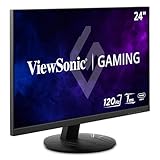
The VX2416A is the first true desk monitor in this list and the right answer for a laptop owner who wants a fixed screen at home rather than a travel panel. It suits a gamer on a budget and a student who docks a laptop at a desk and wants a bigger, faster display than a 15.6-inch portable can offer.
- Panel: 24-inch IPS, 1920×1080, 120Hz refresh, 1ms response class
- Input: USB-C, plus conventional video inputs typical of the VX line
- Power delivery: check the listing — some ViewSonic USB-C models carry laptop charging and some carry video only
- Ergonomics: desktop stand with tilt adjustment typical for the series; VESA mounting usually available on the chassis
- Use case: 1080p gaming, everyday work, video
Two numbers decide whether this suits you. The first is bandwidth: 1080p at 120Hz in 8-bit colour needs roughly 6.6 Gbps, which still fits inside a two-lane DisplayPort Alt Mode link at