HyperX Cloud Orbit S vs Orbit X comes down to one feature: head tracking. The Orbit S adds Waves Nx head tracking and gesture control on top of the same 100mm planar magnetic drivers found in the plain Cloud Orbit, which is the model people usually mean when they type “Orbit X”. Pick the S if you want the tracking; pick the other if you only want planar sound.
Our Top Picks
Top 3 picks at a glance
Quick Verdict: Orbit S vs the Plain Orbit
HyperX’s Cloud Orbit family is a short one. Reviews and launch coverage describe two headsets: the Cloud Orbit and the Cloud Orbit S. We did not find any maker page or editorial review that describes a separate model called “Orbit X”. Searches for that name most likely come from people mixing up the “S” suffix, or from the Kingston-era branding when the headsets first appeared. This article treats “Orbit X” as the non-S Cloud Orbit, and says so wherever the difference matters.
Here is the verdict in four lines:
- Same core hardware: both use large 100mm planar magnetic drivers licensed from Audeze and both offer Waves Nx 3D audio.
- The only headline difference: head tracking, reported at roughly a thousand updates per second on the S, plus gesture control that can turn head movements into key presses.
- Launch pricing: the S sat one clear tier above the plain model. Current prices vary by seller and stock, so check the live listing instead of trusting old launch numbers.
- Our read: head tracking is a novelty for most players. If you do not care about it, the plain Orbit gives you the same driver and the same connections for less.
This is a research-based comparison. We did not use either headset ourselves, so everything below comes from the maker’s description and published reviews, and anything we could not confirm is marked “not listed”.
Specs Table: Cloud Orbit S vs Cloud Orbit
| Spec | Cloud Orbit S | Cloud Orbit (often searched as “Orbit X”) |
|---|---|---|
| Driver type | 100mm planar magnetic | 100mm planar magnetic |
| 3D audio | Waves Nx, with head tracking | Waves Nx, standard 3D mode only |
| Head tracking | Yes, about 1,000 updates per second as reported | No |
| Gesture control | Yes, head gestures mapped to key presses in the HyperX software | No |
| Connections | USB-A, USB-C and 3.5mm analog, per one review spec table | USB-A, USB-C and 3.5mm analog, per the same table |
| Platforms | PC first; console use limited to plain wired audio | PC first |
| Launch tier | Premium | One tier lower |
| Weight, battery, mic details | Not listed in the sources we found; check the maker | Not listed in the sources we found; check the maker |
Treat the platform row with care. The tracking and 3D processing run through HyperX’s Windows software, so the headline features are a PC story. On a console you would be using the headset as a plain wired planar pair.
What Is the Difference Between HyperX Cloud Orbit S and Orbit X?
The difference is the head-tracking sensor and the software that goes with it. The Orbit S reads head movement and shifts the 3D sound stage so a sound stays fixed in the room while your head turns, while the plain Orbit keeps the sound locked to your head.
Everything else described in launch coverage matches: the same Audeze-designed planar drivers, the same Waves Nx processing and the same set of wired connections. That makes the comparison unusually simple. You are not choosing between two sound signatures, you are choosing whether a motion sensor is worth a higher tier.
How Head Tracking Works on the Orbit S
Head tracking uses a sensor in the headband to report your head position many times a second. Waves Nx uses that signal to rotate the virtual sound field in the opposite direction to your head movement. If an enemy sits to your right and you turn right, the sound moves toward the front of your head, much like it would with real speakers in a room.
Reviewers split on how useful this is. Tom’s Hardware found the effect more noticeable in some games than others, and PCGamesN called it a gimmick while still praising the audio quality. Both points matter: the tracking depends on the game’s own positional audio, and many shooters already place sound well without help from a motion sensor.
Gesture Control Explained
Gesture control lets the S map head movements, such as a nod or a tilt, to keyboard presses through the HyperX Orbit S software. In practice that means you could trigger a lean, a ping or a push-to-talk key without touching the keyboard. It is clever, but it is also easy to trigger by accident in a fast game. Plan to spend time in the software tuning thresholds, and keep a way to turn gestures off.
Head Tracking vs Standard 3D Mode
The plain Orbit is not stuck with flat stereo. Reviews describe a standard 3D mode that applies Waves Nx processing without any head sensor. The sound stage in that mode moves with your head, like any virtual surround headset. The S can run the same mode, so you can always fall back to it. That detail matters for buyers, because it means the S is a superset: whatever the plain model does, the S can do, and then it adds the tracked mode.
Is There a HyperX Cloud Orbit X?
We could not confirm one. The sources we checked, including launch coverage and several editorial reviews, name the Cloud Orbit and the Cloud Orbit S only. If you saw “Orbit X” on a seller page, a forum thread or a used listing, treat it carefully. It may be a typo, a mislabelled Cloud Orbit, or an unrelated product. Compare the model number printed on the box or the maker’s product page before buying.
The related Kingston-branded searches, such as “kingston hyperx cloud orbit s”, reflect the period when HyperX was sold as Kingston’s gaming brand. The product itself is the same HyperX headset, so the same specs apply.
Sound Quality and Performance by Use
Because both models share a driver, the sound character is the same. Planar magnetic drivers of this size are known for fast, tidy bass and low distortion, and reviewers praised the audio in general. Beyond that, we are not going to quote frequency response, impedance or sensitivity figures, because the sources we found did not give us numbers we could confirm.
Competitive shooters
Positional accuracy in a shooter comes mostly from the game’s own audio engine and from a clean stereo signal. Head tracking can feel interesting, but it can also confuse muscle memory if the virtual stage moves while you are trying to learn footstep cues. Many competitive players will want the S’s tracking switched off most of the time, which makes the plain Orbit the more rational purchase for that group.
Single-player and story games
This is where the S makes its best case. In cinematic games with a strong sound stage, the stationary virtual room can add a sense of space that standard stereo headphones lack. If you sit still and turn to look around often, the effect is easier to notice than in a game where your head stays fixed on a screen.
Music and video
Planar drivers are a good fit for music. The Waves Nx processing is optional, so you can leave the headset in a plain stereo mode for music and movies. Head tracking on music is a matter of taste; many listeners turn it off.
Console and wired use
The 3.5mm analog connection lets either headset plug into a controller or a mixer. In that mode you lose Waves Nx and head tracking, so you pay for hardware you cannot use. If most of your play is on a console, a cheaper planar or a standard console headset will serve you better.
Which Use Case Favors Which Model
| Use case | Better fit | Reason |
|---|---|---|
| Ranked shooters on PC | Plain Orbit | Stable sound stage, lower tier, no sensor to distract |
| Cinematic single-player on PC | Orbit S | Tracked room effect is easiest to notice when you look around |
| Music and movies | Either | Same planar driver; the processing is optional |
| Console play over 3.5mm | Neither, preferably | The key features do not run without the PC software |
| Streaming and content work | Plain Orbit | Head motion would shift the mix you hear while you talk and gesture on camera |
| Accessibility experiments with gestures | Orbit S | Only model that can map head movement to keys |
Comfort, Build and Software
The sources we found do not give a clear weight or clamp-force number, and we will not guess. Large planar drivers are heavier than typical gaming drivers, so plan for a weightier headset and check long-session comfort comments in recent reviews before buying. Replacement pads exist from third parties for the Orbit line, so pad wear need not end the headset’s life, but make sure any pad set lists the Orbit explicitly.
The software is the second cost of ownership. The head-tracking and gesture features depend on HyperX’s software, and these headsets are older products. Confirm the current software still installs and runs on your version of Windows before paying a premium for the S.
Setup Checklist for Either Headset
- Install the HyperX software for the Orbit line from the maker’s support page, not from a third-party mirror.
- Connect by USB first, so the 3D processing is available, and confirm the headset shows as the default playback device.
- Choose standard 3D mode, then try the tracked mode on the S and decide whether you like the moving sound stage.
- Run a quick left, right and rear sound check in a game you know well, so you can tell whether the stage feels natural.
- If you buy the S, set gestures to a single low-risk action first, then expand.
Price Tiers and What to Check Before You Buy
At launch the S was priced one clear tier above the plain Cloud Orbit. Stock of these models has thinned over time, so prices on the secondary market can swing in either direction. Use these rules of thumb:
- If the S costs only a little more than the plain Orbit, take the S for the extra features.
- If the S costs a lot more, the plain Orbit is the smarter buy.
- Avoid listings that do not show the model name, the box contents and the included cables.
- Skip anything that lists the head-tracking features on a model not named “S”.
- Ask the seller about the earpads, since worn pads change both comfort and bass response.
What Reviewers Said, in Plain Terms
Published reviews agree on more than they disagree on. The audio quality of the planar drivers earned praise across the board. The disagreement was about whether the head-tracking feature changes how you play.
- Tom’s Hardware: described the experience as all-around audio and noted that the tracked effect stood out more in some titles than in others.
- PCGamesN: liked the sound but called the tracking questionable, a point worth weighing if you intend to pay for it.
- PC Gamer and launch coverage: focused on the 360-degree sound stage idea and on how the sensor reports head movement.
- Launch spec articles: listed the shared planar drivers and the price gap between the two models.
Read together, the pattern is clear. The planar driver is the reason to own either headset, and the tracking is a bonus whose value depends on the games you play.
Common Questions Before Buying Used or Old Stock
Because the Orbit line is no longer a new release, most buyers will be looking at older stock or the used market. A few checks help avoid regret.
Check the Included Cables and Dongles
The headset connects by USB and by 3.5mm analog. Make sure the listing shows both cables, because a missing cable can be hard to replace without knowing the exact connector. If the seller cannot show the cables in a photo, ask.
Check the Earpads
Pads wear out first. Third-party pads exist that list the Orbit by name, and some are marketed for related planar headphones too. Always check that the listing names the Orbit before you buy a replacement set.
Check That the Software Still Runs
Head tracking depends on software. Before you pay a premium for the S, look for recent user reports that the software installs on your version of Windows, and keep the installer file once you find it.
Check the Sensor if You Buy the S
If you buy the S, confirm that the tracking mode actually works before the return window closes. Turn your head with the headset on and listen for the sound stage to stay in place. If it drifts or does nothing, the sensor or the software may be at fault, and you have paid for a feature you cannot use.
Who Should Buy the Orbit S
- PC players who like cinematic single-player games and want a moving sound stage.
- People who want gesture shortcuts and are willing to tune them.
- Listeners who value planar drivers and want a wired headset with an unusual feature.
Who Should Skip It
- Console-first players, since the key features run on PC software.
- Competitive shooter players who want a stable sound stage.
- Anyone who wants a light headset or a long battery life, since neither is the point of this design.
Alternatives Worth Comparing
If the Orbit family is hard to find or does not fit, these are real options from the store listings, not rated head to head. Always confirm the current listing details with the maker.
Audeze Maxwell 2
As an Amazon Associate we earn from qualifying purchases at no extra cost to you.

The Maxwell 2 comes from the company behind the Orbit’s planar drivers and sits at the premium end. The listing names PC, PlayStation, Mac and Switch support, low-latency Bluetooth and an 80-hour battery life. It is a wireless headset, so it solves the cable and battery points that the Orbit cannot. Best for: players who want planar-style sound with modern wireless. Skip if: you want head tracking, which the listing does not mention.
ASUS ROG Kithara HiFiMAN

The Kithara is an open-back wired headphone with HiFiMAN planar magnetic drivers tuned by ROG, extra ear pads and a mic. The listing says it works with DACs, amps, PC, console and mobile. An open back leaks sound and lets outside noise in, so it suits a quiet room. Best for: wired listening at a desk. Skip if: you share a room or need isolation.
HyperX Cloud Alpha Wireless
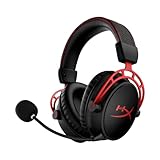
A different path inside the HyperX range: the Cloud Alpha Wireless uses dual chamber drivers, DTS Headphone:X spatial audio, memory foam, an aluminum frame and a noise-canceling mic. The listing advertises a 300-hour battery. It is a PC-focused wireless headset with a much simpler feature list than the Orbit S. Best for: long sessions without charging. Skip if: you want planar drivers.
Frequently Asked Questions
Is the HyperX Cloud Orbit S worth it over the plain Orbit?
Only if you want head tracking and gesture control. The drivers and connections match, so the extra cost buys a feature many reviewers called a gimmick.
What is the HyperX Cloud Orbit X?
We found no HyperX model with that name. People usually mean the plain Cloud Orbit, which lacks the S’s head tracking. Check the model name on any listing before you pay.
What is the Kingston HyperX Cloud Orbit S?
It is the same HyperX Cloud Orbit S headset, sold when HyperX was Kingston’s gaming brand. The specs match the S described above.
Does the Orbit S work on console?
It connects by 3.5mm analog, so it works as a plain wired headset. Head tracking and Waves Nx need the PC software and will not run on a console.
Does head tracking help in competitive games?
Usually not. It moves the sound stage as you turn, which can fight the positional cues you learned. Most competitive players would switch it off.
Which has better sound, the S or the plain Orbit?
They share the same 100mm planar drivers, so the base sound character should match. The S adds processing, not a different driver.
A Simple Decision Path
- Do you play mostly on PC? If not, skip both and look at a standard planar or console headset.
- Do you care about a tracked sound stage in single-player games? If yes, the S is the only choice.
- Do you mostly play ranked shooters? Then the plain Orbit gives the same driver without a feature you would likely switch off.
- Is the S close in cost to the plain model? Then the S is the safer pick, since it can also run standard 3D mode.
- Is software support unclear on your system? Check the maker first, then decide.
Following those five questions will settle the choice for nearly everyone, because the two headsets differ in only one respect.
Which One Should You Buy?
Buy the Orbit S if you are a PC player who wants the novelty of a stationary sound stage and you find it at a small premium. Buy the plain Orbit if you want the planar sound and nothing else, and look at a modern wireless planar such as the Maxwell 2 if cables or software support worry you. In every case, confirm the exact model name and software support with the maker before paying.
Sources
- Tom’s Hardware, HyperX Cloud Orbit S review
- PC Gamer, HyperX Cloud Orbit S coverage
- PCGamesN, HyperX Orbit S review
- The PC Enthusiast, HyperX Cloud Orbit and Orbit S launch article
- Tom’s Guide, HyperX Cloud Orbit specs article
Last updated: November 2026
Related guides
More from Amazon
Programs that pair well with the guide above. Offers and eligibility are set by Amazon and may change.
Free shipping on eligible items, Prime Video and more. Eligible new members can start with a free trial.
Start a Prime free trialAd-free music streaming. Eligible new subscribers can start with a free trial.
Try Music Unlimited freeA Prime membership for ages 18-24 with a trial period. Eligibility is set by Amazon.
See Prime for Young AdultsAudiobooks and podcasts to listen to on the go. Eligible new members can start with a free trial.
Try Audible freeAs an Amazon Associate we earn from qualifying purchases.