For gaming on Intel’s Core Ultra 200S desktop line, the Core Ultra 5 gives most of the gaming performance, the Core Ultra 7 adds headroom for multitasking and creative work, and the Core Ultra 9 mainly adds cores that games barely use. If your goal is frame rates, spend more on the graphics card before stepping up the tier.
As an Amazon Associate we earn from qualifying purchases at no extra cost to you.


Our Top Picks
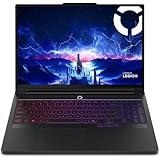
 Lenovo Legion Pro 7i Gen 10 w/Ultra 964GB | 2TB SSD21.75 x 14 x 3.25 inches10.8 PoundsCheck on Amazon


Top 3 picks at a glance
Quick verdict
- Core Ultra 5 (245K / 245KF): the sensible gaming pick for most builds.
- Core Ultra 7 (265K / 265KF): for players who also stream, edit video or keep many apps open.
- Core Ultra 9 (285K): for people who mix gaming with heavy rendering, encoding or compiling.
What each tier offers
These are the configurations reported in launch reviews (for example by Notebookcheck and Tom’s Hardware) for the unlocked desktop models:
| Model | Cores (P + E) | Threads | Max turbo | Best for |
|---|---|---|---|---|
| Core Ultra 5 245K | 14 (6 + 8) | 14 | about 5.2 GHz | Gaming value builds |
| Core Ultra 7 265K | 20 (8 + 12) | 20 | about 5.5 GHz | Gaming plus multitasking |
| Core Ultra 9 285K | 24 (8 + 16) | 24 | 5.7 GHz | Gaming plus heavy workstation use |
Two points stand out. First, the 200S chips do not use Hyper-Threading on their Performance cores, so thread counts equal core counts. Second, the Core Ultra 7 and 9 share the same eight P-cores; the 9 adds more Efficient cores and slightly higher boost clocks. All three include the same integrated graphics block, per the reviews, so the F variants (245KF, 265KF) simply drop it.
What reviewers say about gaming
Launch coverage was mixed. Tom’s Hardware described the 285K and 245K as a lateral move compared with the previous generation. TechRadar reported the 285K trailing the Core i9-14900K in gaming by a noticeable margin, and Digital Trends placed it on par to slightly slower than the 14900K and well behind AMD’s Ryzen 7 7800X3D. TechPowerUp noted that the 285K was only a few percent faster than the 265K in overall application performance, and that in games the 265K faced competition from cheaper previous-generation and AMD options.
The common thread is that stepping up the Core Ultra tiers delivers limited gaming gains. The extra cores help multi-threaded software, not typical game engines. PCMag’s reviewer reported that games ran fine with E-cores disabled, which supports the view that eight P-cores are plenty.
Power and heat
One strength of this generation is lower gaming power than the previous generation. Tech-Critter reported gaming power draw of roughly 71 W for the 245KF, 84 W for the 265KF and 141 W for the 285K, with peak load figures of 150 W, 210 W and 273 W respectively. These are one outlet’s measurements and will differ by game and settings, but the order is consistent: the higher the tier, the more heat to remove. A modest air cooler suits the Core Ultra 5, while the Core Ultra 9 benefits from a large air cooler or a liquid cooler.
Platform requirements
Core Ultra 200S uses the LGA 1851 socket and 800-series chipsets, such as Z890, so it is not compatible with older Intel boards. It uses DDR5 memory only. Check the motherboard maker’s CPU and memory support lists, and update the BIOS to the latest version offered, since early boards received many updates after launch. If you want to overclock, you need an unlocked K model on a Z-series board; overclocking can void warranties and cause instability.
Decision table: pick this if
| Pick | If you | Trade-off |
|---|---|---|
| Core Ultra 5 | want the lowest cost and heat for a gaming PC | Fewer cores for editing or streaming |
| Core Ultra 7 | stream, record, or run background apps while gaming | Higher power than the Ultra 5, small gaming gain |
| Core Ultra 9 | render, encode or compile as well as game | Highest cost and heat, small gaming gain over Ultra 7 |
Common mistakes
- Paying for cores games do not use. The Ultra 9’s extra E-cores rarely change frame rates.
- Pairing with the wrong board. The chips need an LGA 1851 motherboard, and a K model only overclocks on a Z-series board.
- Buying an F model without a graphics card plan. F models have no integrated graphics, so you need a dedicated card for any display output.
- Ignoring DDR5 compatibility. Old DDR4 memory will not fit.
- Assuming newer means faster in games. Reviewers found previous-generation parts and AMD X3D chips competitive or faster for gaming.
Alternatives to consider
- AMD Ryzen 7 9800X3D. TechSpot and Tom’s Hardware report it leads the Core Ultra 9 285K in games, often by a wide margin, while the Intel chip leads in heavy multi-threaded productivity.
- Previous-generation Core i5 or i7. Reviewers noted that some older chips match the Core Ultra in games, which can suit a build on an existing platform.
- Core Ultra 5 plus a stronger graphics card. For gaming, putting savings into the GPU generally lifts frame rates more.
How to think about the upgrade steps
The step from Core Ultra 5 to Core Ultra 7 adds two P-cores and four E-cores according to the launch reviews. The step from 7 to 9 adds four more E-cores and a slightly higher boost clock, but no extra P-cores. Since games lean mostly on P-core speed, the first step has a modest effect on games and the second step has an even smaller one. Where the extra cores do count is in work that scales across many threads, such as video export, 3D rendering, code compilation and running virtual machines.
Memory and storage notes
These processors support DDR5 memory, and the board maker publishes the memory speeds it supports. Fast memory can help CPU-limited games, but results vary by title, and pushing memory beyond the rated profile can cause instability. A fast NVMe drive helps load times but does not change frame rates. Put the budget into the graphics card first, then a capable cooler, then memory.
Matching a graphics card to each tier
A sensible pairing keeps both parts busy. A Core Ultra 5 suits mid-range and upper mid-range graphics cards at 1440p. A Core Ultra 7 suits upper-range cards where you also want multitasking headroom. A Core Ultra 9 only fully makes sense next to a flagship card, and even then the gaming gain over the Core Ultra 7 is small according to reviewers. Pairing a flagship processor with an entry graphics card is the most common way to waste money in a gaming build.
Frequently Asked Questions
Is the Core Ultra 9 worth it for gaming?
Mostly not for gaming alone. It shares the same P-core count as the Core Ultra 7 and reviewers report a small gaming gain. It makes more sense if you also do rendering, encoding or other heavy parallel work.
Is the Core Ultra 5 good enough for a high-end graphics card?
At 1440p and 4K it generally keeps a strong card busy because the graphics card sets the limit. At low resolutions with very high frame rates, a faster processor can show a bigger difference.
What does the F in Core Ultra 5 245KF mean?
F means the integrated graphics are disabled, so the chip needs a dedicated graphics card. The cores and clocks match the non-F version of the same model.
Do Core Ultra chips work on my old motherboard?
No. They need an LGA 1851 socket board, typically with a 800-series chipset, and DDR5 memory.
Does Core Ultra beat AMD Ryzen for gaming?
Reviewers generally report that AMD’s X3D processors lead in gaming, while Core Ultra can be competitive in productivity and efficiency. Compare the exact models in recent reviews.
Do the Core Ultra chips have Hyper-Threading?
Not on the 200S desktop P-cores, according to the launch reviews, so the thread count equals the core count.
Related guides
More from Amazon
Programs that pair well with the guide above. Offers and eligibility are set by Amazon and may change.
Free shipping on eligible items, Prime Video and more. Eligible new members can start with a free trial.
Start a Prime free trialAd-free music streaming. Eligible new subscribers can start with a free trial.
Try Music Unlimited freeA Prime membership for ages 18-24 with a trial period. Eligibility is set by Amazon.
See Prime for Young AdultsAudiobooks and podcasts to listen to on the go. Eligible new members can start with a free trial.
Try Audible freeAs an Amazon Associate we earn from qualifying purchases.