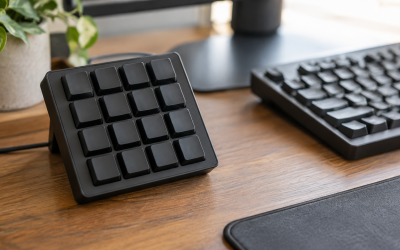
If you open the Elgato Stream Deck application and the profile list spins forever, shows a blank grid, or freezes on the splash screen while a “Loading profiles…” message hangs in the corner, your button deck is essentially a paperweight. The tray icon may be running, the physical device may light up, but no profiles load, no plugin icons appear, and clicking anything in the window does nothing. Sometimes the app responds after several minutes; often it never does until you force-close it from Task Manager.
This is urgent but rarely serious. Your profiles are almost never lost — they live on disk as independent files, and the hang is nearly always a corrupted cache, a stuck plugin, a stale device pairing, or a permissions problem. Most fixes take under ten minutes, and you can be back to a working deck the same session. Work through the fixes below in order; the early ones resolve the majority of cases.
Likely Causes
| Cause | How to confirm | Fix difficulty |
|---|---|---|
| Corrupted cache or preferences files | Hang happens immediately at launch, every time, even after a reboot | Easy |
| A single misbehaving plugin blocking the load sequence | Hang occurs after plugins begin loading; safe mode (Fix 4) launches fine | Easy |
| Stale or corrupted device pairing | App loads but the device shows “Not connected,” or the deck shows only the default profile | Moderate |
| Antivirus or Controlled Folder Access blocking the app | Windows Security’s Protection History shows blocked entries for StreamDeck.exe | Moderate |
| Corrupted profile or backup file in the Profiles directory | Hang persists even in safe mode; renaming the Profiles folder fixes it | Moderate |
| Outdated app version conflicting with a recent Windows or macOS update | Hang started right after an OS update; release notes mention compatibility fixes | Easy |
Fix 1: Restart the App and the Stream Deck Service
What causes it
The Stream Deck app relies on a background helper process. If that process crashes or hangs, the main window can sit waiting for a response that never arrives, leaving profiles stuck in a loading state.
How to check
Open Task Manager (Ctrl+Shift+Esc) and look for multiple “Stream Deck” entries under Processes. If one shows high CPU or “Not responding” status, that’s your culprit.
What to do
Close the app from its tray icon (right-click the Stream Deck icon and choose Quit). Then, in Task Manager, end every remaining “Stream Deck” task. Unplug the deck’s USB cable, wait ten seconds, and plug it back into a rear USB port directly on the motherboard — avoid hubs. Relaunch the app from the Start menu.
How to undo it
Nothing to undo — this is a plain restart with no settings changed.
Fix 2: Update the Stream Deck App
What causes it
Older app builds occasionally break after Windows feature updates or driver changes. Elgato ships compatibility fixes regularly, and a version that hangs on launch is often already patched.
How to check
Even if the window is frozen, the tray icon usually works. Right-click it and choose “Check for Updates.” Alternatively, note your version under Settings (gear icon) → About and compare it with the current release listed on Elgato’s downloads page, which you can reach from the app’s Help menu once running.
What to do
Download the latest installer, close Stream Deck completely, and run the installer over the existing installation. Your profiles and settings are preserved. Restart the PC afterward if the installer asks.
How to undo it
If the new version misbehaves, uninstall it via Settings → Apps → Installed apps, then reinstall the previous version from the installer file you kept. Profiles are untouched by uninstalling.
Fix 3: Clear the App Cache
What causes it
The app caches plugin data, icons, and UI state in a local cache folder. A half-written cache file — often from a previous crash or forced shutdown — can stall the load sequence at startup.
How to check
If the hang happens at the splash screen or immediately after, before any profiles appear, a corrupted cache is the most common reason.
What to do
Quit Stream Deck fully. Press Win+R, paste %appdata%\Elgato\StreamDeck and press Enter. Delete only the folder named Cache (also delete CacheLocal if present). Do not delete Profiles, Plugins, or Settings. Relaunch the app; it will rebuild the cache in a few seconds.
How to undo it
Not needed — the cache regenerates automatically. Worst case, plugin icons reload slowly the first time you open the app.
Fix 4: Launch in Safe Mode to Isolate a Plugin
What causes it
Third-party plugins load at startup before profiles render. A single outdated or broken plugin can block the entire load queue, so the app never finishes initializing.
How to check
Quit Stream Deck, then relaunch it while holding Ctrl+Shift (Windows) and keep them held until the main window appears. On macOS, hold Command+Shift at launch. If the app loads normally in safe mode, a plugin is responsible.
What to do
In safe mode, open Preferences (gear icon) → Plugins. Sort by recently updated and disable or uninstall anything you added just before the hang started. Then restart normally. Re-enable plugins one at a time, restarting between each, until you find the offender — then update or remove that one permanently.
How to undo it
Re-enable any plugins you disabled from the same Preferences → Plugins panel, or reinstall them from the Stream Deck Store.
Fix 5: Exclude the App from Antivirus and Controlled Folder Access
What causes it
Security software can silently block StreamDeck.exe from reading its own profile files. Windows Security’s Controlled Folder Access, in particular, treats writes to Documents and AppData as suspicious and denies them without a visible prompt.
How to check
Open Windows Security → Protection history and look for blocked entries referencing “Stream Deck” or “StreamDeck.exe” at times matching your launch attempts.
What to do
In Windows Security, go to Virus & threat protection → Manage settings → Exclusions → Add an exclusion → Folder, and add C:\Program Files\Elgato\StreamDeck. For Controlled Folder Access, go to Ransomware protection → Allow an app through Controlled folder access, browse to StreamDeck.exe, and allow it. Third-party suites (Norton, McAfee, Bitdefender) have equivalent exclusion lists in their settings.
How to undo it
Return to the same exclusion panels and remove the entries you added.
Fix 6: Re-pair the Device
What causes it
The app stores a device registration keyed to the USB port and serial number. A failed firmware update, a port change, or a corrupted pairing record can leave the app waiting for a device it believes is missing, stalling profile loading.
How to check
The app window loads but shows “Not connected” or an empty device header, even though the deck’s buttons light up.
What to do
Quit the app. Press Win+R and run %appdata%\Elgato\StreamDeck. Move the file devicecache.vsc (if present) to your Desktop as a backup. Relaunch the app with the deck connected; it re-detects the device and rebuilds the pairing.
How to undo it
Close the app and copy the backup file back into the folder, replacing the new one.
Fix 7: Reset Profiles to Defaults (Keeping a Backup)
What causes it
A single corrupted .streamDeckProfile file — from an interrupted save, disk error, or cloud-sync conflict (OneDrive and Dropbox syncing the Profiles folder are frequent offenders) — can hang the loader when it tries to parse it.
How to check
If the hang survives safe mode and a cache clear, and especially if your Profiles folder lives inside a OneDrive-synced path, this is the likely cause.
What to do
Quit Stream Deck. In %appdata%\Elgato\StreamDeck, rename the Profiles folder to Profiles_old. Relaunch the app — it creates a fresh default profile and should load instantly. If it does, import your old profiles one at a time via File → Import Profile (or drag the .streamDeckProfile files from Profiles_old into the window), restarting after each, to find the corrupted one. Also pause OneDrive sync on this folder going forward.
How to undo it
Quit the app, delete the new Profiles folder, and rename Profiles_old back to Profiles.
Fix 8: Clean Reinstall of the Stream Deck App
What causes it
Deep corruption in the installation directory or in the driver-level Elgato components — typically after a failed update or aggressive disk cleanup — requires a full removal and reinstall.
How to check
Every earlier fix failed, or the installer itself reports errors repairing the existing installation.
What to do
Back up %appdata%\Elgato\StreamDeck by copying the whole folder to your Desktop. Uninstall Stream Deck via Settings → Apps → Installed apps. Run the official installer as administrator (right-click → Run as administrator). Launch it once, confirm profiles load, then close it and copy your Profiles folder from the backup into the fresh %appdata%\Elgato\StreamDeck, replacing the new one. Relaunch.
How to undo it
Restore the entire backed-up folder over the new installation.
If Nothing Works
Test the deck on a second computer. If profiles load fine there, the problem is specific to your Windows user account or OS installation — try creating a new local Windows user account and launching the app from it, since permission corruption in a user profile can block AppData reads. If the hang follows the device to another PC, contact Elgato support directly through the app’s Help → Contact Support path; attach your logs, found under Help → Export Logs or in %appdata%\Elgato\StreamDeck\Logs. Include your app version, OS build (Win+R, type winver), and the steps you’ve already tried. As a stopgap, the Stream Deck Mobile app can mirror a basic profile while your desktop setup is being repaired.
FAQ
Will fixing the loading issue delete my profiles and multi-actions?
No. Profiles are stored separately as .streamDeckProfile files in the Profiles folder, and every fix above either skips them or backs them up first. Only a manual deletion of that folder would remove them, and Fix 7 shows you how to preserve it.
Why does Stream Deck hang only when my game is running?
Overlays and anti-cheat software can conflict with the app’s plugin host. Launch Stream Deck before the game, and check whether a recently added plugin (especially ones hooking game APIs) triggers the hang — safe mode (Fix 4) will confirm it.
Can I move Stream Deck profiles to another drive instead of AppData?
Not officially. The app expects profiles in %appdata%\Elgato\StreamDeck\Profiles. Junction points and cloud-sync redirection cause exactly the kind of parsing hangs described here, so keep the folder local and unsynced.
How often should I update plugins to avoid this problem?
Check Preferences → Plugins monthly, or enable automatic plugin updates in Preferences → General. Most plugin-related hangs come from a plugin that hasn’t been updated across several app versions, so updating both together keeps them compatible.