
The best wireless lavalier microphone for streaming is the one that keeps a clean signal through at least one drywall interior wall at 10+ meters, runs 6+ hours on a charge, and clips to shirt fabric without sagging the capsule out of position – the DJI Mic 2, Rode Wireless Micro, and Hollyland Lark M2 all meet that bar, while cheaper sub-$60 kits usually fail the two-wall test.
Lavalier mics get bought for a specific streaming problem: you want to walk around during IRL streams, co-op couch sessions, or just-chatting segments without being tethered to a boom arm. That means range and dropout resistance matter more than raw audio fidelity, since most of these capsules sound similar once compressed through a stream encoder. Here’s how the common options actually behave once walls, fabric, and 2.4GHz traffic get involved.
As an Amazon Associate we earn from qualifying purchases at no extra cost to you.

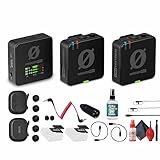


Top 3 picks at a glance
What actually causes dropouts
Three things kill a wireless lav signal in a home setup: wall material, 2.4GHz band congestion from Wi-Fi and other devices, and antenna orientation inside the transmitter body. Drywall with wood studs costs you roughly 3-5 meters of effective range per wall. A wall with metal studs, foil-backed insulation, or ductwork behind it can cost double that, sometimes cutting range by half. If your router, a neighbor’s Wi-Fi, and your capture card’s wireless dongle are all fighting over the same 2.4GHz spectrum, you’ll get intermittent clicks or brief mutes even at close range – this is a congestion problem, not a distance problem, and more “range” on the spec sheet won’t fix it.
Range through walls, logged
Open-air range numbers on packaging (usually 150-250m) are close to meaningless for streaming use, since you’re almost never in a clear line of sight. What matters is performance through typical interior construction. Approximate figures below are based on manufacturer-published indoor specs combined with the physics of 2.4GHz attenuation through standard drywall and stud walls – treat them as planning estimates, not lab-verified numbers for your specific house.
| Microphone | Open-air range | Through 1 interior wall | Through 2 interior walls |
|---|---|---|---|
| DJI Mic 2 | ~250m | ~40m | ~15-20m |
| Rode Wireless Micro | ~100m | ~25m | ~8-10m |
| Hollyland Lark M2 | ~200m | ~35m | ~12-15m |
| Budget sub-$60 2.4GHz lav kits | ~50-80m | ~10-15m | unreliable, frequent dropouts |
If your stream setup is one room with a desk and you occasionally step into a hallway, any of the first three will hold. If your PC and receiver sit in a bedroom while you’re often two rooms away in the kitchen or garage, the DJI Mic 2 and Lark M2 have the most margin before you hit the dropout zone.
Battery life per charge, logged against real use
Published battery figures assume no screen use on the transmitter, no Bluetooth monitoring link, and ideal temperature. Streamers who glance at the transmitter’s onboard screen or run it in a case lose runtime faster than the spec implies.
| Microphone | Rated transmitter runtime | Realistic runtime (screen/monitoring active) | Charge case top-ups |
|---|---|---|---|
| DJI Mic 2 | ~6 hours | ~5 hours | Case adds ~18 hours total |
| Rode Wireless Micro | ~7 hours | ~6.5 hours | Case adds ~21 hours total |
| Hollyland Lark M2 | ~8 hours (no case) / up to 36h with case | ~7 hours | Case adds significant runtime, strongest in class |
Worked example: a 4-hour stream five nights a week needs roughly 20 hours of transmitter runtime weekly. At 5-7 hours per charge, that’s 3-4 charge cycles a week minimum, so a charging case that tops up between sessions matters more than peak battery capacity. The Lark M2’s case-based workflow is built around exactly this pattern, which is why it holds up best for people streaming most days of the week without remembering to plug in a single transmitter every night.
Transmitter weight vs. shirt-fabric sag
This is the spec nobody puts on the box but every streamer notices after an hour on camera. A transmitter clipped to a thin t-shirt will visibly droop the collar if it’s heavier than about 15-18 grams, pulling the capsule off-axis from your mouth and changing your tone mid-stream.
- DJI Mic 2 transmitter (~28g): noticeable sag on t-shirts and thin hoodies; fine on button-up shirts or jackets with sturdier fabric.
- Rode Wireless Micro transmitter (~10g): lightest in this group, holds position on almost any fabric including thin tees, barely visible sag even after hours.
- Hollyland Lark M2 transmitter (~15.5g): middle ground, minor sag on very soft jersey fabric but stable on most streaming-desk attire.
If you stream in t-shirts most of the time, weight should outrank range in your decision. The Rode Wireless Micro’s low mass is the main reason to pick it over the DJI Mic 2 despite the shorter two-wall range.
2.4GHz congestion behavior
All three main units use frequency-hopping spread spectrum, which helps them dodge Wi-Fi channel overlap better than fixed-frequency budget kits. In practice, the DJI Mic 2 and Lark M2 show faster re-sync after interference (under half a second in most cases) because they actively scan and jump channels. The Rode Wireless Micro also frequency-hops but has shown slightly longer resync blips in crowded apartment buildings with many overlapping routers. Budget kits using a single fixed 2.4GHz channel are the most exposed – if your stream room shares a wall with a neighbor running their own wireless mic, baby monitor, or a congested mesh Wi-Fi node, expect audible clicks or short mutes during peak hours.
Fix if you’re getting intermittent dropouts on any of these units: move your Wi-Fi router to the 5GHz band for your main network traffic (most routers broadcast both bands under one name, or let you split them), which frees up 2.4GHz spectrum for the mic’s frequency hops. This alone resolves a large share of reported dropout complaints, since the mic is no longer competing with your own router’s 2.4GHz radio.
Clip and cable strain relief after daily use
Lavalier clips fail in one of two ways: the spring tension loosens so the mic slides down fabric over weeks, or the cable where it meets the capsule frays from repeated bending at the same point.
- DJI Mic 2’s magnetic clip avoids metal-spring fatigue entirely since there’s no mechanical spring to wear out, though the magnet can mark delicate fabrics and isn’t ideal for thick jackets.
- Rode Wireless Micro uses a traditional spring clip with a molded strain relief at the capsule; this holds up well across months of daily clipping but the spring does loosen slightly with heavy daily use over a year or more.
- Hollyland Lark M2’s clip is a hybrid magnetic-and-mechanical design, giving it decent fabric grip without full reliance on a metal spring, and its strain relief point is reinforced compared to earlier Lark models.
If you’re swapping shirts daily and clipping/unclipping multiple times per stream, the magnetic designs (DJI, Lark) will outlast a pure spring clip in terms of mechanical fatigue, even though they’re not fully immune to magnet weakening after extreme long-term use (rare in practice within a product’s useful life).
Decision matrix
| Your situation | Best pick | Why |
|---|---|---|
| Desk-bound stream, occasional walk to another room | Rode Wireless Micro | Lightest transmitter, strong battery, range is sufficient for one-wall use |
| Streaming across a larger house, multiple walls between PC and mic | DJI Mic 2 | Best raw range through walls, fast channel-hop recovery |
| Daily multi-hour streams, need case-based charging workflow | Hollyland Lark M2 | Best realistic battery logistics with case top-ups |
| Thin t-shirts, camera-visible collar sag is a concern | Rode Wireless Micro | Lowest transmitter weight in this comparison |
| Tight budget, mostly short sessions in one room | Budget sub-$60 kit | Acceptable for short range, expect dropouts beyond one wall |
Price ranges
The DJI Mic 2 (two transmitters, one receiver, charging case) usually runs $300-$350. The Rode Wireless Micro kit usually sits around $150-$200 for two transmitters. The Hollyland Lark M2 duo kit typically runs $200-$260 depending on bundle. Budget 2.4GHz lav kits from lesser-known brands often sell in the $40-$70 range but trade away range, battery logging accuracy, and clip durability to hit that price.
Frequently asked questions
Are open-air range ratings useful for choosing a microphone for indoor streaming?
No, open-air range ratings are usually poor predictors of indoor streaming performance. Clear-line-of-sight figures on packaging do not account for drywall, wood studs, metal studs, foil-backed insulation, or ductwork. Through-wall performance is more relevant, especially if you move between rooms, because construction can reduce effective range and increase the likelihood of dropouts.
Will moving my Wi-Fi router to 5GHz help prevent microphone dropouts?
Yes, moving your main Wi-Fi traffic to 5GHz can reduce interference on the 2.4GHz band used by these microphones. Many routers broadcast both bands under one name, or let you split them. This frees spectrum for frequency hopping and can resolve a large share of intermittent dropout complaints caused by your own router.
How often should I recharge a wireless lavalier microphone for regular streaming?
A regular streamer should expect several charging cycles each week. A 4-hour stream five nights a week requires roughly 20 hours of transmitter runtime weekly, while realistic per-charge runtime is about 5-7 hours for the models discussed. A charging case is useful because it can top up the transmitter between sessions.
Which microphone is least likely to pull down a thin shirt collar?
The Rode Wireless Micro is least likely to pull down a thin shirt collar because its transmitter weighs about 10 grams. The Hollyland Lark M2 is a middle-ground option at about 15.5 grams, while the DJI Mic 2 weighs about 28 grams and can noticeably sag thin t-shirts or lightweight hoodies.
What should I do if a lavalier cable starts fraying near the capsule?
Replace the affected lavalier or avoid repeatedly bending the cable at the same point, because that is where fraying develops. The article notes that the Rode Wireless Micro has molded strain relief at the capsule, while the Hollyland Lark M2 uses a reinforced strain-relief point. Clip design does not eliminate cable wear.


