
Top 3 picks at a glance


Best AV processors for a high-performance home theater
The best AV processor for most serious theater upgrades is the Marantz AV 10 if you want extensive processing, balanced outputs and Dirac Live compatibility; choose the Anthem AVM 90 8K for Anthem’s room correction and a simpler system, or the StormAudio ISP Core 16 when flexible routing and larger immersive-channel layouts matter more than price. The right pick depends less on headline channel count than on your HDMI sources, amplifier inputs, speaker layout and calibration plan.
An AV processor—also called an AV preamp or pre/pro—handles decoding, switching, volume and room correction, but does not power passive speakers. You need separate power amplifiers. That makes preamp outputs, channel allocation and integration with existing amps central buying criteria, not secondary details.
As an Amazon Associate we earn from qualifying purchases at no extra cost to you.
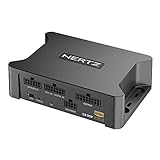

Head-to-head: which processor fits which upgrade?
| Processor | Processing and outputs | HDMI and room correction | Best fit |
|---|---|---|---|
| Marantz AV 10 | 15.4-channel processing; balanced XLR pre-outs | HDMI 2.1 inputs for modern 8K/4K high-refresh sources; Audyssey MultEQ XT32, with Dirac Live support available subject to licensing and configuration | Large Dolby Atmos, DTS:X or Auro-3D systems using external amplification |
| Anthem AVM 90 8K | 15.2-channel processing; balanced XLR outputs | HDMI 2.1-class 8K/4K 120Hz switching; ARC Genesis room correction | Buyers prioritizing Anthem calibration and a polished, integrated setup |
| StormAudio ISP Core 16 | Up to 16-channel processing; configurable outputs and system routing | HDMI 2.1-class switching; Dirac Live room correction options, depending on configuration | Custom theaters with unusual layouts, multiple zones or advanced bass management |
| Emotiva RMC-1L | Up to 16-channel processing; balanced XLR pre-outs | HDMI 2.0b rather than full HDMI 2.1; Dirac Live support | Existing theaters where 4K/60 sources are adequate and channel count is the priority |
Features and licensing can vary by region, firmware and configuration. Confirm the exact HDMI port capabilities and correction license with the manufacturer or dealer before purchase, especially if a specific gaming format is essential.
Marantz AV 10: the versatile large-system choice
The AV 10 is a strong match for a theater that needs many processed channels, balanced connections and broad format support. Its 15.4 designation means it can process up to 15 speaker channels and four subwoofer outputs; it does not mean the unit powers those speakers. You still need enough amplifier channels, and the processor’s subwoofer outputs are useful only if your bass-management and calibration plan can take advantage of them.
It suits systems combining multiple height speakers, several subwoofers and newer consoles or graphics cards. Its trade-off is complexity: more channels and correction options reward careful setup, but do not automatically improve a room with a basic 5.1 layout.
Anthem AVM 90 8K: the room-correction-first option
The AVM 90 is worth considering when ARC Genesis is a major part of your decision. Room correction can help smooth bass response and integrate speakers, but it cannot fix poor placement, a null caused by room geometry or inadequate amplifier power. Its channel capacity and balanced outputs make it suitable for ambitious systems, while its interface and calibration workflow may appeal to buyers who want fewer third-party options to manage.
StormAudio ISP Core 16: for custom routing and expansion
StormAudio is the specialist choice when a theater needs unusual channel mapping, advanced bass management or room to evolve. That flexibility is valuable in a dedicated room with an integrator, but may be unnecessary for a conventional living-room setup. Budget for professional configuration if you will use its advanced routing rather than treating it as a plug-and-play replacement for a receiver.
Emotiva RMC-1L: channel count without HDMI 2.1
The RMC-1L can make sense when the rest of the system is built around 4K/60 video sources and you want immersive processing with external amps. Its HDMI 2.0b switching is the important limitation: a console or PC needing 4K/120, VRR or other newer gaming features may need to connect directly to a compatible TV or display, with audio returned over eARC. Check that the display, processor and source support the particular formats you intend to use.
Check these five things before choosing
- HDMI 2.1 features, not just the label: Confirm supported resolution and refresh rate, HDCP version, VRR, ALLM and eARC on the specific ports you will use. “8K” alone does not guarantee the gaming features you need.
- Processed channels versus powered channels: Processors supply no speaker power. Count your planned speakers, including height channels, then confirm the processor can decode and route them and your amplifiers can drive them.
- Room correction: Compare the system’s target-curve control, subwoofer integration and measurement workflow. Dirac Live, ARC Genesis and Audyssey are different tools; the best fit depends on how much setup control you want.
- DAC and analog stage: DAC chip names are a poor shortcut to sound quality. Noise, distortion, output level, power-supply design and implementation matter, and differences can be difficult to hear in a level-matched system. Prioritize balanced outputs and clean integration with your amplifiers.
- Preamp connectivity: Check for enough XLR or RCA outputs, independent subwoofer feeds, trigger outputs and the inputs needed for existing equipment. Balanced XLR runs are particularly helpful when processors and amplifiers are far apart, though they do not improve every short, well-grounded connection.
Bandwidth check for a 4K/120 gaming theater
A 4K/120 signal contains four times as many pixels per second as 4K/30: 3840 × 2160 × 120 is about 995 million pixels per second. This is one reason a 4K/120 setup needs a suitable high-bandwidth HDMI path, not merely a processor advertised as supporting 4K. Chroma format, bit depth and HDR can further raise the data rate; the HDMI 2.1 maximum of 48 Gbps is a link-capacity figure, not a promise that every port or cable handles every format.
For a console or PC, check the source’s output settings, processor input, processor display output and TV input as one chain. If any link lacks the required feature, connect the source directly to a capable TV input and send audio back through eARC, if the TV and processor support the needed audio formats. Use a certified Ultra High Speed HDMI cable for long or demanding runs, and verify stability at the intended resolution and refresh rate before hiding cables in a wall.
Match the processor to your actual system
| Your situation | What to prioritize | Reasonable direction |
|---|---|---|
| 5.1 or 7.1 system, no plans for heights | HDMI features, easy calibration, enough outputs for current amps | Consider whether a capable AV receiver is better value than a processor plus amplifiers |
| 7.1.4 system with separate power amps | At least 11 processed speaker channels; HDMI 2.1 if gaming at 4K/120 | Marantz AV 10 or Anthem AVM 90 8K, depending on calibration preference |
| Large theater with 13–15 speakers and multiple subs | Channel routing, subwoofer management, output count and amplifier plan | Marantz AV 10 or StormAudio ISP Core 16 |
| Existing 4K/60 theater, HDMI sources already handled elsewhere | Processing capacity, room correction and preamp compatibility | Emotiva RMC-1L may fit if its HDMI limitation is acceptable |
| Long cable runs or amps in another rack | Balanced XLR outputs and dependable trigger/control connections | Favor a model with the required XLR outputs; verify your amps accept them |
Plan the amplifier count before buying
For a 7.1.4 theater, add the channels: seven bed-layer speakers + one subwoofer signal group + four height speakers sounds like 12, but the subwoofer is normally fed from line-level sub outputs and does not consume a speaker-amplifier channel. You therefore need 11 amplifier channels for the 11 passive speakers, plus a powered subwoofer or subwoofer amplifier. This distinction prevents a common budgeting mistake: a processor may advertise 11 or more channels while the buyer has amplifiers for only nine speakers.
For a 7.1.4 system with an AV 10, for example, the processor’s 15 speaker-processing channels leave room for expansion, but you only need to amplify the 11 speakers in the current layout. You can use one multichannel amp and a stereo amp, or multiple amps, provided their input sensitivity, gain and connection types work together. Leave a few decibels of headroom in the amplifier plan rather than assuming every speaker needs the same power; real requirements depend on sensitivity, listening distance and desired peak level.
Frequently asked questions
Can an AV processor power my passive speakers?
No, an AV processor does not power passive speakers. It handles decoding, switching, volume and room correction, while separate power amplifiers drive the speakers. Before buying, count the speakers in your planned layout and confirm that your amplifiers provide enough channels. Subwoofer outputs are line-level connections and do not normally require a speaker-amplifier channel.
What does 15.4-channel processing mean on the Marantz AV 10?
The Marantz AV 10 can process up to 15 speaker channels and four subwoofer outputs, but it does not power those speakers. The designation describes processing and output capability rather than built-in amplification. A system using fewer speakers can still use the AV 10, although its additional channels and correction options may add setup complexity without automatically improving a basic 5.1 layout.
Can I use an Emotiva RMC-1L with a 4K/120 console or PC?
The Emotiva RMC-1L may require a different connection plan because its HDMI switching is HDMI 2.0b rather than full HDMI 2.1. A console or PC needing 4K/120, VRR or other newer gaming features may connect directly to a compatible TV or display, with audio returned through eARC. Confirm that every device supports the formats you intend to use.
Do balanced XLR outputs always improve sound quality?
No, balanced XLR outputs do not improve every short, well-grounded connection. They are particularly helpful when the processor and amplifiers are far apart, because they can support cleaner integration over long runs. When choosing a processor, prioritize the required XLR or RCA outputs, independent subwoofer feeds, trigger outputs and compatibility with your existing equipment.
What should I verify before hiding an HDMI cable in a wall?
Verify that the complete source-to-display chain supports the intended resolution, refresh rate, HDR, VRR and other required features. Use a certified Ultra High Speed HDMI cable for long or demanding runs, and check stability at the intended resolution and refresh rate before concealing it. The processor input, processor display output and TV input must all meet the requirement.
Bottom line
Choose the Marantz AV 10 for a flexible, high-channel-count theater; the Anthem AVM 90 8K if ARC Genesis is central to your setup; or the StormAudio ISP Core 16 for custom routing and expansion. Consider the Emotiva RMC-1L only when HDMI 2.0b fits your source chain. Before committing, map every source-to-display connection, count amplifier channels, confirm preamp outputs and decide which room-correction workflow you will actually use.


