Most “podcast production equipment bundles” are accessories thrown together with the assumption that a phone clip and a ring light constitute a signal chain. They do not. The actual problem a professional content creator faces when shopping in this category is assembling a coherent audio path—microphone, interface or mixer, monitoring, and software—that sounds intentional rather than improvised, without paying retail prices for each piece individually or spending three weeks cross-referencing compatibility charts.
After comparing kits from under forty dollars to over two hundred, the best podcast production equipment bundles for professional content creators fall into two camps: video-first bundles that pair a usable mic with phone accessories, and audio-first bundles that include a real interface or mixer with a matched condenser. The first camp lets you publish on-camera content quickly. The second lets you publish episodes that do not require you to apologize for room tone. Knowing which camp you belong to before you buy saves money and frustration.
As an Amazon Associate we earn from qualifying purchases at no extra cost to you.




Our Top Picks
 Podcast Equipment Bundle with Audio Mixer and P15G10-P15YP11.7 x 9.5 x 8.6 inches0.9 PoundsCheck on Amazon


Top 3 picks at a glance
Quick Picks
| Product | Best for | Price |
|---|---|---|
| Vlogging Kit for iPhone/Android | Multisocial creators switching between phone platforms | Check on Amazon |
| Content Creator Essentials Vlogging Kit | iPhone-only creators wanting the lowest entry price | Check on Amazon |
| neculogy G10 Podcast Equipment | Podcasters wanting an integrated mixer and mic package | $149 |
| Movo iVlogger | Lightning-compatible iPhone users shooting YouTube or podcast video | Check on Amazon |
| Movo USB-C Vlogging Kit | iPhone 15/16 users recording video podcasts | Check on Amazon |
| Movo iVlogger-PRO Wireless | Creators needing wireless flexibility across Android and iOS | Check on Amazon |
| USKEYVISION Vlogging Kit | Budget interview-style video podcasting with a lavalier mic | Check on Amazon |
| PreSonus AudioBox 96 25th Anniversary | Two-host podcast recording with professional audio processing | Check on Amazon |
How We Compared
We evaluated each bundle on four criteria: signal chain coherence (does the microphone match the interface or preamp, or are they mismatched components), build durability under repeated setup and teardown, recording software support (whether the kit includes a usable DAW or relies entirely on third-party apps), and whether the bundle price actually saves money versus sourcing each item individually. A kit that includes a condenser mic without a proper preamp or phantom power source is not a bundle—it is a collection of parts that do not work together.
The 8 Best Podcast Production Equipment Bundles For Professional Content Creators in 2026
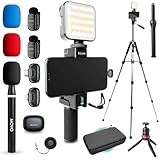
Vlogging Kit for iPhone/Android
This works for creators splitting time between TikTok, YouTube, and podcast video who own or lend different phone platforms. The wireless microphone eliminates cable management during on-camera recordings, and the flexible tripod with RGB fill light lets you set up in corners or awkward spaces without a dedicated studio footprint.
- Pro: Universal phone compatibility means the kit is not locked to one ecosystem.
- Pro: The RGB fill light offers color temperature range that a basic ring light cannot match.
- Con: Plastic housing on the wireless mic and light clamping force on the tripod make extended shoots fatiguing.
Skip it if your primary output is audio-first podcast content with video as a secondary element. A dedicated XLR interface will produce cleaner signal even at a higher price.
Content Creator Essentials Vlogging Kit
For an iPhone user who wants the absolute cheapest viable entry into on-camera podcasting, this bundle clears the floor at under forty dollars. It includes a tripod and wireless mic, which means you can record without holding a phone or managing cables.
- Pro: The price makes it a low-risk experiment if you are still deciding whether video podcasting fits your workflow.
- Pro: The wireless mic clips directly to clothing without a receiver pack, reducing on-camera clutter.
- Con: Audio quality from the mic is adequate for talking-head video but will not satisfy anyone publishing audio-only episodes for discerning listeners.
Skip it if you plan to use this kit beyond a handful of test episodes. The components do not scale to a professional workflow.
neculogy G10 Podcast Equipment
This is the only kit in the lineup that functions as a standalone podcast production studio. The integrated audio mixer with the bundled P15 microphone gives you gain control, monitoring, and recording capability from one unit, which suits solo podcasters and interview hosts recording to a PC.
- Pro: The onboard mixer lets you adjust levels during recording rather than fixing issues in post-production.
- Pro: Includes both podcast recording and live streaming functionality in a single package.
- Con: The P15 microphone is serviceable but cannot be upgraded without replacing the entire integrated unit, limiting long-term growth.
Skip it if you anticipate bringing in co-hosts or remote guests, because the mixer inputs are not designed for multi-channel expansion.
Movo iVlogger
Movo built this kit specifically for iPhone users who need Lightning compatibility, and the shotgun microphone is the standout component. On-camera interview setups benefit from the directional pickup pattern, which rejects room noise more effectively than lavaliers or omni mics.
- Pro: The shotgun mic delivers genuinely directional audio that improves intelligibility in untreated rooms.
- Pro: The phone mount and tripod integrate cleanly without requiring a separate cold-shoe adapter.
- Con: Lightning-only connectivity means this kit becomes obsolete the moment you switch to a USB-C device.
Skip it if you are on a USB-C phone or plan to switch within the next year. The Movo USB-C variant solves that limitation.
Movo USB-C Vlogging Kit
This is the USB-C counterpart to the iVlogger, designed for iPhone 15 and 16 users who record video podcasts and need plug-and-play connectivity without adapters. The shotgun mic and phone accessories remain the same, but the connector future-proofs the kit across current Android flagships and newer iPhones alike.
- Pro: USB-C passthrough means you can charge the phone while recording, eliminating battery anxiety during long sessions.
- Pro: The shotgun mic pattern handles single-speaker and two-person setups without requiring an external recorder.
- Con: No included DAW or recording software, so you still need a paid editing tool for final cuts.
Skip it if you need wireless mic freedom for movement-based content. This kit requires a direct cable connection to the phone.
Movo iVlogger-PRO Wireless
At just under one hundred and eighty dollars, this is the most premium vlogging bundle in the lineup. The wireless system covers both iPhone and Android, making it suitable for multi-device creators or teams where different members use different phones. The mic quality sits noticeably above the cheaper wireless alternatives in this price bracket.
- Pro: The wireless range and signal stability outperform budget kits, particularly in environments with competing RF sources.
- Pro: Cross-platform compatibility means one kit serves an entire creator team regardless of phone choice.
- Con: The price premium over wired alternatives buys convenience, not audio fidelity improvement.
Skip it if you are working from a fixed desk setup. Wired kits at lower prices will match or exceed its audio quality in controlled environments.
USKEYVISION Vlogging Kit
Another sub-forty-dollar option, but this one pairs a lavalier microphone with a fill light rather than a wireless clip-on. For interview-style video podcasts where you want natural-sounding dialogue with minimal visual distraction, the lavalier approach produces cleaner voice capture than most shotgun alternatives at this price.
- Pro: The lavalier clips close to the mouth, which reduces ambient noise pickup without requiring acoustic treatment.
- Pro: The included light is adequate for small spaces where the phone camera would otherwise produce noise in dim conditions.
- Con: The wired lavalier limits physical movement, which makes this unsuitable for on-location or walking content.
Skip it if you need mobility during recording. This kit is designed for seated, stationary setups.
PreSonus AudioBox 96 25th Anniversary
This is the only bundle in the group that qualifies as professional recording gear. The AudioBox 96 interface handles two XLR inputs, meaning you can record two hosts simultaneously with proper preamp gain. The bundled Studio One Artist DAW eliminates software cost, and the included cardioid condenser with shockmount and pop filter produces broadcast-quality vocal recordings.
- Pro: Two XLR inputs with independent gain controls make multi-person recording genuinely simple.
- Pro: Studio One Artist is a full-featured DAW, not a stripped-down trial version.
- Con: No video components are included, so you need separate camera or phone accessories for podcast video.
Skip it if you are primarily a video creator who treats audio as secondary. The audio investment only pays off when sound quality is your priority.
Buying Guide
Audio Interface or Mixer: The Most Critical Decision
If your output is audio-first podcasting, the interface determines your ceiling. A USB interface with proper XLR preamps and phantom power lets you use any XLR condenser later, while integrated mixer kits like the neculogy G10 lock you into their built-in microphone. The PreSonus AudioBox approach—separate interface and mic—costs more upfront but scales. For video-first creators, a direct phone connection via USB-C or Lightning bypasses the interface entirely, but you sacrifice gain control and monitoring flexibility.
Microphone Pattern and Room Matching
Shotgun and cardioid patterns reject rear and side noise, which matters if you record in untreated rooms. Lavaliers capture closer to the source and tolerate ambient noise well because the mic-to-mouth distance is short. Omni microphones require the quietest rooms. Match the pattern to your recording environment, not to what the bundle includes by default. If the bundled mic pattern does not suit your space, factor in a separate microphone purchase.
Phone Connectivity and Platform Lock-In
Lightning-only kits are already obsolete for new phone purchases. USB-C is universal across current Android flagships and newer iPhones. Wireless kits eliminate connector dependency entirely but introduce battery charging cycles as a variable in your recording reliability. Decide whether you need cross-platform compatibility now or within two years before committing to a single connector standard.
Our Verdict
The top pick is the PreSonus AudioBox 96 25th Anniversary bundle. It is the only kit that produces audio quality you will not need to replace within two years, and the included DAW removes a hidden software cost that every other bundle ignores. The budget pick is the Content Creator Essentials Vlogging Kit at around $39, which provides a functional wireless mic and tripod for creators still validating their format. If your workflow requires wireless freedom across phone platforms and you are producing video-first content, the Movo iVlogger-PRO Wireless wins despite its higher price.
FAQ
Do I need a separate audio interface if I buy a podcast bundle?
Not always. Kits like the neculogy G10 integrate a mixer directly, and phone-based vlogging kits bypass interfaces entirely. However, if you want to record through XLR microphones with proper gain staging, a dedicated interface such as the PreSonus AudioBox is necessary because no integrated kit in this range offers true XLR preamp flexibility.
Is a wireless microphone better than wired for podcasting?
Wireless offers mobility and cleaner cable management, which benefits on-camera video podcasts. Wired mics eliminate battery dependency and generally deliver more consistent audio per dollar. For seated, studio-style recording, a wired mic connected through an interface will outperform most wireless kits at comparable prices.
Can I upgrade components within a bundle without replacing the whole system?
Audio-first bundles with separate interfaces and microphones upgrade easily—replace the mic and keep the interface. Video-first bundles with integrated or proprietary mics rarely allow component upgrades because the connector, gain, and mounting system are designed as one unit.
What is the realistic minimum for professional-sounding podcast audio?
You need at minimum a dynamic or cardioid condenser microphone, an XLR or USB interface with a usable preamp, and closed-back headphones for monitoring. Bundles under fifty dollars typically cannot provide all three. Expect to spend at least one hundred fifty dollars for a complete audio chain that sounds professional without post-processing tricks.
Part of our creators buying guide hub.
Related guides
- Best Tablets for Artists: Drawing & Design Picks: 6 Compared (2026)
- How Many Gigabytes of Backup Storage do Creators Need? Size Guide With Measurements
- What to Look for in Creator Storage Backup Systems: What Actually Matters
- Best Battery Powered Lights for Outdoor Creators: Compared and Ranked: 8 Compared (2026)