
The hardest part of setting up a reliable live stream is not choosing a platform or writing a run-of-show script. It is keeping the signal alive for three, five, eight hours without a single dropped frame or buffer stall. We have watched hardware encoders lock up during a keynote, software suites crash on a driver update, and capture cards add enough latency that the talent can hear themselves in the monitor. The best professional video encoding and live streaming appliances solve one narrow problem exceptionally well, and the rest of the stack becomes simpler because of it.
What separates a genuinely dependable appliance from a spec-sheet trap comes down to thermal headroom, protocol breadth, and whether the device can be configured without a dedicated technician at a keyboard. A unit that handles H.265, RTSP, SRT, and WebRTC simultaneously while sitting passively in a rack for a full marathon is a different animal than a dongle that works fine until minute forty-seven. The six appliances below span the range from under fifty dollars to well over a grand, and each earns its place by solving a specific operational problem better than the alternatives.
As an Amazon Associate we earn from qualifying purchases at no extra cost to you.



Top 3 picks at a glance
Quick Picks
| Product | Best For | Price |
|---|---|---|
| UNISHEEN 1080P60 HDMI Encoder | Budget RTMP/SRT streaming with no PC required | $99.99 |
| YoloLiv YoloBox Ultra | One-person mobile multi-camera production | $1,498 |
| Pyle PHDRCB48.5 Capture Card | Legacy console and DVD capture on a shoestring | $49.99 |
| RGBlink StreamZ 4K Capture | 4K dual-record capture from a single source | $599 |
| RGBlink StreamZ 4K Switcher | All-in-one switching with per-camera ISO recording | $599 |
| Telestream Wirecast Pro | Professional control-room software with full encoder control | $899 |
How We Picked
We evaluated each appliance on four criteria: sustained reliability under multi-hour continuous encoding load without thermal throttling or firmware lockups, protocol flexibility across common delivery targets including RTMP, SRT, HLS, and WebRTC, the image quality to latency ratio at real-world bitrates rather than idealized test patterns, and setup friction measured by how many steps stand between unboxing and a live signal. Devices that required a separate installable driver, a vendor-locked account, or a physical keyboard tethered to the unit itself lost points.
The 6 Best Professional Video Encoding And Live Streaming Appliances in 2026
UNISHEEN 1080P60 HDMI Video Encoder
This is the appliance for someone who needs to push a clean 1080p60 signal to YouTube, Facebook Live, or a local IPTV headend without dedicating a laptop to the task. Browser-based setup means you plug in HDMI, connect to its Wi-Fi network, open a configuration page, and you are streaming within minutes. H.265 support at 1080p60 keeps bandwidth reasonable for multi-hour events on constrained uplinks.
- Pro: Genuinely no PC required; browser config works from any tablet or phone on the same network.
- Pro: Wide protocol matrix covering RTSP, RTMP, SRT, HLS, and WebRTC from one device.
- Con: Plastic enclosure and modest thermal headroom make it a poor fit for hot rack environments or continuous operation beyond several hours.
Skip this if your venue runs a full 4K chain or needs independent ISO recording of multiple sources.
YoloLiv YoloBox Ultra
Built for the one-person production crew that shoots events on location and needs horizontal and vertical output in a single pass. NDI support makes it a natural bridge between wireless camera links and a switching layer without intermediate capture hardware. The touchscreen interface is responsive enough to adjust overlays and mixers mid-show without hunting for a keyboard.
- Pro: True horizontal and vertical dual-stream output from the same source material.
- Pro: NDI integration simplifies camera-to-encoder wiring in multi-source mobile rigs.
- Con: Full-day outdoor shoots require a battery-swap plan, and the price places it firmly in professional territory.
Skip if your workflow is entirely studio-bound with a dedicated control room and rack-mounted gear that never moves.
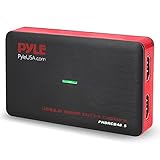
Pyle PHDRCB48.5 Capture Card
This device exists because people still need to capture feeds from older consoles, DVD players, and legacy cameras into a modern file pipeline. It handles USB output to a PC, standalone SD card recording as a safety copy, and HDMI passthrough for zero-latency monitoring on set.
- Pro: Dual recording paths via USB and SD give you a backup file without extra software or a second capture device.
- Pro: Broad legacy input support spanning PS3, PS4, Xbox, and Wii makes it a single solution for retro-game archiving.
- Con: Maximum output is full HD only, and the basic encoding pipeline loses detail on fast-motion content.
Skip if you need 4K, HDR, or more than a single HDMI input.
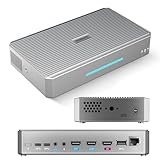
RGBlink StreamZ 4K Capture
A purpose-built capture and dual-recording unit for operators who need a 4K reference archive and a lower-bitrate streaming proxy from the same feed. The dual-record approach lets you save a full-resolution master while simultaneously pushing a compressed stream to your delivery platform without splitting signals with an external device.
- Pro: True 4K capture with simultaneous dual output paths eliminates the need for a second recording box.
- Pro: Compact form factor slots cleanly into a fly case alongside other portable production gear.
- Con: It is strictly a capture device, so multi-camera productions require an external switcher upstream.
Skip if your production cuts between multiple cameras and you need switching plus capture in one unit.
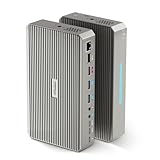
RGBlink StreamZ 4K Switcher with ISO Recording
This is the capture unit’s bigger sibling, adding multi-input switching and independent ISO recording of each source so you can reconstruct your edit entirely in post. UVC compatibility means it presents as a standard webcam to most streaming software, removing the proprietary driver dependency that plagues cheaper capture cards.
- Pro: Multi-source switching with per-camera ISO files provides genuine post-production safety.
- Pro: UVC plug-and-play support eliminates driver conflicts and simplifies integration with existing software.
- Con: The denser feature set demands a steeper learning curve for operators new to live switching workflows.
Skip if you are cutting a single fixed camera and have no use for ISO redundancy.
Telestream Wirecast Pro
Wirecast is not a standalone hardware appliance, but it functions as the brain of a professional control room when paired with capture hardware. It handles encoding, compositing, and multi-protocol output from a single Windows interface, and its virtual-set and dynamic-title capabilities remain the most refined in the software segment.
- Pro: Granular encoder control with deep preset management for operators who need per-stream bitrate tuning.
- Pro: Extensive source plugin and title ecosystem that has matured over many years of production use.
- Con: Demands a capable Windows machine and a perpetual license model that feels rigid next to subscription alternatives.
Skip if you want a standalone hardware device with zero software maintenance or operating system patching.
Buying Guide
Protocol Support and Delivery Targets
Your encoder needs to speak the language of every destination it feeds. RTMP remains the baseline for YouTube and Facebook, but SRT is now the standard for contributing signals from remote locations over lossy networks because it recovers from packet loss without the latency penalty of TCP retransmission. HLS and RTSP matter if you are feeding an IPTV headend or a local media server. WebRTC is the newest requirement, relevant if you need sub-second latency for interactive formats like live Q and A. A protocol gap is harder to fill after purchase than a resolution gap, because transcode boxes add cost and failure points to the signal chain.
Latency Versus Image Quality
Encoding speed and picture quality pull in opposite directions. Lower latency means the encoder has less time to analyze motion and distribute bits, which causes blocking artifacts on fast pans and complex scenes. Higher quality means the buffer fills and adds delay. For events where the talent interacts with a live audience, you need under two seconds of glass-to-glass latency, which constrains your encoder to aggressive motion search settings. For archival recordings pushed to on-demand playback later, you can trade latency for visual fidelity and let the encoder work at full quality without worrying about the round-trip time.
Setup Friction and Sustained Reliability
A device that takes ninety seconds to configure from a browser page will be used. One that requires a dedicated utility, a USB tether, and a static IP plan will be skipped until the event is already late. Beyond convenience, the number of steps to recover from a crash matters on broadcast day. Look for appliances that resume encoding automatically after a network interruption or a power blip rather than requiring someone to physically press a button. Check whether the unit uses passive cooling or an internal fan, because moving parts fail first during a continuous fourteen-hour operation, and a fan seized in a rack will throttle your encoder or shut it down entirely.
Our Verdict
Our top pick is the YoloLiv YoloBox Ultra. No other device on this list collapses the distance between acquisition, switching, encoding, and multi-destination delivery into a single field-ready unit while adding NDI as a networking backbone. For crews that move between venues and need both horizontal and vertical output without reconfiguring a laptop mid-setup, the productivity gain justifies the price.
The UNISHEEN 1080P60 HDMI Encoder is our budget pick by a wide margin. At under a hundred dollars it covers RTMP, SRT, HLS, and WebRTC from a browser interface with no PC in the chain, which makes it a reasonable first encoder for a small church, a school auditorium, or a pop-up event.
The Pyle PHDRCB48.5 wins outright when the task is purely legacy source capture. If you are archiving gameplay from a PS3 or pulling a VHS-era feed into modern files, no other unit on this list matches its input flexibility at half the price of anything else here.
FAQ
Do I need a hardware encoder if I already run streaming software on a PC?
A hardware encoder offloads the encoding workload from your machine, which means your PC can dedicate all its resources to compositing, graphics, and application stability. It also eliminates the risk that a background Windows update or a driver conflict takes your broadcast down mid-event.
What is the practical difference between RTMP and SRT for live streaming?
RTMP assumes a stable low-latency connection and does not recover well from packet loss, which makes it fragile over consumer internet links. SRT adds a recovery buffer that reconstructs dropped packets without retransmission, so it maintains video integrity on unreliable networks at the cost of slightly higher minimum latency.
Can a capture card replace a dedicated encoder?
A capture card gets video into a computer; an encoder takes that video and outputs it to a network. You need both in a software-based pipeline. A standalone hardware encoder replaces the software step by accepting HDMI input directly and pushing the finished stream over Ethernet or Wi-Fi without touching a PC.
How many hours can these appliances safely run continuously?
Rack-mounted and actively cooled units can sustain multi-day continuous operation without issue. Compact fanless devices like the UNISHEEN and the Pyle are rated for sessions of several hours before thermal buildup begins to degrade encoder stability, so plan for a break or active airflow if your event runs past six hours.


