Playing at 1440p sits in an awkward and very popular place. The screen holds roughly 78 percent more pixels than a 1080p panel, so the graphics card works noticeably harder, yet the target is still a high refresh rate rather than the lower frame rates that 4K usually accepts. Buyers who move up to a 1440p monitor often discover that a card that felt generous at 1080p needs a second look, and that video memory, not just raw speed, starts to decide how long a build stays comfortable.
This guide goes through seven prebuilt desktops from the 2026 listings, spanning an RTX 5060 tier up to an RTX 5070 and a Radeon RX 9070 XT. Each is judged on what its listing title states: processor, graphics card, memory, storage, power supply and cooling. The question is simple. Does the hardware named in the title look like a sensible foundation for a 2560 by 1440 monitor with high settings, and which type of player is it right for? Details a title leaves out are flagged so you can confirm them before buying.
Our Top Picks




Top 3 picks at a glance
Quick Picks
As an Amazon Associate we earn from qualifying purchases at no extra cost to you.






| Product | Best for | Key spec from the title |
|---|---|---|
| msi Codex Z2 (Ryzen 7 8700F, RTX 5070) | A balanced 1440p build with generous storage | 32GB DDR5, 2TB SSD, RTX 5070 |
| KOTIN Ryzen 7 8700F, RTX 5060 Ti | Entry to comfortable 1440p play | 16GB DDR5, 1TB SSD, WiFi 7, DLSS 4 |
| CyberPowerPC Gamer Master (Ryzen 7 8700F, RTX 5060 Ti) | Buyers who value a familiar brand | 16GB DDR5, 1TB PCIe 4.0 SSD |
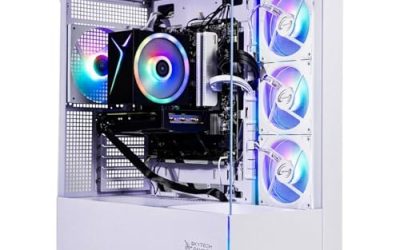
| Skytech Archangel 5 (Core i5-14400F, RTX 5060) | The lowest-cost route to 1440p | DDR5 6000, 750W Gold power supply |
| KOTIN Ryzen 7 9700X, RTX 5070 12GB | Newest platform with liquid cooling | 32GB DDR5, 850W 80+ Gold, 360mm liquid cooler |
| Alienware Gaming Desktop (Core Ultra 7 265F, RTX 5060 Ti) | Intel and a premium network package | Killer 2.5Gb Ethernet, Wi-Fi 7 BE200 |
| Skytech Ryzen 7 9850X3D, RX 9070 XT | Highest frame-rate ambition at 1440p | 32GB RAM, 2TB SSD, 850W Gold ATX 3, 360 ARGB AIO |
The 7 Best Options
msi Codex Z2 (Ryzen 7 8700F, RTX 5070)
The Codex Z2 listing names an AMD Ryzen 7 8700F, a GeForce RTX 5070, 32GB of DDR5 and a 2TB SSD, with a USB Type-C port, VR readiness and Windows 11 Home. Among the seven it is the one whose headline specification most directly says “1440p without compromises on memory or storage”. The RTX 5070 is a step above the RTX 5060 tier on this page, and 32GB plus 2TB mean the machine will not need an immediate upgrade.
- An RTX 5070 gives the graphics card more headroom for 1440p at high settings than the 5060 class systems here.
- 32GB of DDR5 and a 2TB SSD are both generous for a prebuilt in this segment.
- Established brand with a model number printed in the title, which makes support and spares easier to find.
- The title does not state the power supply wattage or the cooler type, so confirm both on the full listing.
- The Ryzen 7 8700F is a mid-range processor, and it does not have integrated graphics because of its F suffix.
What makes this listing stand out is the balance. Many prebuilts spend heavily on the graphics card and starve the rest, but a 32GB and 2TB specification means the machine can hold a large library of modern games, a browser and a recording tool without juggling files. The VR-Ready note and the Type-C port are small extras for a buyer who connects a headset or a fast external drive. Since the processor is the same Ryzen 7 8700F used in several other towers here, the extra money is going to the card, memory and drive.
A realistic buyer is someone with a 1440p monitor at a high refresh rate who wants to play recent releases at high settings and not think about memory or storage for a few years. Skip it if you want a liquid cooler or a flagship processor. Compared with the KOTIN RTX 5060 Ti system that follows, it offers a stronger card, double the memory and double the storage.
KOTIN Ryzen 7 8700F with RTX 5060 Ti
This KOTIN is the entry point to comfortable 1440p in the guide. The title lists a Ryzen 7 8700F, an RTX 5060 Ti with 8GB of video memory, 16GB of DDR5 and a 1TB SSD, plus WiFi 7, Windows 11 Home, DLSS 4 and ARGB cooling. The 8GB figure is the one to weigh carefully, because it is the tightest part of an otherwise capable specification at this resolution.
- DLSS 4 support is listed, which helps the card hold frame rates when a game supports upscaling.
- DDR5 memory and a current Ryzen platform leave room to grow.
- WiFi 7 is included, though a wired connection is still preferable for online play.
- 8GB of video memory is the likeliest limit at 1440p in recent titles with high-resolution textures.
- 16GB of system memory is adequate, not generous.
The listing reads like a well-rounded starter system for the resolution. DDR5 and a newer Ryzen platform mean the base is current, and the RTX 5060 Ti is positioned as the step between entry and upper-mid cards. The title mentions ARGB cooling but does not say whether that is an air tower or a liquid unit, and it does not name the power supply wattage, so those are the first two details to read on the full page. A buyer who expects to add a second memory stick and a bigger drive within a year will be well served.
This suits a player who mostly runs esports and mid-demand titles at 1440p and is willing to lower texture quality in the heaviest games. Skip it if you want the longest possible useful life from the card. The CyberPowerPC next uses the same processor and graphics card, so the choice between them comes down to brand and the details the full listing provides.
CyberPowerPC Gamer Master (Ryzen 7 8700F, RTX 5060 Ti)
CyberPowerPC lists the Gamer Master with a Ryzen 7 8700F, a GeForce RTX 5060 Ti 8GB, 16GB DDR5 and a 1TB PCIe 4.0 SSD, with the note WiFi Ready and Windows 11 Home. The specification sits almost on top of the KOTIN above, which makes this a decision about the maker rather than the silicon.
- The title names the PCIe 4.0 interface of the SSD, an explicit detail that many listings omit.
- A well-known prebuilt brand with a model line printed in the title.
- The same Ryzen 7 and RTX 5060 Ti combination as the entry-level KOTIN, so performance should be similar by specification.
- “WiFi Ready” can mean a slot or an antenna option and not a fitted card, so check whether wireless is included.
- The same 8GB video memory limit applies at 1440p.
The PCIe 4.0 detail deserves a note. A fast NVMe interface shortens game load times and makes installing large titles less tedious, and it is a sign that the maker bothered to describe the storage. The Gamer Master name belongs to an established line, so you can look up that range and see how its cases, coolers and warranties are usually described. That kind of research is easier with this listing than with a generic brand.
A typical buyer wants the specification of the KOTIN with a recognizable brand and a clean tower. Skip it if you prefer Intel or want a larger drive. Compared with the Skytech Archangel 5 that follows, it has the stronger graphics card and a Ryzen 7, while the Skytech offers a Gold-rated power supply.
Skytech Archangel 5 (Core i5-14400F, RTX 5060)
The Skytech title reads Intel Core i5-14400F, RTX 5060, 16GB of RAM, a 1TB SSD, DDR5 6000, a 750W Gold power supply, Wi-Fi 5 and the Archangel 5 series name. It is the lowest rung on the 1440p ladder in this guide, and the one to consider only if your target is 1440p at medium to high settings rather than maximum quality.
- A 750W Gold power supply is stated, which is generous for a 5060-class card and leaves room to upgrade the graphics card later.
- DDR5 at 6000 is named, a faster memory speed than the baseline.
- The ten-core Core i5-14400F is a capable gaming processor.
- The RTX 5060 is the least powerful card in the guide, so it has the least margin at 1440p.
- Wi-Fi 5 is an older wireless standard; use Ethernet if you can.
Think about what the specification does well. A ten-core processor will not hold back an RTX 5060 at 1440p, which is a graphics-bound resolution, and DDR5 6000 means the memory is not a weak link either. The 750W Gold supply is the clue to how this system is meant to age: you can swap in a stronger card without replacing the power supply. That is the main reason to consider it over a system that costs a little less but ships with a barely adequate unit.
This is for the buyer who wants to start at 1440p and plans to upgrade the card as the budget allows. The power supply makes that plan realistic. Skip it if you want high settings in the newest games. Next to the KOTIN with the RTX 5070, it is a much smaller step in graphics power, but a more affordable entry.
KOTIN Ryzen 7 9700X with RTX 5070 12GB
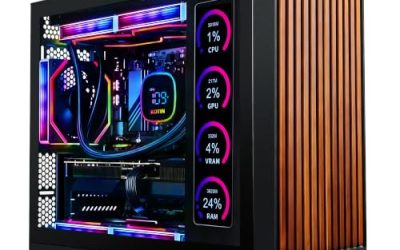
The second KOTIN is a higher-tier machine: a Ryzen 7 9700X, an RTX 5070 with 12GB, 32GB of DDR5, a 1TB SSD, an 11.3-inch smart display, an 850W 80+ Gold power supply, a 360mm liquid cooler and WiFi 7. The smart display is a talking point, though it is a feature for monitoring and decoration rather than frame rate.
- 12GB of video memory gives the RTX 5070 breathing room at 1440p compared with the 8GB cards.
- An 850W Gold power supply and a 360mm liquid cooler are both substantial for a prebuilt.
- 32GB of DDR5 is a comfortable memory size.
- A 1TB drive is less than the 2TB in the msi, so plan to add storage.
- The display and the liquid cooler add parts that could need servicing later.
The title reads like a system built to look the part. The smart display on the front or side can show system information, and the 360mm liquid cooler suggests the maker expected sustained load. Ryzen 7 9700X is a current-generation processor with a strong single-thread reputation, and pairing it with a 12GB card is a sensible match at 1440p. The title is cut off at the end, where the mention of 1440 suggests the maker positions the machine for that resolution.
The profile is a player who wants a premium-feeling tower, strong cooling and a platform that should serve for several seasons. Skip it if a smart display holds no interest. Compared with the msi, it has a newer processor, a bigger power supply and a liquid cooler, but half the storage.
Alienware Gaming Desktop (Core Ultra 7 265F, RTX 5060 Ti)
The Alienware title lists an RTX 5060 Ti, an Intel Core Ultra 7 265F, Windows 11 Home, a 1TB SSD, 16GB of DDR5, Killer 2.5Gb Ethernet and Wi-Fi 7 BE200 with Bluetooth. The processor is the newest Intel part in the guide, and the network hardware is the most fully described.
- The Core Ultra 7 265F is a modern processor with a strong multi-core layout.
- 2.5Gb Ethernet and Wi-Fi 7 are both named, which helps for large downloads and online play.
- A well-known premium brand with a distinctive chassis.
- It uses the same 8GB RTX 5060 Ti class as the cheaper KOTIN and CyberPowerPC systems.
- The title is cut off, so confirm the power supply and cooler on the full listing.
Alienware systems are known for a distinctive case, and the network details in this title are a good clue to the target buyer: someone who plays online, downloads large games and wants the wired and wireless links to be fast. The Core Ultra 7 265F has no integrated graphics because of its F suffix, so the RTX 5060 Ti handles all display output. It is a system for people who value design and connectivity at least as much as raw graphics power.
This fits a player who values the brand, wants a quiet and tidy chassis, and relies on a fast home network. Skip it if you want the most graphics power for the spend. Next to the Skytech Ryzen 9850X3D system, it is the same tier of card but a very different platform ambition.
Skytech Ryzen 7 9850X3D with RX 9070 XT
The final system is the most aggressive on paper: a Ryzen 7 9850X3D, a Radeon RX 9070 XT, 32GB of RAM, a 2TB SSD, a Gen4 NVMe drive, DDR5 5600, an 850W Gold ATX 3 power supply and a 360 ARGB AIO. The X3D name signals a processor aimed at gaming, and the RX 9070 XT sits in a higher performance tier than the RTX 5060 cards in this guide.
- The graphics card and processor are both aimed at high frame rates, which suits high-refresh 1440p monitors.
- An 850W Gold ATX 3 power supply, a 360 AIO and a 2TB SSD complete a thorough specification.
- 32GB of memory leaves headroom for multitasking.
- The title does not state the video memory of the RX 9070 XT, so confirm that on the full listing.
- A 360 AIO needs a case that supports it and adds a pump to the parts list.
Two parts of the title deserve extra attention. First, the X3D processor family is built around a large stacked cache that benefits many games, which is why it appears in high-frame-rate builds. Second, the ATX 3 note on the power supply indicates a unit designed for the modern power connector standard. Together with a 2TB Gen4 drive, the specification reads like a system aimed at an enthusiast who wants few compromises.
It is built for a player with a high-refresh 1440p monitor who wants to push frame rates. Skip it if the spend is the main concern. Against the msi and the second KOTIN, it is the highest-ambition configuration, and it asks for a case with good airflow.
Who Needs a Dedicated 1440p Gaming PC
A 1440p monitor changes what the computer has to do. At 1080p a modest card can feel fast, but 1440p pushes harder on the graphics card and on video memory, and the extra pixels expose the limits of cheaper hardware. The benefit is a sharper image without the demand of 4K.
The common thread is that 1440p rewards balance. A card without enough video memory, a drive that is too small and a power supply that is too tight all show up sooner at this resolution than at 1080p.
Players stepping up from 1080p
If you are replacing a 1080p system and a 1080p monitor together, 1440p is the natural upgrade because the picture improves a lot while the hardware demand stays manageable.
High-refresh competitive players
A 144Hz or 165Hz 1440p monitor needs a card that can hold high frame rates, and that places weight on both the card and the processor. The X3D system and the RTX 5070 machines are the closest fit.
Players who also create
If you edit video or stream, extra memory and storage are valuable. The 32GB systems with 2TB drives suit that overlap well, and the machines with liquid cooling stay quieter while exporting a video or recording a long session.
How to Choose
Graphics card tier
For 1440p at high settings, an RTX 5070 or Radeon RX 9070 XT class card is the comfortable target. An RTX 5060 Ti is workable if you accept medium to high settings in demanding games, and an RTX 5060 leaves the least margin. Match the card to the refresh rate of your monitor, not just to its resolution. A 60Hz monitor does not need the strongest card, while a 165Hz panel can use every frame a faster card provides. Upscaling features such as DLSS 4 help the lower tiers keep up, but they do not replace video memory.
Video memory
This is the figure that ages a graphics card fastest.
8GB is a real limit at 1440p in recent games with large textures. 12GB, as on the RTX 5070, is a safer baseline, and 16GB is better still. If a title does not state the figure, check it on the full listing. Texture quality is the setting that eats video memory fastest, so a card with less of it forces you to lower textures, which is the very setting that makes 1440p look sharp.
Processor
At 1440p the graphics card does most of the work, but a processor that is too slow still caps frame rates.
Six to ten fast cores are enough for gaming. A mid-range chip such as the Ryzen 7 8700F or Core i5-14400F will not hold back a 5060-class card. Pair a faster card with a faster processor, such as the Ryzen 7 9700X or the 9850X3D, to avoid a processor limit at high frame rates. For a high-refresh monitor, the processor matters more because each frame needs the processor to prepare it before the card draws it.
Memory and storage
Capacity comes first, then speed.
16GB of DDR5 is the minimum, and 32GB gives room. A 1TB NVMe drive is the practical minimum because modern games are large; 2TB avoids reinstalling. A game library that grows with every season will fill a small drive quickly, and modern installs of large titles run to tens of gigabytes each. Look for a second free M.2 slot so you can expand without removing the first drive, and for memory in a dual-channel pair of sticks.
Power supply and cooling
Both parts are easy to overlook in a prebuilt and hard to change afterward.
Look for a power supply of at least 650W for a 5060 Ti class card and 750W or more for an RTX 5070 or RX 9070 XT, with a Gold efficiency tier as a quality signal. A 360mm liquid cooler or a good air tower suits the stronger processors and keeps the fans quiet. Check that the case has front intake fans and a rear or top exhaust, since a hot card throttles quietly and robs you of frames without any warning.
What to ignore and where budget models cut
Ignore lighting counts, display gimmicks and vague “VR-Ready” tags unless they matter to you. Lower-cost towers cut corners on the power supply, the motherboard and the case airflow, and those are the parts that are difficult to upgrade later. A smart display adds cost without improving frame rates, and a short warranty on the power supply is a warning sign.
RTX 5060 Class or RTX 5070 and RX 9070 XT Class
The decision most 1440p buyers face is how much to spend on the graphics card. The table compares the tiers represented in this guide, using only what the titles state.
| Factor | RTX 5060 and 5060 Ti | RTX 5070 and RX 9070 XT |
|---|---|---|
| Video memory in titles | 8GB listed for the Ti | 12GB listed for the RTX 5070 |
| 1440p margin | Workable with settings trimmed | More headroom at high settings |
| Power supply seen | 750W Gold on the Skytech | 850W Gold on two systems |
| Examples here | KOTIN, CyberPowerPC, Alienware, Skytech Archangel 5 | msi Codex Z2, KOTIN 9700X, Skytech 9850X3D |
The price gap between the tiers is usually larger than the gap in performance suggests, which is why many buyers find the lower tier tempting. The counterpoint is longevity. A card with more video memory and speed ages more gracefully as games raise their texture and effects demands.
When the lower tier is enough
If you play esports titles, older games or a mix at 1440p with sensible settings and use upscaling, a 5060 or 5060 Ti system is a practical choice and leaves money for a good monitor.
When to move up a tier
If you want high settings in recent games, plan to keep the system for several years or run a 165Hz monitor, the extra video memory and speed of the upper tier is worth the step. The power supply and cooler that come with the upper-tier systems in this guide are also stronger, which reduces the chance that you will have to replace them to fit a future upgrade.
Setup, Compatibility and Upgrade Tips
What to check before buying
Confirm the power supply wattage and connectors, the number of memory slots, the free M.2 slots and the case airflow. Make sure your monitor supports 1440p at the refresh rate you want, and that you have a DisplayPort or HDMI cable that carries it. Install the graphics driver from the maker, and enable the high refresh rate in the operating system display settings, because Windows often defaults to 60Hz after the first boot.
What to upgrade first
Start with storage if you chose a 1TB drive, then memory on the 16GB systems. The graphics card is the biggest lever for 1440p, so keep the power supply headroom in mind for a later change. After that, consider a larger second drive and a better monitor stand or arm, since the display is the part you look at every day.
Common compatibility traps
Cards that fit a large case may not fit a compact tower. Wi-Fi only is not ideal for online games, and a case that fits a 360mm radiator may still block the top fan mounts. Some prebuilt towers use proprietary connectors that limit swapping parts, so check before you plan a change. Also check the front panel connectors and the number of fan headers if you plan to add case fans.
Which One Fits Your Situation
You want the most balanced all-round build
The msi Codex Z2 with the RTX 5070, 32GB and 2TB is the strongest allrounder, because its card, memory and storage all fit 1440p without a weak link.
You want to start at 1440p on a tighter plan
The KOTIN Ryzen 7 8700F with RTX 5060 Ti or the CyberPowerPC Gamer Master fit, and the Skytech Archangel 5 is the cheaper alternative with a roomy 750W Gold power supply. The Alienware suits the same buyer if the brand and network hardware matter.
You want the strongest cooling and power supply
The KOTIN Ryzen 7 9700X with RTX 5070 has an 850W Gold unit and a 360mm cooler, a pairing that suits a quiet, long-lived build.
You want the highest frame rates
The Skytech Ryzen 7 9850X3D with RX 9070 XT is aimed at that goal, and its X3D processor is the part to look at when frame rate matters more than anything else.
Common Mistakes
- Pairing a 1440p high-refresh monitor with an entry card and expecting maximum settings.
- Ignoring the 8GB video memory figure on 5060 Ti systems.
- Skipping the power supply wattage and connectors when planning a later card upgrade.
- Buying 16GB of memory and never adding a second kit.
- Choosing a smart display or lighting over storage and cooling.
- Assuming “WiFi Ready” means wireless is installed, then finding an empty slot.
Related guides
- When I Turn On Record Game In Background On Gamebar. Gamebar Crashes, What Do I Do?
- How To Reduce Background Noise On A Streaming Microphone
- Poly Computer Accessories Company Streaming Evaluation
Frequently Asked Questions
Is an RTX 5060 Ti good enough for 1440p?
It is workable with settings trimmed in demanding games. The 8GB of video memory is the main limit, and recent games with large textures may need lower settings. Upscaling can help.
How much memory do I need?
16GB is the minimum and 32GB is comfortable. The msi, the second KOTIN and the Skytech X3D system list 32GB, and a second kit can be added to the 16GB machines.
Do I need a liquid cooler?
Not for mid-range processors. It helps with the stronger chips, and two systems here include a 360mm unit. A good air tower is enough for the mid-range processors.
Should I get a 1TB or 2TB drive?
1TB is the practical minimum. 2TB saves reinstalling games. The msi and the Skytech X3D system both list a 2TB drive.
Does DLSS matter?
It helps hold frame rates when a game supports it. DLSS 4 is named on one listing. It does not replace having enough video memory.
Is Wi-Fi enough for gaming?
Ethernet is steadier for online play. Wi-Fi 7 is fine for everything else. The Alienware names both 2.5Gb Ethernet and Wi-Fi 7.
Final Words
For 1440p, the graphics card and its video memory decide how long a build feels fast. The msi Codex Z2 is the balanced pick, the KOTIN RTX 5070 machine offers the strongest cooling and power supply, the Skytech Ryzen 9850X3D aims highest, and the 5060 Ti and 5060 systems are the practical entry points. Check the power supply, storage and cooling on the full listings and match the card to your monitor. A system that suits 1440p today should also leave enough headroom to stay comfortable as games grow more demanding.