Four times the pixels of 1080p and more than double those of 1440p: that is the arithmetic behind every 4K gaming purchase. A 3840 by 2160 picture is gorgeous on a large monitor or a living-room television, but it asks the graphics card to draw over eight million pixels per frame, and it exposes weak video memory, thin power supplies and poor cooling faster than any other resolution. This is the one resolution where buying a prebuilt on the strength of a processor name alone can leave you disappointed.
This guide examines five prebuilt desktops from the 2026 listings, ordered from the strongest graphics cards down to an entry option that needs honest expectations. Each is judged on the specifications printed in its title: processor, graphics card, memory, storage, power supply and cooling. A monitor listing and three older budget towers with entry-level graphics cards from the same search were left out because they do not match the keyword. Where a title leaves out something that matters at 4K, such as the amount of video memory, you will see a reminder to check the full page.
Our Top Picks

Top 3 picks at a glance
Quick Picks
As an Amazon Associate we earn from qualifying purchases at no extra cost to you.



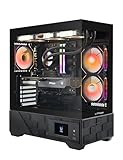
| Product | Best for | Key spec from the title |
|---|---|---|
| KOTIN Ryzen 7 9700X, RTX 5070 12GB | Tuned 4K play with upscaling and a showpiece case | RTX 5070 12GB, 32GB DDR5, 850W 80+ Gold, 360mm liquid cooler |
| Skytech Ryzen 7 9850X3D, RTX 5080 | The strongest 4K ambition in the group | RTX 5080, 32GB RAM, 2TB SSD, 850W Gold ATX 3, 360 ARGB AIO |
| KOTIN Ryzen 7 9700X, RX 9070 XT 16GB | Radeon fans who want 16GB of video memory | RX 9070 XT 16GB, 32GB DDR5, 360mm liquid cooler |
| Skytech Archangel 5 (Core i5-14400F, RTX 5060) | A cautious entry with heavy upscaling | RTX 5060, DDR5 6000, 750W Gold power supply |
| ZOTAC MEK (Ryzen 7 9700X, RTX 5070 12GB) | A compact-brand RTX 5070 build | 12GB card, 32GB DDR5, 750W 80+ Gold, WiFi 6E |
The 5 Best Options
KOTIN Ryzen 7 9700X with RTX 5070 12GB
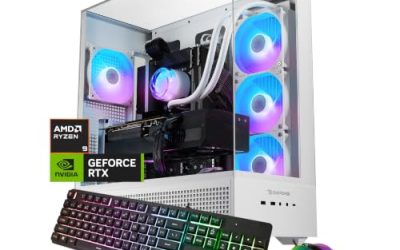
The first KOTIN pairs a Ryzen 7 9700X with an RTX 5070 that carries 12GB of video memory, and it backs them with 32GB of DDR5, a 1TB SSD, an 850W 80+ Gold power supply and a 360mm liquid cooler. The title also lists an 11.3-inch smart display and WiFi 7. For 4K, the numbers that matter are the card, its memory and the power supply, and all three are described clearly.
- 12GB of video memory is spelled out in the title, which is the minimum most buyers should accept for 4K.
- An 850W Gold power supply leaves real headroom, which is unusual to see stated on a prebuilt.
- A 360mm liquid cooler suits long sessions at full graphics load, where case heat builds slowly.
- An RTX 5070 at 4K generally means tuning settings or using upscaling in demanding games.
- A 1TB drive fills quickly with 4K-era game installs, so a second drive is a likely add-on.
It helps to read the listing as a package. The Ryzen 7 9700X is a current-generation eight-core processor, which is more than enough to feed an RTX 5070 at 4K, where the graphics card is almost always the limiting part. The title lists WiFi 7, but a wired connection remains steadier for online play. The smart display is a decoration and monitoring feature, so it should not influence the choice of a gaming machine, though it does show the maker is aiming at buyers who want a tower with character.
Cooling deserves a mention too: a 360mm radiator moves processor heat to the edge of the case, which leaves the graphics card with cooler air to breathe. That matters in long sessions of open-world games when the card is running flat out. The title does not state the case model or the number of case fans, so those details are worth reading on the full page.
The sensible buyer plays at 4K on a monitor or television at 60Hz, is happy to use upscaling in the toughest titles, and wants a tower that looks the part. Skip it if you want native 4K at maximum settings in every release. Compared with the Skytech RTX 5080 system next, it has a lower graphics tier and a more decorative case.
Skytech Ryzen 7 9850X3D with RTX 5080
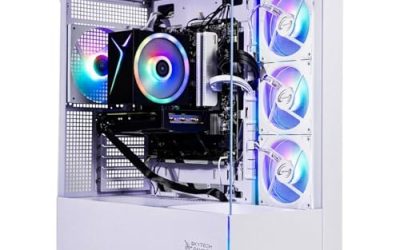
The Skytech title lists a Ryzen 7 9850X3D, an RTX 5080, 32GB of RAM, a 2TB SSD, Windows 11, an NVMe drive, DDR5 6000, an 850W Gold ATX 3 power supply and a 360 ARGB AIO. This is the highest graphics tier in the guide by a clear margin, and the rest of the specification is built to keep up.
- The RTX 5080 is the strongest card named in any of the five listings.
- A 2TB drive and 32GB of fast DDR5 give more room than most prebuilts at this tier.
- The ATX 3 power supply is designed for the newer high-power graphics connector, which is the safe match for a card of this class.
- The title does not state the video memory, so confirm it on the full page.
- It is the system most likely to sit at the top of the price range, and a 360 radiator needs case space.
The X3D part of the processor name marks a chip designed around a large stacked cache, a design that tends to favor games, and it is paired here with the biggest memory and storage configuration of the five. At 4K the processor rarely sets the pace, so the gaming-focused chip is more of a long-term investment than an immediate gain. The real story at this resolution is the RTX 5080 and the 850W ATX 3 supply that feeds it, and both are stated plainly.
It is for a buyer who wants to run a high-refresh 4K monitor or a 120Hz television at serious settings and plans to keep the machine for years. Skip it if your display is 60Hz and your games are mostly lighter titles, because the extra power would go unused. The KOTIN with the RX 9070 XT next is a Radeon alternative at a lower tier.
KOTIN Ryzen 7 9700X with RX 9070 XT 16GB
The second KOTIN swaps the NVIDIA card for a Radeon RX 9070 XT with 16GB of video memory and keeps the Ryzen 7 9700X, 32GB of DDR5, a 1TB SSD, the 11.3-inch smart display, a 360mm liquid cooler and WiFi 7. The title is cut off at the power supply, where it shows 850, which presumably refers to 850W.
- 16GB of video memory is stated, a clear advantage over the 12GB cards for 4K textures.
- The Radeon card is a strong choice for buyers who prefer the AMD ecosystem and its upscaling tools.
- The same platform as the first KOTIN, so memory and cooling are both generous.
- The title is cut off, so check the power supply wattage and efficiency tier on the full listing.
- Radeon cards differ from GeForce cards in features such as the upscaling method, so check that your favorite games support what you plan to use.
Video memory is the quiet reason to look closely at this listing. At 4K, high-resolution textures, ray tracing effects and frame generation all consume graphics memory, and a card with 16GB leaves more space for them than a 12GB card does. The 9070 XT also sits in a higher performance tier than the RTX 5060 in this guide, so the step up in capability is real. The case, cooler and display all match the first KOTIN, so the choice comes down to which graphics ecosystem you prefer.
The buyer profile is a player who wants to be well covered on video memory at 4K and has no strong attachment to one graphics brand. Skip it if you rely on a feature that only works on GeForce cards. Against the Skytech Archangel 5 below, it is a far stronger system for 4K, with a bigger card, double the memory and liquid cooling.
Skytech Archangel 5 (Core i5-14400F, RTX 5060)
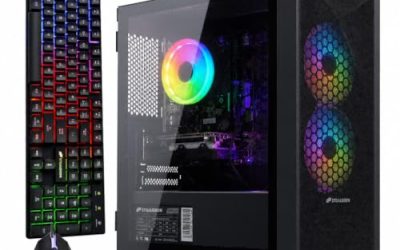
This is the borderline entry in the guide, and it is included on purpose with a clear caveat. The title lists an Intel Core i5-14400F, an RTX 5060, 16GB of RAM, a 1TB SSD, DDR5 6000 and a 750W Gold power supply, with Wi-Fi 5. An RTX 5060 sits in the lower tier of current cards, so 4K here means upscaling and reduced settings, not native resolution at maximum quality.
- A 750W Gold power supply is generous, and it gives you room to upgrade the graphics card later.
- DDR5 at 6000 is a good memory speed for a system in this tier.
- It is the most affordable route into a 4K-capable platform among the five listings.
- The RTX 5060 has the least headroom of any card here, and 4K play will lean on upscaling.
- 16GB of system memory and Wi-Fi 5 are both at the modest end.
Be realistic about an entry-tier card in a system of this kind: at 4K, the heaviest games will ask for more than it can give, and the answer is to lower textures and lean on upscaling. For esports titles and older favorites, the same system can feel excellent on a 4K screen, because those games are light on the card.
One thing the specification does well is the support structure around the card. A 750W Gold power supply and DDR5 6000 are not what you usually find with an entry-level card, and they suggest the system is designed so the graphics card can be changed later without replacing other parts. For a patient buyer, that makes it a platform to grow into rather than a final destination. For an impatient buyer, it is the system most likely to feel stretched at 4K.
Choose it only if you plan to play lighter or older titles at 4K, use a 4K television as a display, or treat the system as a base for a later graphics upgrade. Skip it if you want demanding games at high settings today. Compared with the ZOTAC that follows, it is a clear step down in graphics power.
ZOTAC MEK (Ryzen 7 9700X, RTX 5070 12GB)
The ZOTAC MEK lists a Ryzen 7 9700X, an NVIDIA GeForce RTX 5070 with 12GB, 32GB of DDR5, a 1TB NVMe SSD, a 750W 80+ Gold power supply, WiFi 6E, Bluetooth 5.3 and Windows. It sits in the same graphics tier as the first KOTIN, but with a plainer listing and a smaller power supply.
- The card, processor and memory match the first KOTIN pick on paper.
- Bluetooth 5.3 and WiFi 6E are both named, which are both reasonable modern standards.
- A well-known graphics brand is behind the machine, which helps when you look for support.
- A 750W supply is adequate but gives less headroom than the 850W units elsewhere.
- No liquid cooler is mentioned in the title, so confirm the cooler type on the full listing.
A listing like this is easy to compare with the top KOTIN, because the core parts are the same: the same processor family, the same card and the same 32GB memory size. The differences are the power supply, the cooling and the extras, so the decision turns on whether you value an 850W unit, a stated liquid cooler and a smart display, or a simpler listing that names recent wireless standards. The WiFi 6E and Bluetooth 5.3 details suggest a modern board.
This suits a buyer who wants the RTX 5070 and the Ryzen 7 9700X in a more understated package. Skip it if you want the larger power supply or a stated liquid cooler. Next to the KOTIN RTX 5070 system at the top of the list, it is the same silicon in a plainer presentation.
Who Actually Needs a 4K Gaming PC
Not every player benefits from 4K, and the cost of the hardware makes it worth asking the question honestly. The extra resolution is most visible on large displays viewed from a modest distance, and it matters most in games that reward detail.
The decision starts with your display and your habits, not with the hardware. Hardware that is perfect on a 4K television can be wasted on a small monitor, and hardware that is perfect on a 1440p panel can fall short on a 4K one.
Players with a large monitor or television
On a 32-inch monitor or a big living-room television, 4K is clearly sharper than 1440p. If your screen is small, the improvement shrinks and a 1440p system is the better use of money.
Players who enjoy cinematic and open-world games
Games built around scenery, lighting and detail gain the most. Competitive shooters usually matter more at high frame rates than at high resolution, which can steer those players toward 1440p.
Enthusiasts who keep a system for years
Longevity is the quiet argument for spending more on a 4K machine. A system with a strong power supply, a spacious case and a modern platform can accept a new graphics card in a few years, which stretches the useful life well beyond what the first card offers on its own.
A strong card and a big power supply give a 4K system a longer useful life than a mid-range one. If you plan to hold the machine for several years, paying for headroom now makes sense. The same logic applies to storage and memory, which are cheaper to buy upfront than to retrofit into a closed prebuilt.
How to Choose
Graphics card tier and video memory
Start here, because everything else supports this choice. For native 4K at high settings, the RTX 5080 class is the target in this guide. The RTX 5070 and Radeon RX 9070 XT are workable with tuned settings or upscaling. An RTX 5060 is an entry option for lighter games. Aim for at least 12GB of video memory, with 16GB preferred, since 4K textures use far more than 1080p ones. Video memory cannot be upgraded on its own, so the figure printed on the card is the figure you live with.
Processor
Core count matters less than you might think. At 4K the graphics card does most of the work, so the processor matters less than at lower resolutions. A Ryzen 7 9700X is plenty. The 9850X3D is a gaming-focused chip that helps when frame rates are high, but it is a luxury at 4K 60Hz. Where the processor starts to matter is in games that are heavy on simulation, such as large strategy or open-world titles, and when you pair a fast card with a high-refresh display.
Memory and storage
Texture-heavy 4K games load big assets, so both the amount of memory and the speed of the drive affect how smooth the game feels. 32GB of DDR5 is the sensible target, and 16GB is the minimum. A 1TB drive fills fast with 4K-era installs, so 2TB is more comfortable. Look for a free M.2 slot so you can add a second drive. Memory speed in the DDR5 6000 range is a good target, and two matched sticks run in dual-channel mode. Some prebuilts fill every slot, which leaves no room to add more.
Power supply
Power draw spikes briefly when a modern card boosts, and a supply with no margin can shut the machine down at the worst moment. Choose 750W as the floor for an RTX 5070 or RX 9070 XT class card and 850W for an RTX 5080 class card, with a Gold efficiency tier as a quality marker. The ATX 3 label means the unit is designed for the newer graphics power connector. A larger supply also tends to run its fan more slowly under a typical gaming load, which helps with noise, and it leaves space for a later upgrade.
Cooling and case airflow
Heat is the hidden cost of 4K. 4K loads keep the graphics card hot for long periods. A 360mm liquid cooler for the processor frees heat budget in the case, and front intake fans and top or rear exhaust fans keep the card from throttling. Check that the case can mount the radiator. A tower with a mesh front panel generally moves more air than one with a solid glass front, so look at the case design and not just the parts list.
Display connections and what to ignore
Check that your monitor or television supports 4K at the refresh rate you want. HDMI 2.1 or DisplayPort 1.4 or newer is typically needed for 4K above 60Hz. Also check how many video outputs the card offers, since a second monitor for chat or a guide is common. Ignore decorative extras such as the smart display on the case unless you value them, and be wary of budget towers that cut corners on the power supply and cooling, since 4K punishes both. Every fan that spins faster to cope with heat makes the machine louder, and noise is the complaint that tends to show up after the first week of ownership.
Native 4K or Upscaled 4K
Your answer decides how much you spend on the graphics card, which is the largest line item in any of these systems. Most 4K buyers end up choosing a rendering approach, whether they plan to or not. Upscaling renders the game at a lower internal resolution and uses software to reconstruct the 4K picture. Native rendering draws every pixel at full resolution.
| Factor | Native 4K | Upscaled 4K |
|---|---|---|
| Graphics demand | Highest | Lower |
| Card tier needed | RTX 5080 class | RTX 5070, RX 9070 XT, even RTX 5060 in light games |
| Image quality | Reference | Close, with occasional artifacts |
| Systems here | Skytech RTX 5080 | KOTIN pair, ZOTAC, Skytech Archangel 5 |
Frame generation is a related feature that adds extra frames between rendered ones. It can raise the displayed frame rate, but it does not reduce input delay in the same way as rendering more frames, so competitive players tend to treat it with caution.
Why upscaling changes the buying math
Upscaling lets a mid-tier card deliver a 4K picture without the cost of a flagship. It works through NVIDIA’s DLSS on GeForce cards and AMD’s FSR on Radeon cards, and most recent games support at least one.
When to buy for native 4K
Native rendering also makes sense for screenshots, video capture and older titles that lack upscalers.
If you dislike any artifacts, play older games without upscaling support or want maximum quality, the RTX 5080 system is the right tier. Otherwise, a 12GB or 16GB card with upscaling is a sensible, less expensive path. Whichever route you choose, a display with a strong upscaler and a clean cable path from the graphics card helps the result look good.
Setup, Compatibility and Upgrade Tips
What to check before buying
Confirm that your display accepts a 4K signal at the refresh rate you want, and that your cable can carry it. Check the power supply wattage and connectors, the number of free M.2 slots and the radiator mount in the case. If you have a television, look for a game mode that reduces input delay, and confirm which HDMI port supports the full bandwidth.
What to upgrade first
Resist the urge to change the graphics card first; storage is the usual first upgrade, because 4K-era games are large. After that, add a second memory kit on any 16GB system. The graphics card is the biggest lever, so the power supply headroom in these systems matters for later. Update the graphics driver soon after setup, enable the high refresh rate in the operating system, and make sure the display input is set to the correct mode on a television.
Common compatibility traps
Large cards need cases with room. A 360mm radiator needs a compatible mount. Some prebuilts use proprietary parts that make swaps harder. A television without HDMI 2.1 may cap you at 60Hz. Another trap is assuming the power supply cable that comes with a prebuilt will fit a future card, since newer cards use a different connector layout. Finally, check that the case ships with enough fans, because some premium-looking towers leave exhaust positions empty.
Which One Fits Your Situation
Match the system to the display you own today, not the one you might buy later.
You want the strongest 4K experience
The Skytech Ryzen 7 9850X3D with the RTX 5080 is the right tier for native 4K, with enough power supply and cooling to match the card.
You want strong video memory and liquid cooling
The KOTIN Ryzen 7 9700X with the RX 9070 XT 16GB covers that, and it lets you keep a Radeon ecosystem with room for future games.
You want an RTX 5070 build
The KOTIN RTX 5070 with an 850W supply, or the ZOTAC MEK in a plainer package. Pick the KOTIN if the larger supply and liquid cooler matter, and the ZOTAC if you prefer a simpler listing.
You want a low-cost starting point
The Skytech Archangel 5 works if you accept upscaling and lighter games. It is also the system to buy if you are building a 4K setup in stages, since the power supply is large enough for a later card swap.
Common Mistakes
- Buying a 4K system and pairing it with a 1080p or 1440p display.
- Ignoring video memory and choosing a card by name alone.
- Skipping the power supply wattage and connectors.
- Expecting an entry card to deliver native 4K at maximum settings, which no RTX 5060 class card is built to do.
- Using an older HDMI cable or television port that caps the refresh rate.
- Filling a 1TB drive with games and never adding a second one, then deleting titles to make room.
Related guides
- When I Turn On Record Game In Background On Gamebar. Gamebar Crashes, What Do I Do?
- How To Reduce Background Noise On A Streaming Microphone
- Poly Computer Accessories Company Streaming Evaluation
Frequently Asked Questions
Can an RTX 5070 play games at 4K?
Yes, with tuned settings or upscaling in demanding games. Its 12GB of video memory is the number to watch, and the card is happier with upscaling in the most demanding releases.
Is 16GB of RAM enough for 4K?
It is the minimum. Four of the five systems here list 32GB, which is more comfortable for a game plus background programs.
Do I need a liquid cooler?
Not strictly, but the 360mm units on three systems here keep processor heat out of the case. The ZOTAC and the Skytech Archangel 5 do not list one in the title.
Which is better, GeForce or Radeon?
Both work well. GeForce offers DLSS while Radeon offers FSR and the 16GB card in this guide.
Do I need HDMI 2.1?
For 4K above 60Hz on a television, yes. A monitor with DisplayPort 1.4 or newer also works. Check the ports on both the graphics card and the display.
How much storage should I get?
2TB is comfortable. 1TB works if you plan to add a second drive.
Final Words
For 4K, the graphics card and its video memory decide the experience. The Skytech RTX 5080 is the strongest, the KOTIN RX 9070 XT leads on memory, the KOTIN and ZOTAC RTX 5070 systems offer tuned 4K, and the Skytech Archangel 5 is a cautious entry. Check the power supply, cooling and display connections before you buy, and be honest about whether your screen and your games justify the resolution. A 4K system rewards patience and tuning, and the best purchase is the one that leaves room to upgrade the card later.