Buying DDR4 memory in 2026 is a different decision from buying it a few years ago. Nobody is choosing DDR4 for a brand-new platform on a whim; you are choosing it because your motherboard already has DDR4 slots, and the cheapest way to make a gaming PC feel faster is to fix the memory rather than replace the board and processor. That changes the questions. You are not asking what the fastest kit on the market is, you are asking what capacity, speed, and latency are worth paying for on a board that will never run anything newer than DDR4.
This guide is written for the owner of a Ryzen 3000 or 5000 system, an older Intel build, or a budget rebuild who wants smooth gaming without a platform swap. Every kit below is a 3200MHz desktop module with 1.35V and a CL16 rating in the listing, so the differences come down to capacity, kit layout, finish, and warranty-minded brand choice. Read the quick table, then the individual notes, and pay close attention to the single-stick option, because a lone module and a matched pair behave very differently.
Our Top Picks
 CORSAIR Vengeance LPX DDR4 RAM 32GB2 count (pack of 1)5.32 x 0.28 x 1.32 inches0 poundsCheck on Amazon
Top 3 picks at a glance
Quick Picks
As an Amazon Associate we earn from qualifying purchases at no extra cost to you.



| Product | Best for | Key spec from the listing |
|---|---|---|
| CORSAIR Vengeance LPX 32GB (2x16GB) | Players who want ample capacity in a low-profile kit | Up to 3200MHz, CL16-20-20-38, 1.35V, black |
| G.SKILL Ripjaws V 16GB (2x8GB) | Straightforward dual-channel upgrade | Up to 3200MT/s, CL16-18-18-38, 1.35V, U-DIMM |
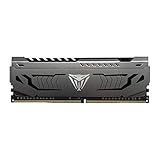
| Patriot Viper Steel 8GB (1x8GB) | Adding to an existing stick or a minimal build | 3200MHz CL16, 1.35V, supports Intel XMP, UDIMM |
| GIGASTONE Game PRO 32GB (2x16GB) | Capacity-focused builders | 3200MHz PC4-25600, CL16-18-18-40, XMP 2.0, 288-pin unbuffered non-ECC |
| Silicon Power Value Gaming 16GB (2x8GB) | Budget gaming on a heatsink-equipped kit | 3200MHz PC4-25600, 288-pin, CL16, 1.35V, heatsink, grey |
The 5 Best Options
CORSAIR Vengeance LPX 32GB (2x16GB)
This kit is the high-capacity, low-fuss choice. The listing shows a 32GB pair of 16GB sticks listed at up to 3200MHz with CL16-20-20-38 timings at 1.35V, in black, and it mentions Intel XMP along with AMD profile support. Capacity is the reason to pick it. Modern open-world titles, streaming, and a browser or two in the background can push a 16GB system into using the page file, and 32GB removes that worry for several years.
- A matched two-stick kit runs in dual channel on the vast majority of desktop boards.
- 32GB gives room for gaming plus background tasks without swapping to storage.
- The CL16 rating at 3200MHz is a mainstream speed that nearly every DDR4 board supports.
- The secondary timings are looser than the G.SKILL kit’s 18-18-38, which makes little difference in daily gaming but is worth knowing.
- Paying for 32GB is wasted money if you only play older titles on a small drive and never multitask.
The Vengeance LPX name matters for one practical reason: the low-profile design is built to stay short, and that helps when a large air cooler hangs over the first memory slot. If your build uses a big tower cooler, a low heat spreader is far easier to live with than a tall, decorative one. The trade is that the black heat spreader carries no lighting, so it suits builders who care about fit more than glow.
Skip it if your board has only two slots and you plan to add more memory later, since a 2x16GB kit fills both. Compared with the next pick, the Corsair doubles the capacity, while the G.SKILL suits a leaner build. Also compare it with the Gigastone kit, which lists the same capacity but different timings and a plainer brand name.
G.SKILL Ripjaws V 16GB (2x8GB)
Ripjaws V is a long-running line, and this version is a 16GB kit made of two 8GB sticks listed at up to 3200MT/s with CL16-18-18-38 timings at 1.35V. The listing calls it Intel and AMD desktop memory in U-DIMM format, in black. For most gaming systems built around a mid-range graphics card, 16GB in dual channel is still the sensible practical baseline.
- Two 8GB sticks give you dual-channel bandwidth at a modest capacity.
- CL16-18-18-38 is a slightly tighter set of secondary timings than the Corsair listing.
- The kit format keeps two slots free on a four-slot board for later expansion.
- 16GB can feel tight for heavy multitasking, modded games, or capturing gameplay while playing.
- The listing says “up to 3200MT/s,” so reaching that rate depends on enabling the XMP profile in the BIOS.
Think of this kit as the baseline against which the others in this guide are measured. If your current system has a single 8GB stick or two sticks at a slow default speed, moving to a matched 2x8GB pair at 3200MHz is often the single most noticeable memory change you can make for the least effort. The kit also tends to be easy to source and easy to match later, which helps if you add a second identical kit down the road on a four-slot board.
Skip it if you already know you will run several memory-hungry applications alongside your games. Compared with the next pick, the G.SKILL kit gives you two sticks and dual-channel operation, whereas the Patriot single stick leaves you in single channel until you add a second module. It also sits below the Corsair on capacity, so choose it when you want to save money now.
Patriot Viper Steel 8GB (1x8GB)
The Patriot Viper Steel listing is for a single 8GB module at 3200MHz CL16, 1.35V, with Intel XMP support, in UDIMM form. This is the stick for a specific situation: you already own a matching module and want to build a pair, or you are assembling a minimal machine for light gaming. On its own, one stick means single-channel memory, which delivers less bandwidth than two sticks.
- A single 8GB stick is the lowest-cost way to get a CL16, 3200MHz module.
- Buying two gives you a dual-channel 16GB setup with the option of expanding later.
- The 1.35V rating and XMP support match the other kits, so profiles work the same way.
- One stick alone runs in single channel, which can limit frame consistency on onboard-graphics or Ryzen systems that benefit from bandwidth.
- 8GB by itself is thin for current games, so it works better as half of a pair than a standalone solution.
The sensible way to use this listing is in pairs. Two identical sticks bought together create a 16GB dual-channel setup that behaves much like the G.SKILL kit, and you can add a second pair later if your board has four slots. Used alone, it fits a basic office-and-light-gaming machine, a spare-parts build, or a repair where one stick failed and you want to restore the original capacity without replacing everything.
Skip it if you want a drop-in dual-channel upgrade from a single purchase, because you would need to buy two of these or choose a kit. Compared with the next pick, the Patriot is the flexible, build-it-yourself option, while the Gigastone kit packs 32GB into one pair. If you do buy two single sticks, buy both at the same time from the same batch to improve the odds of stable operation together.
GIGASTONE Game PRO 32GB (2x16GB)
The Gigastone listing is a 32GB kit of two 16GB sticks at DDR4 3200MHz (PC4-25600) with CL16-18-18-40 timings, Intel XMP 2.0 and AMD Ryzen support, 1.35V, 288-pin, unbuffered and non-ECC. That string of terms tells you it is standard desktop memory that follows the same rules as the more famous brands. The listing also begins with a bracketed DDR4 label, which suggests a heavily keyword-oriented description, so read the specification list rather than the headline.
- It offers 32GB in a two-stick kit, matching the capacity of the Corsair listing.
- The tidy CL16-18-18-40 timings are in line with other 3200MHz kits.
- Explicit non-ECC and unbuffered wording confirms it is for ordinary desktop boards.
- The brand has a smaller footprint among gamers than Corsair or G.SKILL, which can matter if you value established support channels.
- The fourth timing value of 40 is slightly looser than on the G.SKILL listing, though real-world impact is small.
The terms in that specification line are worth decoding because they apply to every kit you shop. PC4-25600 is simply the bandwidth label for 3200MHz memory. The 288-pin count marks a full-size desktop module. Unbuffered and non-ECC mean it has no extra registers or error-correcting chip, which is exactly what consumer motherboards expect. Seeing all of those in the listing is reassuring, because ECC or registered modules will not work in a typical gaming board.
Skip it if brand recognition is a priority, or if your motherboard’s memory support list names only specific makers. Compared with the next pick, the Gigastone gives double the capacity of the Silicon Power kit but without a stated heatsink in the visible part of the title.
Silicon Power Value Gaming 16GB (2x8GB)
The Silicon Power kit is the plainest on the list, which is a compliment when you are working to a tight budget. The listing shows 16GB as two 8GB sticks at 3200MHz (PC4 25600), 288-pin, CL16, 1.35V UDIMM, with a heatsink in grey. A heatsink is not required for cooling at this speed, but it adds a bit of protection and a slightly more finished look in a windowed case.
- A two-stick 16GB kit gives dual-channel bandwidth at a budget-friendly capacity.
- The listing confirms a heatsink, which most basic kits skip.
- CL16 at 3200MHz matches the mainstream pick from the premium brands.
- Value-line kits can use less selective memory chips, so overclocking headroom is usually limited.
- The grey color may not match an all-black build, and there is no lighting.
Value memory is a good fit for a second PC, a child’s first gaming machine, or a build where the processor and graphics card eat most of the budget. The grey heatsink gives the modules some visual weight without adding lighting, and a 2x8GB layout keeps the upgrade path open: you can add another pair later, ideally from the same line, if the board has four slots.
Skip it if you plan to tweak timings or push the speed above the listed 3200MHz, because that is where better-binned kits pull ahead. Compared with the first pick, the Silicon Power kit gives half the capacity and a plainer finish, but it also covers the same listed speed at a lower tier, which is the whole point of value memory.
Why Buy DDR4 for Gaming Now?
Your motherboard decides it for you
If your board has DDR4 slots, DDR5 modules will not fit them. The notch position differs, and the electrical standard is different, so no adapter or trick bridges the gap. That means buying the right DDR4 kit is the entire upgrade path for the memory side of your PC. If a 16GB system is stuttering in newer games, adding capacity can be the cheapest improvement available. The same applies to systems stuck on a single stick, where a proper dual-channel pair often removes a hidden bandwidth limit.
The cost-to-benefit ratio is still strong
DDR4 is a mature, widely available standard with many choices at mainstream speeds. For gamers who play at 1080p or 1440p with a mid-range graphics card, the difference between 3200MHz and much faster DDR4 is usually small compared with the difference a better GPU makes. Spending modestly on memory and putting the savings toward a graphics upgrade is often the better trade.
The same logic applies to the processor. A Ryzen 5 or Core i5 from the DDR4 era still drives modern games well when it has enough fast memory feeding it. Before you spend on anything exotic, check whether your current kit is running at its listed speed, since a quiet BIOS setting often explains stutter that people blame on the hardware.
It keeps an older platform viable
Ryzen 5000 and many Intel boards with DDR4 support remain capable gaming platforms. Extending their life with 32GB of reliable memory costs far less than a full platform change. If you eventually move to a newer board, you will sell or reuse the DDR4 in a secondary machine, so it is rarely wasted. Used memory and spare parts also move easily between DDR4 systems, which makes it simple to cascade an old kit into a family computer.
How to Choose DDR4 RAM for Gaming
Capacity: 16GB is the floor, 32GB is the comfortable pick
For a gaming-only machine, 16GB is the minimum that most players should accept. If you stream, edit video, run a browser with many tabs, or play heavily modded titles, 32GB prevents the system from falling back on disk. Capacity matters more than a small speed gain once you are above 3000MHz. A practical check is to open the task manager during a long session and watch memory use: if it sits above roughly 80 percent while you game, step up to the next capacity tier.
Speed: 3200MHz is the mainstream target
DDR4-3200 is the common sweet spot for Ryzen 3000 and 5000 and for modern Intel DDR4 boards. Some Ryzen systems reach 3600MHz with a good kit, but the improvement is modest and depends on the processor’s memory controller. Do not overpay for 4000MHz-plus kits unless you know your CPU and board can handle them. Also check the board’s maximum supported memory speed, which is printed in the specification page; entry-level chipsets sometimes cap the speed below what a fast kit offers.
Latency: read CL together with speed
CAS latency is measured in clock cycles, so compare real latency in nanoseconds. A rough formula is CL multiplied by 2000, divided by the data rate. For CL16 at 3200, that is 10 nanoseconds. A kit with CL18 at 3200 gives 11.25 nanoseconds, so the difference is small. Lower is better, but the gap between CL16 and CL18 rarely changes how a game feels.
Kit layout: buy a matched pair
Two sticks in dual channel deliver more bandwidth than one stick. Buy a kit sold as a pair, such as 2x8GB or 2x16GB, instead of mixing individual sticks from different batches. Matched kits are binned and validated together, which reduces the chance of boot or stability trouble.
Voltage and profiles: confirm XMP
Most 3200MHz kits run at 1.35V, which needs an XMP profile to be enabled in the BIOS. Without it, the memory falls back to a slower default speed, such as 2133MHz or 2666MHz, and you lose the benefit you paid for. Turn on XMP in the BIOS after installing the kit and check the reported speed.
Where budget kits cut corners
Entry-level kits often use less carefully selected chips, skip heatsinks, offer shorter warranty terms, and carry looser secondary timings. They typically run their listed speed without trouble, but they leave less room for tweaking. If you do not plan to tune your RAM, that is a fair trade; if you do, spend more on a name-brand kit. Also ignore dramatic marketing words about gaming styling; a heat spreader does not change speed, and a low-key module that matches your capacity and timing needs is the better buy.
DDR4 vs DDR5: Which Memory Should You Buy?
The comparison most DDR4 shoppers face is whether to stay on DDR4 or to jump to a new DDR5 platform. The answer depends on what you already own.
| Factor | DDR4 | DDR5 |
|---|---|---|
| Board compatibility | Works only with DDR4 boards | Requires a DDR5 board |
| Mainstream speed | 3200MHz is common | Higher base speeds are common |
| Upgrade path | Memory-only upgrade on existing board | Usually means a new board and sometimes a new CPU |
| Capacity per stick | Wide choice of 8GB and 16GB sticks | Larger sticks are common |
| Best for | Existing DDR4 systems and budget builds | New builds aiming at long-term platform life |
One more factor is the total upgrade bill. Moving to DDR5 normally means a new motherboard, new memory, and sometimes a new processor and cooler mount, so the real comparison is between a memory-only purchase and a platform purchase. Players who judge by cost per smooth hour of play usually find that the first path wins until the processor itself becomes the limit.
When DDR4 is the smarter buy
If you already own a DDR4 motherboard and a capable processor, replacing only the memory is the economical route. You avoid the cost of a new board, a new cooler mount, and possibly a new CPU, and you keep your current setup running reliably. For a typical 1080p gaming PC, a graphics card upgrade plus a matched pair of DDR4 sticks usually delivers more than moving the whole platform forward.
When DDR5 is worth considering
If you are building from scratch or your platform is already due for retirement, DDR5 gives you a longer upgrade runway. A new build on an older standard locks you into hardware that no longer receives new processors. Weigh that against the lower cost of staying with DDR4 if your goal is simply to play current games at a smooth frame rate on a budget.
Setup, Compatibility and Upgrade Tips
What to check before buying
Confirm your motherboard uses DDR4 and take note of how many slots it has and which ones should hold the sticks. Most boards recommend slots two and four counting from the CPU for a two-stick pair, but the manual is the final word. Check the board’s qualified vendor list if you want to be certain about compatibility, and note the maximum supported speed and capacity. Update the BIOS if the board is old, since later versions often improve memory compatibility, and confirm that your operating system is 64-bit so it can use the full amount.
What to upgrade first
If your system has a single 8GB stick, adding a second matching stick or replacing it with a dual-channel kit is the cheapest improvement. If you already have 16GB in dual channel and gaming feels smooth, adding more capacity matters less than upgrading the graphics card. Move to 32GB when you notice usage near the limit during normal sessions. After memory, a fast SSD for the games you play most is often the next upgrade that makes loading screens shorter.
Common compatibility traps
The most frequent mistake is buying laptop memory by accident; desktop modules are 288-pin UDIMMs, while laptop modules are shorter SODIMMs and will not fit a desktop slot. Another trap is leaving XMP off, which leaves the kit running far below its listed speed. Finally, mixing kits of different speeds or brands can force all modules to run at the slowest rate or cause boot problems. When installing, press the module firmly until both side clips click, because a half-seated stick is a common reason a new kit seems dead on first boot.
Which One Fits Your Situation
You are rebuilding an older Ryzen or Intel gaming PC for a streaming hobby
Choose the CORSAIR Vengeance LPX 32GB (2x16GB). The capacity gives you room for a game, a stream, and a browser at the same time, and the CL16 3200MHz rating keeps performance in line with the platform. Pair it with a modern mid-range graphics card and the system should handle gaming and a capture program without hitting the memory ceiling.
You want a clean, balanced upgrade at a fair cost
Go for the G.SKILL Ripjaws V 16GB (2x8GB). It gives you dual-channel memory and a tidy timing set without paying for capacity you may not need yet. If your usage grows later, a second matching kit can fill the other two slots on a four-slot board, though keeping everything in one kit remains the safest route.
You already own one matching stick
Pick the Patriot Viper Steel 8GB (1x8GB) only if your current stick is the same kind, same speed, and ideally the same line. Otherwise, a matched kit will be more reliable than mixing sticks. Install both in the slots your manual names for dual channel, then confirm in the BIOS that the board reports two modules at the same speed.
You want maximum capacity on a modest budget, or the lowest-cost pair
For capacity, choose the GIGASTONE Game PRO 32GB (2x16GB). If you want the lowest cost and a heatsink, look at the Silicon Power Value Gaming 16GB (2x8GB). Both are plain CL16 3200MHz designs, so the real choice is whether you need 32GB or can live with 16GB.
Common Mistakes
- Buying a single stick and expecting dual-channel performance from it.
- Forgetting to enable XMP in the BIOS so the kit never reaches its listed speed.
- Purchasing laptop SODIMM memory for a desktop motherboard.
- Paying extra for very high speeds that the processor and board cannot use.
- Mixing different kits and being surprised when the system becomes unstable, especially when the speeds or timings differ.
- Choosing 8GB on its own for a modern gaming PC when 16GB is the practical practical baseline.
Related guides
- When I Turn On Record Game In Background On Gamebar. Gamebar Crashes, What Do I Do?
- How To Reduce Background Noise On A Streaming Microphone
- Poly Computer Accessories Company Streaming Evaluation
Frequently Asked Questions
Is 16GB of DDR4 enough for gaming?
For most current games at 1080p and 1440p, 16GB in dual channel is enough, and it remains the most common configuration in gaming PCs. If you stream, record gameplay, or keep many applications open, 32GB gives you more breathing room. Capacity helps most when your system would otherwise page to storage.
Does DDR4 3200MHz CL16 bottleneck a modern graphics card?
For most mid-range cards, 3200MHz CL16 is a balanced pairing. Memory speed has a larger effect on some Ryzen systems and in CPU-bound titles, but the effect is usually modest. Your graphics card and processor decide most of what you see on screen. If you want to test your own system, change one setting at a time, such as enabling XMP, and compare frame-rate smoothness in a game you know well.
Do I need to enable XMP?
Yes. Without XMP, most DDR4 modules default to a lower speed such as 2133MHz or 2666MHz. Enter the BIOS after installing the memory and select the XMP profile to apply the listed 3200MHz.
Can I mix an 8GB stick with a 16GB stick?
Many boards will boot with mixed capacities, but the modules may run in a mixed or flex mode that reduces dual-channel benefits. Matching sticks of the same size, speed, and timing gives the most predictable result.
Is a heatsink necessary on DDR4?
Not for stability at 3200MHz and 1.35V. A heatsink helps with appearance and can offer mild protection, but plain modules work fine in a well-ventilated case. Choose by capacity and listed speed first.
Will DDR4 work in a DDR5 motherboard?
No. DDR4 and DDR5 use different notch positions and electrical standards, so they cannot be swapped. You must buy memory that matches your motherboard’s slots. The motherboard manual or the maker’s product page states which standard the board supports, so check there before ordering.
Final Words
For DDR4 gaming memory, the decision is simpler than it looks: match the kit to your board, buy two sticks, and enable XMP. The Corsair Vengeance LPX 32GB suits players who want capacity, the G.SKILL Ripjaws V 16GB covers the balanced middle, and the Silicon Power kit covers the value tier. Treat the single Patriot stick as a building block, not a finished solution, and confirm capacity needs before paying for more than you will use. If your board is DDR4, this upgrade is among the most economical ways to keep a capable gaming PC useful for years to come, and it takes only a few minutes with a screwdriver-free install.