For competitive shooters, the Razer Viper V3 Pro and Logitech G Pro X Superlight 2 are the usual shortlist; for MMO and productivity-heavy play, the Razer Basilisk V3 Pro or Logitech G502 X Lightspeed make more sense; and for tight budgets, the Logitech G309 Lightspeed or a lower-tier Razer or Pulsar model cover the basics. The right wireless gaming mouse depends mostly on grip, hand size and weight preference, not on the biggest DPI number on the box.
As an Amazon Associate we earn from qualifying purchases at no extra cost to you.



Our Top Picks
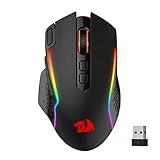
 Razer Basilisk V3 X HyperSpeed Customizable Wireless GamingStandard5.12 x 2.96 x 1.67 Inches0.2 PoundsCheck on Amazon
 Logitech G PRO X2 SUPERSTRIKE Wireless Gaming MouseOne Size4.9 x 2.5 x 0.1 inches0.1 PoundsCheck on Amazon


Top 3 picks at a glance
At a Glance: Wireless Gaming Mice Compared
| Mouse | Best for | Key stated specs | Limits |
|---|---|---|---|
| Razer Viper V3 Pro | Esports, symmetrical shape fans | Maker lists roughly 54 g weight, up to 8000 Hz polling with the included HyperPolling dongle, 35,000 DPI sensor | Premium tier; battery drops sharply at 8000 Hz; symmetrical shape suits claw and fingertip more than big palm hands |
| Logitech G Pro X Superlight 2 | Most-copied competitive shape, long battery | Maker lists about 60 g, HERO 2 sensor up to 44,000 DPI, up to about 95 hours battery, PowerPlay compatibility | Premium tier; no RGB; check the current firmware for the polling rate you want |
| Razer DeathAdder V3 Pro | Larger hands, palm and claw grip | Ergonomic right-handed shape, lightweight build for its size, Razer HyperSpeed wireless | Right-handed only; heavier than the ultralight group |
| Razer Basilisk V3 Pro 35K | MMO, creative work, productivity | Extra buttons, tilt scroll wheel, multi-mode wireless (dongle, Bluetooth) | Heavy for FPS; premium tier |
| Logitech G502 X Lightspeed | Players who want many buttons and a classic shape | Hybrid optical-mechanical switches, programmable buttons, Lightspeed wireless | Heavier, bulkier, not a fit for fingertip grip |
| Logitech G309 Lightspeed | Budget wireless with simple design | Lightspeed wireless, runs on a single AA battery according to the maker | Not as light as the esports group; fewer premium sensors and options |
| Pulsar X2 V3 and similar enthusiast brands | Shape-specific picks at mid-range tiers | Ultralight designs with 4000 Hz or 8000 Hz options, depending on model | Smaller support networks, fewer retail demos |
What Matters Most When Choosing
Grip and hand size
Mouse shape determines whether a device feels natural in your hand, and it matters more than any single spec. Palm grip users, who rest the whole hand on the mouse, generally do better with a longer, taller shape. Claw users, who arch the fingers, prefer a mouse with a high rear hump. Fingertip users prefer small, short, very light designs. Measure your hand length and width from the wrist crease to the middle fingertip and compare it with the maker-listed mouse length and width. Many outlets publish shape-overlay comparisons so you can see how two mice differ in proportion.
Weight
Weight listings from the makers show a wide range. The lightest esports models are under 60 g, while feature-rich MMO and productivity mice sit well above that. Lighter mice are easier to flick and stop, which many shooter players prefer. Heavier mice often include more buttons, bigger batteries or ergonomic bulk. Reviewers regularly note that ultralight does not equal best: some players find extremely light mice feel twitchy until they adjust sensitivity.
Wireless technology and latency
Every serious wireless gaming mouse uses a proprietary 2.4 GHz dongle for gaming, and most also support Bluetooth for laptops and casual use. Dongle connections are the ones makers tune for low latency. Modern flagship models also advertise higher polling rates. The Razer Viper V3 Pro ships with a dongle that supports 8000 Hz according to the maker. Logitech has also listed higher polling rates for the Superlight 2 through firmware updates, so read the maker support page for the exact supported rate on your unit.
Polling rate: is 8000 Hz worth it?
A higher polling rate reports mouse position more often, which can make the cursor feel smoother in some games, especially at high refresh-rate monitors. The trade-offs are battery life and CPU load. Razer lists much shorter battery life at 8000 Hz than at the default 1000 Hz. Reviewers report that most players see little difference between 1000 Hz and 4000 Hz in typical play, and that older or busy CPUs can be affected more by the very highest settings. If you have a 240 Hz or faster display and a modern CPU, higher polling is a reasonable option to try, but it is not a requirement.
Sensor
All current flagship sensors track more accurately than humans can use. The DPI figures that makers advertise, such as 35,000 or 44,000, matter little in real play; most players sit between 400 and 1600 DPI. What matters more is sensor consistency at your chosen DPI, lift-off distance and how well the mouse tracks on your pad. Choose a quality cloth or hard pad with a matte surface and avoid glass if your mouse is not designed for it.
Battery and charging
Maker listings for flagship esports mice run from tens of hours at high polling to many dozens of hours at default polling. USB-C charging is standard. Logitech supports PowerPlay charging mats on some models, which keeps the mouse charged during use and is a notable benefit for people who dislike plugging in. If you play long sessions, prefer a model with a large battery margin or wireless charging support.
Switches and buttons
Optical switches and hybrid optical-mechanical switches avoid the double-click failures that older mechanical micro-switches can develop with age. Check which switch type a mouse uses. Side buttons matter if you play MMOs, MOBAs or use macros; esports mice often keep just two side buttons to save weight.
Picks by Budget Tier
Budget
The Logitech G309 Lightspeed and entry-level wireless models from Razer, Corsair, Redragon and similar brands give a proven 2.4 GHz connection without the premium pricing. Expect a solid sensor and long battery life, but fewer premium touches, such as ultra-light shells or top-tier firmware. For general PC gaming and desktop work, these are enough.
Mid-range
Enthusiast brands such as Pulsar, Lamzu and VAXEE offer shape-focused designs at mid-range and upper-mid-range tiers. These are good picks if a mainstream shape does not suit your hand. Support and retail availability can be thinner than at Razer or Logitech, so read return policies carefully before buying.
Premium
The Razer Viper V3 Pro and Logitech G Pro X Superlight 2 are the headline products in this group. Both are very light, both use high-end sensors, and both are widely seen on pro-player setup lists. The Razer is lighter and leads on listed polling rate at launch. The Logitech lists a longer battery life and has a shape that many players already know from earlier Superlight versions. The choice usually comes down to shape and ecosystem: Razer Synapse or Logitech G HUB.
Pick X If… Decision Table
| If you… | Pick | Why |
|---|---|---|
| Play fast-paced shooters with fingertip or claw grip | Razer Viper V3 Pro | Lowest listed weight in this group, high polling support |
| Want a familiar shape and longest battery | Logitech G Pro X Superlight 2 | Listed battery of around 95 hours, PowerPlay support |
| Have a larger hand and palm grip | Razer DeathAdder V3 Pro | Ergonomic shape with a lightweight build |
| Play MMOs or use many macros | Razer Basilisk V3 Pro or Logitech G502 X Lightspeed | Extra buttons and programmable features |
| Want wireless on a tight budget | Logitech G309 Lightspeed | Established Lightspeed connection, simple design |
| Have trouble with mainstream shapes | Pulsar, Lamzu or similar enthusiast brands | More shape variety at mid-range tiers |
Compatibility and Setup Notes
- Most dongles use a standard USB-A connector. If your case front panel or PC lacks nearby ports, use the extension cable that most makers include to move the receiver closer to the mouse. Signal quality improves when the receiver has a clear line of sight.
- Avoid plugging the dongle into the back of a PC hidden behind a metal case. USB hubs and docks can also add interference.
- Razer and Logitech software is optional for basic use, but it is required to configure polling rate, DPI stages and onboard profiles. Install it once, set the profile to onboard memory and you can then uninstall it if you prefer.
- Check firmware updates after purchase. Makers publish polling and stability changes through their apps.
- Left-handed players have fewer options. Symmetrical shapes such as the Viper V3 Pro are the easiest to use left-handed, although side buttons will be on only one side.
Alternatives to Consider
- Wired ultralight mouse: If battery management bothers you, a good wired lightweight mouse removes charging concerns entirely and often costs less. Modern paracord-style cables feel light enough that many players do not notice the cable.
- Razer Cobra Pro and similar compact models: Small hands and travel setups often fit better with smaller wireless models.
- Logitech G Pro X Superlight earlier versions or previous generation Razer Viper models: Previous-generation mice are often discounted when new ones launch and still perform well, though sensor and polling features may be older.
Frequently Asked Questions
Is wireless as fast as wired for gaming?
Modern 2.4 GHz gaming dongles are designed to match wired performance for practical purposes. Reviewers who measure latency report differences that are small enough that few players notice them. Bluetooth modes are generally slower and best saved for non-gaming use.
What polling rate should I use?
Start with 1000 Hz, which gives the longest battery life and works on any system. Move to 2000 Hz or 4000 Hz if you have a high refresh-rate monitor and a modern CPU. Use 8000 Hz only if you accept shorter battery life and want to test whether you can feel a difference.
How light should my mouse be?
There is no ideal number. Makers of esports mice list weights between roughly 50 g and 65 g, and many players are happy anywhere in that range. Heavier mice with more features are fine for MMOs and everyday work. Pick what feels controlled, not what has the lowest figure.
Do I need a charging dock?
Not required, but docks keep the mouse topped up and often improve receiver placement. Some makers sell docks that double as signal extenders. If you hate cable plug-ins, a dock or Logitech PowerPlay mat is worth considering.
How long do wireless gaming mice last?
Makers list battery life from a few dozen hours up to about 95 hours at default polling for flagship models, which usually means one or two weeks of heavy use between charges. Lithium batteries lose some capacity over several years, which is normal for any rechargeable device.
Is a more expensive mouse better for aim?
Not directly. Premium mice offer lighter shells, better sensors and refined shapes, but aim is shaped by sensitivity, grip, pad and practice. A mid-range mouse that fits your hand will usually serve you better than a premium model that does not.