A lab machine gets rebuilt, re-imaged and repurposed more often than any other PC in the house, and that changes what a good wireless card means. The deciding question is not peak throughput on a quiet afternoon; it is whether the card’s listing states, in plain terms, which operating systems it supports and which chipset it carries, so you know before ordering how it will behave inside a test box that changes roles every few months.
This guide is written for home lab builders running a spare tower as a test host, hobbyists who keep one machine for network experiments, and anyone adding wireless to a bench PC that cannot sit near a switch. The three cards below were chosen from their Amazon titles and listing details alone — named chipset where the listing gives one, stated system support, bands and antenna design — with no compatibility assumed beyond what each listing prints.
Our Top Picks
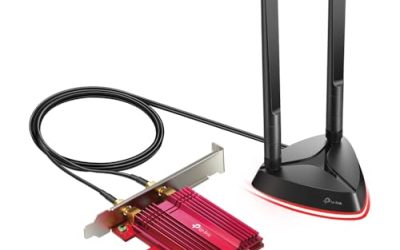
 TP-Link WiFi 6E Intel AX210 AXE5400 PCIe WiFi1 Count (Pack of 1)3.75 x 4.76 x 0.85 inches0.59 poundsCheck on Amazon

Top 3 picks at a glance
Quick Picks
As an Amazon Associate we earn from qualifying purchases.
| Product | Best for | Key spec from title |
|---|---|---|
| TP-Link Archer TXE75E | A Windows lab host that needs a named chipset | Intel AX210 listed, AXE5400 tri-band, Bluetooth 5.3 |
| TP-Link Archer TX55E | A single-purpose Windows test box on Wi-Fi 6 | AX3000 dual band, Bluetooth 5.2, Windows 11 and 10 64-bit |
| ASUS PCE-AX58BT | A bench PC where two external antennas are easier to route | AX3000, 160MHz, Bluetooth 5.0, Windows 11 and 10 64-bit |
How to Choose
Treat the listed operating systems as the whole promise
Lab work tempts buyers to assume a well-known chipset will sort itself out on any system, but these listings make a narrower promise and you should hold them to it. The TX55E and the ASUS card name Windows 11 and Windows 10 in 64-bit form only. The TXE75E names Windows 10 and 11 and reserves its 6GHz band for Windows 11. If a lab host runs a different system, that support is simply not stated in these listings, so either dedicate the card to a Windows box or verify support from the maker before the card enters the lab.
Prefer a card whose listing names its chipset
A named chipset turns troubleshooting from guesswork into a lookup. The TXE75E listing identifies an Intel Wi-Fi 6E AX210 chipset by name, so for that card you know exactly which device you are documenting in your lab notes. The TX55E and ASUS listings describe the finished card — standard, bands, Bluetooth — without the same chipset emphasis in their titles. For a machine you rebuild often, that naming matters: record the chipset and driver source in your build notes the day the card goes in, not after a reinstall.
Separate the lab network question from the speed question
Decide which network the lab host actually joins. Many labs keep an isolated test network alongside the household one, and a tri-band card gives a Windows host the option of sitting on a 6GHz test network while everyday devices stay on 5GHz — if the lab router broadcasts 6GHz and the system requirement is met. A dual-band AX3000 card is enough for a host that only joins the main network for updates and file transfers. Sketch the lab’s networks first, including which router serves each, and let that map choose between tri-band and dual-band.
Plan antenna routing on an open bench, not a closed desk
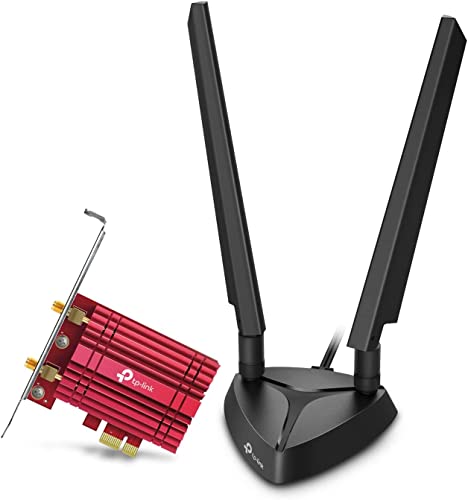
Bench machines live in odd places: on a shelf, beside a rack, or on the floor while a build is in progress. Antennas fixed to a back plate end up pointing at a wall or a stack of cases, and signal readings taken there teach you nothing useful about the card. A magnetic antenna base, as supplied with the TXE75E, lets you place the antennas consistently for each experiment and return them to the same spot afterwards. Consistency is the point in a lab — the same position, the same network, the same host.
The 3 Best Options
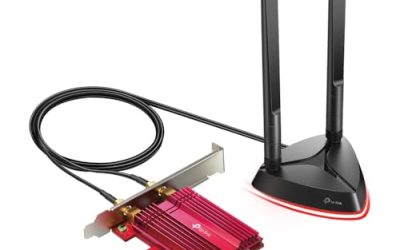
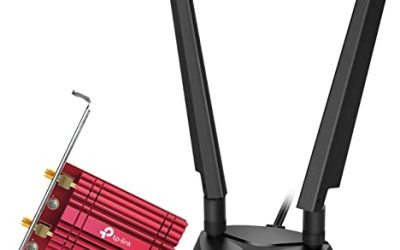
TP-Link Archer TXE75E
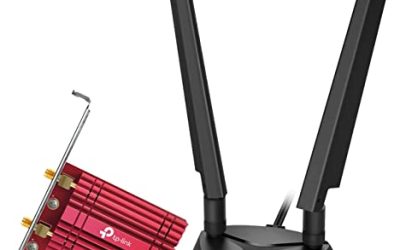
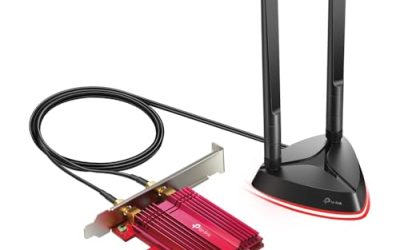
A lab host that changes roles benefits from the clearest paperwork, and this listing provides it: an Intel AX210 chipset named outright, three bands with individual speeds, and an explicit note that 6GHz needs Windows 11. The magnetic antenna base helps on a bench, where the antennas can be parked in a repeatable position on top of the case instead of trailing behind it. Bluetooth 5.3 covers bench peripherals without borrowing a dongle. It fits a Windows-based lab machine that joins different test networks across a month of experiments.
Specs
- Wi-Fi standard: Wi-Fi 6E, AXE5400 class, 802.11ax
- Band speeds listed: 2402 Mbps on 6GHz, 2402 Mbps on 5GHz, 574 Mbps on 2.4GHz
- Chipset listed: Intel Wi-Fi 6E AX210
- Antennas: Dual antennas with magnetic base
- Bluetooth: 5.3, USB port connection named in the listing
- Features listed: WPA3, MU-MIMO, OFDMA
- Operating system listed: Windows 10 and Windows 11; 6GHz requires Windows 11
Best for: A Windows lab host that rotates between test networks and needs its chipset documented.
Watch out for: The listing’s stated support is Windows only, so do not plan this card for a non-Windows lab host on the strength of the chipset name alone.
ASIN: B09VCVTJV2
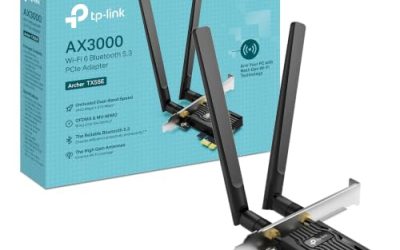
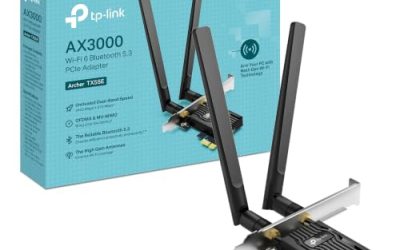
TP-Link Archer TX55E
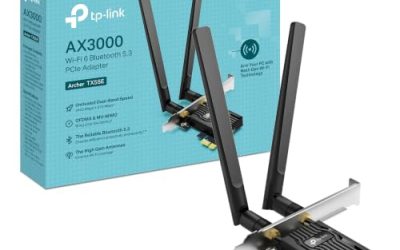
Not every lab machine needs three bands. A dedicated Windows test box — one that fetches images, syncs repositories and joins the main network for maintenance — is well served by this AX3000 dual-band card, whose listing is admirably plain about its limits: Windows 11 and 10, 64-bit only, Bluetooth 5.2, WPA3. There is no ambiguity to trip over during a rebuild, and MU-MIMO is named for a network shared with the rest of the house. Choose it when the lab role is fixed and the network it joins is the ordinary household Wi-Fi 6 one.
Specs
- Wi-Fi standard: Wi-Fi 6, AX3000 class, 802.11ax dual band
- Band speeds listed: 2402 Mbps on 5GHz and 574 Mbps on 2.4GHz
- Bluetooth: 5.2
- Security listed: WPA3
- Features listed: MU-MIMO, ultra-low latency positioning
- Interface: PCIe card for desktop PC
- Operating system listed: Windows 11 and Windows 10, 64-bit only
Best for: A single-purpose Windows lab box that lives on the main Wi-Fi 6 network.
Watch out for: The 64-bit-only line is explicit, so a legacy 32-bit installation in the lab is outside the listing’s support, however spare the machine is.
ASIN: B0B1NRGDQ4
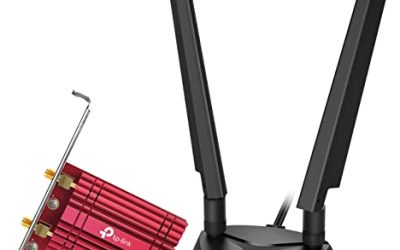
ASUS PCE-AX58BT
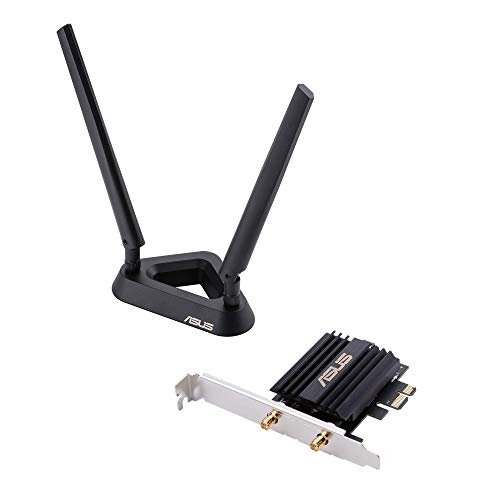
Bench PCs often end up wherever there is room, and two external antennas on a dual-band card are easier to route around shelves and neighbouring cases than a fixed stub. This ASUS listing adds 160MHz channel support, OFDMA and 2×2 MU-MIMO, with Bluetooth 5.0 for a bench keyboard and mouse. Its system line mirrors the TP-Link’s — Windows 11 and 10, 64-bit only — which keeps expectations honest for a Windows bench host. It suits a secondary lab machine on a Wi-Fi 6 router where tidy cabling matters more than a third band.
Specs
- Wi-Fi standard: Wi-Fi 6, AX3000 class, 802.11ax dual band
- Band speeds listed: 2402 Mbps on 5GHz and 574 Mbps on 2.4GHz
- Antennas: 2 external antennas
- Channel width listed: 160MHz support
- Bluetooth: 5.0
- Features listed: OFDMA, 2×2 MU-MIMO, WPA3 security
- Operating system listed: Windows 11 and Windows 10, 64-bit only, TAA compliant
Best for: A Windows bench PC on Wi-Fi 6 where external antennas need to snake around a crowded shelf.
Watch out for: Bluetooth 5.0 is a generation behind the other cards here, which matters if the bench host also drives newer wireless peripherals daily.
ASIN: B07XLP199J
Which One Fits Your Situation
Your lab host is a Windows machine rebuilt every few months
Take the Archer TXE75E. The named Intel AX210 chipset and the clearly separated band speeds make each rebuild easier to document, and the antenna base returns to the same position after every teardown. Keep a note of the driver version that worked, taped inside the case or in your build log, so the next image starts from a known-good wireless setup instead of a fresh search.
You run an isolated test network beside the household one
Choose the Archer TXE75E for the host that has to join both worlds at different times. Its tri-band radio covers the 6GHz test network when the lab router offers one, and the named AX210 chipset keeps your records straight about which hardware produced which result. Keep the household and lab networks clearly labelled on the host so experiments never run over the wrong connection by accident.
The lab box only fetches updates and moves files
The Archer TX55E is enough, and its restraint is the virtue. A maintenance machine does not need a 6GHz radio it will never join; it needs a stated Windows support line, WPA3 and a card that disappears into the build. Save the tri-band card for hosts that actually participate in wireless experiments, and let this one handle the unglamorous background work reliably.
Your bench PC sits on a shelf far from the router
Pick the ASUS PCE-AX58BT and spend the saved effort on antenna routing. Two external antennas can be angled away from the shelf wall and the neighbouring cases that crowd a bench, which will do more for that machine’s connection than a higher speed class trapped in the same bad position. Test from the shelf, not from the desk below it.
Common Mistakes
- Assuming a familiar chipset guarantees support on a system the listing never names.
- Recording lab results without noting which band and which antenna position produced them.
- Buying a tri-band card for a lab router that only broadcasts dual-band networks.
- Forgetting that Bluetooth on a PCIe card usually needs the internal USB header cable connected.
- Swapping cards between lab hosts without updating the build notes that document each machine.
Frequently Asked Questions
Can I use one of these cards in a non-Windows lab host?
These listings do not promise that. The TP-Link and ASUS cards state Windows 11 and 10 in 64-bit form, and the TXE75E listing is framed around Windows desktops as well, with 6GHz tied to Windows 11. If your lab host runs another system, treat support as unverified and check with the manufacturer before ordering, rather than relying on the chipset’s reputation.
Why does a named chipset matter in a home lab?
Because labs are documented environments. When a listing names its chipset — the Intel AX210 in the TXE75E listing — you can record exactly which device a result came from, find the correct driver quickly after a rebuild, and compare behaviour across machines honestly. An unnamed card forces you to identify the hardware again every time the system is re-imaged or the card moves hosts.
Should a lab host use 6GHz or 5GHz?
Use 6GHz for a short-range test network where the router supports it and the host meets the listing’s system requirement, because the band is usually quieter and keeps experiments separate from household traffic. Use 5GHz for a host that sits further away or shares the main network. In a lab, separation is often worth more than raw link speed, so choose by network design first.
Do I need Bluetooth on a lab card?
Only if the host uses wireless peripherals or pairs with devices as part of your projects. If you do, remember that on PCIe cards Bluetooth normally runs over an internal USB header cable, so a free header is part of the requirement. If the bench machine uses wired input and never pairs with anything, Bluetooth version is a fair place to stop caring and let bands and stated support decide.
Related guides
More from Amazon
Programs that pair well with the guide above. Offers and eligibility are set by Amazon and may change.
Free shipping on eligible items, Prime Video and more. Eligible new members can start with a free trial.
Start a Prime free trialAd-free music streaming. Eligible new subscribers can start with a free trial.
Try Music Unlimited freeA Prime membership for ages 18-24 with a trial period. Eligibility is set by Amazon.
See Prime for Young AdultsAudiobooks and podcasts to listen to on the go. Eligible new members can start with a free trial.
Try Audible freeAs an Amazon Associate we earn from qualifying purchases.