An upgrade only counts if it changes the generation of the connection, not just the card in the slot. Swapping a Wi-Fi 5 desktop for another dual-band card with a fresher box is money spent standing still. The decision worth making is which step your network is actually taking — from Wi-Fi 5 to 6, or from 6 to 6E — and whether the router, the operating system and the PC’s free slot are all ready to take that step with the card.
This guide is for owners of desktops whose wireless predates the rest of the network, builders who replaced the router this year and left the PC behind, and anyone planning a staged upgrade across a couple of seasons. The three cards were selected from their Amazon titles and listing details — Wi-Fi standard, per-band speeds where listed, Bluetooth version and stated system support — so each one represents a verifiable step rather than a promise of faster.
Our Top Picks
 TP-Link WiFi 6E Intel AX210 AXE5400 PCIe WiFi1 Count (Pack of 1)3.75 x 4.76 x 0.85 inches0.59 poundsCheck on Amazon

Top 3 picks at a glance
Quick Picks
As an Amazon Associate we earn from qualifying purchases.
| Product | Best for | Key spec from title |
|---|---|---|
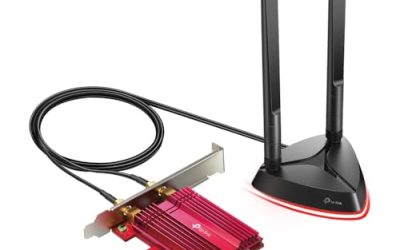
| TP-Link Archer TXE75E | Stepping a desktop from Wi-Fi 6 to a 6E router | AXE5400 tri-band, Intel AX210, Bluetooth 5.3, WPA3 |
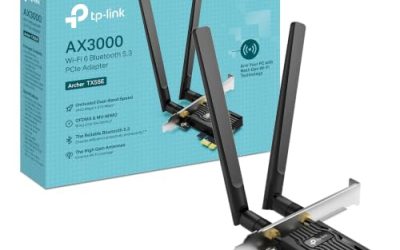
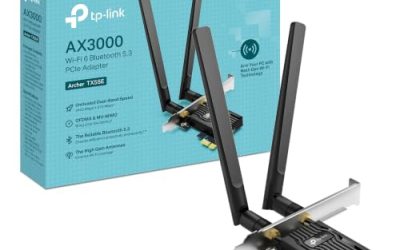
| TP-Link Archer TX55E | Moving an older desktop up to Wi-Fi 6 and Bluetooth 5.2 | AX3000 dual band, MU-MIMO, WPA3 |
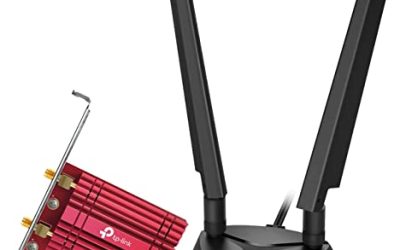
| ASUS PCE-AX58BT | Upgrading a compact PC that needs 160MHz channels | AX3000, 160MHz, 2 external antennas, Bluetooth 5.0 |
How to Choose
Name the generation you are leaving and the one you are joining
Write down two facts before shopping: the standard of the PC’s current wireless and the standard of the router. A desktop still on Wi-Fi 5 gains a real step from any card here, since all three are Wi-Fi 6 or 6E. A desktop already on Wi-Fi 6 only gains a new band by moving to a tri-band 6E card, and only when the router offers 6GHz. If both PC and router are already Wi-Fi 6, the honest upgrade may be antennas and placement rather than a new radio — the external and base-mounted designs in this group address exactly that.
Sequence the router and the card in the right order
A card cannot use a band that does not exist yet, so sequence matters in a staged upgrade. If a Wi-Fi 6E router arrives this season, a tri-band card bought alongside it works fully from day one. If the router is a year away, a tri-band card still functions as a dual-band card in the meantime — the TXE75E does not punish you for buying early — but a dual-band AX3000 card bought now will need replacing when the 6E router lands. Decide which purchase you would rather repeat, because one of them usually is repeated.
Check the system requirements that gate the new band
Upgrades fail quietly at the operating system line. The TXE75E listing states that using its 6GHz band requires Windows 11, and the TX55E and ASUS cards limit support to Windows 11 and 10 in 64-bit form. A desktop still running Windows 10 can accept a 6E card, but it will live on 5GHz until the system is upgraded too — which may be exactly your plan, as long as it is a plan. Read the support line for the specific machine being upgraded, not for the newest PC elsewhere in the house.
Do not strand the upgrade on a blocked slot or a missing header
An older desktop being upgraded is precisely the machine most likely to surprise you inside: a graphics card covering the only short slot, a case too slim for a full-height bracket, or no free internal USB header for the Bluetooth side of the new card. Open the case before ordering. Note the slot layout, the bracket height, and the headers, and compare them with the listing’s contents — several of these cards include a low-profile bracket, and Bluetooth on PCIe cards generally arrives over that internal USB connection.
The 3 Best Options
TP-Link Archer TXE75E
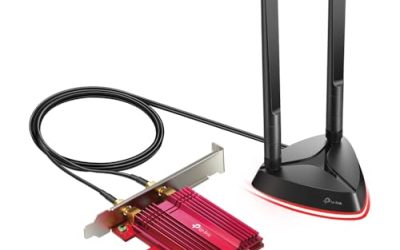
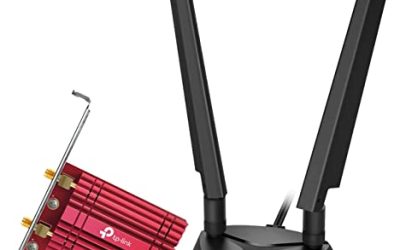
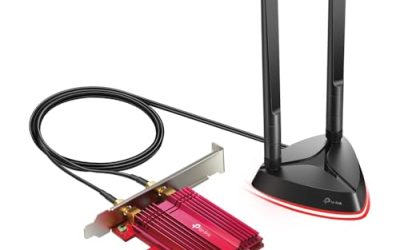
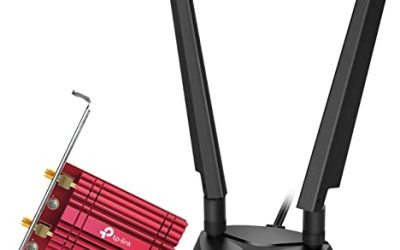
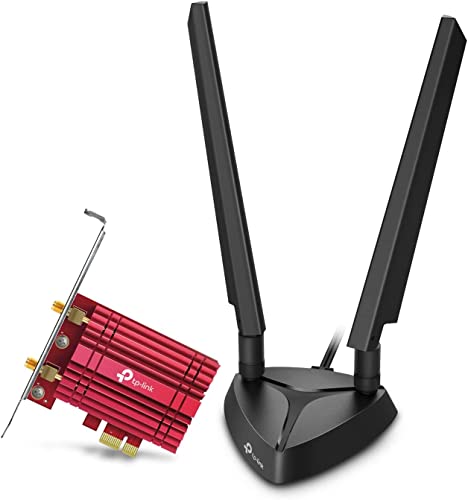
This is the upgrade card for a desktop whose network has already moved to Wi-Fi 6E. The listing gives the step in full: an Intel AX210 chipset, three bands with individual speeds up to 2402 Mbps on both 6GHz and 5GHz, Bluetooth 5.3 replacing whatever older radio the PC had, and a magnetic antenna base that improves placement at the same time. WPA3, MU-MIMO and OFDMA complete a specification that moves every part of the connection forward at once. Choose it when the router upgrade is done and the PC is the last device holding the network back.
Specs
- Wi-Fi standard: Wi-Fi 6E, AXE5400 class, 802.11ax
- Band speeds listed: 2402 Mbps on 6GHz, 2402 Mbps on 5GHz, 574 Mbps on 2.4GHz
- Chipset listed: Intel Wi-Fi 6E AX210
- Antennas: Dual antennas on a magnetic base
- Bluetooth: 5.3, via USB port connection named in the listing
- Features listed: WPA3, MU-MIMO, OFDMA
- Operating system listed: Windows 10 and Windows 11; 6GHz requires Windows 11
Best for: Completing a Wi-Fi 6E network upgrade on the desktop that was left behind.
Watch out for: On a Windows 10 machine the 6GHz band stays out of reach per the listing, so pair this upgrade with a system plan.
ASIN: B09VCVTJV2
TP-Link Archer TX55E
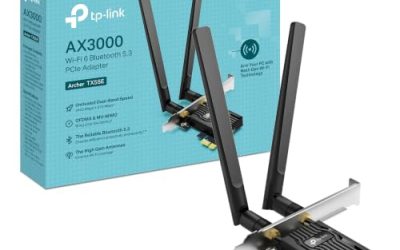
For the large group of desktops upgrading to a Wi-Fi 6 router — rather than a 6E one — this card is the step that matches. It moves an older machine to an AX3000 dual-band radio with 2402 Mbps listed on 5GHz, adds Bluetooth 5.2 where many older desktops had none or an early version, and names WPA3 and MU-MIMO in its title. The support line is plain: Windows 11 and 10, 64-bit only. Fit it when the network’s destination is Wi-Fi 6 and you want the PC’s wireless settled for the life of that router.
Specs
- Wi-Fi standard: Wi-Fi 6, AX3000 class, 802.11ax dual band
- Band speeds listed: 2402 Mbps on 5GHz and 574 Mbps on 2.4GHz
- Bluetooth: 5.2
- Security listed: WPA3
- Features listed: MU-MIMO, ultra-low latency positioning
- Interface: PCIe card for desktop PC
- Operating system listed: Windows 11 and Windows 10, 64-bit only
Best for: A desktop stepping up to a Wi-Fi 6 router and gaining modern Bluetooth in the same job.
Watch out for: There is no upgrade path to 6GHz in this card, so a 6E router planned for next year would outgrow it immediately.
ASIN: B0B1NRGDQ4
ASUS PCE-AX58BT
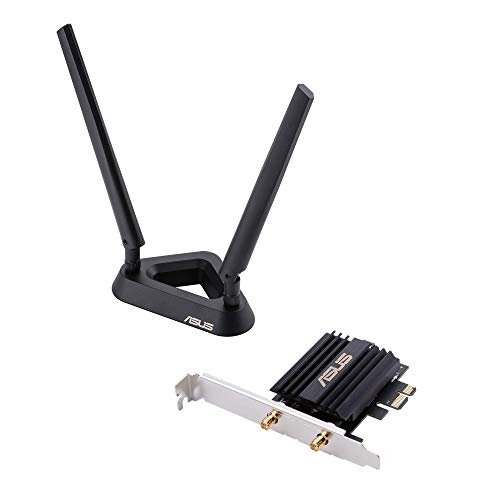
Some upgrades are constrained by the machine itself: a compact case, a busy motherboard, a desk where the PC’s back panel faces a wall. This ASUS card answers with a dual-band Wi-Fi 6 radio, 160MHz channel support — the wide channels are where much of Wi-Fi 6’s real gain lives — and two external antennas that can be angled into the room. OFDMA and 2×2 MU-MIMO are listed, along with Bluetooth 5.0 and a TAA compliant label. It is the upgrade for a smaller or older PC whose limits are physical as much as generational.
Specs
- Wi-Fi standard: Wi-Fi 6, AX3000 class, 802.11ax dual band
- Band speeds listed: 2402 Mbps on 5GHz and 574 Mbps on 2.4GHz
- Antennas: 2 external antennas
- Channel width listed: 160MHz support
- Bluetooth: 5.0
- Features listed: OFDMA, 2×2 MU-MIMO, WPA3 security, TAA compliant
- Operating system listed: Windows 11 and Windows 10, 64-bit only
Best for: Upgrading a compact desktop to Wi-Fi 6 with wide channels and routable antennas.
Watch out for: Bluetooth 5.0 is the oldest version in this group, so an upgrade centred on new wireless peripherals should weigh the other cards first.
ASIN: B07XLP199J
Which One Fits Your Situation
The new router is Wi-Fi 6E and the PC is the last old device
Finish the job with the Archer TXE75E, provided the desktop runs or will run Windows 11 for the 6GHz band. Every other device already enjoys the new network; this card brings the PC’s bands, Bluetooth and security up to the same generation in one installation, and its antenna base corrects the placement that may have been limiting the old card all along.
You are upgrading in stages, router first this year, PC later
Buy the Archer TXE75E when the PC’s turn comes, or earlier if the old card is failing. Fitted before a 6E router exists, it works on the bands available today; fitted after, it opens 6GHz without another purchase. Its named AX210 chipset also makes it easy to record what stage each machine has reached, which matters when a household or small office upgrades device by device over a year.
The network’s destination is Wi-Fi 6, full stop
Choose the Archer TX55E and consider the upgrade complete. Not every network needs a third band; a Wi-Fi 6 router with desktops on AX3000 cards is a coherent, finished system. Spend the remaining effort on router placement and on putting each PC on 5GHz, rather than buying tri-band hardware for a band the household has decided, sensibly, to skip for this cycle.
The PC being upgraded is small, old or awkwardly placed
Take the ASUS PCE-AX58BT. Its external antennas and 160MHz support deliver the practical part of the Wi-Fi 6 step to a machine whose case and position rule out grander plans. Check the bracket and slot clearance in that older case before ordering, because a PC of that vintage is the most likely to hold a surprise under its side panel.
Common Mistakes
- Replacing a Wi-Fi 5 card with another dual-band card and calling the same generation an upgrade.
- Buying a 6E card for a Windows 10 desktop and expecting the 6GHz band the listing reserves for Windows 11.
- Upgrading the router and the card in the wrong order, then replacing a nearly new dual-band card a year later.
- Ordering before opening the older PC to check its slot layout, bracket height and free USB headers.
- Ignoring antenna placement during an upgrade, leaving a new card in the same blocked position as the old one.
Frequently Asked Questions
Is it worth upgrading a desktop from Wi-Fi 5 to Wi-Fi 6?
Generally yes, when the router has made the same move. The cards here list 2402 Mbps on 5GHz with 160MHz channels on the ASUS model, plus features such as OFDMA and MU-MIMO that help on a network shared by many devices. The step also usually refreshes Bluetooth and security — WPA3 is named across this group — so one installation modernises several parts of an older desktop’s wireless at once.
Should I buy a 6E card before I buy a 6E router?
You can, and the tri-band card here will work as a dual-band card until the router arrives, but understand what you are waiting for: the 6GHz band also needs a system that meets the listing’s requirement, Windows 11 in the TXE75E’s case. Buying the card early makes sense if the old one is failing or the router is firmly scheduled; otherwise the router-first order keeps every purchase immediately useful.
What else should be upgraded alongside the card?
Check three companions. The router, which sets the bands available. The operating system, which gates 6GHz on the listings here and defines the support window for every card in this group. And the antenna position, which costs nothing: moving a base or angling external antennas into the room can be worth as much as a generation step on a PC that sits in a difficult corner.
How long should a PCIe Wi-Fi upgrade last?
Plan around the router’s life, not the card’s. A card matched to the current router generation — AX3000 cards on Wi-Fi 6, tri-band cards on Wi-Fi 6E — should serve until that router is replaced, when the band question is asked again. Buying one generation ahead, as with a 6E card on a Wi-Fi 6 network, extends that horizon only if a router upgrade is part of the plan.
Related guides
More from Amazon
Programs that pair well with the guide above. Offers and eligibility are set by Amazon and may change.
Free shipping on eligible items, Prime Video and more. Eligible new members can start with a free trial.
Start a Prime free trialAd-free music streaming. Eligible new subscribers can start with a free trial.
Try Music Unlimited freeA Prime membership for ages 18-24 with a trial period. Eligibility is set by Amazon.
See Prime for Young AdultsAudiobooks and podcasts to listen to on the go. Eligible new members can start with a free trial.
Try Audible freeAs an Amazon Associate we earn from qualifying purchases.