For a remote worker, a PCIe Wi-Fi card succeeds or fails in the middle of a call, not in a speed figure. The real decision is whether the card matches your home router’s standard, holds a steady link from the room you actually work in, and connects the Bluetooth headset your day depends on. That last point hides a trap, because Bluetooth on these cards usually needs a free internal USB header inside the PC.
This guide is for remote workers replacing a flaky connection on a home desktop, people converting a spare tower into a work machine, and anyone whose employer shipped a PC without wireless. Every pick was chosen from the name and specifications on its Amazon listing, including Wi-Fi standard, band speeds, Bluetooth version, antenna design and stated operating system. Stability for calls and uploads leads the shortlist, with faster standards included where a newer router can use them.
Our Top Picks
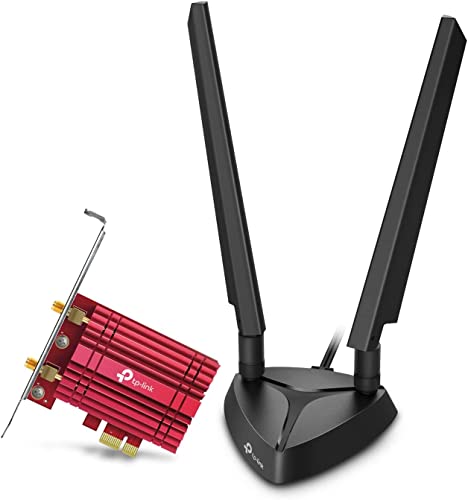 TP-Link WiFi 6E Intel AX210 AXE5400 PCIe WiFi1 Count (Pack of 1)3.75 x 4.76 x 0.85 inches0.59 poundsCheck on Amazon

Top 3 picks at a glance
Quick Picks
As an Amazon Associate we earn from qualifying purchases
| Product | Best for | Key spec from title |
|---|---|---|
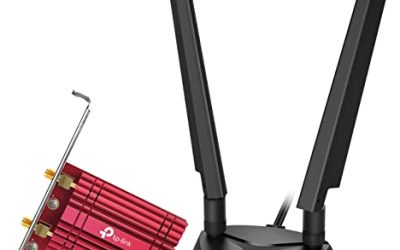
| TP-Link Archer TX3000E | A work desk where the tower hides under the desk | Wi-Fi 6 AX3000, Bluetooth 5.3, magnetized antenna base |
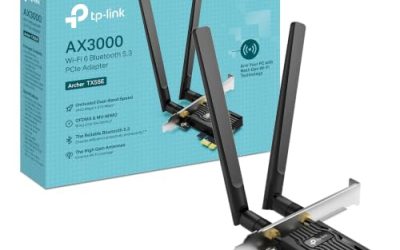
| TP-Link Archer TX55E | A remote worker on a standard Wi-Fi 6 home router | Wi-Fi 6 AX3000, Bluetooth 5.2, WPA3, two high-gain antennas |
| ASUS PCE-AX58BT | A call-heavy desk needing simple, steady dual-band Wi-Fi | Wi-Fi 6 AX3000, Bluetooth 5.0, OFDMA, 2×2 MU-MIMO |
| TP-Link Archer TXE75E | A home office with a Wi-Fi 6E router in the next room | Wi-Fi 6E AXE5400, Intel AX210, Bluetooth 5.3 |
| TP-Link Archer TBE550E | A long-term Windows 11 workstation on a Wi-Fi 7 network | Wi-Fi 7 BE9300, Bluetooth 5.4, tri-band |
How to Choose
Match the card to the router your employer does not control
Remote workers rarely choose the router their card must live with; it came from the broadband provider or a household purchase. Identify its standard first. A Wi-Fi 6 router pairs fully with an AX3000 card, using its 2402 Mbps 5 GHz and 574 Mbps 2.4 GHz bands, while a Wi-Fi 6E card only adds its 6 GHz band if the router broadcasts it. Buying above the router buys nothing your calls can use. If a router upgrade is genuinely planned with your own money, sequence it first, then choose the card, rather than owning a tri-band card on a dual-band network for a year.
Prioritise a stable link from your actual working room
Your desk is fixed, so the card must suit its distance from the router. On 5 GHz, a room or two of separation is comfortable for calls and cloud work; on 6 GHz, expect a shorter useful reach and keep the PC closer. What rescues borderline rooms is antenna placement, not a bigger class number. A magnetized base, as listed for the Archer TX3000E and TXE75E, lifts the antennas out of the shadow of the tower and the desk. Before ordering, picture the antennas on top of your case, in clear air, pointing at nobody’s metal filing cabinet.
Check the driver path and Windows version you will run for years
A work machine cannot afford a card its operating system abandons. Read the listing’s support line against your PC: most cards here cover 64-bit Windows 11 and 10, the Wi-Fi 7 Archer TBE550E excludes Windows 10, and 6 GHz use on the TXE75E requires Windows 11. Chipset matters for the same reason, because Intel-based cards follow Intel’s driver releases, which is the update path your card will live on. If your employer manages the PC, confirm their image includes a suitable driver, or pick the card whose maker support page you can reach without admin help.
Count Bluetooth as work equipment and verify its header
Your headset, keyboard and mouse are not extras; they are the job. Every card here adds Bluetooth, from 5.0 to 5.4, but the radio reaches Windows through a cable to a motherboard F_USB header, as the TXE75E listing notes for its Bluetooth function. Home-built and refurbished PCs often have that header already taken by front-panel wiring. Open the case or check the motherboard layout before ordering, and if the header is occupied, solve that first. A card whose Bluetooth never activates leaves you tethered by a headset cable you thought you had retired.
The 5 Best Options
TP-Link Archer TX3000E

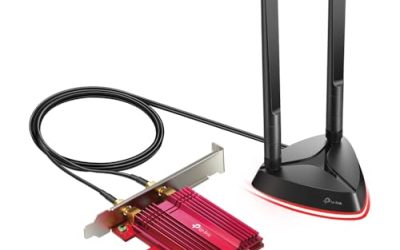
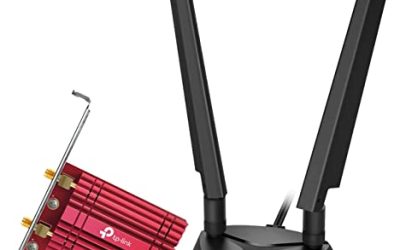
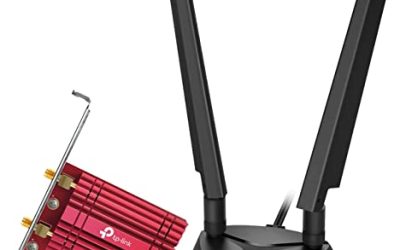
Remote work desks are rarely arranged for the router’s benefit, and the Archer TX3000E is designed around that fact. Its magnetized antenna base moves the two high-gain antennas from the back of an under-desk tower into open air, which is where a call connection is won or lost in a spare bedroom. The listing adds Wi-Fi 6 AX3000 speeds, Bluetooth 5.3 for your headset, MU-MIMO and OFDMA for a busy household network, plus a low-profile bracket and the Bluetooth header cable in the box. Choose it first if your current connection drops when the house gets busy or the door closes.
Specs
- Wi-Fi standard: Wi-Fi 6 (802.11ax), AX3000 class
- Speeds from title: up to 2402 Mbps on 5 GHz and 574 Mbps on 2.4 GHz
- Bluetooth: 5.3
- Antennas: magnetized antenna base with two high-gain antennas
- Included in listing: low-profile bracket and Bluetooth header cable
- Features: MU-MIMO and OFDMA listed
- Operating system listed: Windows 11, 10 (64bit)
Best for: A work desk where the tower hides under the desk
Watch out for: You need a clear spot for the magnetic base; a base left dangling behind the case wastes its main advantage.
ASIN: B07ZV2CJL2
TP-Link Archer TX55E
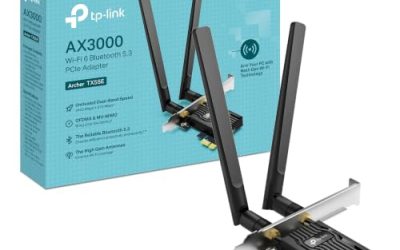
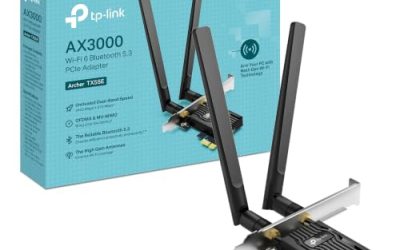
If your home router is Wi-Fi 6 and your desk is a sensible distance from it, the Archer TX55E covers remote work without drama. The listing combines AX3000 dual-band speeds with Bluetooth 5.2, WPA3 and MU-MIMO through two high-gain antennas, which between them handle video calls, cloud documents, large uploads and a wireless headset across a working day. It installs in a free PCIe slot, supports 64-bit Windows 11 and 10, and asks for no network changes elsewhere in the house. This is the card to buy when the goal is to stop thinking about your connection entirely.
Specs
- Wi-Fi standard: Wi-Fi 6 (802.11ax), AX3000 class
- Speeds from title: up to 2402 Mbps on 5 GHz and 574 Mbps on 2.4 GHz
- Bluetooth: 5.2
- Interface: PCIe adapter for desktop PC
- Antennas: two high-gain antennas
- Security and features: WPA3, MU-MIMO listed
- Operating system listed: Windows 11, 10 (64bit) only
Best for: A remote worker on a standard Wi-Fi 6 home router
Watch out for: Its fixed antennas assume a reasonable desk position; in a far room, the magnetic-base TX3000E gives you more placement freedom.
ASIN: B0B1NRGDQ4
ASUS PCE-AX58BT
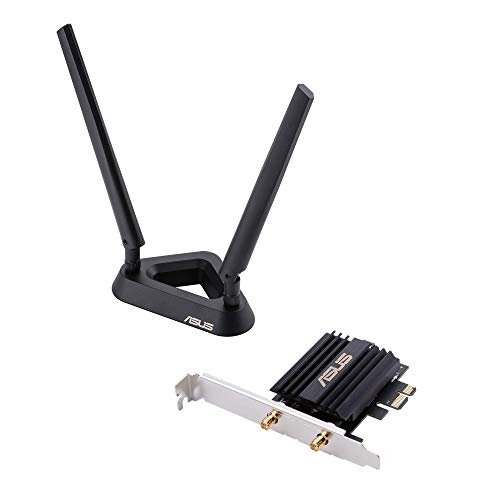
The PCE-AX58BT is the quiet, conventional choice for a call-heavy desk. ASUS lists Wi-Fi 6 AX3000 with OFDMA, 2×2 MU-MIMO and WPA3 security, two external antennas, and Bluetooth 5.0, which is enough for the headset and wireless keyboard most home offices run. Nothing in that specification reaches for a band a typical home router lacks, so the card’s value is fully available on day one. Pick it if you prefer the ASUS support route and your workload is meetings, documents and browsing rather than huge local transfers, and if your peripherals are established models rather than the newest Bluetooth releases.
Specs
- Wi-Fi standard: Wi-Fi 6 (802.11ax), AX3000 class
- Speeds from title: 2402 Mbps on 5 GHz and 574 Mbps on 2.4 GHz
- Bluetooth: 5.0
- Interface: PCIe wireless adapter
- Antennas: two external antennas
- Features: OFDMA, 2×2 MU-MIMO and WPA3 security listed
- Operating system listed: Windows 11, 10 (64bits) only
Best for: A call-heavy desk needing simple, steady dual-band Wi-Fi
Watch out for: Bluetooth 5.0 is the oldest version here, so check it against any very recent headset you plan to buy.
ASIN: B07XLP199J
TP-Link Archer TXE75E
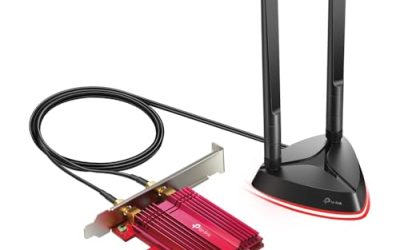
Where a Wi-Fi 6E router already serves the home, the Archer TXE75E gives a remote worker a cleaner lane for the working day. Its Intel AX210 chipset carries an AXE5400 tri-band connection, 2402 Mbps on both 6 GHz and 5 GHz, with Bluetooth 5.3, WPA3, MU-MIMO and OFDMA, and a magnetic base positions the dual antennas. On 6 GHz, your calls and uploads step away from the household’s streaming and gaming traffic, provided the office is within about a room of the router and the PC runs Windows 11. Further away, it remains a capable dual-band card for the same desk.
Specs
- Wi-Fi standard: Wi-Fi 6E (802.11ax), AXE5400 class
- Speeds from title: up to 2402 Mbps on 6 GHz, 2402 Mbps on 5 GHz and 574 Mbps on 2.4 GHz
- Chipset from title: Intel Wi-Fi 6E AX210
- Bluetooth: 5.3
- Antennas: magnetic base with dual antennas
- Features: WPA3, MU-MIMO and OFDMA listed
- Operating system listed: Windows 10 and Windows 11, with 6 GHz use requiring Windows 11
Best for: A home office with a Wi-Fi 6E router in the next room
Watch out for: If your employer later replaces your PC or you move rooms, the 6 GHz advantage depends on staying near the router.
ASIN: B09VCVTJV2
TP-Link Archer TBE550E

The Archer TBE550E suits the remote worker building a workstation to keep through several contracts. Its listing describes Wi-Fi 7 in the BE9300 tri-band class, rated at 5764 Mbps on 6 GHz, 2882 Mbps on 5 GHz and 688 Mbps on 2.4 GHz, with Bluetooth 5.4 and a multicolor status LED that makes a dropped connection visible at a glance. It supports AMD and Intel motherboards but is not compatible with Windows 10. Buy it only alongside a Wi-Fi 7 router and Windows 11; bought that way, it is the card least likely to be the reason for your next upgrade conversation.
Specs
- Wi-Fi standard: Wi-Fi 7, BE9300 class
- Speeds from title: up to 5764 Mbps on 6 GHz, 2882 Mbps on 5 GHz and 688 Mbps on 2.4 GHz
- Bands: tri-band, 6 GHz, 5 GHz and 2.4 GHz
- Bluetooth: 5.4
- Design: multicolor status LED listed
- Compatibility from title: supports AMD and Intel motherboards
- Operating system listed: not compatible with Windows 10
Best for: A long-term Windows 11 workstation on a Wi-Fi 7 network
Watch out for: Do not buy it speculatively; without the matching router and Windows 11, its workday benefit over Wi-Fi 6 is small.
ASIN: B0D4PDLX6L
Which One Fits Your Situation
Your calls drop because the PC is far from the router
Choose the TP-Link Archer TX3000E first, and place its magnetic antenna base on top of the case before blaming anything else. Antenna position is the cheapest variable in a home office, and this card is the one here built to change it. If the connection still struggles after that, the honest fix is a mesh node near the office, with the card’s antennas then working over a short, clear path.
You work on a normal Wi-Fi 6 router and want no surprises
Choose the TP-Link Archer TX55E, or the ASUS PCE-AX58BT if you prefer its support route and external antennas. Both match your router exactly, add Bluetooth for your headset, and install without touching anything else in the house. For a working week built on calls, documents and cloud tools, that exact match is worth more than a newer standard your router cannot broadcast to you.
Your home office sits near a Wi-Fi 6E router
Choose the TP-Link Archer TXE75E. The 6 GHz band gives your work traffic a quieter channel than the household’s devices are using, and the magnetic base helps you keep that band connected from a desk rather than a router-side seat. Keep the PC on Windows 11, because the listing makes that the condition for using 6 GHz at all.
You are setting up a dedicated workstation for years of remote work
Choose the TP-Link Archer TBE550E if the same budget covers a Wi-Fi 7 router and the PC runs Windows 11, because then its tri-band BE9300 rating and Bluetooth 5.4 have a long, useful life ahead. If either companion piece is missing, choose the TXE75E or TX3000E instead and put the remaining money toward the router or a mesh node, which your calls will feel sooner.
Common Mistakes
- Blaming the card for dropouts caused by antennas trapped behind an under-desk tower.
- Buying a 6E or Wi-Fi 7 card for a provider router that only offers Wi-Fi 6.
- Forgetting the internal USB header, then joining a first call with a headset that cannot pair.
- Installing the card the morning of an important meeting instead of the weekend before.
- Expecting any adapter to fix broadband that is slow before it reaches the router.
Frequently Asked Questions
Will a PCIe card make my video calls more stable?
It can, when the current problem is the PC’s side of the link: a weak internal card, antennas inside a laptop-style layout, or a tower hidden under a desk. A PCIe card with external or magnetic-base antennas gives the connection a better position and a modern standard. It cannot repair slow broadband or an overloaded router, so if every device in the home drops calls, fix the network first.
Which card is best if my headset is Bluetooth?
Any card here adds Bluetooth, but check the version and the header. The Archer TX3000E and TXE75E list Bluetooth 5.3, the TX55E lists 5.2, and the ASUS lists 5.0, all adequate for a work headset. The decisive check is the free motherboard F_USB header the Bluetooth cable needs. Without it, no version number matters, because Bluetooth never appears in Windows.
Do I need Wi-Fi 6E for working from home?
No. Wi-Fi 6E only helps when your router broadcasts the 6 GHz band and your desk is close enough to hold it, which suits a dedicated office near the router. For calls, documents and cloud work on a Wi-Fi 6 router, an AX3000 card such as the TX55E already covers the workload. Spend first on antenna placement or a mesh node if distance, not congestion, is your daily problem.
Can I install a PCIe card in an employer-managed PC?
Ask before you open it. Some employers manage drivers centrally, restrict hardware changes or supply an approved adapter, and a card that needs a driver download may conflict with that policy. If approval is given, confirm the PC is a desktop with a PCIe slot and a spare USB header, and keep the original configuration noted so the machine can be returned to its original state if your role changes.
Related guides
More from Amazon
Programs that pair well with the guide above. Offers and eligibility are set by Amazon and may change.
Free shipping on eligible items, Prime Video and more. Eligible new members can start with a free trial.
Start a Prime free trialAd-free music streaming. Eligible new subscribers can start with a free trial.
Try Music Unlimited freeA Prime membership for ages 18-24 with a trial period. Eligibility is set by Amazon.
See Prime for Young AdultsAudiobooks and podcasts to listen to on the go. Eligible new members can start with a free trial.
Try Audible freeAs an Amazon Associate we earn from qualifying purchases.