In a small office, a wireless card is rarely bought for one person. It goes into the spare desk PC, the counter machine, or the back-office tower that several people depend on, and it stays there until it fails. That makes the buying decision a practical one: which card installs cleanly in an ordinary business desktop, joins the office router securely, and gives whoever maintains the computers a specification they can reorder without thinking twice.
This guide addresses owners equipping a handful of Windows desktops, office managers replacing a failed card in a shared machine, and anyone standardising the wireless hardware across a small fleet. Each card was taken from its Amazon title and listing details — security standard, bands, Bluetooth version, bracket and system support — because in a business setting the details that matter are the ones you can verify and repeat across several machines.
Top 3 picks at a glance
Quick Picks
As an Amazon Associate we earn from qualifying purchases.
| Product | Best for | Key spec from title |
|---|---|---|
| TP-Link Archer TX55E | Standardising Wi-Fi 6 desktops across a small office | AX3000 dual band, Bluetooth 5.2, WPA3, MU-MIMO |
| ASUS PCE-AX58BT | A compact office PC that needs external antennas | AX3000, 2 external antennas, 160MHz, Bluetooth 5.0 |
| TP-Link Archer TXE75E | The main office PC on a Wi-Fi 6E router | AXE5400 tri-band, Intel AX210, Bluetooth 5.3, WPA3 |
How to Choose
Standardise on one card for every desk you can
A small business gains more from consistency than from squeezing the best specification into a single machine. Picking one model for every compatible desktop means one driver package to keep, one spare card on the shelf, and no detective work when a PC is moved between desks. The AX3000 cards here suit that approach on Wi-Fi 6 routers: identical bands, similar Bluetooth duties, the same installation routine. Reserve a different, tri-band card for the one or two machines whose location or workload genuinely differs, and write down which desks have which card.
Let the office router set the ceiling
Survey the router before ordering for several machines. If the office runs a Wi-Fi 6 router — the common case — dual-band AX3000 cards use everything it offers, and a fleet of them keeps the network predictable. A Wi-Fi 6E router changes the arithmetic only for machines close enough to use 6GHz well, such as the desk in the same room as the router. PCs at the far end of a corridor will live on 5GHz regardless of the badge on the card, so paying attention to antenna arrangement helps those desks more than a third band does.
Check security and system support across the fleet
Two lines on each listing deserve a fleet-wide check. The first is security: WPA3 is named on the TP-Link and ASUS cards here, and your office router needs to offer it for that protection to be in play, so confirm the router setting while you plan. The second is system support: the TX55E and ASUS listings specify Windows 11 and 10 in 64-bit form only. Walk the office and note which machines run what before ordering in quantity, because one older or differently configured PC can quietly fall outside the stated support.
Think about the install visit, not just the card
Fitting a card takes minutes; arranging access to a working desk takes longer. Before a rollout, confirm each target PC has a reachable PCIe slot, the right bracket for its case — several listings include a low-profile option for slim office cases — and a free internal USB header if that desk needs Bluetooth for a wireless keyboard or headset. Order one spare beyond the count of desks. A card on the shelf turns a Monday-morning failure into a short swap instead of a machine out of service waiting on a delivery.
The 3 Best Options
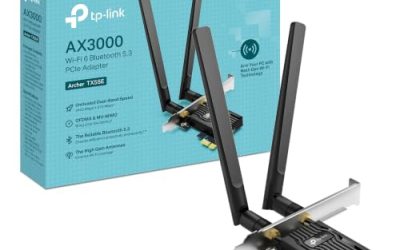
TP-Link Archer TX55E

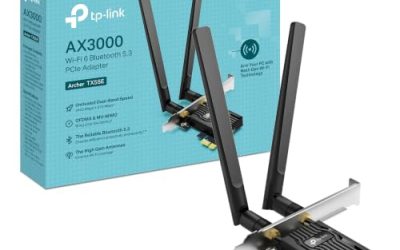
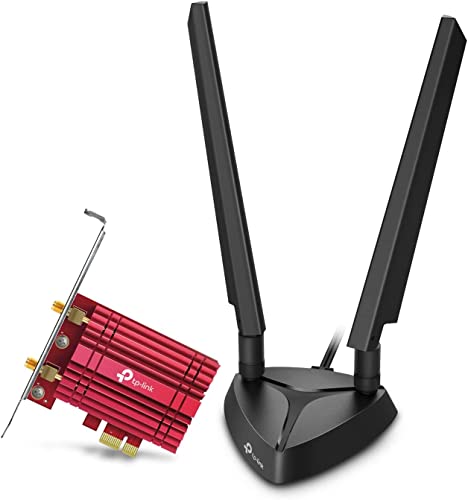
As a fleet standard for Wi-Fi 6 offices, this card is easy to justify: one AX3000 specification, Bluetooth 5.2 for desk peripherals, WPA3 named in the title, and a support line that covers the Windows 10 and 11 machines most small offices actually run. MU-MIMO is listed, which speaks to an access point shared by a roomful of desks. Nothing in the specification asks the person maintaining the office to make exceptions per machine. That uniformity, more than any single figure, is what a small business is buying here.
Specs
- Wi-Fi standard: Wi-Fi 6, AX3000 class, 802.11ax dual band
- Band speeds listed: 2402 Mbps on 5GHz and 574 Mbps on 2.4GHz
- Bluetooth: 5.2
- Security listed: WPA3
- Features listed: MU-MIMO, ultra-low latency positioning
- Interface: PCIe card for desktop PC
- Operating system listed: Windows 11 and Windows 10, 64-bit only
Best for: Standardising several Wi-Fi 6 office desktops on one repeatable card.
Watch out for: The 64-bit-only support line means any older machine in the fleet needs checking individually before it joins the rollout.
ASIN: B0B1NRGDQ4
ASUS PCE-AX58BT
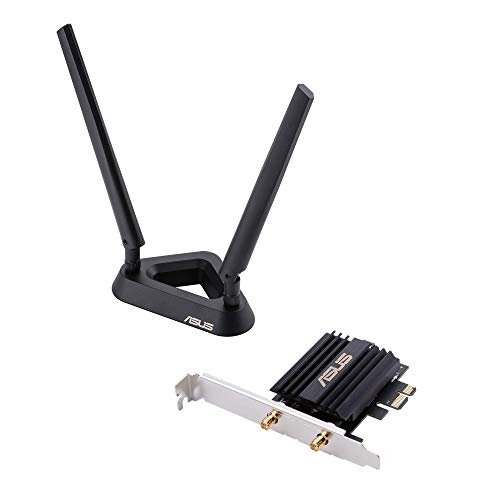
Compact office PCs — the kind tucked beside a monitor or under a counter — benefit from this card’s two external antennas, which can be angled into the room instead of pointing at a wall. The listing adds 160MHz channel support, OFDMA and 2×2 MU-MIMO on a dual-band Wi-Fi 6 radio, plus a TAA compliant label that some business buyers are specifically required to look for. Bluetooth sits at version 5.0, adequate for the keyboards and mice on most desks. It is a sound choice for reception, retail and shared-desk machines on a Wi-Fi 6 network.
Specs
- Wi-Fi standard: Wi-Fi 6, AX3000 class, 802.11ax dual band
- Band speeds listed: 2402 Mbps on 5GHz and 574 Mbps on 2.4GHz
- Antennas: 2 external antennas
- Channel width listed: 160MHz support
- Bluetooth: 5.0
- Features listed: OFDMA, 2×2 MU-MIMO, WPA3 security, TAA compliant
- Operating system listed: Windows 11 and Windows 10, 64-bit only
Best for: A slim or shared office PC that needs routable external antennas and a familiar brand.
Watch out for: Bluetooth 5.0 trails the other cards here, so a desk built around newer wireless audio should weigh that before standardising on it.
ASIN: B07XLP199J
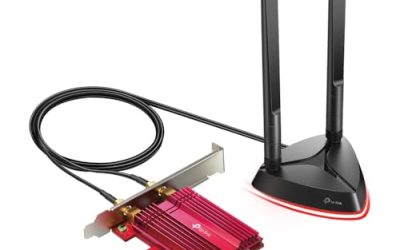
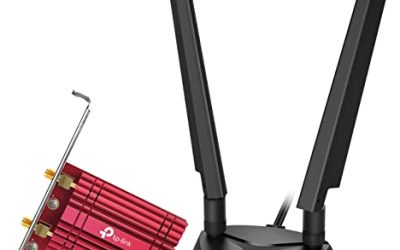
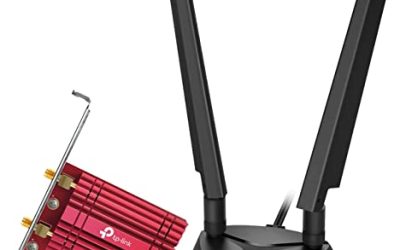
TP-Link Archer TXE75E
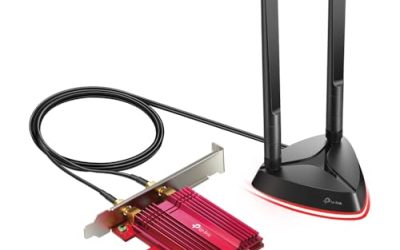
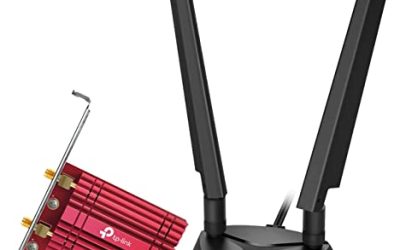
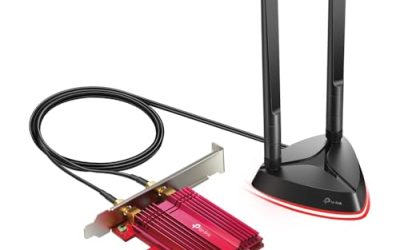
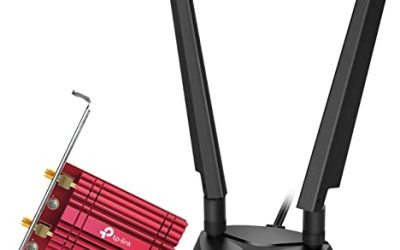
One machine in most offices does heavier lifting — the owner’s PC, the one running the shared applications, or the desk nearest the router where a strong link is actually available. This tri-band card suits that machine when a Wi-Fi 6E router is in place: the listing names an Intel AX210 chipset, individual speeds for all three bands, a magnetic antenna base that sits on top of the case, and Bluetooth 5.3. WPA3 and OFDMA are listed as well. Deployed selectively rather than fleet-wide, it upgrades the desk that can genuinely use 6GHz.
Specs
- Wi-Fi standard: Wi-Fi 6E, AXE5400 class, 802.11ax
- Band speeds listed: 2402 Mbps on 6GHz, 2402 Mbps on 5GHz, 574 Mbps on 2.4GHz
- Chipset listed: Intel Wi-Fi 6E AX210
- Antennas: Dual antennas on a magnetic base
- Bluetooth: 5.3, via USB port connection named in the listing
- Features listed: WPA3, MU-MIMO, OFDMA
- Operating system listed: Windows 10 and Windows 11; 6GHz requires Windows 11
Best for: The principal office PC paired with a Wi-Fi 6E router in the same room.
Watch out for: Its 6GHz band needs both the 6E router and Windows 11, so a Windows 10 desk gets a dual-band card in practice.
ASIN: B09VCVTJV2
Which One Fits Your Situation
You are equipping several desks at once
Standardise on the Archer TX55E for every Wi-Fi 6 desktop that meets its stated system support. One model means one spare on the shelf and one installation routine your maintainer can repeat desk to desk. Note the exceptions — a slim case here, an older system there — on a simple list, and handle those machines individually instead of letting them derail a uniform, supportable rollout.
The office router was recently upgraded to Wi-Fi 6E
Give the Archer TXE75E to the desk closest to the router, where 6GHz can actually hold, and fit the same card in the next-nearest machine that also needs tri-band access. Leave distant desks on the AX3000 cards; at corridor range they will use 5GHz whatever card is fitted, and the money is better held for the next router or access point decision.
A counter or reception PC has always had a weak signal
Fit the ASUS PCE-AX58BT and route its two external antennas into the room, above the counter line if the cabling allows. Shared front-desk machines suffer most from antennas buried behind a case in a corner. Moving the antennas, even by a small distance, addresses the actual cause, whereas a higher speed class in the same position would leave the underlying problem untouched.
One back-office machine just needs to stay connected
Choose the Archer TX55E, fit it once, and leave it alone. Background machines earn their keep through uneventful weeks, and a single standard card gives the person maintaining the office a clear, repeatable record of exactly what is installed if that machine ever does need attention during a busy period.
Common Mistakes
- Ordering a mixed basket of different cards for different desks, then maintaining several drivers and no spare that fits everywhere.
- Fitting tri-band cards throughout an office whose router only offers Wi-Fi 6.
- Skipping the per-machine check for a free PCIe slot, the right bracket and a spare USB header for Bluetooth.
- Assuming WPA3 is active because the card lists it, without enabling it on the office router.
- Buying exactly the number of cards needed, with no spare for the desk that fails on a busy morning.
Frequently Asked Questions
How many different card models should a small office buy?
As few as the building allows. One standard model for most desks — an AX3000 card on a Wi-Fi 6 network is the natural pattern here — keeps drivers, spares and installation steps uniform. Add a second, tri-band model only for a machine that sits near a Wi-Fi 6E router or carries noticeably heavier traffic. Every extra model in the fleet is another specification someone has to remember under pressure.
Is Wi-Fi 6E worth it for a small business?
Only where the conditions line up: a 6E router, a desk in the same room or the next one, and a system meeting the listing’s requirement — Windows 11 for the 6GHz band on the TXE75E. For desks down a corridor, 5GHz on a Wi-Fi 6 card delivers the connection, and the business gains more from antenna placement and a spare card than from a third band it cannot reach.
What should we check before ordering cards for several PCs?
Four things, machine by machine: a free and reachable PCIe slot, case height and bracket type, a spare internal USB header if that desk needs Bluetooth, and an operating system inside the listing’s stated support — Windows 11 or 10, 64-bit, for the TP-Link and ASUS cards here. Ten minutes with that checklist per desk prevents the most common rollout delays and returns.
Can these cards handle a desk’s Bluetooth peripherals too?
Yes, that is part of their appeal for office desktops without onboard wireless. The cards here list Bluetooth 5.3, 5.2 or 5.0 depending on model, covering wireless keyboards, mice and headsets for calls. Remember that Bluetooth on a PCIe card generally runs through an internal USB header cable, so confirm a header is free on each machine during the same check as the slot and bracket.
Related guides
More from Amazon
Programs that pair well with the guide above. Offers and eligibility are set by Amazon and may change.
Free shipping on eligible items, Prime Video and more. Eligible new members can start with a free trial.
Start a Prime free trialAd-free music streaming. Eligible new subscribers can start with a free trial.
Try Music Unlimited freeA Prime membership for ages 18-24 with a trial period. Eligibility is set by Amazon.
See Prime for Young AdultsAudiobooks and podcasts to listen to on the go. Eligible new members can start with a free trial.
Try Audible freeAs an Amazon Associate we earn from qualifying purchases.