A streaming PC sends for hours without a pause, and that is a harsher test than any download. The card decision that matters is therefore about steadiness: which band can hold a clean uplink through a whole evening session, and whether the antennas can be placed where that band stays strong while the tower sits wherever the desk, capture gear and monitors demand. A headline speed achieved in the first minute says very little about the third hour of a broadcast.
This guide is for creators whose streaming PC cannot be cabled to the router, streamers in rented or shared homes where the router belongs to someone else, and anyone whose current wireless link sags mid-show. The cards below come from their Amazon titles and listing details — bands, antenna bases, listed features such as OFDMA and MU-MIMO, and stated system support — judged here by how those details serve a sustained live uplink.
Our Top Picks
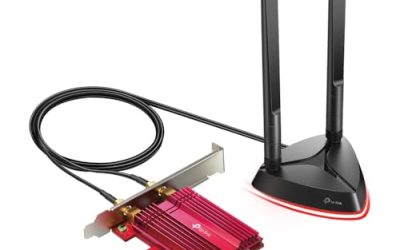
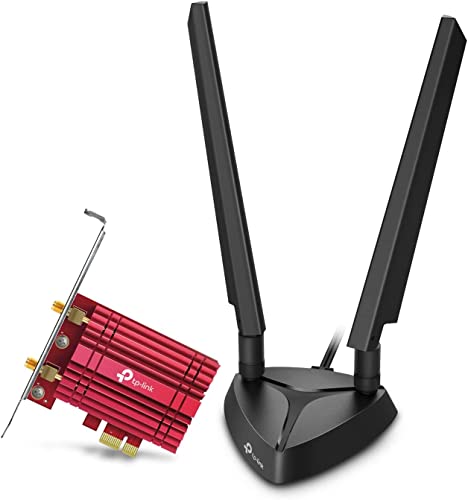 TP-Link WiFi 6E Intel AX210 AXE5400 PCIe WiFi1 Count (Pack of 1)3.75 x 4.76 x 0.85 inches0.59 poundsCheck on Amazon

Top 3 picks at a glance
Quick Picks
As an Amazon Associate we earn from qualifying purchases.
| Product | Best for | Key spec from title |
|---|---|---|
| TP-Link Archer TXE75E | A streaming desk on a Wi-Fi 6E router, using 6GHz | AXE5400 tri-band, magnetic antenna base, Bluetooth 5.3 |
| TP-Link Archer TX55E | A Wi-Fi 6 streaming PC that stays at one desk | AX3000 dual band, MU-MIMO, WPA3, Bluetooth 5.2 |
| ASUS PCE-AX58BT | A compact streaming build with two external antennas | AX3000, 160MHz, OFDMA, 2×2 MU-MIMO, Bluetooth 5.0 |
How to Choose
Give the broadcast its own band where you can
A live uplink competes with everything else in the home unless you separate it. On a Wi-Fi 6E router, the 6GHz band is the separation tool: fewer neighbouring networks use it, and the TXE75E listing notes that band requires Windows 11. Putting the streaming PC on 6GHz leaves phones, consoles and household laptops to share 5GHz among themselves. Without a 6E router, a 5GHz connection is the working choice, and the contest moves to antenna placement and channel crowding. Either way, decide the band deliberately and set the PC to prefer it before showtime.
Treat antenna position as part of the streaming setup
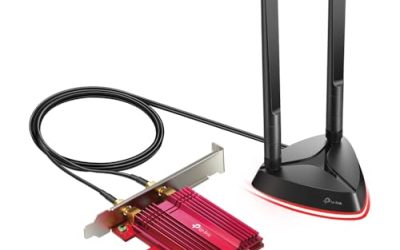
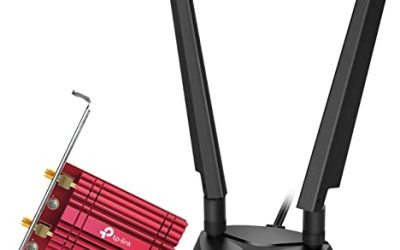
Streamers tune microphone position to the centimetre and then leave their antennas wherever the case happened to land. For a PCIe card, the fix is built into some models: a magnetic base, supplied with the TXE75E, puts the antennas on top of the case or a shelf, in open air, instead of behind a steel tower full of cables. Direct-fit antennas, as on the TX55E and ASUS card, demand more from the room — the back of the PC should face open space toward the router, not a wall corner.
Stability features matter more than the combined figure
Combined speed classes add bands together, but a stream uses one band at a time, so read past the total. The listings here name OFDMA and MU-MIMO on several cards; those features describe how an adapter shares a busy network’s airtime, which is the environment a broadcast actually lives in during the evening peak. WPA3, where listed, protects the connection without asking anything of the stream. What you are shopping for is a card whose listed features address crowding and consistency, fitted to a band your router really broadcasts at your desk.
Keep the streaming PC’s installation permanent and documented
A PCIe card rewards a streaming setup because it removes variables: no dongle to knock loose, no port shared with capture devices, no adapter borrowed for another machine. Protect that advantage during installation. Seat the card in a slot clear of the graphics card’s airflow, connect the internal USB header cable if you need Bluetooth for a wireless headset or controller, and write down which band and antenna position the setup uses. When a stream misbehaves months later, that note separates a network change from a hardware suspicion quickly.
The 3 Best Options
TP-Link Archer TXE75E
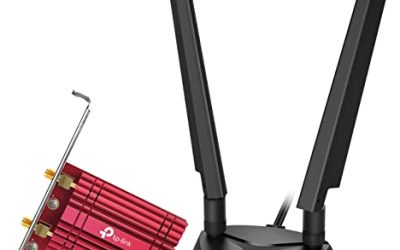
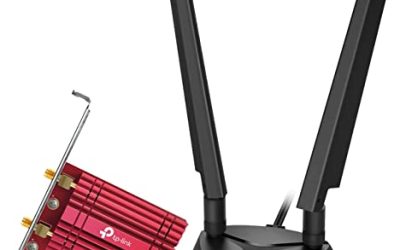
For a streaming desk with a Wi-Fi 6E router in range, this is the most complete card in the group. The tri-band radio can hold the broadcast on 6GHz, away from the household traffic crowding 5GHz at showtime, and the magnetic base lets the antennas sit on top of the case where the shorter 6GHz path stays clear. The listing names an Intel AX210 chipset, OFDMA and MU-MIMO, and Bluetooth 5.3 for a headset or controller. It suits a creator building a fixed streaming corner who wants the wireless link settled as thoroughly as the rest of the rig.
Specs
- Wi-Fi standard: Wi-Fi 6E, AXE5400 class, 802.11ax
- Band speeds listed: 2402 Mbps on 6GHz, 2402 Mbps on 5GHz, 574 Mbps on 2.4GHz
- Chipset listed: Intel Wi-Fi 6E AX210
- Antennas: Dual antennas on a magnetic base
- Bluetooth: 5.3, via USB port connection named in the listing
- Features listed: WPA3, MU-MIMO, OFDMA
- Operating system listed: Windows 10 and Windows 11; 6GHz requires Windows 11
Best for: A fixed streaming desk that can put its uplink on a Wi-Fi 6E router’s 6GHz band.
Watch out for: 6GHz range is short, so the router needs to be in the same room or the next one for that band to carry a broadcast reliably.
ASIN: B09VCVTJV2
TP-Link Archer TX55E
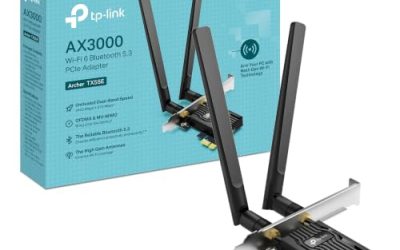
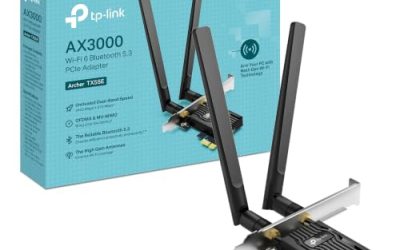
Most streaming homes still run Wi-Fi 6 routers, and for a PC that streams from one fixed desk this card covers the job without pretending otherwise. The AX3000 dual-band radio puts the broadcast on 5GHz, MU-MIMO is named in the title for a network shared with the rest of the household, and Bluetooth 5.2 handles the streamer’s headset and controller from the same installation. TP-Link positions it around ultra-low latency, which matches the priorities of a machine that is also running the game or capture feed. It is the grounded pick for a Wi-Fi 6 streaming corner.
Specs
- Wi-Fi standard: Wi-Fi 6, AX3000 class, 802.11ax dual band
- Band speeds listed: 2402 Mbps on 5GHz and 574 Mbps on 2.4GHz
- Bluetooth: 5.2
- Security listed: WPA3
- Features listed: MU-MIMO, ultra-low latency positioning
- Interface: PCIe card for desktop PC
- Operating system listed: Windows 11 and Windows 10, 64-bit only
Best for: A Wi-Fi 6 streaming desk in the same part of the home as the router.
Watch out for: There is no antenna base in this design, so the back of the tower needs a clear outlook toward the router for the 5GHz link to stay strong.
ASIN: B0B1NRGDQ4
ASUS PCE-AX58BT
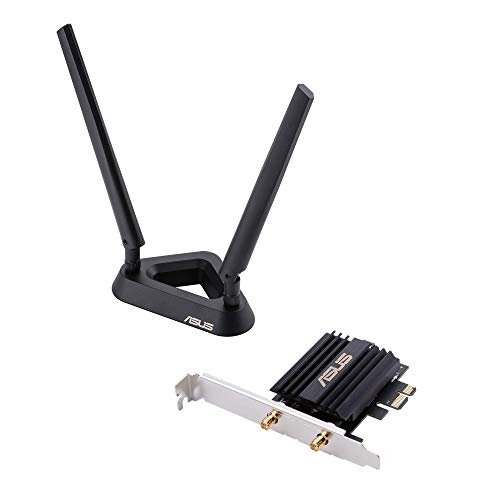
Compact streaming builds, where the PC shares a desk with monitors, a console and capture hardware, need antennas that can be threaded into the gaps. This ASUS card provides two external antennas on a dual-band Wi-Fi 6 radio, with 160MHz channel support and OFDMA and 2×2 MU-MIMO named in the listing — features aimed at busy evening networks. Bluetooth 5.0 covers a controller or headset. Pick it when the streaming machine is a smaller case on a Wi-Fi 6 network and the practical challenge is fitting a clean wireless installation around everything else on the desk.
Specs
- Wi-Fi standard: Wi-Fi 6, AX3000 class, 802.11ax dual band
- Band speeds listed: 2402 Mbps on 5GHz and 574 Mbps on 2.4GHz
- Antennas: 2 external antennas
- Channel width listed: 160MHz support
- Bluetooth: 5.0
- Features listed: OFDMA, 2×2 MU-MIMO, WPA3 security, TAA compliant
- Operating system listed: Windows 11 and Windows 10, 64-bit only
Best for: A compact streaming PC on Wi-Fi 6 whose antennas must fit around a crowded desk.
Watch out for: With no 6GHz option, a busy 5GHz neighbourhood at showtime is something this card must share rather than sidestep, so antenna position matters even more.
ASIN: B07XLP199J
Which One Fits Your Situation
Your router is Wi-Fi 6E and the streaming PC stays in one room
Build around the Archer TXE75E and put the broadcast on 6GHz. The value is separation: household devices argue over 5GHz while the uplink runs on the quieter band, and the magnetic base keeps the antennas in the open position that band prefers. Confirm the streaming PC runs Windows 11, since the listing ties 6GHz to it, and check the band in your connection settings before the first public stream.
You stream from a spare room, away from the router
Choose the Archer TXE75E and spend your setup time on the antenna base. Move it between the top of the case, a shelf and the door side of the room while running a private test stream, and keep the position that holds steady, not the one that peaks highest for a moment. Distance rewards patience here; a steady link that never dips serves a broadcast better than a fast one that fluctuates.
The streaming PC also runs the game, on a Wi-Fi 6 router
Take the Archer TX55E and keep the machine on 5GHz. One PC carrying both the game and the broadcast has enough work without a marginal wireless link, and this card’s listed MU-MIMO and low-latency positioning are aimed at a shared, busy network. Angle the tower so its antennas face the room rather than the wall, and avoid scheduling large downloads on other devices during a show.
Your streaming corner is a small desk with a compact case
Fit the ASUS PCE-AX58BT, routing its two external antennas into whatever open air the desk offers — above the case line, clear of monitor backs and metal shelving. In a tight setup the antennas’ position is the performance feature. Once a test stream holds steady from that arrangement, tape the layout down mentally and change nothing on stream day.
Common Mistakes
- Streaming on 2.4GHz because it connected first, then fighting congestion that 5GHz or 6GHz would have avoided.
- Judging a card by its combined speed class when a broadcast only ever uses one band at a time.
- Leaving antennas behind the tower, under a desk, surrounded by capture gear and power bricks.
- Changing antenna position, band and router settings all at once before a stream, leaving no way to tell what helped.
- Forgetting the internal USB header cable, then troubleshooting a silent Bluetooth headset minutes before going live.
Frequently Asked Questions
Is Wi-Fi good enough for streaming, or do I need a cable?
A cable remains the simplest path where one can be run, but a well-set-up PCIe card on the right band is a workable broadcast link for many homes. The conditions are the ones covered above: 5GHz or 6GHz rather than 2.4GHz, antennas placed in open air, and a router within sensible range. Run a full-length private test stream at your usual showtime before trusting any wireless setup publicly.
Why put a stream on 6GHz instead of 5GHz?
Because separation is the benefit. The 6GHz band on Wi-Fi 6E equipment is used by fewer networks, so an evening broadcast shares it with less household and neighbourhood traffic. The trade is range: 6GHz weakens faster through walls, which is why the TXE75E’s antenna base and a nearby router matter. The listing also requires Windows 11 for that band, so check the streaming PC’s system first.
Does a PCIe card help compared with the USB adapter I already use?
For a fixed streaming desk, it removes several failure points. The card is internal, so it cannot be knocked, unplugged or borrowed; its antennas are larger and, on the base-equipped models here, positionable; and it leaves USB ports free for capture devices and peripherals. The gain is consistency across a long session, which is what a broadcast actually needs, rather than a higher number in a short speed check.
What should I test before the first stream on a new card?
Run a private broadcast at the same time of day as your real show, for at least the length of a typical session, from the exact chair and PC position you will use. Watch for dips when household devices come online, confirm the PC stayed on the intended band, and check Bluetooth peripherals after a reboot. Fix one variable at a time, and note the antenna position that passed.
Related guides
More from Amazon
Programs that pair well with the guide above. Offers and eligibility are set by Amazon and may change.
Free shipping on eligible items, Prime Video and more. Eligible new members can start with a free trial.
Start a Prime free trialAd-free music streaming. Eligible new subscribers can start with a free trial.
Try Music Unlimited freeA Prime membership for ages 18-24 with a trial period. Eligibility is set by Amazon.
See Prime for Young AdultsAudiobooks and podcasts to listen to on the go. Eligible new members can start with a free trial.
Try Audible freeAs an Amazon Associate we earn from qualifying purchases.